
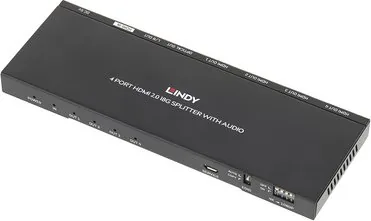
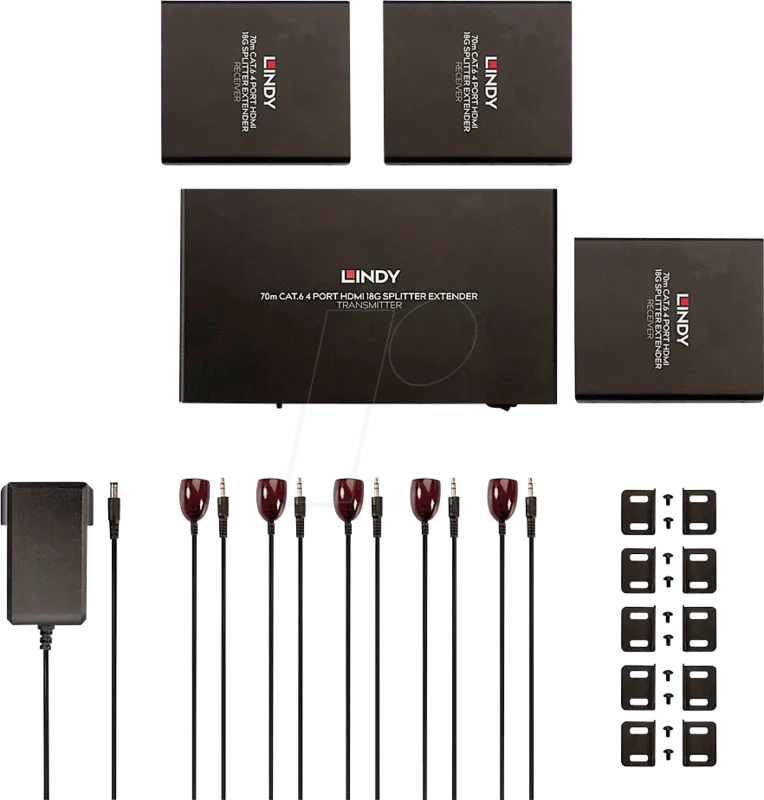
Lindy 4 Port HDMI 2.0 18G 38231 Manual
PDF manual · 12 Pages
English



Quick check
Incorrect answer, please try again.
Chat with your Lindy 4 Port HDMI 2.0 18G 38231 manual using AI
Get instant AI answers from your Lindy 4 Port HDMI 2.0 18G 38231 manual
Ask anything about the Lindy 4 Port HDMI 2.0 18G 38231. Answers come from this manual, with the pages they are based on.
Ask a Question
Do you recommend 4 Port HDMI 2.0 18G 38231?
Yes NoFrequently Asked Questions
It supports HDMI 2.0 18G and HDCP 2.2, with resolutions up to 3840x2160@60Hz (4:4:4 8bit). HDR is also supported, enabling high quality 4K output to all connected displays.
Is this answer helpful?
Use the downscaling switch to control signal handling. OFF passes the input directly to all outputs. ON downscales 4K to 1080p, which helps when you connect displays with a maximum resolution of 1080p.
Is this answer helpful?
For 4K resolutions that then downscale each port to 1920x1080p, the instructions recommend setting the EDID switch to COPY. This copies EDID from Output 1 and applies the selected resolution across all displays (priority Output 1 to 4).
Is this answer helpful?
The splitter extracts audio from the HDMI input and provides separate outputs. It includes a Toslink (optical) output for digital audio and a 3.5mm stereo (L/R) output for analog audio devices.
Is this answer helpful?
AUTO compares EDID settings from all connected displays and outputs the most suitable, highest resolution possible supported by them. COPY copies the EDID of Output 1 and sends that resolution to all displays. If Output 1 has no EDID, the unit falls back to Output 2, then Output 3, and so on.
Is this answer helpful?
Before connecting, ensure all devices are switched off. After all HDMI connections are made, power on in this order: displays first, then the HDMI splitter, and finally the source device.
Is this answer helpful?
Advantages and Disadvantages
Advantages

- Splits one HDMI source to four displays simultaneously for consistent multi-screen output
- HDMI 2.0 18G with HDCP 2.2 support, up to 3840x2160@60Hz with HDR
- Extracts audio separately using Toslink (optical) and 3.5mm stereo outputs
- Integrated downscaling switch enables 4K to 1080p for Full HD displays
- EDID switch supports AUTO selection or COPY from Output 1 to improve resolution handling
Disadvantages

- Downscaling targets 1080p only, limiting output resolution when enabled
- For correct 4K downscaling behavior, EDID switch settings must be chosen carefully
- Operates within 0C to 40C, so extreme environments may require extra care
- Requires 5V DC 1A external power supply for operation
Product Specification
Video Inputs
1x HDMI 2.0 In
Video Outputs
4x HDMI 2.0 Out
Other Connections
1x Digital Audio Out (optical)
Resolutions up to
4096x2160@60Hz
Dimensions
180x14.4x63mm (WxHxD)
Weight
122g
Product Description
Lindy 4 Port HDMI 2.0 18G Splitter with Audio Manual
The Lindy 4 Port HDMI 2.0 18G Splitter with Audio is a practical, multi-output solution for anyone who needs to distribute one HDMI source to up to four displays at the same time. Built for reliable home and office use, it helps you keep presentations, training content, retail signage, or AV setups consistent across multiple screens without the hassle of running separate cables from the source to each display.
Beyond video splitting, this model also extracts audio separately. You can take sound directly from the HDMI feed and route it to compatible audio systems using both an optical Toslink output and a 3.5mm stereo output. That makes it well suited for installs where display audio is not needed or where speakers and soundbars connect more easily through analog or optical inputs.
Designed for modern HDMI, with options for older displays
Supporting HDMI 2.0 18G and HDCP 2.2, the splitter handles high resolution viewing up to 3840x2160 at 60Hz, including HDR. This means you can deliver detailed 4K content while still maintaining compatibility with common AV workflows.
To keep installations flexible, it includes an integrated downscaling switch. When enabled, the unit can downscale 4K signals to 1080p, which is useful when one or more displays only support Full HD.
EDID management is another key feature. The EDID switch offers AUTO mode to compare connected display settings and select the most suitable resolution, or COPY mode to copy the EDID from Output 1 and apply it across all outputs. For 4K setups that need downscaling to 1920x1080p, setting the EDID switch to COPY is specifically recommended.
What you will get
- 4 simultaneous HDMI outputs for sharing one HDMI source across up to four displays
- Video support up to 3840x2160@60Hz, 4:4:4 8bit, with HDR, plus HDCP 2.2 compliance
- Audio extraction via optical Toslink and 3.5mm stereo outputs
- Built-in downscaling for 4K to 1080p compatibility
- A sturdy metal housing, rated for typical 0C to 40C operation
Notes
- Power connections should be made with devices switched off, then powered on in this order: displays, HDMI splitter, source.
- If you plan to downscale 4K to 1080p on each port, use the EDID COPY approach described in the operating instructions.
Search for 67,706 Manuals online


Type-in Brand or Model