
Liebherr RBsfd 5221-22 Plus BioFresh Manual
PDF manual · 28 Pages
English



Quick check
Incorrect answer, please try again.
Chat with your Liebherr RBsfd 5221-22 Plus BioFresh manual using AI
Get instant AI answers from your Liebherr RBsfd 5221-22 Plus BioFresh manual
Ask anything about the Liebherr RBsfd 5221-22 Plus BioFresh. Answers come from this manual, with the pages they are based on.
RBsfd 5221-22 Plus BioFresh Maintenance Schedule
Replace the carbon filter every six months when the display reminder appears. The filter guarantees air quality in the fridge.
For refrigerators with heat exchangers, dust the metal grid on the back of the appliance once a year to reduce energy consumption.
Clean the drain opening regularly during defrosting or cleaning to prevent blockages from deposits.
Free maintenance reminders
Timed to your purchase date. Always free, unsubscribe anytime.
Ask a Question
Do you recommend RBsfd 5221-22 Plus BioFresh?
Yes NoFrequently Asked Questions
BioFresh creates a near-0 °C storage climate with adjustable humidity for two safes (Meat & Dairy and Fruit & Vegetable). This slows spoilage and extends storage times for sensitive produce and high-protein foods compared with standard refrigeration.
Is this answer helpful?
If your appliance is SmartDevice-compatible, insert the SmartDeviceBox (sold separately), install the SmartDevice app, register, and follow the WiFi setup steps in the appliance menu to pair and manage the refrigerator remotely.
Is this answer helpful?
Replace the FreshAir activated carbon filter approximately every six months. The appliance can display a reminder; after changing the filter confirm the message to reset the service interval.
Is this answer helpful?
Use HolidayMode to raise the fridge temperature to about 15 °C while the freezer remains operational, and E-Saver to reduce energy consumption by raising temperatures slightly. Combine proper cleaning and ventilation for best results.
Is this answer helpful?
The Fruit & Vegetable safe has a sliding compartment cover that changes airflow: slide forward for lower humidity, slide back for higher humidity. Adjust according to the produce’s moisture needs and open the drawer minimally to maintain conditions.
Is this answer helpful?
Note the fault code displayed, consult the troubleshooting section in the manual for basic remedies (door closure, ventilation, power), and contact Liebherr Customer Service with model, service and serial numbers if the issue persists.
Is this answer helpful?
SabbathMode disables many electronic functions to comply with specific religious requirements (STAR-K). It locks display interactions, disables interior light and alarms, and runs for up to 80 hours or until manually deactivated; follow the manual’s warnings about power failures and food safety.
Is this answer helpful?
Advantages and Disadvantages
Advantages

- BioFresh compartments extend freshness with near-0 °C storage and adjustable humidity.
- Flexible internal layout: VarioSafe, adjustable bottle shelf, removable drawers and dividing shelves.
- Comprehensive touch display with dedicated modes (SuperCool, HolidayMode, E-Saver, CleaningMode).
- SmartDevice compatibility via SmartDeviceBox for WiFi control and remote monitoring.
- Detailed maintenance and safety guidance, including FreshAir filter replacement intervals.
Disadvantages

- SmartDeviceBox required for WiFi — sold separately and unavailable in some countries.
- SabbathMode and certain modes change alarms and display behavior, which can confuse users.
- Manual warns refrigerant is flammable; repairs must be done by qualified service personnel.
- Layered menus and protected advanced access (code-required) may complicate setup for some users.
- Defrosting and deep cleaning require manual steps; freezer may need manual defrost depending on use.
Product Specification
Type
Freestanding unit
Energy efficiency class
D (A to G)
Energy consumption
164 kWh/year
Front color
stainless steel (inox-look)
Side color
silver
Usable capacity refrigerator compartment
83.74 gal, incl. cold storage zone
Usable capacity freezer compartment
8.98 gal
Total usable capacity
92.73 gal
Star rating
4
Freezing capacity in 24h
11.02 lb
Storage time during power failure
16 h
Display
yes
Special features
Meat compartment (BioFresh), Vegetable compartment (BioFresh), Fast cooling, Dynamic cooling, LED lighting, Bottle rack (integrated), Divisible glass shelf, Door closing aid with damping, Door alarm
Smart Home
App control optional
Climate class
SN/N/ST/T
Noise emission
35 dB
Airborne acoustical noise emission class
B (A to D)
Door system
Right-hand hinged door, reversible
Dimensions
23.50x73.03x26.57 in (WxHxD)
Product Description
Liebherr RBsfd 5221-22 Plus BioFresh — Overview and Features
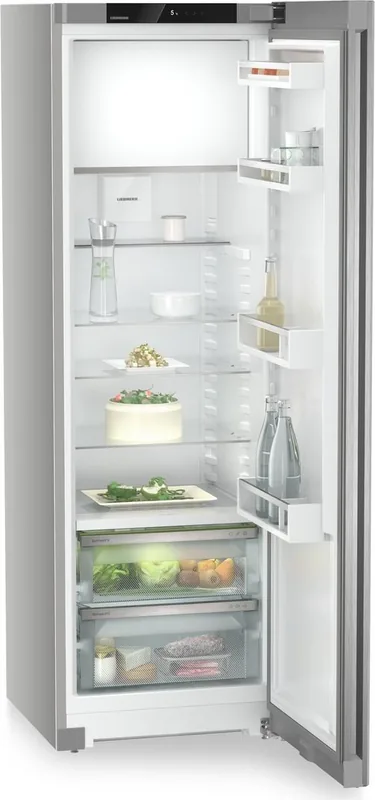
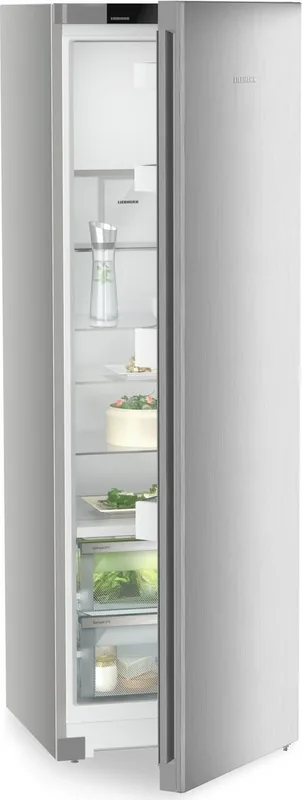
The Liebherr RBsfd 5221-22 Plus BioFresh Manual guides you through a premium freestanding refrigerator that blends precise temperature control, generous storage flexibility and energy-conscious operation. Designed for household and similar domestic uses, this model emphasizes freshness preservation via the BioFresh compartments, adaptive shelving solutions and intuitive SmartDevice connectivity.
Design and storage
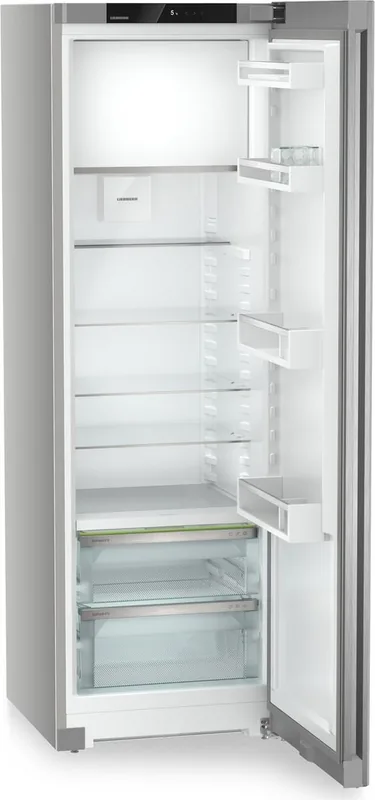
The appliance offers distinct climate zones: a fridge section, BioFresh Meat & Dairy and Fruit & Vegetable safes, and a 4-star freezer compartment. The BioFresh technology maintains temperatures close to 0 °C with adjustable humidity, extending the shelf life of meat, dairy, fruits and vegetables compared with standard refrigeration. Multiple shelving options — including VarioSafe, adjustable bottle shelf, removable drawers and dividing shelves — allow tailored organization while keeping airflow optimized for efficiency.
Controls and usability
A responsive touch display provides easy access to main and advanced menus, Sleep mode, and a suite of functions: SuperCool, HolidayMode, SabbathMode, E-Saver and CleaningMode. The display includes status indicators, temperature setting for fridge and BioFresh B-value adjustments, and protected access to advanced settings. Input lock prevents accidental changes; demo mode and factory reset options support dealers and service technicians.
Connectivity and smart features
If equipped or paired with a SmartDeviceBox, the RBsfd 5221-22 Plus can connect to WiFi and be managed through the SmartDevice app for remote monitoring and additional settings. WiFi setup and reset procedures are integrated into the appliance menus.
Energy, maintenance and safety
The manual details energy-saving practices (proper ventilation, placement away from heat sources, limiting door openings) and features like FreshAir activated carbon filters to maintain interior air quality. Regular maintenance covers filter replacement, cleaning instructions for interior parts and safe defrosting procedures. The refrigerant is eco-friendly but flammable; safety warnings emphasize avoiding damage to the refrigerant circuit and proper disposal.
Practical notes and performance
Climate classifications define suitable ambient temperatures for reliable operation. The unit provides guidance on freezing capacity, recommended storage times for various foods in BioFresh and freezer zones, and troubleshooting tips for common faults. Manufacturer service and model identification are accessible via the display and type plate.
Notes
- BioFresh compartments: adjust B-value to fine-tune temperatures; use humidity control for produce.
- SabbathMode and other specialized functions may alter alarms and displays — follow manual guidance for prolonged activation.
- Replace FreshAir carbon filter every six months for optimal air quality.
Search for 67,706 Manuals online


Type-in Brand or Model