
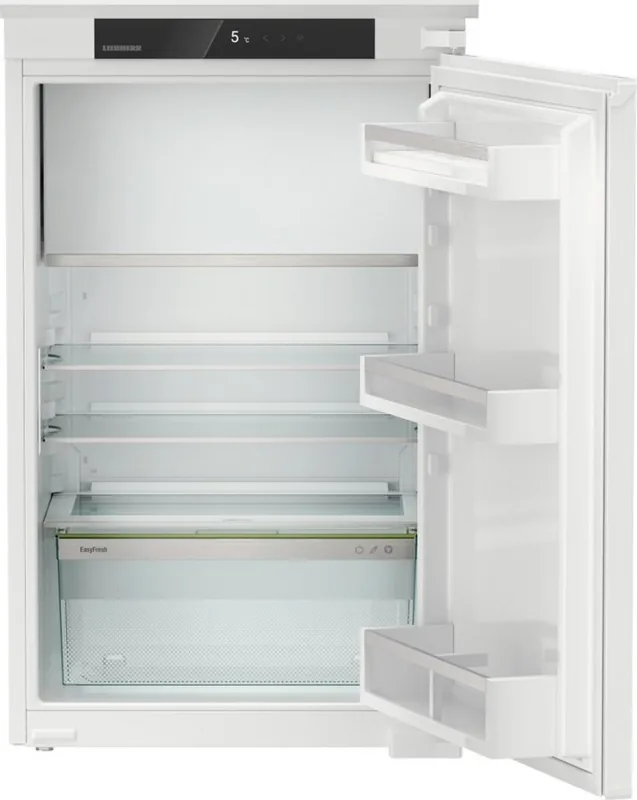
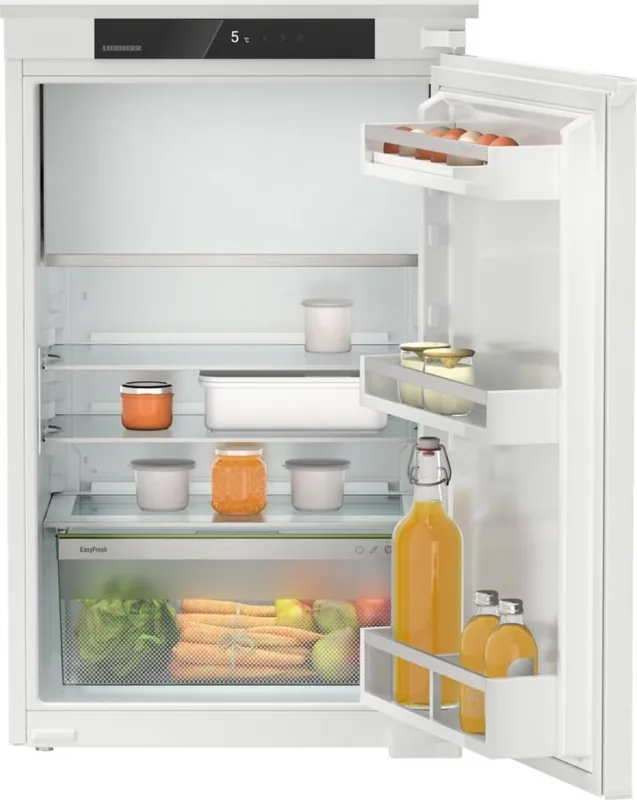
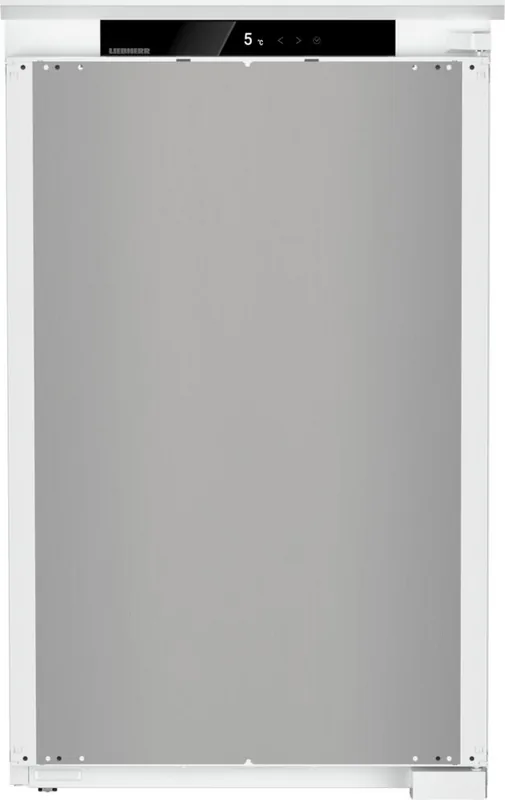
Liebherr IRSe 3901-22 Pure Manual
PDF manual · 30 Pages
English



Quick check
Incorrect answer, please try again.
Chat with your Liebherr IRSe 3901-22 Pure manual using AI
Get instant AI answers from your Liebherr IRSe 3901-22 Pure manual
Ask anything about the Liebherr IRSe 3901-22 Pure. Answers come from this manual, with the pages they are based on.
IRSe 3901-22 Pure Maintenance Schedule
Change the air filter every six months when prompted by the display reminder to ensure air quality.
Remove deposits from the drain opening regularly using a thin item like a cotton bud.
Repeat cleaning of the interior and removable parts regularly with soft cloths and neutral cleaners.
Free maintenance reminders
Timed to your purchase date. Always free, unsubscribe anytime.
Ask a Question
Do you recommend IRSe 3901-22 Pure?
Yes NoFrequently Asked Questions
If your appliance is SmartDevice-enabled, install the SmartDevice app and follow the in-app setup. Some models require a SmartDeviceBox (sold separately). Ensure you have a 2.4 GHz WiFi network and complete app registration to pair the device.
Is this answer helpful?
Use SuperCool to lower fridge temperatures and PowerCool for improved temperature distribution. For freezing fresh items, use the 4-star freezer and SuperCool; observe package size limits and allow rapid cooling to preserve quality.
Is this answer helpful?
Store unpackaged fruit and vegetables in the EasyFresh drawer and adjust the compartment cover forward or back to regulate humidity. Replace the FreshAir carbon filter approximately every six months and clean components regularly.
Is this answer helpful?
Follow the on-screen instructions: note the error code, acknowledge prompts to stop the alarm, and consult the manual’s troubleshooting section. If the fault persists, contact Liebherr Customer Service and provide model, service and serial numbers from the device information screen.
Is this answer helpful?
Ensure adequate ventilation and keep vents clear, avoid direct sunlight and heat sources, set appropriate temperatures, minimise door openings, use HolidayMode for long absences, and regularly defrost if heavy frost forms.
Is this answer helpful?
Yes: SabbathMode disables certain electronic functions to meet religious requirements (STAR-K certified). The display shows SabbathMode permanently, interior lighting is off, alarms and reminders are disabled, and the mode auto-deactivates after 80 hours or can be turned off manually.
Is this answer helpful?
Switch off and disconnect power or enable CleaningMode before cleaning. Use soft cloths and ph-neutral cleaners, avoid abrasive agents and sharp tools, remove and clean removable components, and do not tamper with refrigeration circuits—seek qualified service for repairs.
Is this answer helpful?
Advantages and Disadvantages
Advantages

- SmartDevice compatibility enables remote control and app-based monitoring via WiFi (SmartDeviceBox required for some models).
- Versatile storage: adjustable shelves, VarioSafe, pull-out boards and EasyFresh humidity-controlled drawer for produce.
- Advanced modes (SuperCool, PowerCool, PartyMode, HolidayMode, E-Saver) provide flexible temperature and energy management.
- Convenient maintenance: removable components, FreshAir carbon filter and automatic defrost for the fridge compartment.
- User-friendly touch display with menus, protected Advanced settings and reminders for filter replacement and updates.
Disadvantages

- Some smart features require a separate SmartDeviceBox and are unavailable in certain countries (e.g., Russia, Belarus, Kazakhstan).
- Higher energy use and louder operation when high-performance modes (PowerCool, SuperCool, PartyMode) are active.
- Certain features and accessories vary by model; items marked with an asterisk may not be present on all units.
- Manual warns about flammable refrigerant and oil—professional handling recommended for repairs and disposal.
- WiFi limited to 2.4 GHz band and subject to regional regulatory limitations; setup may require app registration.
Product Specification
Design type
integrated (sliding hinge)
Energy efficiency class
E (A to G)
Energy consumption
147 kWh/yr
Front color
silver
Side color
white
Fridge compartment net capacity
3.60 cu ft
Freezer compartment net capacity
0.57 cu ft
Total net capacity
4.17 cu ft
Star rating
4
Freezing capacity in 24h
4.41 lb
Storage time during power failure
9 h
Display
yes
Special features
Vegetable compartment (EasyFresh), SuperCool, LED lighting, Door alarm
Smart Home
App control optional
Climate class
SN/N/ST
Noise level
35 dB
Airborne acoustical noise emission class
B (A to D)
Door system
Door hinge right, reversible
Dimensions
21.30x34.33x21.46 in (WxHxD)
Niche dimensions
22.05-22.44x34.41-35.04x21.65 in (WxHxD)
Product Description
Liebherr IRSe 3901-22 Pure — Overview and Manual Guide ## Discover the Liebherr IRSe 3901-22 Pure
The Liebherr IRSe 3901-22 Pure is a built-in refrigeration unit combining thoughtful German engineering with modern connectivity. Designed for household and household-like environments (staff kitchens, B&Bs, guest accommodations), it focuses on food preservation, intuitive touch controls, energy efficiency, and modular storage solutions. The appliance supports SmartDevice connectivity for remote control and offers features tailored to everyday refrigeration needs.
Key features and user experience
This model includes a fridge compartment with multiple temperature zones, an EasyFresh humidity-controlled drawer for produce, and a 4-star freezer compartment (on applicable models). The touch display provides direct access to settings and modes: temperature adjustment, SuperCool and PowerCool for rapid chilling, PartyMode, HolidayMode and E-Saver for energy optimization. The device also offers CleaningMode, SabbathMode (STAR-K compatible), and an input lock to prevent accidental changes. The display is navigated via clear symbols and menus; an Advanced menu is protected by a numeric code for deeper configuration.
The SmartDevice ecosystem allows WiFi integration (via SmartDeviceBox where required) so you can monitor and control settings from a mobile app. The appliance includes reminders (e.g., FreshAir carbon filter replacement), software and device information accessible on the display, and a demo mode for showroom use.
Practical design and storage
Shelves, drawers and racks are configurable: VarioSafe inserts, pull-out boards with bottle baskets, removable glass shelves and versatile door racks let you optimize space for bottles, baking trays and tall items. The EasyFresh drawer includes an adjustable cover to control humidity and prolong freshness. Cooling distribution is supported by a fan and optional FreshAir activated charcoal filter to reduce odors.
Maintenance is straightforward: automatic defrosting for the fridge, optional manual defrost for the freezer, removable components for cleaning, and replaceable FreshAir filters every six months. The manual highlights safety (flammable refrigerant, electrical precautions), proper installation, recommended storage practices and climate classes for correct ambient use.
Safety, support and disposal
Comprehensive safety instructions cover electrical, fire and tipping hazards, child safety, and correct use to avoid food spoilage. For faults, the display provides warnings and error codes; customer service contact procedures and device information (model, service and serial numbers) are available on the display and type plate. End-of-life instructions detail removal of batteries and proper recycling to avoid environmental and safety risks.
Notes
- SmartDevice connectivity depends on region and may require the SmartDeviceBox. - Some menu items and features vary by model and are marked with an asterisk where applicable. - For best results, follow installation, ventilation and temperature-range guidance in the manual.
Search for 67,706 Manuals online


Type-in Brand or Model