
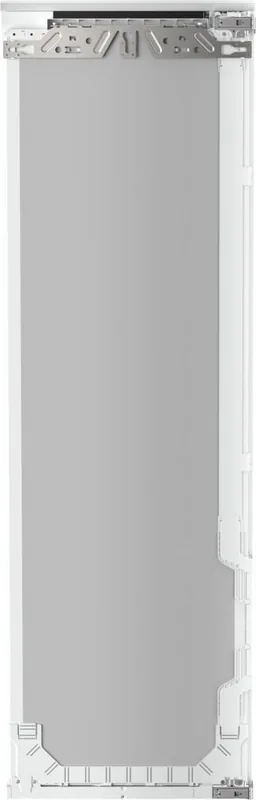
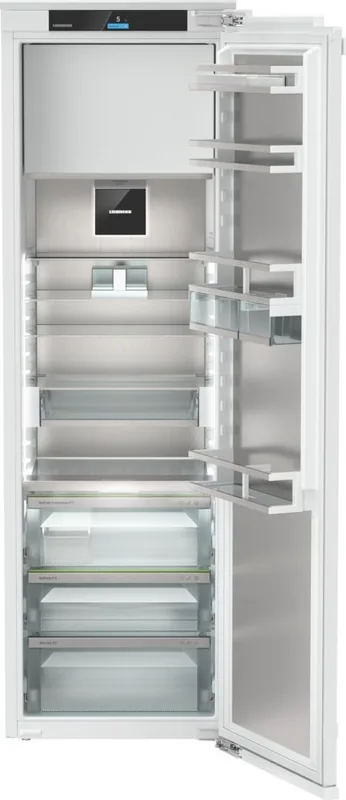
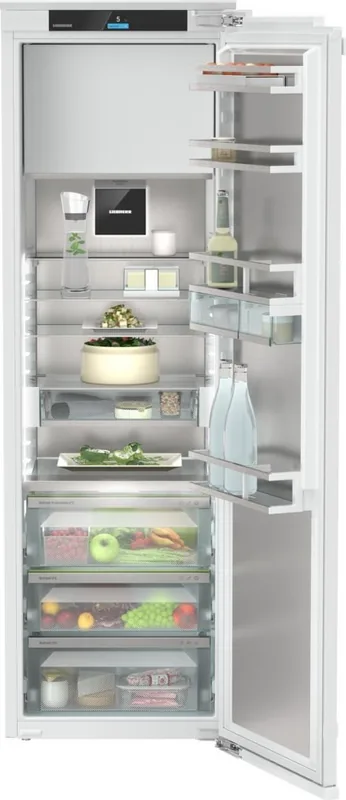
Liebherr IRBac 5171-22 Peak BioFresh Manual
PDF manual · 38 Pages
English



Quick check
Incorrect answer, please try again.
Chat with your Liebherr IRBac 5171-22 Peak BioFresh manual using AI
Get instant AI answers from your Liebherr IRBac 5171-22 Peak BioFresh manual
Ask anything about the Liebherr IRBac 5171-22 Peak BioFresh. Answers come from this manual, with the pages they are based on.
IRBac 5171-22 Peak BioFresh Maintenance Schedule
Change the air filter every six months to ensure optimal air quality in the cooling device.
Change the water filter at least every six months or if flow rate decreases significantly.
Clean the drain opening regularly to prevent blockages during automatic defrosting.
Clean the dispenser unit and surrounding area after five days of non-use or initial operation.
Clean the HydroBreeze system when it has been deactivated for more than 48 hours or before refilling the tank.
Free maintenance reminders
Timed to your purchase date. Always free, unsubscribe anytime.
Ask a Question
Do you recommend IRBac 5171-22 Peak BioFresh?
Yes NoFrequently Asked Questions
BioFresh creates near-0 °C storage compartments with controlled humidity. The Fruit & Vegetable safe keeps high-moisture produce fresher longer, while the Meat & Dairy safe protects sensitive, packaged foods—extending shelf life compared with standard refrigeration.
Is this answer helpful?
Activate AutoDoor via the Touch & Swipe display, configure a door opening angle (at least 70°) during the guided reference run, then choose opening methods: knocking, smartphone (via SmartDevice app and WiFi) or voice assistant. Ensure no obstacles are in the door path.
Is this answer helpful?
Replace the water filter and FreshAir carbon filter approximately every six months. Clean InfinitySpring, HydroBreeze components and the water tank regularly, follow recommended cleaning procedures in the manual, and keep ventilation openings unobstructed to maintain performance.
Is this answer helpful?
HydroBreeze emits a fine, cold mist in the BioFresh drawer to maintain humidity for unpackaged lettuce, vegetables and fruit. Use it when storing high-moisture produce; ensure the water tank is filled and cleaned, and set drawer humidity appropriately to avoid condensate build-up.
Is this answer helpful?
Install the SmartDevice app, register an account, then enable WiFi on the appliance via the display to complete the pairing process. Note: SmartDevice functions are unavailable in certain countries (e.g., Russia, Belarus, Kazakhstan).
Is this answer helpful?
Follow on-display guidance: acknowledge messages to silence alarms, check door closure, vents and basic settings. For persistent warnings or error codes, record the appliance model and service number from the rating plate or display and contact Liebherr Customer Service for assistance.
Is this answer helpful?
SuperCool temporarily increases cooling for large loads or freezing; PartyMode combines functions (e.g., SuperCool) for events and auto-deactivates after 24 hours; HolidayMode raises fridge temperature to reduce energy use when empty. Use as directed and be aware these modes may raise energy consumption or affect stored food if misused.
Is this answer helpful?
Advantages and Disadvantages
Advantages

- BioFresh compartments maintain near-0 °C climates to extend freshness of meat, dairy, fruits and vegetables.
- AutoDoor supports manual, knock-to-open, smartphone and voice control for convenient hands-free access.
- HydroBreeze misting and adjustable humidity drawer settings preserve moisture-sensitive produce.
- Integrated InfinitySpring water dispenser with optional filter provides chilled drinking water on demand.
- SmartDevice WiFi connectivity enables remote control and extended appliance functions via app.
Disadvantages

- Advanced features (AutoDoor, SmartDevice) require WiFi and app setup; some functions are country-restricted.
- AutoDoor and boosted modes increase energy use and can make the appliance temporarily louder.
- HydroBreeze and InfinitySpring need regular cleaning and water tank maintenance to avoid hygiene issues.
- Complex features and settings may require time to configure and a learning curve for some users.
- Certain functions and components (4-star freezer, water filter) vary by model and may not be included.
Product Specification
Design type
integrable (flat hinge)
Energy efficiency class
C (A to G)
Energy consumption
131kWh/year
Front color
silver
Side color
white
Usable capacity refrigerator compartment
8.83 cu ft, incl. cold storage zone
Usable capacity freezer compartment
0.95 cu ft
Total usable capacity
9.78 cu ft
Star rating
4
Freezing capacity in 24h
4.41lb
Storage time in case of power failure
14h
Display
Touchscreen
Features
Meat compartment (BioFresh), vegetable compartment (BioFresh), fast cooling, dynamic cooling, LED lighting, bottle rack (integrated), divisible glass shelf, soft-closing door, door alarm
Smart Home
App control (Wi-Fi (WLAN), SmartDevice), voice assistant
Climate class
SN/N/ST/T
Noise level
33dB
Noise emission class
B (A to D)
Dimensions
22.01x69.69x21.50in (WxHxD)
Installation dimensions
22.05-22.44x69.76-70.39x21.65in (WxHxD)
Product Description
Liebherr IRBac 5171-22 Peak BioFresh Manual
The Liebherr IRBac 5171-22 Peak BioFresh is a premium built-in refrigerator that blends innovative refrigeration technology with smart connectivity and user-focused features. Designed for residential and similar environments, it delivers precise temperature control, extended freshness for perishables via BioFresh compartments, and convenient hydration through an integrated InfinitySpring water dispenser. The fridge emphasizes energy efficiency and flexible storage while offering advanced comfort functions such as AutoDoor, HydroBreeze misting, and SmartDevice integration for remote control.
Key features and operation
The Touch & Swipe display provides intuitive navigation for temperature settings, appliance functions and advanced menus. BioFresh zones maintain near-0 °C climates to prolong the shelf life of meat, dairy, fruits and vegetables; humidity control and a Fruit & Vegetable safe let you fine-tune storage conditions. The 4-star freezer (model-dependent) handles long-term frozen storage and rapid freezing, while SuperCool and PartyMode temporarily boost cooling for heavy loads or events.
AutoDoor offers multiple opening methods—manual, knock-to-open, smartphone or voice command—after initial configuration and an angle reference run. HydroBreeze disperses a fine mist to preserve moisture in high-humidity drawers; it uses a removable water tank and requires periodic cleaning. The integrated InfinitySpring dispenser and optional water filter provide on-demand drinking water; water system venting and filter replacement are covered in routine maintenance.
SmartDevice connectivity allows WiFi control and app features (availability varies by country). The appliance includes safety and energy-saving modes (HolidayMode, EnergySaver, SabbathMode) and a CleaningMode to simplify maintenance. Built-in reminders prompt filter or carbon filter replacement; demo and factory reset options are available for service and setup.
Practical storage and maintenance
Shelving, VarioSafe, FlexSystem and variable bottle shelves create versatile organization. The manual details proper packaging, temperature zones, and recommended storage durations for a wide range of foods. Regular maintenance tasks include cleaning the interior and equipment, replacing FreshAir carbon filters and water filters every six months, cleaning HydroBreeze and InfinitySpring components, and ensuring ventilation is unobstructed to optimize energy consumption.
Safety and support
The manual covers general safety: handling combustible refrigerants, preventing tipping or crushing, protecting food from spoilage, and instructions for decommissioning and environmentally responsible disposal. For faults, the guide lists troubleshooting steps, error messages, and customer service contact procedures, along with the location of the rating plate and appliance identification needed for service.
Notes:
- Model options vary; features marked with an asterisk depend on the specific configuration.
- For step-by-step tutorials and updates, consult Liebherr online resources and the SmartDevice app if available.
- Follow recommended filter replacement and cleaning intervals to maintain water and air quality.
Search for 67,706 Manuals online


Type-in Brand or Model