
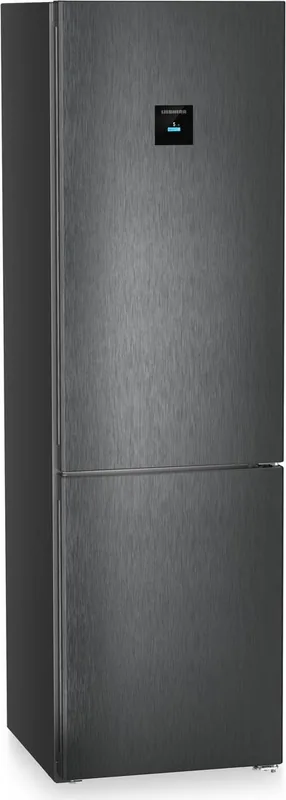
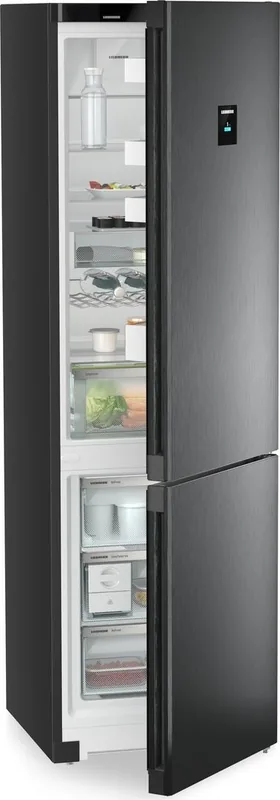
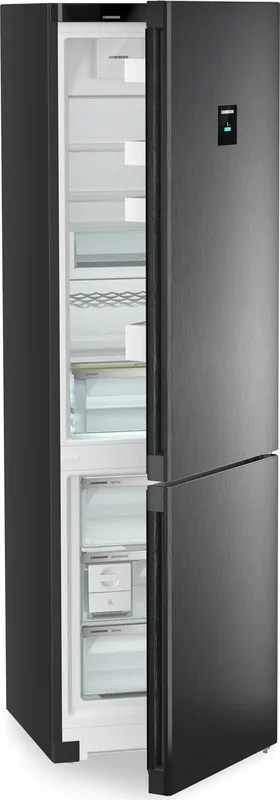
Liebherr CNbdc 573i-22 Plus NoFrost Manual
PDF manual · 34 Pages
English



Quick check
Incorrect answer, please try again.
Chat with your Liebherr CNbdc 573i-22 Plus NoFrost manual using AI
Get instant AI answers from your Liebherr CNbdc 573i-22 Plus NoFrost manual
Ask anything about the Liebherr CNbdc 573i-22 Plus NoFrost. Answers come from this manual, with the pages they are based on.
CNbdc 573i-22 Plus NoFrost Maintenance Schedule
Change the carbon filter every six months when the display reminder appears to ensure air quality.
Clean the EasyTwist-Ice during initial commissioning, if unused for more than 48 hours, or if cleaning is needed.
Clean the IceMaker manually or use TubeClean function during initial commissioning or if unused for more than 48 hours.
Free maintenance reminders
Timed to your purchase date. Always free, unsubscribe anytime.
Ask a Question
Do you recommend CNbdc 573i-22 Plus NoFrost?
Yes NoFrequently Asked Questions
NoFrost prevents frost and ice buildup in the freezer by evaporating defrosted moisture automatically. This eliminates the need for manual defrosting, maintains consistent performance, and saves time.
Is this answer helpful?
Install the Liebherr SmartDevice app, register an account, and follow the in-app setup to connect the appliance via the 2.4 GHz WiFi network. Refer to the manual’s WiFi section for step-by-step instructions and ensure SmartDevice is supported in your country.
Is this answer helpful?
Liebherr recommends replacing the FreshAir carbon filter approximately every six months. The appliance can remind you when replacement is due; the filter helps reduce odors and maintain internal air quality.
Is this answer helpful?
Check that the IceMaker and MaxIce are activated, the water tank is filled and correctly inserted, and the ice drawer is fully closed. If problems persist, perform TubeClean or contact customer service if an error remains.
Is this answer helpful?
SuperFrost lowers freezer temperature to freeze large quantities quickly; activate it 6–24 hours before heavy freezing. SuperCool rapidly reduces fridge temperature to chill newly added goods. Both modes deactivate automatically when target temperatures are reached.
Is this answer helpful?
Yes. Use HolidayMode to raise the fridge temperature (to about 15 °C) while keeping the freezer unchanged. Empty the fridge compartment first to prevent spoilage and odors.
Is this answer helpful?
Disassemble components as instructed, clean ice trays and water tanks with warm water and mild detergent, and use the TubeClean function to rinse IceMaker plumbing. Always use potable water and follow manufacturer timing guidelines before consuming new ice.
Is this answer helpful?
Advantages and Disadvantages
Advantages

- NoFrost system prevents ice buildup and eliminates manual defrosting.
- Touch & Swipe display with multiple modes (SuperFrost, SuperCool, PartyMode) for flexible control.
- Integrated IceMaker or EasyTwist-Ice options deliver convenient on-demand ice production.
- VarioSpace, adjustable shelves and VarioSafe provide versatile storage for bulky or irregular items.
- SmartDevice WiFi connectivity allows remote monitoring and control via the Liebherr app.
Disadvantages

- SmartDevice functionality may be unavailable in some countries (e.g., Russia, Belarus, Kazakhstan).
- IceMaker maintenance requires periodic TubeClean or manual cleaning to avoid hygiene issues.
- Complex features and menus may have a learning curve for some users.
- Energy consumption increases under heavy-use modes (PowerCool, PartyMode, MaxIce).
- Replacement parts (FreshAir filter, accessories) may be additional ongoing costs.
Product Specification
Construction Type
Freestanding appliance
Energy Efficiency Class
C (A to G)
Energy Consumption
162 kWh/year
Front Color
stainless steel (dark inox)
Side Color
black
Refrigerator Compartment Capacity
282.66 qt (top)
Freezer Compartment Capacity
108.90 qt (bottom)
Total Capacity
391.86 qt
Star Rating
4
Freezing Capacity in 24h
22.05 lbs
Storage Time in Case of Malfunction
20h
Display
Touchscreen
Special Features
Vegetable Compartment (EasyFresh), NoFrost, Fast Cooling, Fast Freezing, Dynamic Cooling, LED Lighting, Bottle Rack, Divisible Glass Shelf, Door Alarm, Manual Ice Dispenser (internal)
Smart Home
App Control (Wi-Fi (WLAN), SmartDevice)
Climate Class
SN/N/ST/T
Noise Level
35dB
Airborne Acoustical Noise Emission Class
B (A to D)
Door System
Door Hinge Right, Reversible
Dimensions
23.50x79.40x26.57in (WxHxD)
Product Description
Liebherr CNbdc 573i-22 Plus NoFrost Manual
The Liebherr CNbdc 573i-22 Plus NoFrost is a premium combined fridge-freezer designed for efficient, modern households. Engineered with NoFrost technology, this model eliminates manual defrosting by preventing ice build-up, ensuring consistent temperatures and reliable long-term performance. The unit pairs a spacious fridge compartment with a high-performance freezer and advanced features such as an intuitive Touch & Swipe display, SmartDevice WiFi connectivity, and configurable storage options for flexible everyday use.
Thoughtful ergonomics and storage versatility are central to this model. Adjustable glass shelves, VarioSafe compartments, an EasyFresh drawer with humidity control, and multiple drawer/pull-out systems make organization simple. The freezer area supports fast-freezing with SuperFrost and NoFrost operation, while integrated IceMaker or EasyTwist-Ice options provide on-demand ice production. VarioSpace lets you remove shelves and drawers to fit bulky items like poultry or large baking trays.
User convenience is enhanced by a responsive Touch & Swipe display that provides direct access to functions including SuperCool, PowerCool, PartyMode, HolidayMode and SabbathMode. These modes adapt cooling behavior for rapid chilling, energy savings during absences, or religious observance requirements. Energy-saving features and clear climate ratings help match appliance performance to your environment, while selectable temperature units and adjustable display brightness increase usability.
SmartDevice integration connects the appliance to your home WiFi, enabling remote monitoring and control via the Liebherr app (availability varies by country). Safety and maintenance are addressed through clear warnings, automated defrost systems, TubeClean for IceMaker maintenance, and an easy-to-replace FreshAir carbon filter to reduce odors. Built-in guides and on-screen reminders help with filter replacement, cleaning, and error handling.
Installation and everyday operation are made straightforward with delivered accessories like an installation guide and quick start brochure. The refrigerator supports a variety of climates within specified ambient temperature ranges and includes detailed instructions for proper food storage, freezing capacity guidelines, and recommended hygiene practices. For technical support or service, the manual provides contact steps and information to locate model and service numbers.
Whether you need efficient everyday refrigeration, flexible storage for large items, or advanced features like automated ice production and app connectivity, the Liebherr CNbdc 573i-22 Plus NoFrost offers a balanced mix of convenience, hygiene and performance for modern kitchens.
Notes
- NoFrost technology prevents ice buildup—no manual defrosting required.
- SmartDevice WiFi access may be restricted in certain countries (e.g., Russia, Belarus, Kazakhstan).
- Use potable, preferably filtered water for IceMaker/EasyTwist-Ice; follow TubeClean recommendations for hygiene.
- Replace the FreshAir carbon filter approximately every six months.
Search for 67,706 Manuals online


Type-in Brand or Model