
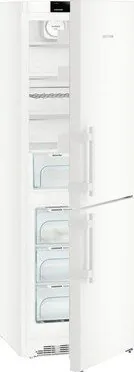
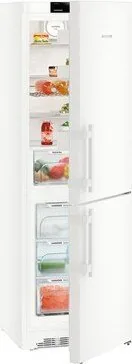
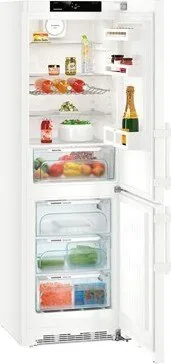
Liebherr CN 4335-21 Comfort NoFrost Manual
PDF manual · 28 Pages
English



Quick check
Incorrect answer, please try again.
Chat with your Liebherr CN 4335-21 Comfort NoFrost manual using AI
Get instant AI answers from your Liebherr CN 4335-21 Comfort NoFrost manual
Ask anything about the Liebherr CN 4335-21 Comfort NoFrost. Answers come from this manual, with the pages they are based on.
CN 4335-21 Comfort NoFrost Maintenance Schedule
Replace the FreshAir filter every 12 months. Reset the timer after replacement.
Vacuum the ventilation grille regularly and remove stubborn dirt with a damp cloth. Clean it at least once per year.
Clean the appliance regularly. Remove deposits from the drain opening with a thin aid such as a cotton swab.
Clean the water tank if it has not been used for more than 24 hours.
Free maintenance reminders
Timed to your purchase date. Always free, unsubscribe anytime.
Ask a Question
Do you recommend CN 4335-21 Comfort NoFrost?
Yes NoFrequently Asked Questions
Navigate to the menu using the navigation buttons. Scroll until the temperature unit setting appears. Press the plus or minus button to toggle between °C and °F. Confirm the selection with the OK button to save the change.
Is this answer helpful?
First, ensure the IceMaker is switched on and the drawer is fully closed. Check that the water tank is filled with cold drinking water and properly inserted. If issues persist, run the flushing function to clear any blockages in the water line.
Is this answer helpful?
Yes, but only if the ambient temperature stays within the specified climate class range (e.g., SN, N, ST, or T). If temperatures drop below 10°C, the compressor may not start correctly, potentially damaging the unit or spoiling food.
Is this answer helpful?
The FreshAir filter should be replaced every 12 months to ensure optimal air quality. An on-screen timer will remind you when the replacement is due. After changing it, remember to reset the timer in the menu.
Is this answer helpful?
Sabbath Mode disables certain electronic functions such as interior lighting, alarm sounds, and display changes to comply with religious laws. It maintains cooling without triggering alerts or turning lights on and off.
Is this answer helpful?
You will need a Torx screwdriver and a wrench. Remove the top and bottom hinges, move the hinge brackets to the opposite side, and reinstall them. Adjust the door handles and alignment carefully to ensure a proper seal.
Is this answer helpful?
A low humming sound is normal and indicates the compressor is running. Loud noises may occur during SuperFrost or SuperCool modes when maximum cooling power is active. Ensure the unit is level to minimize vibration sounds.
Is this answer helpful?
Advantages and Disadvantages
Advantages

- NoFrost technology prevents ice accumulation, eliminating the need for manual defrosting.
- SmartDevice integration allows for remote monitoring and control via smartphone apps.
- BioCool box offers adjustable humidity levels to keep produce fresh longer.
- VarioSpace drawer provides flexible storage space for large food items.
- Sabbath Mode disables lights and alarms for religious observance compliance.
Disadvantages

- IceMaker requires regular cleaning and specific water quality to prevent clogging.
- Initial setup and door hinge reversal require specific tools and careful handling.
- Energy consumption may increase if ventilation gaps are blocked or doors left open.
- Refrigerant is flammable, requiring strict adherence to safety installation guidelines.
- Some advanced features like SmartDevice require an additional purchase of the SDB module.
Product Specification
Type
Freestanding
Energy efficiency class
D (A to G)
Old energy efficiency class
A+++ (A+++ to D)
Energy consumption
200 kWh/year
Old energy consumption
165 kWh/year
Front color
White
Side color
White
Usable volume cooling zone
7.84 cu ft (top)
Usable volume freezing zone
3.68 cu ft (bottom)
Total usable volume
11.52 cu ft
Star rating
4
Freezing capacity in 24h
35.27 lbs
Storage time in case of failure
24 hours
Display
Touchscreen
Features
Vegetable drawer, NoFrost, Quick cool, Quick freeze, dynamic cooling, LED lighting, bottle shelf, adjustable glass shelf, door alarm, vacation mode
Smart Home
App control optional (Wi-Fi, SmartDevice)
Climate class
SN/N/ST/T
Noise development
36 dB(A)
Airborne sound emission class
C (A to D)
Door system
Right hinge, reversible
Dimensions
23.62x72.83x26.18 inches (WxDxH)
Product Description
Liebherr CN 4335-21 Comfort NoFrost: A Smart Refrigerator Experience
The Liebherr CN 4335-21 Comfort NoFrost represents a pinnacle in modern kitchen appliance design, combining robust performance with intelligent features. This comprehensive guide explores the capabilities of this unit, focusing on its user-friendly operation and advanced cooling technology. Whether you are upgrading your kitchen or seeking a reliable food storage solution, understanding the manual for the Liebherr CN 4335-21 Comfort NoFrost is essential to unlocking its full potential.
At the heart of this appliance lies the innovative NoFrost system, which eliminates the need for manual defrosting. By automatically preventing ice buildup in both the refrigerator and freezer compartments, it ensures consistent cooling efficiency and reduces maintenance time. The device features a spacious interior designed for versatility, including adjustable shelving, a VarioSpace drawer for large items, and a dedicated BioCool box for humidity control. These elements allow users to store everything from delicate produce to bulk frozen goods with precision.
Connectivity is another standout feature of the Liebherr CN 4335-21. With integrated SmartDevice capabilities, the unit can be connected to home networks via the optional SmartDeviceBox. This enables remote monitoring and control through the MyLiebherr portal, allowing users to adjust settings or receive alerts directly from their smartphones. The interface is intuitive, utilizing a clear digital display that guides users through temperature adjustments, child lock activation, and special modes like Sabbath Mode.
Safety and energy efficiency are paramount in the design of this model. The unit complies with strict European safety regulations regarding electrical components and refrigerant handling. Energy-saving tips are embedded in the operational guidelines, such as maintaining proper ventilation and avoiding placing warm food directly inside. The appliance is built to handle various climate classes, ensuring reliable performance in different environmental conditions. Proper installation, including leveling and wall spacing, is critical to prevent condensation and ensure optimal airflow.
Maintenance is straightforward thanks to accessible filters and self-cleaning timers. The FreshAir filter keeps the air fresh by absorbing odors, while a timer reminds users to clean the ventilation grilles annually. For those who enjoy convenience, the optional IceMaker provides a steady supply of ice cubes, complete with a flushing function to maintain water quality. Overall, the Liebherr CN 4335-21 Comfort NoFrost offers a seamless blend of technology, durability, and ease of use for the modern household.
Search for 67,706 Manuals online


Type-in Brand or Model