
LG FS22GB Manual
PDF manual · 24 Pages
English


Quick check
Incorrect answer, please try again.
Chat with your LG FS22GB manual using AI
Get instant AI answers from your LG FS22GB manual
Ask anything about the LG FS22GB. Answers come from this manual, with the pages they are based on.
Ask a Question
Do you recommend FS22GB?
Yes NoFrequently Asked Questions
The FS22GB stand is compatible with various LG TV series released between 2019 and 2022, including OLED C9 through G2, B9 through B2, A1, NANO93 through NANO80, and UHD SM98 through UQ90 series.
Is this answer helpful?
No, the Gallery Stand does not include a power strip. You must purchase and use a separate power strip with an appropriate length, preferably 2.5 meters or longer, to connect your TV and other devices.
Is this answer helpful?
It is not recommended to mount a wireless router on the rear brackets. The proximity to the TV's built-in antenna can cause frequency interference, potentially preventing the AI remote control from working properly.
Is this answer helpful?
Use a Phillips screwdriver to loosen the adjustment screws halfway. Adjust the height on both sides of the TV as needed to level it, then tighten the screws securely to lock the position in place.
Is this answer helpful?
You must install the product using wall brackets and a strong cord to secure the stand to the wall. These items are not included and must be purchased separately. Always install the TV horizontally and near a wall.
Is this answer helpful?
Advantages and Disadvantages
Advantages

- Compatible with a wide range of LG OLED, NanoCell, and UHD models from 2019 to 2022
- Adjustable feet allow for precise leveling on uneven surfaces
- Includes an IR repeater cable to solve remote control reception issues for set-top boxes
- Designed specifically for LG TVs to ensure stability and aesthetic harmony
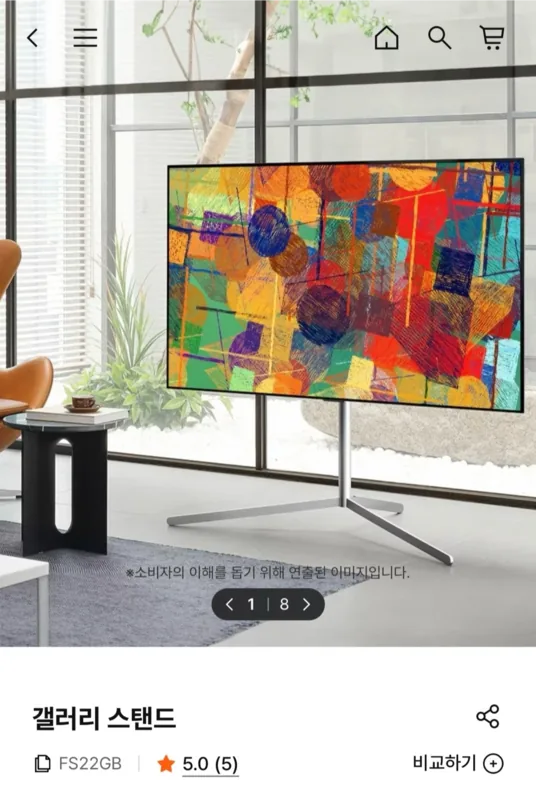
- Slim profile keeps the TV close to the wall for a floating effect
Disadvantages

- Wall brackets, screws, and safety cords are not included and must be bought separately
- No power strip is provided, requiring an additional purchase of at least 2.5 meters
- Wireless routers cannot be mounted on the rear brackets due to signal interference risks
- Maximum weight capacity for rear brackets is limited to 1.5 kg
- Requires careful installation to prevent tipping, necessitating wall attachment
Product Specification
Type
Floor
Number of Monitors
1
Screen Size
55-65 in
Mobility
Fixed
VESA
300x200, 300x300
Shelves
0
Features
Cable Management
Color
Silver
Weight
13.23 lbs
Product Description
Elevate Your Viewing Experience with the LG FS22GB Gallery Stand
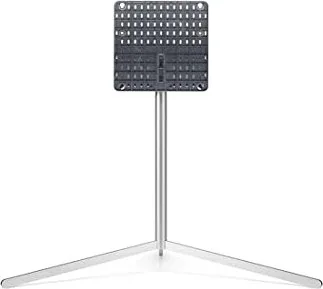
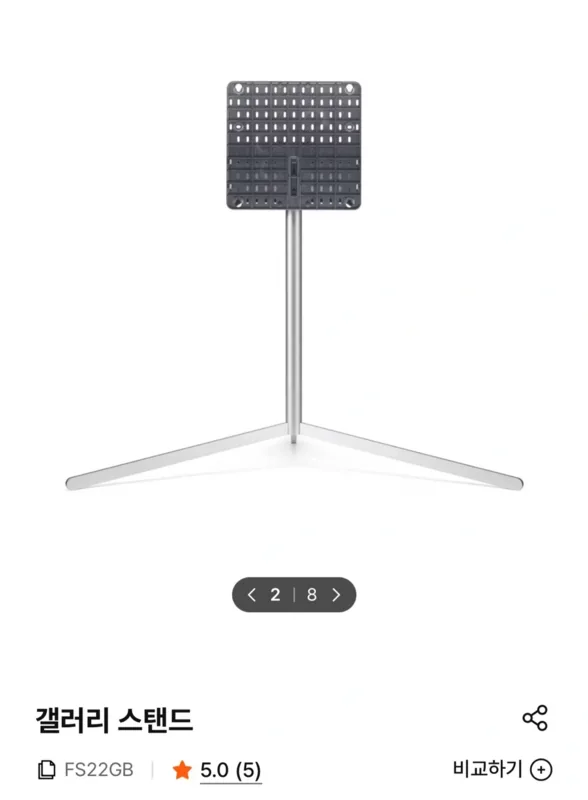
Transform your living space into a modern art gallery with the LG FS22GB Gallery Stand. This sleek and sturdy accessory is designed exclusively for select LG televisions, offering a sophisticated way to display your screen while keeping cables hidden and the room clutter-free. The stand features a minimalist design that complements high-end OLED, NanoCell, and UHD TV series released between 2019 and 2022.
With dimensions of 1159 x 761 x 1061 mm and a weight of just 6.0 kg, this stand provides a stable foundation without overwhelming your room. It allows you to mount your TV at an optimal viewing height, ensuring comfort during long movie marathons or gaming sessions. The adjustable feet enable precise leveling on both sides, guaranteeing a perfectly horizontal setup regardless of floor unevenness.
Safety is paramount with the FS22GB. It includes comprehensive instructions for securing the unit to the wall using brackets and cords, which must be purchased separately. This anti-tip feature ensures that even if the TV is pulled forward or bumped, it remains secure. Please note that the stand does not include a power strip; users should purchase a suitable extension cord of at least 2.5 meters to connect devices. Additionally, avoid mounting wireless routers on the rear brackets to prevent signal interference with the AI remote control.
For those needing to extend their remote range, the included IR repeater cable can be mounted on the lower end of the stand, directing signals to set-top boxes placed behind the unit. This thoughtful design detail ensures seamless operation of all connected entertainment devices.
Search for 67,732 Manuals online


Type-in Brand or Model