
Levenhuk Rainbow DM700 LCD Manual
PDF manual · 44 Pages
English



Quick check
Incorrect answer, please try again.
Chat with your Levenhuk Rainbow DM700 LCD manual using AI
Get instant AI answers from your Levenhuk Rainbow DM700 LCD manual
Ask anything about the Levenhuk Rainbow DM700 LCD. Answers come from this manual, with the pages they are based on.
Ask a Question
Do you recommend Rainbow DM700 LCD?
Yes NoFrequently Asked Questions
It provides 10-50x optical magnification and 10-200x digital magnification. Optical magnification is adjusted with the zoom ring, while on-screen controls change the digital zoom level.
Is this answer helpful?
Yes. It features a rotatable 7-inch color LCD screen. This allows users to view specimens directly on the display instead of using eyepieces.
Is this answer helpful?
Yes. It captures photos at up to 4032 x 3024 pixels and records video at up to 1920 x 1080 pixels. Photos use JPG format and video uses AVI format.
Is this answer helpful?
Yes. A separately purchased microSD card is required to save captured images and recorded videos. Insert the card while the microscope is switched off.
Is this answer helpful?
The microscope has upper and lower LED illumination. Lower illumination is recommended for transparent specimens and thin sections, while upper illumination is useful for opaque objects.
Is this answer helpful?
The kit includes a DC power adapter, switch cable, lens covers, 12 prepared slides, and black, white, and uniform light plates. A microSD card is not included.
Is this answer helpful?
Advantages and Disadvantages
Advantages

- Large 7-inch rotatable color LCD screen supports comfortable viewing and group observation.
- Combines 10-50x optical magnification with up to 200x digital magnification.
- Upper and lower LED illumination supports transparent and opaque specimens.
- Captures 12 MP images and 1080p video to a separately purchased microSD card.
- Includes prepared slides, contrast plates, specimen holders, lens covers, and a power adapter.
Disadvantages

- A microSD card is required for saving images and videos but is not included.
- Focusing is coarse only, which may limit fine precision for demanding observations.
- The microscope requires external USB power and does not list a built-in battery for the DM700.
- Photos captured during video recording may have lower image quality.
Product Specification
Type
electronic
Design
reflected light
Magnification
10-200x
Power supply
mains powered
Features
LED light, 7.0 in LCD
Product Description
Levenhuk DM700 LCD - Read, Download & Print Free
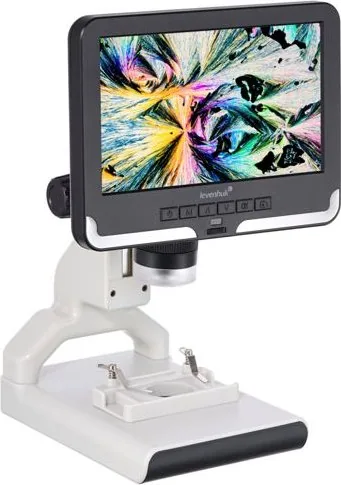
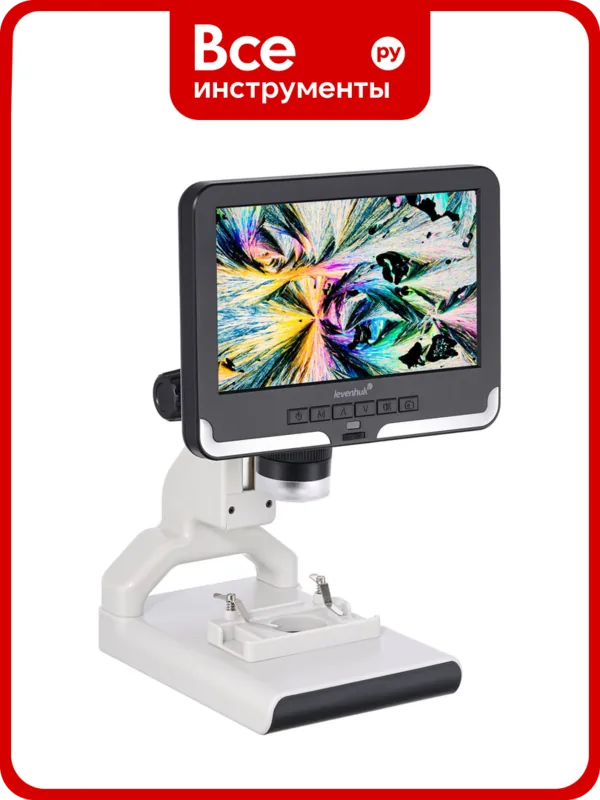
The Levenhuk DM700 LCD is a digital microscope designed to make close-up observation more accessible for students, hobbyists, educators, and curious explorers. Its standout feature is a rotatable 7-inch color LCD screen that lets users view specimens comfortably without leaning into traditional eyepieces. This screen-based approach makes group demonstrations and independent study easier, whether you are examining prepared slides, plant details, textiles, insects, minerals, or other small objects.
Clear Observation and Flexible Magnification
The microscope combines 10-50x optical magnification with 10-200x digital magnification. An optical zoom ring and a 90 mm coarse focusing system allow users to adjust the view and bring specimens into focus. Optical glass components support detailed viewing, while the 120 x 180 mm stage and movable specimen block with holders provide a stable area for samples.
Upper and lower LED illumination expands the range of possible observations. Lower lighting is useful for transparent specimens and thin slices placed on the frosted glass stage insert. Upper illumination supports opaque objects, while included black and white glass plates can help improve contrast for bright or dark samples.
Capture Photos and Video
The Levenhuk DM700 LCD can capture images at up to 4032 x 3024 pixels and record video at up to 1920 x 1080 pixels. Photos are saved in JPG format, while videos use AVI format. A microSD card is required for saving media and is sold separately. The microscope also includes a microUSB connection for output to a computer.
On-screen controls support photo, video, and playback modes. Users can adjust digital zoom, brightness, sharpness, contrast, white balance, and exposure. Additional options include image rotation, black-and-white display, inverse mode, cross lines, and file locking. These functions can help tailor the image for different specimens and observation conditions.
Practical Kit for Learning
The package includes prepared slides, lens covers, a power adapter, and contrast plates, giving beginners useful materials for their first observations. The device is powered through a USB cable and supports 110-220 V input. Its practical controls, LCD viewing, dual illumination, and media capture functions make it a versatile choice for hands-on microscopy.
Notes
- A microSD card is needed to store photos and videos.
- Use the correct power voltage and keep the microscope away from moisture.
- Children should operate the microscope with adult supervision.
- Never point the optics at the Sun, lasers, or intense light sources.
Search for 67,706 Manuals online


Type-in Brand or Model