
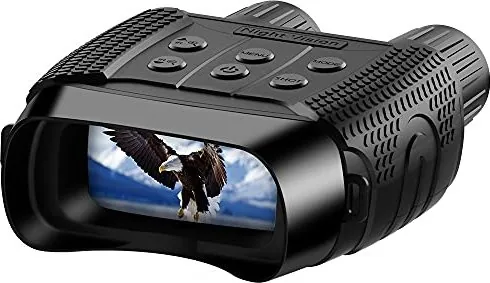
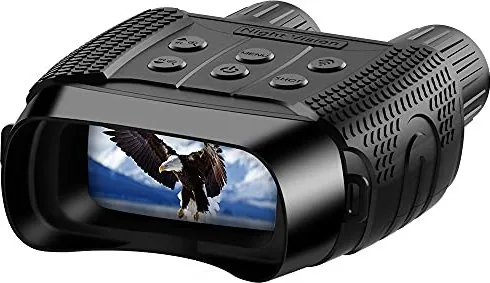
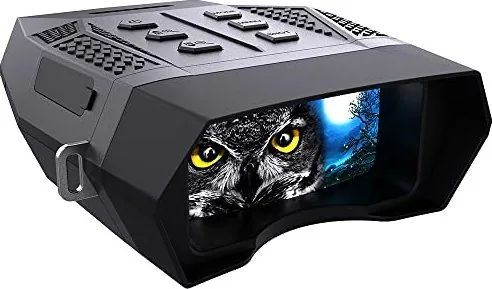
Levenhuk Halo 13X Manual
PDF manual · 37 Pages
English



Quick check
Incorrect answer, please try again.
Chat with your Levenhuk Halo 13X manual using AI
Get instant AI answers from your Levenhuk Halo 13X manual
Ask anything about the Levenhuk Halo 13X. Answers come from this manual, with the pages they are based on.
Halo 13X Maintenance Schedule
Always remove the batteries from the device prior to cleaning its outer parts to ensure safety and prevent damage.
Keep the device protected from dust and water by storing it in a dedicated bag or box when not in use.
If the device has not been used for an extended period, remove the batteries to prevent leakage or corrosion.
Ask a Question
Do you recommend Halo 13X?
Yes NoFrequently Asked Questions
Press and hold the POWER button for three seconds until the device activates. Once on, use the focusing wheel to adjust the image clarity.
Is this answer helpful?
Yes, you can take color photos during the day without IR illumination. However, when night mode is on, the images will be black and white.
Is this answer helpful?
Without using IR illumination, the device can record for up to 10 hours on a full set of fresh batteries.
Is this answer helpful?
Yes, the Levenhuk Halo 13x Wi-Fi model supports both Android and iOS devices via the NV Plus application for remote control.
Is this answer helpful?
Press the WI-FI button to enter Wi-Fi mode, then search for the account named NV_xxxxxxxxxxxx on your phone and enter the password 123456789.
Is this answer helpful?
Yes, Levenhuk offers an international lifetime warranty against defects in materials and workmanship for their optical products excluding accessories.
Is this answer helpful?
Check the battery level. If power is low, the IR brightness may fluctuate. Replace all batteries with new ones to ensure stable operation.
Is this answer helpful?
Advantages and Disadvantages
Advantages

- High-quality IR optical glass provides clear black-and-white imagery in total darkness
- Digital zoom up to 4x enhances distant object details effectively
- Built-in rechargeable battery support offers flexible power options for long outings
- Wi-Fi connectivity allows remote control and live streaming via mobile apps
- Multiple recording formats including high-resolution JPG photos and AVI videos
Disadvantages

- Color imaging is unavailable when night vision mode is active
- Batteries are not included in the package requiring separate purchase
- Direct sunlight exposure can cause fire hazards or permanent retinal damage
- Maximum IR brightness decreases automatically as battery power drops below 25%
- Device requires specific formatting of microSD cards for optimal performance
Product Specification
Type
Binocular
Technology
Low-light digital
Close focus distance
9.84 ft
Product Description
Discover the Levenhuk Halo 13x Binoculars Manual
The Levenhuk Halo 13x Binoculars represent a significant leap in digital night vision technology, designed for enthusiasts who demand clarity in low-light conditions. This advanced device transforms darkness into a visible landscape, allowing users to observe wildlife, conduct security patrols, or explore the outdoors after sunset with unprecedented detail. The manual serves as your comprehensive guide to unlocking the full potential of this sophisticated optical instrument.
Equipped with high-quality IR optical glass and a powerful infrared illumination system, these binoculars offer a magnification range from 1x to 4x digitally. The objective lens diameter of 33.5 mm ensures a wide field of view, capturing expansive scenes even in near-total darkness. Whether you are monitoring a perimeter or observing nocturnal animals, the 250-meter observation distance provides ample reach. The built-in IR LEDs can be adjusted across seven brightness levels, ensuring optimal visibility without blinding sensitive eyes or revealing your position unnecessarily.
Beyond simple viewing, the Levenhuk Halo 13x functions as a robust recording device. You can capture high-resolution still images in JPG format or record smooth video footage in AVI format directly to a microSD card. The interface is intuitive, featuring dedicated buttons for power, mode switching, menu navigation, and shooting. A long press on the power button activates the device, while short presses control various functions like zooming and adjusting IR brightness. The inclusion of USB and microSD slots allows for easy data transfer and storage expansion up to 32 GB.
For tech-savvy users, the Wi-Fi model offers remote control capabilities via a mobile application. By connecting to the NV Plus app, you can stream live video to your smartphone, adjust settings remotely, and manage files without touching the device. This feature makes it ideal for discreet operations where handling the binoculars might disturb the environment. The device supports multiple languages and runs on standard AA batteries, providing flexibility in power sources. With a durable design capable of operating in temperatures ranging from -20 to +60 degrees Celsius, the Levenhuk Halo 13x is built to withstand harsh outdoor conditions.
Important Notes
- Never look directly at the sun or bright light sources through the lenses to avoid permanent eye damage.
- Always remove batteries if the device will not be used for an extended period to prevent leakage.
- Use only dry, lint-free cloths for cleaning the optical surfaces.
- The color image mode is disabled when night vision (IR) is active.
- Ensure the memory card is formatted before first use for best compatibility.
Search for 67,706 Manuals online


Type-in Brand or Model