
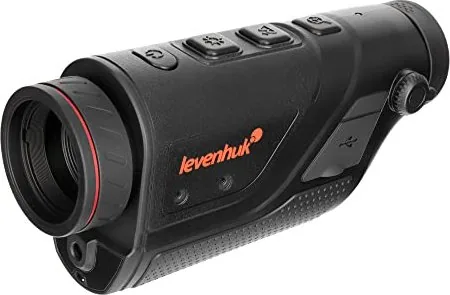
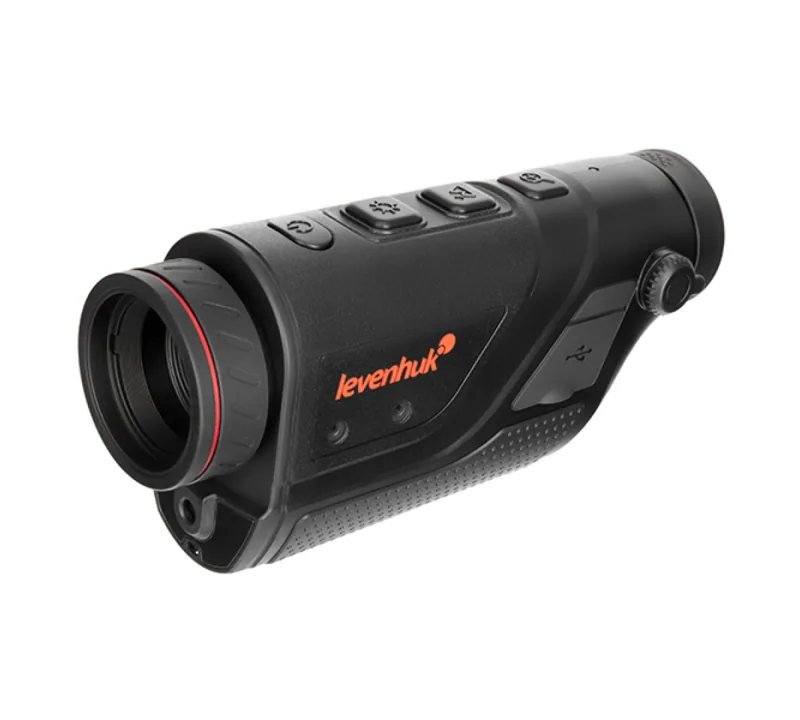
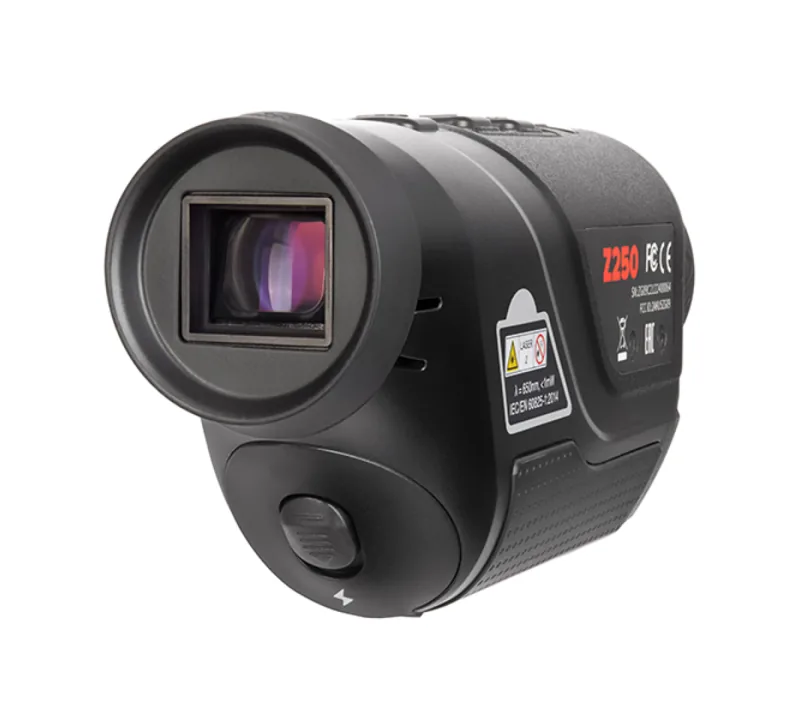
Levenhuk Fatum Z250 Manual
PDF manual · 26 Pages
English



Quick check
Incorrect answer, please try again.
Chat with your Levenhuk Fatum Z250 manual using AI
Get instant AI answers from your Levenhuk Fatum Z250 manual
Ask anything about the Levenhuk Fatum Z250. Answers come from this manual, with the pages they are based on.
Fatum Z250 Maintenance Schedule
Clean the battery contacts and those of the device prior to battery installation.
Remove batteries from equipment that is not to be used for an extended period of time.
Always replace the whole set of batteries at one time; do not mix old and new or different types.
Ask a Question
Do you recommend Fatum Z250?
Yes NoFrequently Asked Questions
The device features a thermal sensor with an IR resolution of 400 by 300 pixels, ensuring clear thermal imagery.
Is this answer helpful?
Yes, it supports Wi-Fi connectivity allowing control via the TargetIR app on smartphones or tablets.
Is this answer helpful?
Vehicle detection range is up to 2400 meters, while recognition range stands at 1000 meters.
Is this answer helpful?
There are five available palettes: Black Hot, White Hot, Red Hot, Iron Red, and Blue Hot.
Is this answer helpful?
Optics products come with a 2-year warranty against defects in materials and workmanship.
Is this answer helpful?
Yes, it operates in temperatures from minus 10 to plus 50 degrees Celsius.
Is this answer helpful?
No, never look directly at the laser beam or sun through the device to avoid blindness.
Is this answer helpful?
Advantages and Disadvantages
Advantages

- High IR Resolution: 400x300 pixel sensor provides clear thermal images for hunting or surveillance.
- Wi-Fi Connectivity: Control device remotely via TargetIR app on smartphones or tablets.
- Color Palettes: Choose from five modes like Black Hot or White Hot for better visibility.
- Long Battery Life: 18650 battery offers good endurance for outdoor field sessions.
- Adjustable Focus: Manual focusing ensures sharp images across different distances easily.
Disadvantages

- Battery Safety Risks: Must handle 18650 batteries carefully to avoid short circuits or overheating.
- Laser Safety: Direct exposure to laser beam or sun can cause permanent retinal damage.
- Manual Controls: Operation requires reading manual to understand button functions fully and settings.
- Limited Digital Zoom: Digital zoom is 4x maximum which might not be sufficient for some.
- Maintenance Rules: Users cannot disassemble device themselves requiring service center for repairs.
Product Specification
Type
Monocular
Technology
Digital Low Light, Thermal Imaging
Magnification
2-10x
Objective Diameter
0.98 in
Viewing Range
3280.84 ft
Field of View
10.4 deg
Close Focus
1.64 ft
Features
Tripod Mount, Video Output, Wi-Fi
Product Description
Exploring the Levenhuk Fatum Z250 Manual Experience
When it comes to advanced night vision equipment, the Levenhuk Fatum Z250 stands out as a reliable choice for enthusiasts and professionals alike. This thermal vision monocular is designed to provide clear imagery even in complete darkness or challenging weather conditions. Understanding the full capabilities requires a deep dive into the provided documentation, often referred to as the Levenhuk Fatum Z250 Manual. Users will find that this device combines robust thermal imaging technology with user-friendly controls that make operation intuitive for anyone interested in thermal optics.
Core Thermal Imaging Capabilities
The heart of the Levenhuk Fatum Z250 is its thermal sensor which operates within the 8 to 14 micron spectral range. With an IR resolution of 400 by 300 pixels, the device delivers sharp images that make it suitable for hunting, surveillance, and search and rescue operations. The display screen offers a resolution of 1280 by 960 pixels ensuring high detail visibility on the 0.4 inch FLCOS. Optical zoom of 2.4 times plus digital zoom options of 1x, 2x, or 4x allows for flexible targeting at long distances where heat signatures vary significantly.
Connectivity and Control Options
Connectivity is a major highlight for this monocular. It supports Wi-Fi connections allowing users to control the device remotely via the TargetIR mobile application. This feature makes sharing images and videos convenient and enables live viewing on smartphones or tablets from up to 15 meters away. The interface includes buttons for brightness adjustment and scene mode switching. Five color palettes are available including Black Hot and White Hot to suit different environments and visual preferences.
Power and Durability
Portability is key for field use. The device runs on a replaceable 18650 battery which offers substantial power capacity of 3350mAh. It includes automatic standby modes to save energy when the device is idle. Safety instructions emphasize avoiding direct eye exposure to sunlight or lasers to prevent damage. The build is designed to handle harsh temperatures from minus 10 to plus 50 degrees Celsius. The kit also includes a pouch, cables, and charger for complete ready-to-use functionality out of the box. Batteries should be replaced as a set to ensure consistent performance. Every kit component is included to ensure immediate usage without purchasing extra items separately.
Performance and Safety
Detection ranges extend significantly with vehicle detection at 2400 meters and human detection around 1000 meters. The laser indicator can reach up to 200 meters which assists in range verification for specific targets. Care and maintenance rules state no disassembly by users and protection from water. A 2-year warranty covers optics against defects ensuring buyer confidence. For further assistance, contact local Levenhuk support channels directly for optimal service. Optical surfaces should be cleaned gently with non-abrasive cloths. Always adhere to safety protocols to maintain product integrity and personal safety during operation. Proper storage is essential to protect the device from sudden impacts and mechanical stress.
Search for 67,706 Manuals online


Type-in Brand or Model