
Levenhuk Fatum Z100 Manual
PDF manual · 26 Pages
English



Quick check
Incorrect answer, please try again.
Chat with your Levenhuk Fatum Z100 manual using AI
Get instant AI answers from your Levenhuk Fatum Z100 manual
Ask anything about the Levenhuk Fatum Z100. Answers come from this manual, with the pages they are based on.
Ask a Question
Do you recommend Fatum Z100?
Yes NoFrequently Asked Questions
The device features a 256x192 pixel infrared resolution for clear thermal imaging.
Is this answer helpful?
Download TargetIR and connect via Wi-Fi using the device account.
Is this answer helpful?
Optical products have a two-year warranty against material defects.
Is this answer helpful?
Keep away from water and high humidity to prevent damage.
Is this answer helpful?
Use brightness button for far and zoom button for close focusing.
Is this answer helpful?
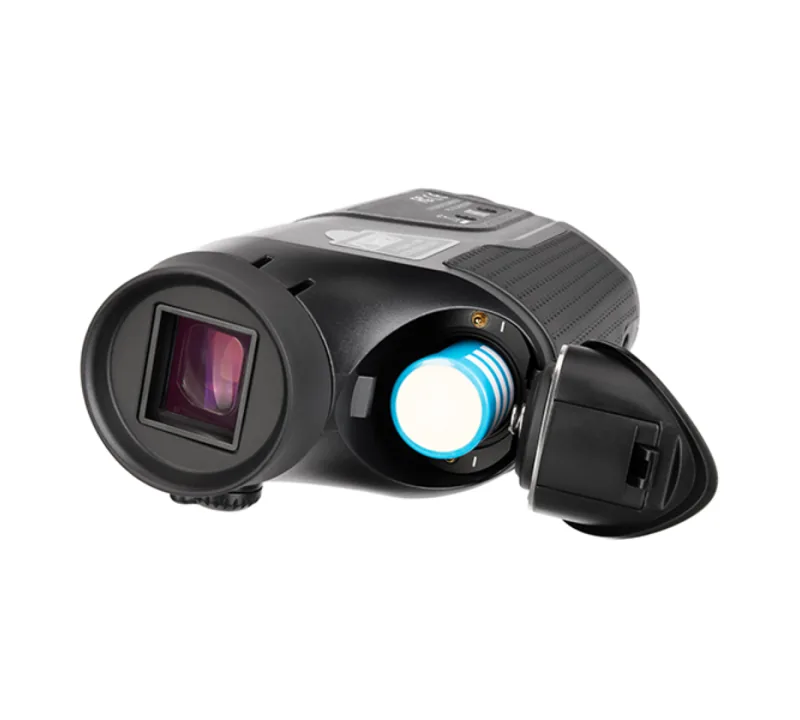
It uses one replaceable 18650 battery with 3350mAh capacity.
Is this answer helpful?
Yes, but always follow safety guidelines regarding laser usage.
Is this answer helpful?
Advantages and Disadvantages
Advantages

- High definition 256x192 infrared resolution for clear thermal imagery
- Diverse color palettes including Black Hot and White Hot for night vision
- Wi-Fi connectivity allows remote control via mobile application targets
- Replaceable 18650 battery ensures long term portability without replacement
- Adjustable diopter supports users with glasses or specific vision needs
Disadvantages

- Requires manual calibration after power cycle for optimal sensor accuracy
- Battery life may vary significantly based on temperature and usage levels
- Laser indicator range limited to 200 meters maximum operational distance
- Compact display size might be difficult for some users to read clearly
- Requires specific app download for full remote functionality setup
Product Specification
Type
Monocular
Technology
Low-light digital, Thermal imaging
Magnification
2-3x
Entrance Pupil
0.39 in
Viewing Range
3280.84 ft
Field of View
17.1 deg
Minimum Focus Distance
19.69 in
Battery Life
8 hours
Features
Tripod mount, Video output, WiFi
Dimensions
6.22x2.83x1.85 in (WxHxD)
Weight
0.66 lbs
Product Description
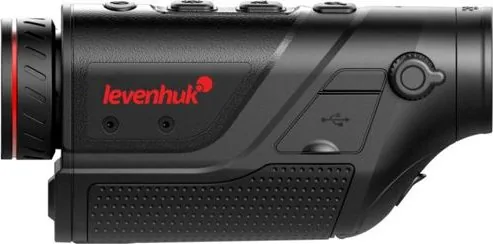
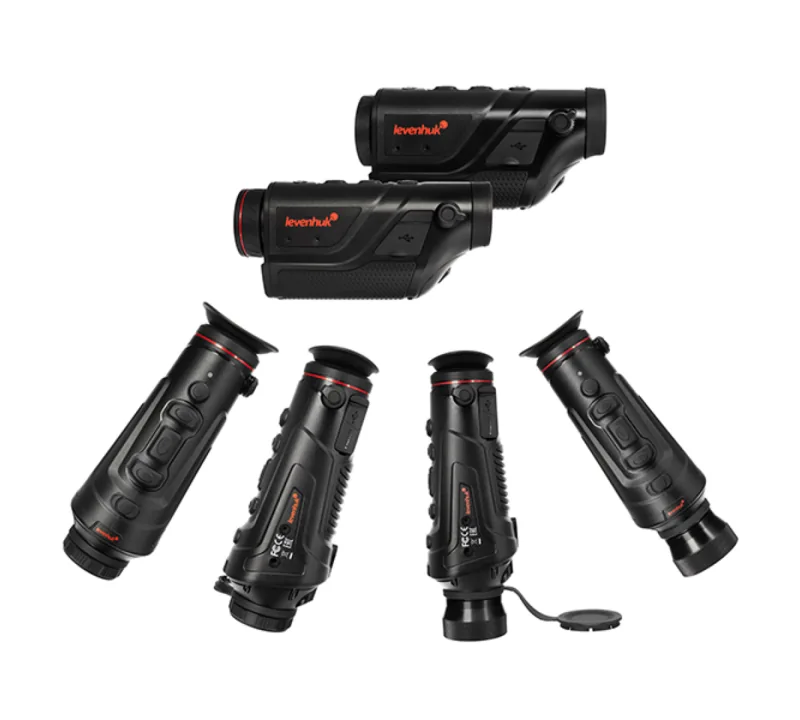
Discover the Levenhuk Fatum Z100 Thermal Vision Monocular
When navigating dark environments or seeking night surveillance capabilities, the Levenhuk Fatum Z100 Manual provides essential guidance for optimal performance. This thermal monocular bridges the gap between professional optics and accessible technology, offering users a robust solution for low-visibility conditions. With an infrared resolution of 256x192, the device captures heat signatures with impressive clarity. The 10mm focal length ensures precise focusing capabilities across various distances.
Key Features and Operation
Users can adjust brightness and switch between five distinct color palettes to suit environmental conditions. These palettes include Black Hot, White Hot, Red Hot, Iron Red, or Blue Hot. The digital zoom function allows for close inspection of distant targets up to double magnification. Connectivity options include Wi-Fi and Bluetooth, enabling remote control via mobile apps like TargetIR. A built-in laser indicator assists in tracking targets up to 200 meters away. Power is supplied by a replaceable 18650 battery, ensuring portability without fixed constraints.
Specifications and Range
Detection ranges vary depending on the target size. Vehicles are detectable from 1000 meters away, while humans are detected at up to 400 meters. The operating temperature range spans from -10 to 50 degrees Celsius, allowing for diverse environmental usage. The display is a 0.4-inch FLCOS panel with a resolution of 1280x1280 pixels. The zoom lens supports both optical and digital magnification for detailed viewing. This allows for versatile application in field conditions.
Focus and Control
Focusing is managed via dedicated buttons on the interface. Pressing the brightness button focuses on distant objects, while the zoom button handles close objects. This separation simplifies operation during critical moments. The device also features a diopter adjustment ranging from minus four to plus two. This ensures vision correction for users wearing glasses. Automatic power-off features help conserve energy during idle periods.
Maintenance and Safety
Always avoid looking directly at the sun through the optics to prevent permanent retinal damage. The device requires careful handling to protect optical surfaces from scratches. Regular cleaning with a professional service center is recommended for internal maintenance. The product includes a pouch, USB cables, and a dedicated charger for convenience. Safety warnings dictate that children must use the device under adult supervision at all times. Do not expose to extreme vibrations or moisture.
Connectivity and Warranty
Initial setup involves inserting the battery correctly and powering on the unit. Calibration is required upon activation to ensure sensor accuracy. Users can connect to a smartphone to manage settings remotely using specific accounts. Support is available through local branches for repair or replacement. The manufacturer offers a two-year warranty on optical products against defects. Accessories have a six-month warranty period. This comprehensive support system ensures peace of mind for buyers.
Conclusion
Integrating the Levenhuk Fatum Z100 Manual into your routine ensures you maximize the potential of this thermal device. Whether for hunting, search and rescue, or general observation, understanding the controls is vital. Follow the instructions provided in the manual to ensure longevity and safety. This monocular stands as a reliable tool for modern thermal observation needs. Always read the guide thoroughly before first use.
Search for 67,706 Manuals online


Type-in Brand or Model