
Levenhuk Atom Digital DNM50 Manual
PDF manual · 26 Pages
English



Quick check
Incorrect answer, please try again.
Chat with your Levenhuk Atom Digital DNM50 manual using AI
Get instant AI answers from your Levenhuk Atom Digital DNM50 manual
Ask anything about the Levenhuk Atom Digital DNM50. Answers come from this manual, with the pages they are based on.
Atom Digital DNM50 Maintenance Schedule
Always remove the batteries from the device before performing any cleaning to ensure safety and prevent damage.
Clean the battery contacts and those of the device prior to installing new batteries to ensure proper connection.
If the device has not been used for an extended period, remove the batteries to prevent leakage or corrosion.
Ask a Question
Do you recommend Atom Digital DNM50?
Yes NoFrequently Asked Questions
Yes, you can use it during the day. The image will be in color when the IR light is off. However, you must never look directly at the sun or lasers through the device to avoid eye damage.
Is this answer helpful?
Recording time is up to six hours with the infrared illumination and up to ten hours without it. You need five AA alkaline batteries for power supply to ensure the device functions correctly.
Is this answer helpful?
The device supports Class 10 microSD cards up to 128GB. You should format the card before using it for better compatibility and to ensure smooth file transfer to your computer.
Is this answer helpful?
Yes, this monocular supports video recording. You can save videos in AVI format with resolutions like 1080P and 960P at 30 frames per second for high-quality capture.
Is this answer helpful?
Use a dry lint-free cloth and remove batteries before cleaning. Do not use liquids or touch the surfaces with fingers to prevent scratches that could ruin the optics permanently.
Is this answer helpful?
Levenhuk products come with a lifetime warranty against material defects. Accessories usually have a six-month warranty from the purchase date. Contact Levenhuk support for any warranty claims.
Is this answer helpful?
Advantages and Disadvantages
Advantages

- Versatile digital zoom ranging from one to five times enhances close observation capabilities effectively.
- Integrated IR illumination with seven brightness levels allows for clear night vision in total darkness.
- Supports image capturing and video recording with high resolution options for documenting wildlife.
- Comes with a lifetime warranty against defects ensuring long-term reliability for the user.
- Compact design fits comfortably in one hand for extended portability during outdoor adventures.
Disadvantages

- High power consumption requires frequent battery replacement when using infrared illumination settings.
- Image quality changes to black and white when infrared mode is active during low light conditions.
- Cannot focus on bright objects like the sun or lasers without risking permanent retinal damage.
- External cleaning must be done gently to avoid scratching the delicate optical surfaces permanently.
- Requires standard AA batteries which are not included in the package for convenient operation.
Product Specification
Type
Monocular
Technology
Digital Night Vision
Magnification
1-5x
Entrance Pupil
1.10 inches
Viewing Distance
656.17 feet
Field of View
10 degrees
Minimum Focusing Distance
16.40 feet
Battery Life
6 hours
Features
Tripod Mount Thread, Recording Function
Dimensions
6.30 x 2.68 x 1.93 inches (WxHxD)
Weight
6.56 oz
Product Description
Exploring the Night with Levenhuk Atom Digital DNM50
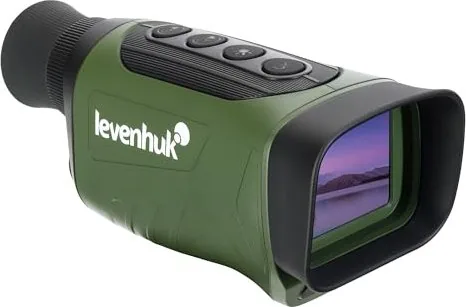
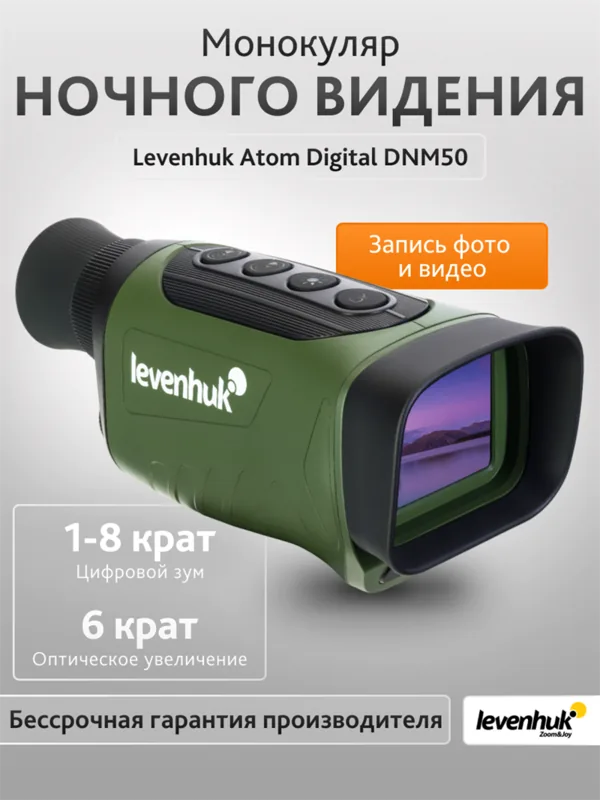
Exploring the darkness requires the right equipment to ensure clarity and safety. The Levenhuk Atom Digital DNM50 Night Vision Monocular offers a robust solution for observing in low light conditions. This digital device combines optical and digital magnification to provide a versatile viewing experience. Users can adjust the zoom from one to five times digitally while maintaining a four times optical baseline. Such flexibility is crucial for identifying details in distant environments without compromising stability. The objective lens measures twenty-eight millimeters, providing a field of view that is wide enough for scanning areas efficiently.
Powering the device is essential for consistent performance. The unit operates on five AA alkaline batteries which are easily replaceable. Battery life depends heavily on the usage of the infrared light. With the infrared illumination active, you can record for approximately six hours. Without it, the duration extends to ten hours. It is vital to follow the guidelines regarding battery maintenance. Remove the batteries if the device remains unused for an extended period to avoid leakage and corrosion. Always use high-quality alkaline batteries to ensure optimal energy delivery.
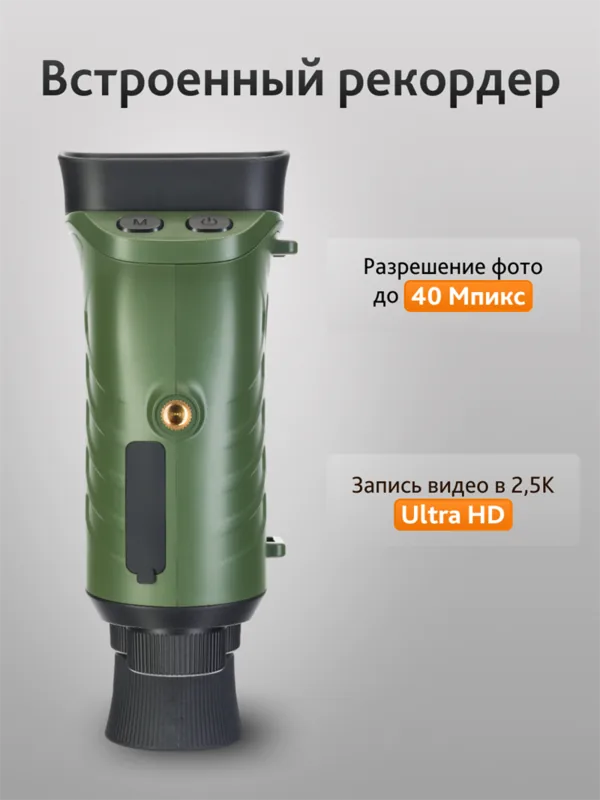
Visual recording capabilities make this monocular stand out. You can save still images in JPEG format with resolutions up to ten megapixels. Video recordings are saved in AVI format at high definition rates like 1080P. This feature allows users to document wildlife or events effectively. The device supports microSD cards with a capacity of up to 128 gigabytes. Transferring these files is straightforward using a USB connection or a card reader. You can easily share your captures on social media or save them for archival purposes.
Safety warnings are critical for long-term eye health. Never point the instrument at the sun or bright lights. Doing so can result in permanent retinal damage. The infrared filter helps manage light levels but should not replace proper caution. Operating temperature ranges from twenty degrees Celsius below zero to sixty degrees above. This makes it suitable for various climates. The device is lightweight at 186 grams, making it portable for hiking or camping trips. A tripod adapter is included for steady shots.
Maintenance involves gentle cleaning practices. Do not use chemicals on the optical surfaces. A soft, dry cloth is the recommended tool for wiping the exterior. Keep the device away from dust and water to prevent internal damage. If memory issues occur, ensure the card is formatted correctly before insertion. The menu system allows switching between photo, video, and playback modes with ease. You can toggle brightness levels of the infrared LEDs for seven different settings.
Note: Wear corrective lenses if you need glasses while looking through the eyepiece. Ensure the focus wheel is adjusted until the image is sharp.
The user can adjust the brightness levels of the infrared LEDs. There are seven different settings available to suit different lighting scenarios. This adjustability helps conserve power and prevents overexposure of the subject during night observation. When the infrared light is on, the display turns black and white. If it is off, the image returns to color during daylight conditions. This dual capability allows for versatile use in changing environments.
Connectivity options ensure that your data remains accessible. You can connect the device directly to a computer via the USB port listed in the specifications. This method is faster than removing the card for viewing on other devices. The warranty coverage is another significant benefit. Levenhuk provides a lifetime warranty on the optical product itself. Accessories carry a shorter warranty period typically lasting six months. This commitment to quality assures customers of product durability.
Search for 67,706 Manuals online


Type-in Brand or Model