
Lenovo Yoga 7 16IAP7 Manual
PDF manual · 46 Pages
English


Quick check
Incorrect answer, please try again.
Chat with your Lenovo Yoga 7 16IAP7 manual using AI
Get instant AI answers from your Lenovo Yoga 7 16IAP7 manual
Ask anything about the Lenovo Yoga 7 16IAP7. Answers come from this manual, with the pages they are based on.
Ask a Question
Do you recommend Yoga 7 16IAP7?
Yes NoFrequently Asked Questions
To access the Novo button menu, ensure the computer is turned off. Open the LCD screen and press the small Novo button located on the side or bottom of the device. Alternatively, you can press Fn and the power button simultaneously if supported.
Is this answer helpful?
The multifunctional USB Type-C ports on the Yoga 7 16IAP7 support Thunderbolt 4, which allows for data transfer rates up to 40 Gbit/s when connected to compatible devices.
Is this answer helpful?
Yes, the Yoga 7 16IAP7 features a 360-degree hinge that allows you to fold the screen completely flat against the back, enabling tablet mode for touch interactions without needing the physical keyboard attached.
Is this answer helpful?
You can check the battery status by clicking the battery icon in the Windows taskbar. For detailed diagnostics and health monitoring, you can also use the Lenovo Vantage application installed on your system.
Is this answer helpful?
No, if you forget your hard disk password, Lenovo authorized service personnel cannot reset it. You would need to replace the hard drive, which requires proof of purchase and incurs additional fees.
Is this answer helpful?
This manual primarily covers instructions based on the Windows operating system. If you install a different OS, some instructions regarding Windows-specific features may not apply.
Is this answer helpful?
Advantages and Disadvantages
Advantages

- Versatile 360-degree hinge allows for multiple usage modes including tablet and tent styles
- Thunderbolt 4 ports provide ultra-fast data transfer and versatile connectivity options
- Large 16-inch display offers ample screen real estate for multitasking and media consumption
- Includes a dedicated numeric keypad for efficient data entry and calculations
- Supports Lenovo Digital Pen for precise handwriting and drawing on compatible models
Disadvantages

- Battery capacity may vary slightly depending on specific configuration and usage patterns
- Some advanced features require specific software installation or updates to function fully
- Always-on USB functionality must be manually enabled in BIOS settings if disabled by default
- Touchscreen models may show fingerprints more readily than matte finish screens
- External monitor resolution limits apply depending on the cable and adapter used
Product Specification
Type
Notebook, Convertible
Display
16", 2560x1600 (WQXGA), 16:10, 189ppi, 60Hz, Multi-Touch, glossy, IPS, 400cd/m², Digitizer, Dolby Vision, 1200:1, 100% sRGB
RAM
16GB LPDDR5-4800 (16GB soldered, non-expandable)
HDD
N/A
Flash
N/A
Operating System
Windows 11 Home
Input
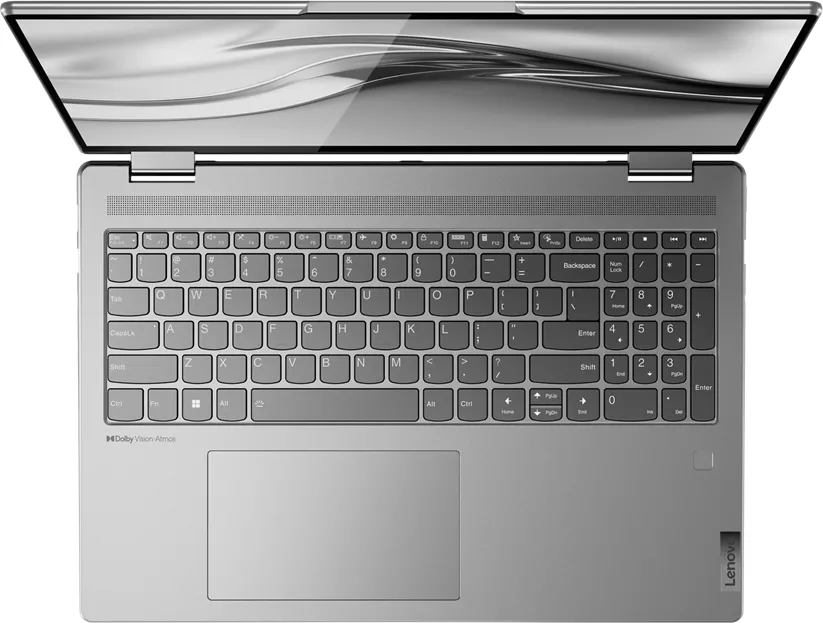
Keyboard with DE layout (backlit, numpad, Rubber-Dome), Touchpad (glass, 3.15x5.31in), Input Pen (Lenovo Digital Pen)
Ports
1x USB-A 3.0 (5Gb/s, BC), 1x USB-A 3.0 (5Gb/s), 2x Thunderbolt 4 (40Gb/s, power delivery, PD), 1x HDMI 2.1, 1x 3.5mm jack, 1x SD Card, 1x MMC
Wireless
Wi-Fi 6E (WLAN 802.11a/b/g/n/ac/ax, 2x2), Bluetooth 5.2
Authentication
TPM 2.0, IR Camera
Camera
2 Megapixel, Webcam Cover
Optical Drive
N/A
Battery
Built-in, Li-Polymer, 71Wh, 11.3h runtime (MobileMark 2018)
Power Adapter
1x USB-C Power Plug (65W)
Features
Hall Sensor, Accelerometer
Weight
4.37 lbs
Dimensions
14.23x9.83x0.76in (WxDxH)
USB Writing Style
Link
Product Description
Discover the Lenovo Yoga 7 16IAP7: A Versatile Powerhouse
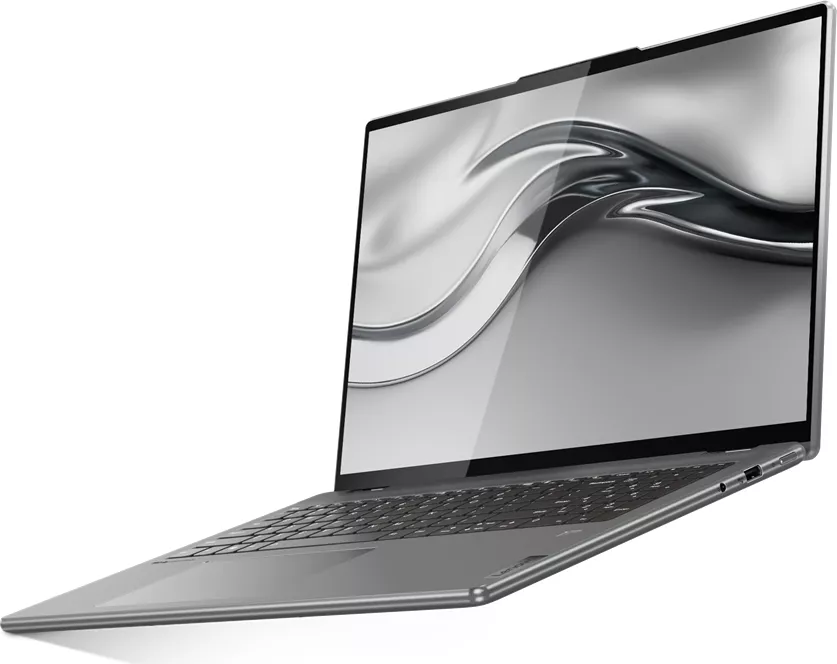
The Lenovo Yoga 7 16IAP7 represents a significant leap in portable computing, blending robust performance with exceptional flexibility. Designed for professionals and creatives alike, this laptop features a stunning 16-inch display that offers immersive visuals perfect for multitasking, content creation, or entertainment. Its sleek chassis houses powerful hardware capable of handling demanding applications while maintaining a slim profile ideal for travel.
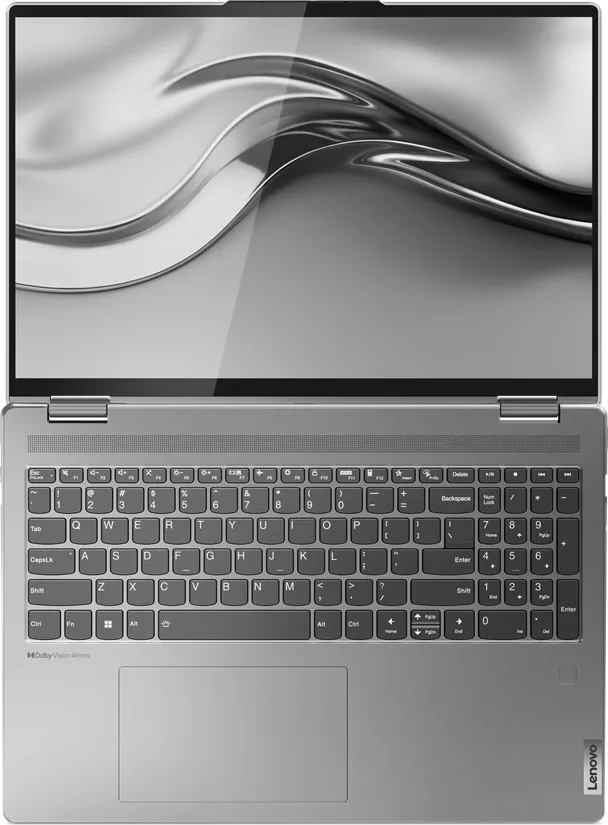
One of the standout features of the Yoga 7 16IAP7 is its versatile hinge design, allowing the screen to rotate a full 360 degrees. This transforms the device seamlessly from a traditional laptop into a tent mode for presentations, a stand mode for media consumption, or a tablet mode for touch-based interaction. The inclusion of a numeric keypad on the keyboard enhances productivity for users who frequently work with data or spreadsheets.
Connectivity is not an afterthought here. The system is equipped with Thunderbolt 4 ports, ensuring lightning-fast data transfer speeds and support for high-resolution external displays. Users can easily connect HDMI devices, charge peripherals via Always-On USB ports even when the computer is off, and expand storage using the built-in SD card slot. The battery life is optimized with a large capacity cell, providing hours of usage on a single charge, while fast charging capabilities get you back up and running quickly.
Security is paramount, with options for facial recognition via Windows Hello, fingerprint login, and comprehensive UEFI/BIOS password protection to safeguard your data. The device also supports the Lenovo Digital Pen for precise note-taking and drawing, making it a favorite among artists and students. With pre-installed software like Lenovo Vantage, managing system updates and optimizing performance has never been easier.
Whether you are streaming high-definition video, editing photos, or attending virtual meetings, the Lenovo Yoga 7 16IAP7 delivers a smooth and reliable experience. Its combination of power, portability, and adaptability makes it a top choice for modern computing needs.
Search for 67,706 Manuals online


Type-in Brand or Model