
Lenovo Yoga 6 13ALC6 Manual
PDF manual · 46 Pages
English


Quick check
Incorrect answer, please try again.
Chat with your Lenovo Yoga 6 13ALC6 manual using AI
Get instant AI answers from your Lenovo Yoga 6 13ALC6 manual
Ask anything about the Lenovo Yoga 6 13ALC6. Answers come from this manual, with the pages they are based on.
Ask a Question
Do you recommend Yoga 6 13ALC6?
Yes NoFrequently Asked Questions
Turn off the computer completely, open the screen, and press the small Novo button located near the power port. Alternatively, press the Fn key and the power button simultaneously.
Is this answer helpful?
No, the memory is DDR4 soldered directly to the motherboard. There are no physical slots available to add or replace memory modules.
Is this answer helpful?
If you forget the hard disk password, authorized service personnel cannot reset it. You must take the computer to a service center to have the hard drive replaced, which incurs a fee.
Is this answer helpful?
The combo audio jack does not support standalone external microphones. It only works with headsets that have a single 4-pole plug containing both microphone and headphone jacks.
Is this answer helpful?
You can view the battery percentage and current power plan by clicking the battery icon located in the Windows notification area on the taskbar.
Is this answer helpful?
The USB-C ports support DisplayPort 1.4, allowing for a maximum output resolution of 5120 x 3200 pixels at 60 Hz with 24-bit color depth.
Is this answer helpful?
Advantages and Disadvantages
Advantages

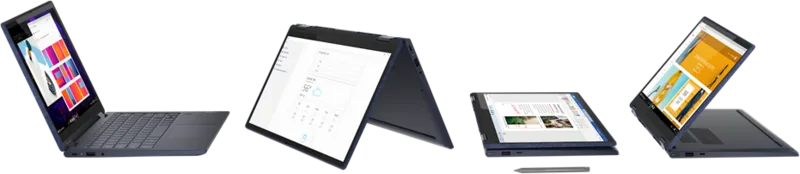
- Versatile 360-degree hinge allows use in Notebook, Stand, Tent, and Tablet modes
- Dual USB-C connectors support Power Delivery and external 5K displays
- Integrated fingerprint reader provides fast and secure biometric login
- Compatible with Lenovo Digital Pen for enhanced note-taking and drawing
- Lenovo Vantage app simplifies driver updates and system health monitoring
Disadvantages

- Memory is soldered on-board with no expansion slots available for upgrades
- Keyboard backlight hotkey requires holding the Fn key for activation
- External microphones are not supported by the combo audio jack
- Battery charging is restricted if temperature falls below 10 degrees Celsius
- Hard disk passwords cannot be reset by service personnel if forgotten
Product Specification
Type
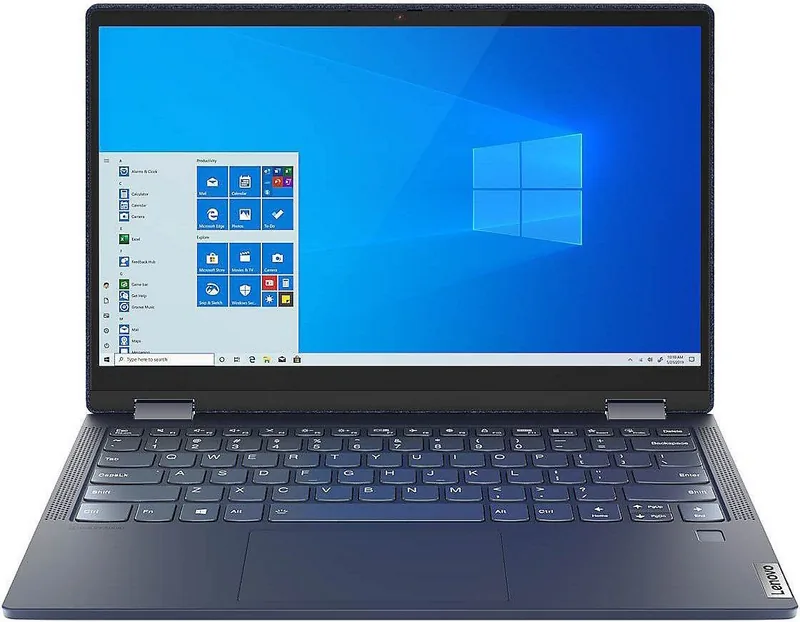
Notebook, Convertible
Display
13.3 in, 1920x1080 (FHD), 16:9, 166ppi, 60Hz, Multi-Touch, glossy, IPS, 300cd/sq m, Digitizer
SSD
512GB M.2 PCIe 3.0 (2242)
HDD
N/A
Flash
N/A
Ports
1x USB-C 3.0 with DisplayPort 1.4 (5Gb/s, power delivery, PD 15W), 1x USB-C 3.0 with DisplayPort 1.4 (5Gb/s), 1x USB-A 3.0 (5Gb/s, BC), 1x USB-A 3.0 (5Gb/s), 1x 3.5mm jack
Wireless
Wi-Fi 6 (WLAN 802.11a/b/g/n/ac/ax, 2x2), Bluetooth 5.0
Authentication
Fingerprint Reader
Camera
0.9 Megapixel
Optical Drive
N/A
Battery
Built-in, Li-Polymer, 4 cells, 60Wh, 18h runtime
Power Adapter
1x USB-C power connector (45W/20V/2.25A)
Features
Accelerometer, Light sensor
Dimensions
12.13x8.13x0.72 in (WxDxH)
USB Notation
Left
Product Description
Discover the Versatility of the Lenovo Yoga 6 13ALC6
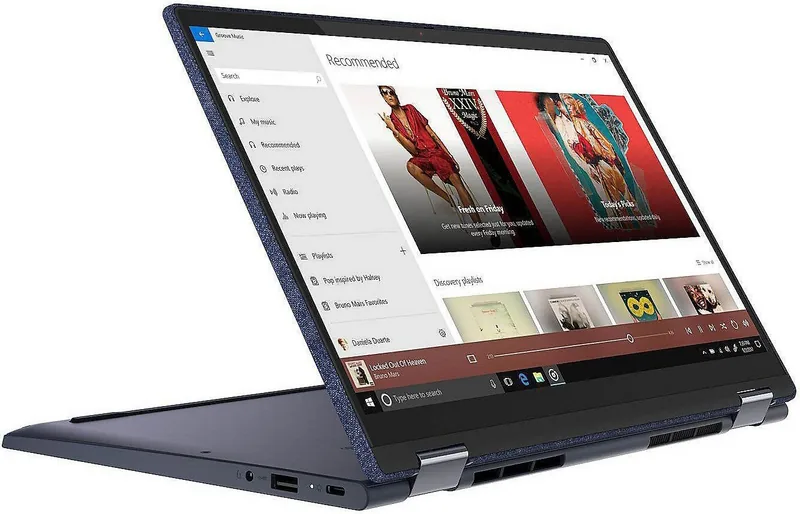
The Lenovo Yoga 6 13ALC6 stands out as a premium 2-in-1 laptop designed for users who demand flexibility, performance, and style. With its sleek fabric or aluminum chassis, this device adapts seamlessly to your workflow through four distinct modes: Notebook, Stand, Tent, and Tablet. Whether you are typing documents in Notebook mode, presenting slides in Stand mode, watching movies in Tent mode, or playing touch-enabled games in Tablet mode, the 360-degree hinge ensures a perfect fit for every scenario.
Under the hood, the Yoga 6 delivers robust performance with modern connectivity options including dual USB-C ports that support Power Delivery and DisplayPort output up to 5K resolution. The 13.3-inch Full HD display offers vibrant visuals, while the integrated fingerprint reader and optional Lenovo Digital Pen provide enhanced security and creative freedom. Managing power is effortless with intelligent battery optimization that extends usage time, and the Novo button offers quick access to system recovery and BIOS settings when needed.
Designed for both productivity and entertainment, this laptop runs on Windows 10 with features like multi-touch gestures and a responsive touch keyboard for intuitive interaction. Security is paramount, offering multiple password levels including administrator, user, and hard disk passwords managed through the UEFI/BIOS setup utility. From its ergonomic design to its comprehensive accessibility tools, the Lenovo Yoga 6 13ALC6 is a complete solution for the modern professional and student alike.
Key Highlights
- Adaptive Design: Switch between four modes effortlessly with a 360-degree hinge.
- Advanced Connectivity: Features two USB-C ports supporting high-speed data and video output.
- Secure Access: Equipped with a fingerprint reader and robust password protection options.
- Creative Potential: Supports the optional Lenovo Digital Pen for precise input.
- Smart Management: Includes Lenovo Vantage for easy system updates and hardware configuration.
Important Notes
- Always ensure the ventilation slots remain unblocked to prevent overheating during operation.
- The Lenovo Digital Pen requires a separate AAAA battery which is not included in the box.
- Some features may vary depending on the specific machine type and region of purchase.
Search for 67,732 Manuals online


Type-in Brand or Model