
Lenovo V35s-07ADA Manual
PDF manual · 100 Pages
English


Quick check
Incorrect answer, please try again.
Chat with your Lenovo V35s-07ADA manual using AI
Get instant AI answers from your Lenovo V35s-07ADA manual
Ask anything about the Lenovo V35s-07ADA. Answers come from this manual, with the pages they are based on.
Ask a Question
Do you recommend V35s-07ADA?
Yes NoFrequently Asked Questions
Go to Control Panel, select Power Options, then Choose what the power buttons do to change settings.
Is this answer helpful?
Yes, the storage drive is a Customer Replaceable Unit accessible after removing the computer cover.
Is this answer helpful?
It supports passwords, Intel BIOS Guard, Smart USB Protection, and a cover presence switch.
Is this answer helpful?
Use Lenovo Vantage or download updates from the Lenovo Support Web site manually.
Is this answer helpful?
No, it is only available on selected models depending on your specific configuration.
Is this answer helpful?
The process can remove files, so ensure you have a backup copy of your data first.
Is this answer helpful?
Some models include a wireless LAN module to connect to Wi-Fi networks easily.
Is this answer helpful?
Advantages and Disadvantages
Advantages

- Custom power plans for energy efficiency
- Multiple password security layers
- Easy memory and drive upgrades
- Lenovo Vantage software integration
- Multiple video output options
Disadvantages

- USB speeds vary by device
- Some models lack wireless support
- BIOS setup may require experience
- Recovery process deletes data if not backed up
- Optional features depend on configuration
Product Specification
RAM
8GB DDR4-2400 (1x 8GB Module, 2 Slots, max. 32GB)
HDD
N/A
Flash
N/A
Camera
N/A
Dimensions
3.94x10.63x11.46in (WxHxD)
Volume
0.28 cu. ft. (calculated)
Color
Black
Warranty
1 Year (On-Site)
USB Type
Link
Product Description
Discover the Power of the Lenovo V35s 07ADA
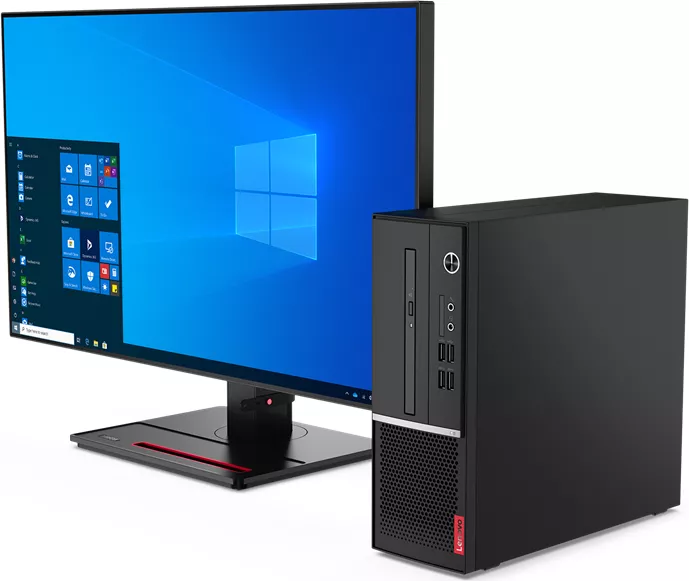
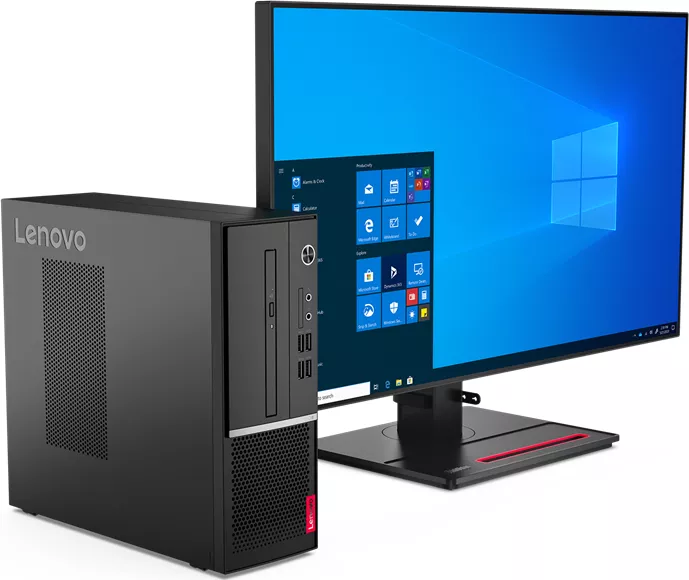
When searching for a dependable desktop computer, the Lenovo V35s 07ADA offers a versatile experience for home and office environments. This system balances performance with security features, making it suitable for various users. The machine comes with Windows 10 preinstalled, providing a stable platform for your applications. You can customize how the computer handles power consumption to save energy while maintaining peak performance for your tasks.
Comprehensive Security Features
Protecting your valuable information is essential in today's digital landscape. The V35s 07ADA includes advanced security protocols built into the firmware. You can configure password settings to control access to the system and storage drives. The BIOS interface allows you to set supervisor passwords to prevent unauthorized configuration changes. Smart USB Protection restricts how data moves to external storage devices. A cover presence switch adds an extra layer of protection by alerting you if the chassis is altered. You can also enable Intel BIOS Guard to verify updates before they install.
Flexible Connectivity and Ports
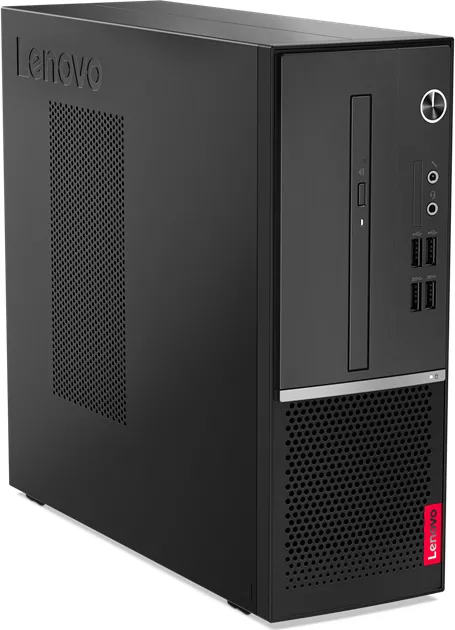
Keeping connected is vital for modern workflows. The unit features a variety of ports to support your peripherals. You have access to USB 3.2 Gen 1 connectors for fast data transfer with keyboards and mice. Video output options include HDMI and VGA connectors for connecting external monitors. If your specific configuration supports it, you can access built-in wireless networks and Bluetooth devices. Audio inputs and outputs allow for high-quality sound through external speakers or headsets. You can also lock devices securely using smart cable clips.
Simplified Maintenance and Troubleshooting
Ongoing maintenance is made easier with thoughtful design choices. The computer accommodates standard upgrades to keep it running fast over time. You can easily replace memory modules or storage drives as needed for better capacity. Diagnostic tools help identify issues before they become critical problems. Lenovo provides software to monitor health status and install necessary updates without manual intervention. Creating recovery media ensures you can restore the system if software problems occur. Drivers must be updated regularly to ensure compatibility.
Important Usage Guidelines
Safety should always be your first consideration. Always follow electrical safety instructions when connecting power sources. Ensure ventilation slots remain clear to prevent overheating during operation. Do not block air vents with carpets or furniture. Keep liquid away from the computer to avoid electrical hazards. Regularly clean dust from the exterior to maintain optimal airflow. Consult detailed resources if you encounter persistent performance issues.
Finding the right information for your setup is crucial. Many users refer to the Lenovo V35s 07ADA Manual for detailed specifications and setup instructions. This ensures you configure the device correctly from the start. By understanding these capabilities, you maximize the value of your investment. Regular updates and proper care will keep your system reliable for years. Remember to back up data frequently to prevent loss.
Search for 67,706 Manuals online


Type-in Brand or Model