
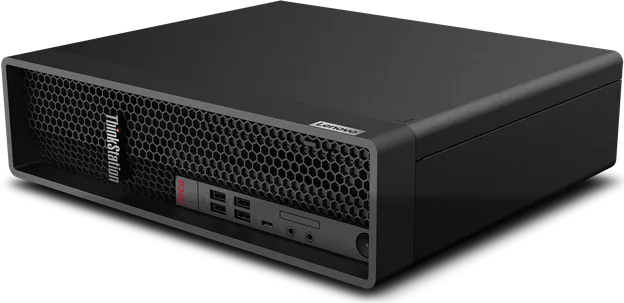
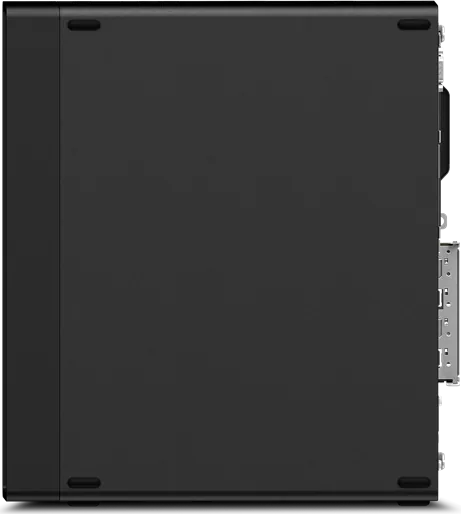
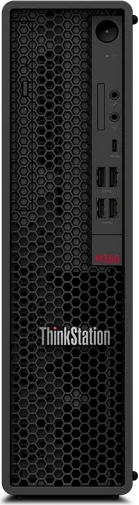
Lenovo ThinkStation P350 SFF Manual
PDF manual · 64 Pages
English


Quick check
Incorrect answer, please try again.
Chat with your Lenovo ThinkStation P350 SFF manual using AI
Get instant AI answers from your Lenovo ThinkStation P350 SFF manual
Ask anything about the Lenovo ThinkStation P350 SFF. Answers come from this manual, with the pages they are based on.
Ask a Question
Do you recommend ThinkStation P350 SFF?
Yes NoFrequently Asked Questions
The Lenovo ThinkStation P350 SFF supports a maximum memory capacity of 128 GB using DDR4 unbuffered dual inline memory modules.
Is this answer helpful?
Yes, the hard drive is listed as a self-service customer replaceable unit. You can remove and install new drives following the instructions in the user guide.
Is this answer helpful?
Wireless LAN support is available only on selected models. You should check the specific configuration details before purchasing if Wi-Fi is required.
Is this answer helpful?
You can update the UEFI BIOS using the Lenovo Vantage app within Windows or by downloading the update package directly from the Lenovo Support website.
Is this answer helpful?
Yes, the system includes an E-lock slot and a padlock loop to secure the computer cover and chassis against unauthorized tampering.
Is this answer helpful?
If the cover presence switch is enabled, the system will display an error message and prevent login when the cover is not properly installed.
Is this answer helpful?
Advantages and Disadvantages
Advantages

- Compact small form factor design saves valuable desk space
- Supports up to 128 GB of high-speed DDR4 memory
- Flexible storage options including M.2 SSDs and traditional HDDs
- Comprehensive security features like BIOS passwords and USB protection
- Easy maintenance with user-replaceable components
Disadvantages

- Limited internal expansion compared to larger tower models
- Some features like optical drives are not available on all configurations
- Wi-Fi connectivity is restricted to selected models only
- High-end configurations may require additional power supply capacity
- Memory speed can vary based on the specific microprocessor used
Product Specification
Form Factor
SFF
HDD
N/A
Flash
N/A
Rear Ports
4x USB-A 3.0 (5Gb/s), 2x DisplayPort, 1x 3.5mm jack, 1x RJ-45 1Gb LAN (Intel I219-LM), 1x serial, 1x AC-In C13 (power)
Front/Side Ports
1x USB-C 3.1 (10Gb/s), 2x USB-A 3.1 (10Gb/s), 2x USB-A 3.0 (5Gb/s), 2x 3.5mm jack, 1x SD Card
Camera
N/A
Power Supply
internal 380W, 80 PLUS Platinum
Dimensions
3.64x13.37x12.20in (WxHxD)
Weight
11.05 lbs
Volume
0.34 cu ft (calculated)
Color
black
Warranty
three years (Bring-In)
USB Spelling
Link
Product Description
Lenovo ThinkStation P350 SFF: A Compact Powerhouse for Professionals
The Lenovo ThinkStation P350 Small Form Factor (SFF) represents a perfect balance between compact design and high-performance computing. Designed for professionals who need reliability without taking up excessive desk space, this workstation delivers robust capabilities in a footprint that measures just 92.5 mm wide and 339.5 mm tall. Whether you are managing complex data, designing intricate models, or running demanding business applications, the P350 SFF provides the stability and speed required to get the job done efficiently.
At the heart of this system lies a powerful hardware configuration capable of supporting up to 128 GB of DDR4 memory. The machine features multiple storage options, including bays for 2.5-inch and 3.5-inch hard drives as well as slots for M.2 solid-state drives. This flexibility allows users to build a custom storage solution tailored to their specific needs, ensuring fast boot times and ample space for large files. The integrated graphics support DisplayPort outputs, while optional discrete graphics cards can be installed to enhance visual performance for more intensive tasks.
Connectivity is another strong suit of the ThinkStation P350 SFF. The front panel offers convenient access to USB-C ports, USB 3.2 connectors, and an SD-card slot, making it easy to transfer data from cameras or other devices quickly. On the rear, users will find additional USB ports, Ethernet connectivity, and multiple video output options. The inclusion of smart cable clips helps keep your workspace organized by securing peripheral cables neatly behind the tower.
Security is paramount for business environments, and the P350 SFF addresses this with comprehensive features. Users can set UEFI BIOS passwords, utilize the cover presence switch to detect unauthorized opening, and enable Smart USB Protection to prevent data theft via external drives. For added peace of mind, the system supports Intel BIOS Guard and optional Computrace Agent software for asset recovery. The preinstalled Vantage app serves as a centralized hub for managing updates, monitoring health, and accessing warranty information.
Maintenance is simplified through the Customer Replaceable Unit (CRU) program. Components like memory modules, hard drives, and optical drives can be easily swapped out by the user without needing specialized tools or professional assistance. This modularity ensures that your workstation can grow and adapt alongside your evolving requirements.
Key Notes
- The system supports both ECC and non-ECC DDR4 memory depending on the processor model.
- Some features like the optical drive and Wi-Fi are available only on selected models.
- The ITS performance mode allows users to toggle between balanced, performance, and full-speed cooling settings.
Search for 67,706 Manuals online


Type-in Brand or Model