
Lenovo ThinkPad X1 Fold Gen 1 Manual
PDF manual · 82 Pages
English


Quick check
Incorrect answer, please try again.
Chat with your Lenovo ThinkPad X1 Fold Gen 1 manual using AI
Get instant AI answers from your Lenovo ThinkPad X1 Fold Gen 1 manual
Ask anything about the Lenovo ThinkPad X1 Fold Gen 1. Answers come from this manual, with the pages they are based on.
ThinkPad X1 Fold Gen 1 Maintenance Schedule
Lenovo Display Refresh reminds you every two or three years to update the OLED screen to reduce image retention. Follow on-screen instructions.
Wipe the cover and keyboard regularly with a soft, lint-free cloth slightly dampened with mild soap and water. Do not spray liquid directly.
Wipe the screen gently with a dry, soft, lint-free cloth. If needed, use water or lens cleaner on the cloth, but avoid direct liquid contact.
Inspect the exterior for dust accumulation and remove dust from ventilation slots and openings, especially in dusty environments.
Free maintenance reminders
Timed to your purchase date. Always free, unsubscribe anytime.
Ask a Question
Do you recommend ThinkPad X1 Fold Gen 1?
Yes NoFrequently Asked Questions
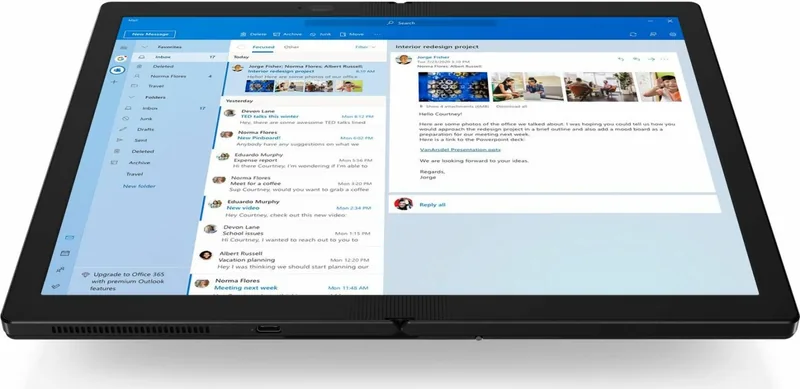
The ThinkPad X1 Fold G1 features a flexible OLED display with a 2048 × 1536 resolution, multi-touch support and integrated graphics. The foldable OLED can develop a visible crease or slight brightness variations along the fold, which is normal for this display type.
Is this answer helpful?
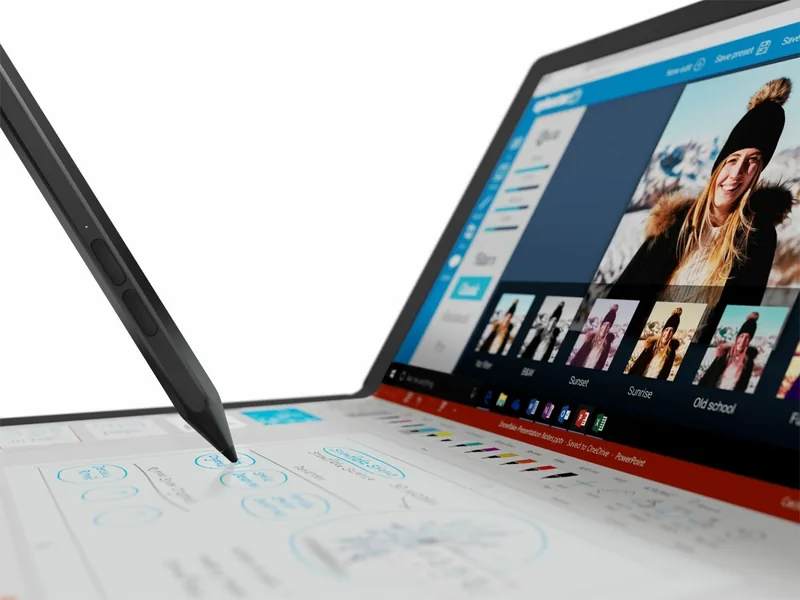
Yes. Selected models support the Lenovo Mod Pen or Lenovo Pen Pro for precise pen input, and an optional Lenovo Fold Mini Keyboard pairs via Bluetooth and magnetically attaches for wireless typing and touchpad use. Accessories may be sold separately.
Is this answer helpful?
Use the USB-C (USB 3.2 Gen 2) ports with compatible adapters or a Lenovo Powered USB-C Travel Hub to connect up to two external displays. Supported resolutions include up to 3840 × 2160 at 60 Hz via DisplayPort-compatible adapters.
Is this answer helpful?
Use Lenovo Display Refresh when prompted every few years, avoid leaving static images on the screen for long periods, enable a screensaver, power off the device when not in use, and follow the display refresh instructions in Settings ➙ System ➙ Display.
Is this answer helpful?
Restart the device, enter the Startup Interrupt Menu when the logo appears, and press F1 to open UEFI BIOS. From there you can set or remove Start, Administrator, System Management, or Drive passwords under Security ➙ Password. Record passwords securely to avoid lockout.
Is this answer helpful?
Wipe the leather with a soft clean cloth or brush; use high-quality leather cleaner if needed. For the OLED, power off before cleaning, use a dry lint-free cloth, avoid solvents, and prevent prolonged contact with liquids or sharp objects.
Is this answer helpful?
Use a USB drive (minimum 16 GB) and run the Windows recovery drive creator: search for 'recovery' and select 'Create a recovery drive.' Follow prompts; note this erases existing USB data. Keep the device connected to power during creation and use the recovery USB for troubleshooting or OS recovery.
Is this answer helpful?
Advantages and Disadvantages
Advantages

- Flexible OLED touchscreen with high resolution and multi-touch for natural input and vibrant visuals.
- Multiple usage modes (laptop, book, landscape, portrait) for versatile workflows.
- Premium leather cover with integrated kickstand and magnetic attachment for optional keyboard.
- Optional 5G connectivity and GPS on select models for always-on mobile access.
- Strong software support: Commercial Vantage, Lenovo Voice, and Display Refresh for maintenance and updates.
Disadvantages

- OLED fold can exhibit a visible crease or light variations at the fold — normal but noticeable.
- Leather cover is delicate; can be damaged by rough handling or exposure to moisture and cosmetics.
- Some advanced features (keyboard, pens, travel hub, WWAN) are model-dependent or sold separately.
- Memory is soldered (LPDDR4) and not user-upgradable, limiting hardware expansion.
- USB-C accessories can sometimes interfere with wireless signals; troubleshooting may be required.
Product Specification
CPU
Intel Core i5-L16G7, 1C+4c/5T, 1.40-3.00GHz, 4MB+1.5MB Cache, 7W SDP, Codename "Lakefield" (Sunny Cove + Tremont, Intel 10nm+ + Intel 22nm)
RAM
8GB LPDDR4X-4266 (8GB soldered, not expandable)
Graphics
Intel UHD Graphics (iGPU), 64EU/512SP, 0.20-0.50GHz, Architecture "Gen 11" (Lakefield GT2)
Display
13.3", 2048x1536, 192ppi, 60Hz display, Multi-Touch, glare, OLED, Digitizer, 300cd/m2, 95% DCI-P3, foldable
Ports
2x USB-C 3.1 with DisplayPort 1.2 (10Gb/s, power connection)
Wireless
Wi-Fi 6 (WLAN 802.11a/b/g/n/ac/ax, 2x2, Intel AX200), Bluetooth 5.2
Card reader
N/A
Webcam
5 Megapixel, IR camera (front), N/A (rear)
Operating System
Windows 10 Pro 64bit
Battery
Li-Polymer, 50Wh, 10.6h battery life
Dimensions
11.77x9.29x1.09in
Weight
2.20lb (tablet)
Color
black
Special Features
TPM 2.0, MIL-STD-810G certified, Orientation sensor, Accelerometer, Stylus, QWERTZ keyboard
Warranty
three years
Product Description
Lenovo ThinkPad X1 Fold G1 — Flexible Productivity with a Premium Manual
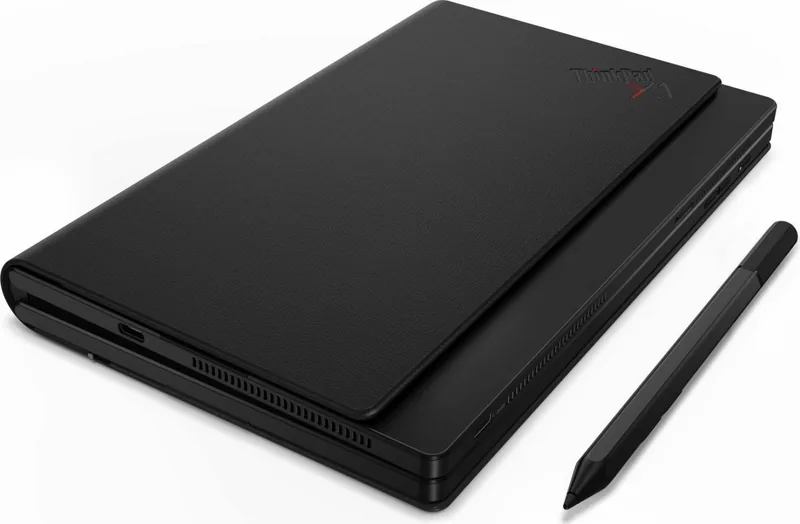
The Lenovo ThinkPad X1 Fold G1 is a pioneering foldable OLED PC that blends innovation, portability, and premium materials for professionals and creatives. With a 2048 × 1536 flexible OLED touchscreen, integrated leather cover with a built-in kickstand, and optional accessories like the Lenovo Fold Mini Keyboard and Lenovo Mod Pen or Pen Pro, the X1 Fold G1 enables multiple usage modes to match the way you work: laptop, book, landscape, and portrait. Its multi-touch display and stylus support make note-taking, sketching, and detailed editing feel natural and precise.
Performance is tuned for mobile productivity: LPDDR4 memory soldered on board, M.2 SSD storage, integrated graphics, and modern I/O including USB-C (USB 3.2 Gen 2) ports for charging, data transfer, and external displays. Selected models offer 5G WAN connectivity and GPS capability for always-on access. The device also includes security features like TPM and UEFI BIOS password controls for administrators and users.
The X1 Fold G1 is designed with practical features in mind. The leather cover protects the device and includes a magnetic attachment for the optional folding keyboard, which doubles as a wireless, rechargeable input with touchpad and special function keys. The integrated kickstand opens up to 85 degrees for stable viewing in landscape modes. Lenovo’s software ecosystem — Commercial Vantage, Lenovo Voice, and Lenovo Display Refresh — helps maintain performance, keep drivers and BIOS updated, and manage the OLED panel over time to reduce image retention.
Foldable-specific guidance and maintenance are emphasized: avoid sharp objects on the OLED surface, clean gently, and do not expose the leather cover to excessive moisture or direct sunlight. The manual details power and charging behavior, intelligent cooling modes, battery and energy settings, Bluetooth and WWAN setup, and step-by-step instructions for UEFI BIOS access, password management, recovery options, and driver or OS installation.
For presentations and expanded workflows, the X1 Fold G1 supports up to two external displays via USB-C adapters and travel hubs. Lenovo provides diagnostics, recovery media creation guidance, and consumer-replaceable parts (CRUs) lists to help with maintenance. Safety and warranty guidance are included, with specific notes on battery handling, ventilation, and electrical precautions.
Notes:
- The foldable OLED may show a crease or brightness variation along the fold; this is a normal characteristic and does not affect performance.
- Use recommended pens (Lenovo Mod Pen or Pen Pro) and approved accessories to avoid damage and ensure full functionality.
- Keep the leather cover clean with a soft cloth and avoid harsh solvents.
Search for 67,706 Manuals online


Type-in Brand or Model