
Lenovo ThinkPad USB 3.0 Secure Hard Drive Manual
PDF manual · 40 Pages
English


Quick check
Incorrect answer, please try again.
Chat with your Lenovo ThinkPad USB 3.0 Secure Hard Drive manual using AI
Get instant AI answers from your Lenovo ThinkPad USB 3.0 Secure Hard Drive manual
Ask anything about the Lenovo ThinkPad USB 3.0 Secure Hard Drive. Answers come from this manual, with the pages they are based on.
Ask a Question
Do you recommend ThinkPad USB 3.0 Secure Hard Drive?
Yes NoFrequently Asked Questions
The secure hard drive uses the Advanced Encryption Standard AES 256-bit algorithm to protect your files. This is a standard used by many governments and organizations for high security data protection requirements today.
Is this answer helpful?
The default administrator password is 12345678. It is highly recommended to change this password immediately upon connecting the drive for the first time to prevent unauthorized access.
Is this answer helpful?
No, as a full disk encryption product, the secure hard drive can never be used without a password. You must unlock it in user mode before accessing any files on the device.
Is this answer helpful?
If you forget the user password, you can create a new one in admin mode. If you forget the admin password, you must perform a complete reset which erases all data on the drive.
Is this answer helpful?
The secure hard drive enables you to store up to ten user passwords for different users. This allows multiple people to access the drive while maintaining individual security credentials.
Is this answer helpful?
No, the warranty covers manufacturing defects in the hardware itself. It does not cover loss of or damage to your data stored on the drive or any third party products used with it.
Is this answer helpful?
There are three working modes: standby, administrator, and user. Standby locks the drive, admin manages settings, and user allows access. The LED status lights indicate which mode is active.
Is this answer helpful?
Advantages and Disadvantages
Advantages

- Advanced AES 256-bit hardware encryption
- Portable lightweight design with carrying case
- No additional software installation required
- Supports up to ten user passwords
- Three-year global manufacturer warranty
Disadvantages

- Default password is weak and easily guessed
- Auto-lock feature must be manually configured
- Complete reset erases all stored data permanently
- USB 3.0 Y cable needed for some power setups
- Formatting required after password recovery reset
Product Specification
Form Factor
2.5"
Storage
1TB HDD (SATA, AHCI)
Internal Interface
1x SATA 6Gb/s
External Interface
1x USB 3.0 Micro-B
RAID Level
N/A
Fan
N/A
Color
Black
Features
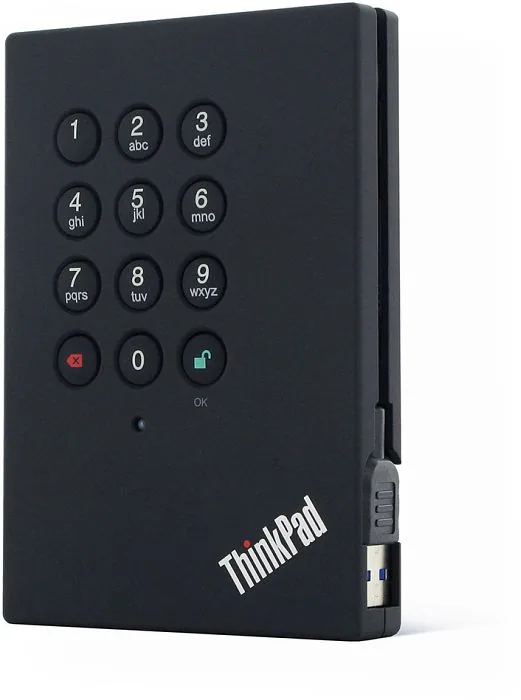
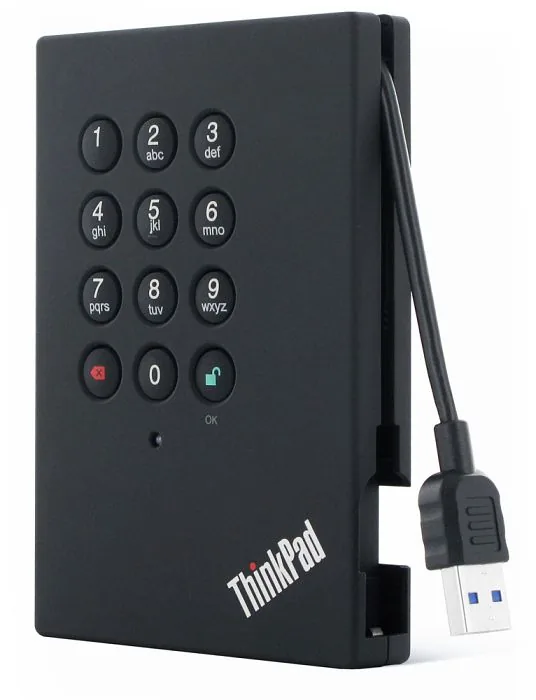
Integrated USB cable, 256-bit AES encryption, Keypad
USB Configuration
Left
Note
This product likely uses a hard drive with Shingled Magnetic Recording (SMR) recording technology.
Product Description
Securing Data with Portability
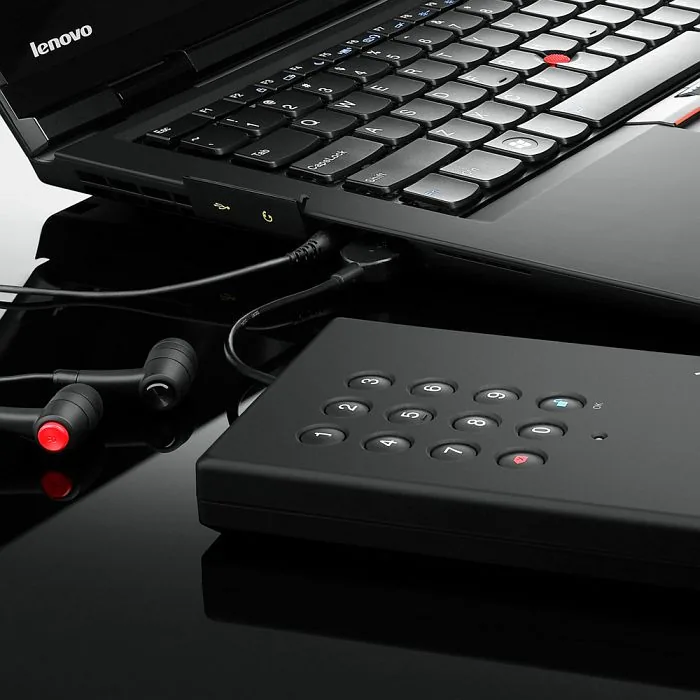
Protecting your valuable files requires hardware that offers top tier reliability and security. The Lenovo ThinkPad Secure Hard Drive 1TB USB 3.0 Micro B Manual provides detailed information about this advanced storage accessory designed for business professionals. This drive utilizes full disk encryption to ensure your files remain confidential during transfer and on-device storage. It employs AES 256 bit encryption standards, the global gold standard for data security protocols. The unit is portable and lightweight, making it ideal for mobile workers who need to safeguard information on the go. You can connect it using the integrated cable or the optional Y cable for extra power when using USB 2 ports.
Operating Modes and Security Features
The hard drive operates in three specific modes to manage access levels efficiently. Standby mode keeps the drive hidden and inaccessible by default until unlocked. Administrator mode enables password changes and sets auto lock functions for enhanced safety. User mode allows you to access stored files after successful authentication. A status LED provides visual feedback on mode changes clearly. Red lights show standby status, blue indicates admin control, and green confirms user access. This visual feedback helps you track security states easily without needing to open extra software applications on your computer.
Password and Access Control Management
Managing access to your sensitive data is simple through the onboard physical buttons. You can change the default security credentials or add new user accounts as needed. Up to ten unique user passwords can be created for shared team access scenarios. Each password requires eight to sixteen numeric digits for maximum security compliance. Auto lock functions prevent unauthorized access if the drive sits idle for a set period. Remember to save all documents carefully before exiting user mode to avoid data corruption. Accidental disconnection or power loss could result in permanent data loss.
Installation and System Maintenance
Connecting the drive is compatible with USB 2 and 3 ports effectively. Ensure you use a powered USB hub if using older computer systems with USB 2 connectors. The LED turns red when connected initially to signal standby. Resetting the device erases all stored data so it is extremely risky without backups. Formatting is required after a complete reset to initialize the partition system. Troubleshooting tips are included for password failures or initialization errors you might face. The device comes with a carrying case for safe transport during travel. Lenovo provides a three year warranty for hardware defects on this product. Support is available via phone or online services for configuration help.
Consult the Lenovo ThinkPad Secure Hard Drive 1TB, USB 3.0 Micro-B Manual for advanced reset instructions to restore factory settings. This guide ensures you maintain system integrity during daily operations and troubleshooting. Always ensure you have administrator privileges before performing maintenance tasks. Do not use non-AC powered USB hubs as they can damage the unit. This reliable storage unit ensures your important information stays private and secure for years to come.
Search for 67,732 Manuals online


Type-in Brand or Model