
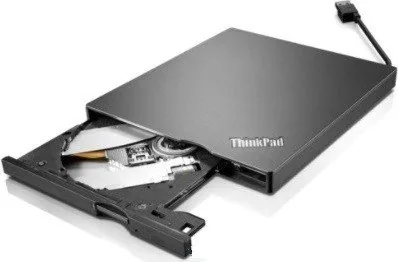
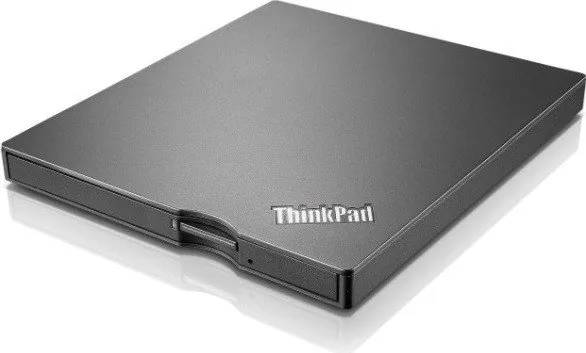
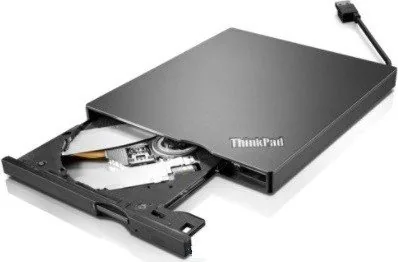
Lenovo ThinkPad UltraSlim USB DVD Burner Manual
PDF manual · 34 Pages
English


Quick check
Incorrect answer, please try again.
Chat with your Lenovo ThinkPad UltraSlim USB DVD Burner manual using AI
Get instant AI answers from your Lenovo ThinkPad UltraSlim USB DVD Burner manual
Ask anything about the Lenovo ThinkPad UltraSlim USB DVD Burner. Answers come from this manual, with the pages they are based on.
Ask a Question
Do you recommend ThinkPad UltraSlim USB DVD Burner?
Yes No
Marta Kowalski
10 months ago
Does this external DVD drive really support USB 3.0, and is the USB cable permanently attached so it cannot be replaced if it fails?

Manual.ly
10 months ago
The drive is designed to work over USB but some units may not achieve USB 3.0 transfer speeds. It can still work reliably when connected to USB 3.0 ports, but speeds may match the device's actual USB capability. For the cable: the USB connection is integrated into the housing on this model, so you generally cannot swap the cable yourself. If the cable or connection develops a defect, you would need to use the warranty/RMA process for service or replacement rather than replacing the cable on your own.
Frequently Asked Questions
It is an external optical drive for reading, burning, and playing CDs and DVDs. It is useful for backups, media playback, software installation, and working with older disc collections on compatible Windows systems.
Is this answer helpful?
Yes. It can connect to USB 3.0 directly, and it can also work with USB 2.0 using the Y-cable to help provide enough power. This makes it flexible for different notebook and desktop setups.
Is this answer helpful?
It supports a broad range of CD and DVD media, including CD-R, CD-RW, DVD-R, DVD+R, dual-layer discs, DVD-RAM, DVD-RW, and DVD+RW. That makes it suitable for both recording and playback tasks.
Is this answer helpful?
Not always. Windows can handle some burning and playback tasks natively on supported versions. However, Lenovo also provides software such as PowerDVD and PowerDVD Create for more complete playback, editing, and disc-authoring options.
Is this answer helpful?
First make sure the drive has power and is not actively reading or writing a disc. If it still will not open, use the emergency-eject hole on the front panel with a paperclip to release the tray safely.
Is this answer helpful?
Advantages and Disadvantages
Advantages

- Slim, lightweight design makes it easy to carry with a laptop or store in a bag.
- Supports many CD and DVD formats, including dual-layer and rewritable media.
- Includes playback and disc-creation software for added value.
- Works with native Windows burning and DVD playback features on supported systems.
Disadvantages

- USB 2.0 setups may need the Y-cable for enough power, which adds a small extra step.
- It does not support Blu-ray media, so it is limited to CD and DVD use.
- Best compatibility is tied to older Windows versions and classic optical workflows.
- Modern users who rarely use discs may find the drive unnecessary for daily use.
Product Specification
Form Factor
5.25" UltraSlim (external)
Loading Mechanism
Tray
DVD+R
SL: 8x, DL: 6x
DVD-R
SL: 8x, DL: 6x
DVD+RW
8x
DVD-RW
6x
DVD-RAM
5x
DVD-ROM
8x
CD-R
24x
CD-RW
24x
CD-ROM
24x
Write Buffer
0.75MB
Dimensions
5.35x0.52x6.06in
Weight
0.52lb
Product Description
Lenovo ThinkPad DVD Burner UltraSlim, USB 2.0
Compact optical power for work and travel
The Lenovo ThinkPad DVD Burner UltraSlim, USB 2.0 is a slim external optical drive made for people who still rely on CDs and DVDs for media, backups, and software installs. It is designed to be easy to carry, simple to connect, and practical for everyday use with modern and legacy Windows systems. If you have been looking for a Lenovo ThinkPad DVD Burner UltraSlim, USB 2.0 Manual, the essentials are straightforward: plug it in, load your disc, and use the included software or your operating system’s built-in tools.
Its greatest strength is convenience. The drive supports a wide range of disc formats, including CD-R, CD-RW, DVD-R, DVD+R, dual-layer media, DVD-RAM, and standard playback discs. That makes it useful for creating backups, reading older disc collections, and burning video or data discs when cloud storage is not enough. For notebooks and compact desktops, the ultra-slim body keeps the setup light and uncluttered.
Connection is flexible as well. With a USB 2.0 port, the drive can use the Y-cable for extra power, while USB 3.0 systems can connect more simply. A clear status light shows when the unit is detected, and the eject button makes disc access quick. There is also an emergency-eject hole for rare situations when the tray needs to be opened without normal power.
Lenovo also includes software support to help users get started. PowerDVD Create is aimed at disc creation and editing, while PowerDVD focuses on playback. On supported Windows versions, native burning and DVD playback features can also work without additional software, making the drive flexible for different workflows. Compatibility covers Windows XP through Windows 10, so it remains useful in both older and newer environments.
Physically, the drive is impressively compact at just 13.2 mm tall and about 0.25 kg. That small footprint makes it a smart travel companion for business users, students, and anyone maintaining systems that still depend on optical media. It is not flashy, but it is dependable, practical, and built around a very clear purpose.
Notes
- Keep the tray clear before pressing eject.
- Save your work before sleep or hibernation.
- For booting, connect the drive directly to the notebook when possible.
- Check USB power if the drive is not detected immediately.
Summary
This ultra-slim burner combines portability, broad disc support, and useful bundled software in a simple package. It is a solid choice for users who still need a reliable optical drive without adding bulk to their setup.
Search for 67,706 Manuals online


Type-in Brand or Model
Natasha Khan
10 months ago
Does this external DVD drive really support USB 3.0? And since the USB cable seems fixed to the housing, what happens if the cable is damaged?
Manual.ly
10 months ago
Based on customer reports, the USB 3.0 labeling may not reflect true USB 3.0 performance. The drive should still work with USB ports, but for maximum compatibility it is recommended to use it on standard USB connections and avoid expecting full USB 3.0 speeds. Also, some units come with a permanently attached (fixed) USB cable, so you cannot easily replace it yourself. If the cable or device becomes defective, use your proof of purchase and contact support for warranty/service options and a possible repair or replacement.