
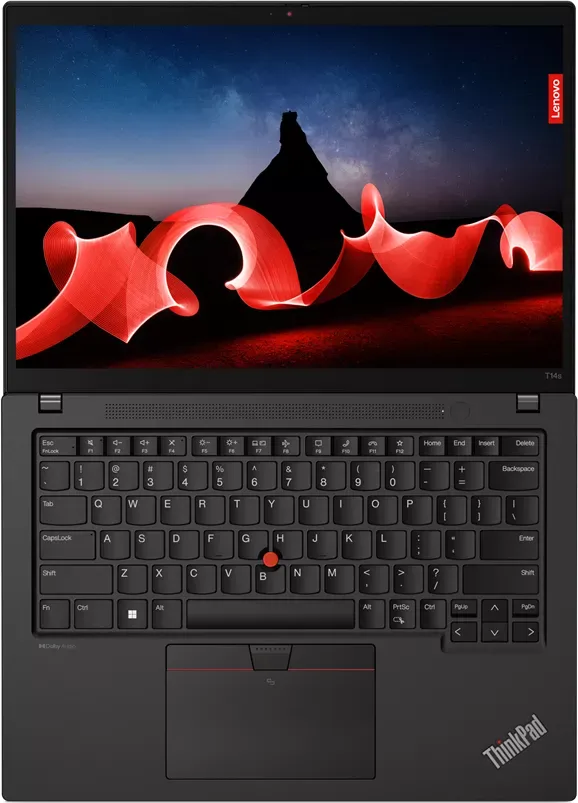

Lenovo ThinkPad T14s Gen 4 Manual
PDF manual · 70 Pages
English


Quick check
Incorrect answer, please try again.
Chat with your Lenovo ThinkPad T14s Gen 4 manual using AI
Get instant AI answers from your Lenovo ThinkPad T14s Gen 4 manual
Ask anything about the Lenovo ThinkPad T14s Gen 4. Answers come from this manual, with the pages they are based on.
Ask a Question
Do you recommend ThinkPad T14s Gen 4?
Yes NoFrequently Asked Questions
The T14s G4 (Intel) includes TPM, fingerprint reader integrated into the power button, optional Windows Hello face authentication, lock-on-leave presence detection (infrared models), ePrivacy display options, NVMe password support, UEFI BIOS passwords, certificate-based BIOS management, and FIDO/passwordless power-on support.
Is this answer helpful?
Display options include IPS and optional OLED panels in 16:10 aspect ratios, multiple resolutions up to 2880×1800, and optional multi-touch. Input features include TrackPoint, precision trackpad, backlit keyboard, and optional touchscreen depending on the model.
Is this answer helpful?
Memory (LPDDR5X) is soldered on board and not user-upgradable; plan configurations at purchase. Storage uses an M.2 2280 slot that can be replaced or upgraded, but replacing an M.2 drive may require reinstalling the OS and careful data backup.
Is this answer helpful?
Disable Fast Startup, disable the built-in battery in the UEFI BIOS, power off and disconnect AC, then follow Lenovo’s CRU instructions. Some parts are self-service CRUs (M.2 SSD, base cover), while others may require authorized service.
Is this answer helpful?
Use Lenovo Vantage to check and apply BIOS, driver, and firmware updates, or download packages from https://pcsupport.lenovo.com for your exact machine type and serial. Follow on-screen instructions and avoid interrupting BIOS updates.
Is this answer helpful?
Intel T14s G4 models support external displays via Thunderbolt 4/USB-C up to 5K@60Hz and HDMI up to 4K@60Hz (HDMI 2.0). Wireless Miracast projection is also supported when both devices enable it.
Is this answer helpful?
Options include Cloud bare-metal recovery (select models) via the UEFI menu, Windows recovery tools, Lenovo recovery media, and UEFI BIOS reset to factory defaults. Back up data first; some resets erase all user data and may require admin credentials.
Is this answer helpful?
Advantages and Disadvantages
Advantages

- Strong security stack: TPM, fingerprint power button, face login, FIDO and certificate-based BIOS options.
- Modern connectivity: Thunderbolt 4/USB-C with up to 5K display support, HDMI 2.0, Wi‑Fi, optional WWAN.
- Premium displays available: IPS and OLED 16:10 options, multi-touch and ePrivacy screen on select SKUs.
- Manageability: Vantage app, UEFI BIOS controls, cloud bare-metal recovery, and CRU-replaceable components.
- Balanced thermals and power modes: Intelligent Cooling and power sliders for battery life or performance.
Disadvantages

- Some advanced features (WWAN, OLED, privacy guard) are optional and not on all configurations.
- Memory is soldered (LPDDR5X), limiting post-purchase RAM upgrades.
- Replacing certain components requires BIOS steps (disable built-in battery) and care to avoid data loss.
- NVMe passwords and some BIOS passwords can be irreversible and may require service to resolve.
- High-end display or LTE/5G models may increase cost and reduce battery life in some workloads.
Product Specification
Type
Notebook
HDD
N/A
Flash
N/A
Wireless
Wi-Fi 6E (WLAN 802.11a/b/g/n/ac/ax, 2x2, Intel AX211), Bluetooth 5.3
Optical Drive
N/A
Power Adapter
1x USB-C Power Connector (65W, 3-Pin)
Weight
2.76 lb
Dimensions
12.5x8.93x0.65 in (WxDxH)
Color
black, Manufacturer designation: Deep Black
USB Notation
Link
Product Description
Lenovo ThinkPad T14s G4 (Intel) Manual — Product Overview
The Lenovo ThinkPad T14s G4 (Intel) represents a premium, ultraportable business laptop engineered for professionals who demand a blend of performance, security, and mobility. Driven by Intel processors and up to 32 GB LPDDR5X memory soldered on board, the T14s G4 (Intel) balances responsive multitasking with long battery life. Its thin-and-light chassis houses modern connectivity—Thunderbolt 4 / USB-C power and display support, HDMI 2.0, multiple USB-A ports, and optional WWAN—so users can connect to docks, external displays, and networks with ease.
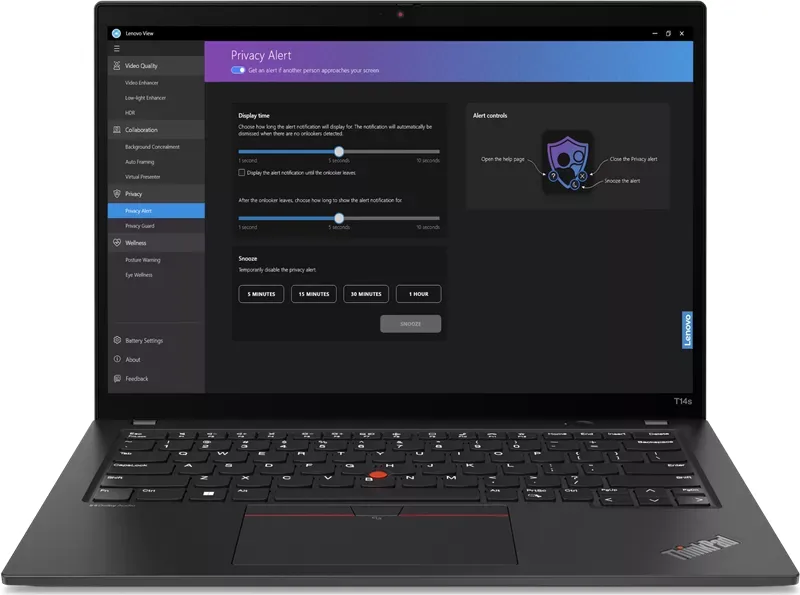
A strong focus on display options gives buyers choices ranging from energy-efficient IPS panels to high-resolution OLED configurations (including 16:10 aspect ratios and multi-touch where available). Audio features Dolby Audio and Dolby Voice to improve conferencing clarity, while optional features such as privacy shutters, Lenovo View camera enhancements, and ePrivacy display options help protect on-screen data in shared environments.
Security and manageability are central to the T14s G4 (Intel). Built-in TPM, fingerprint reader integrated into the power button, Windows Hello face options, lock-on-leave presence detection, and support for FIDO/passwordless power-on integration give flexible authentication methods. Administrators can configure UEFI BIOS, certificate-based BIOS management, and NVMe/password protections for stronger endpoint control. For corporate deployments, features like Intelligent Cooling, power management modes, and cloud bare-metal recovery simplify maintenance and recovery.
The T14s G4 (Intel) is user-serviceable to an extent: M.2 SSDs, some CRUs, and select wireless modules can be replaced or upgraded following the proper procedures (disable Fast Startup, disable built-in battery, follow Lenovo instructions). Lenovo’s Vantage app centralizes driver, BIOS updates, diagnostics, warranty checks, and feature toggles such as privacy and smart-assist functions.
Overall, the ThinkPad T14s G4 (Intel) is tailored for professionals and IT-managed fleets who need a secure, well-connected, and portable workstation with enterprise-grade manageability and modern I/O.
Notes
- Selected features (touch, OLED, WWAN, privacy guard, fingerprint, infrared camera) vary by model and region.
- Always use Lenovo-certified adapters and accessories for charging and docking.
- Back up data before CRU replacement or BIOS/system resets; NVMe passwords and some security actions may be irreversible.
Search for 67,706 Manuals online


Type-in Brand or Model