
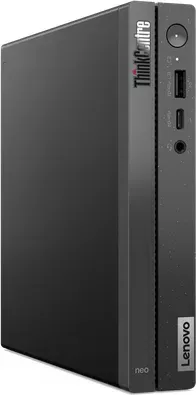
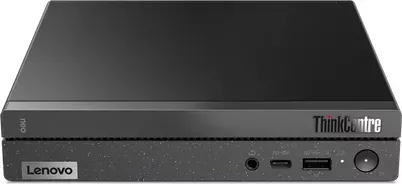
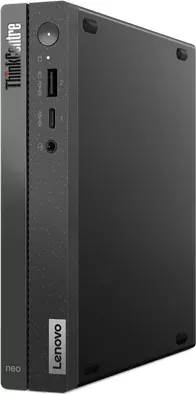
Lenovo ThinkCentre Neo 50q G4 Manual
PDF manual · 50 Pages
English


Quick check
Incorrect answer, please try again.
Chat with your Lenovo ThinkCentre Neo 50q G4 manual using AI
Get instant AI answers from your Lenovo ThinkCentre Neo 50q G4 manual
Ask anything about the Lenovo ThinkCentre Neo 50q G4. Answers come from this manual, with the pages they are based on.
Ask a Question
Do you recommend ThinkCentre Neo 50q G4?
Yes NoVideo Manual
Lenovo ThinkCentre neo 50q Gen 4 Teardown — How to Upgrade NVMe SSD & RAM (Easy Guide)
Frequently Asked Questions
The Neo 50q G4 is optimized for thin-client scenarios, VDI, web-based apps, office productivity suites, reception or kiosk stations, and general endpoint duties where a small footprint and manageability are priorities rather than heavy local processing.
Is this answer helpful?
Yes. The unit supports up to two DDR4 SODIMM slots (maximum 32GB) and has M.2 and 2.5" storage options. Lenovo designates many parts as Customer Replaceable Units (CRUs); follow the provided safety and replacement instructions and back up data before service.
Is this answer helpful?
Lenovo Vantage enables easy access to BIOS, firmware, and driver updates, hardware diagnostics, and warranty checks. UEFI BIOS features include Secure Boot, BIOS passwords, Intel BIOS Guard, Smart USB Protection, and secure wipe for safe decommissioning.
Is this answer helpful?
The Neo 50q G4 offers HDMI and DisplayPort outputs and various USB-A and USB-C connectors (capabilities vary by model). USB-C can support video via adapters (e.g., USB-C to DP or VGA) and some models offer Thunderbolt variants. Verify the exact port set on your SKU.
Is this answer helpful?
Recovery options include Lenovo recovery tools and Windows recovery methods via the Lenovo Support site. UEFI BIOS also supports BIOS update recovery, secure wipe, and recovery procedures that may involve a flash disc or jumper-based BIOS recovery on select models.
Is this answer helpful?
Yes. Lenovo Vantage provides hardware scans and diagnostic logs. Enterprise deployments can leverage built-in security features and firmware management to streamline updates and troubleshooting across endpoints.
Is this answer helpful?
The BIOS offers Intelligent Cooling, Automatic Power On, ErP LPS compliance mode to reduce off-state consumption, and ITS performance modes (Balance, Performance, Full Speed). Some settings like Fast Startup may need manual adjustment to meet ErP requirements.
Is this answer helpful?
Advantages and Disadvantages
Advantages

- Compact, VESA-compatible chassis ideal for tight workspaces and wall-mounting.
- 256GB SSD and 8GB DDR4 RAM deliver fast boot and responsive performance for thin-client tasks.
- Robust security: UEFI passwords, Intel BIOS Guard, Smart USB Protection, and secure wipe options.
- Modular, serviceable design with CRUs for SSD, memory, fan, and other components to reduce downtime.
- Lenovo Vantage provides firmware/driver updates, hardware diagnostics, and warranty info in one app.
Disadvantages

- Celeron 7305 CPU limits performance for heavy local compute or content-creation workloads.
- Some USB/port features and wireless options depend on specific model SKUs; confirm before buying.
- Not intended for frequent internal drive swapping; follow CRU guidance and back up data.
- Advanced BIOS recovery and jumper procedures require technical skill and caution.
- Energy/feature settings (ErP, Fast Startup) may need manual adjustment to meet specific compliance or wake requirements.
Product Specification
CPU
Intel Celeron 7305, 1C+4c/5T, 1.10GHz, 8MB+3.25MB Cache, 15-55W TDP (PBP/MTP), Codename "Alder Lake-U15" (Golden Cove + Gracemont, Intel 7)
RAM
8GB DDR4-3200 (1x 8GB Module, 1 Slot, max. 16GB)
SSD
256GB M.2 PCIe 4.0 x4 (2280, Opal2)
HDD
N/A
Flash
N/A
Graphics
Intel UHD Graphics (iGPU), 3Xe/48EU/384SP, 1.10GHz, Architecture "Xe-LP / Gen 12.2" (Alder Lake GT1)
Rear Ports
2x USB-A 3.1 (10Gb/s), 2x USB-A 2.0 (480Mb/s), 1x HDMI 2.1, 1x DisplayPort 1.4, 1x RJ-45 1Gb LAN (Realtek RTL8111HN), 1x DC-In Lenovo Slim Tip (Power Connector)
Front/Side Ports
1x USB-C 3.1 (10Gb/s), 1x USB-A 3.1 (10Gb/s), 1x 3.5mm Jack
Wireless
Wi-Fi 6 (WLAN 802.11a/b/g/n/ac/ax, 2x2, Intel AX201), Bluetooth 5.2
Optical Drive
N/A
Camera
N/A
Operating System
Linux
Power Supply
external 65W, 1x Lenovo Slim Tip
Dimensions
7.05x1.44x7.20in (WxHxD)
Weight
2.45lb
Volume
1.27 qt (calculated)
Special Features
Security Lock (Kensington Security Slot), EPEAT Gold, Speaker (1x 2W), incl. Mouse, incl. Keyboard
Color
black
Warranty
one year (Bring-In)
USB Notation
Link
Product Description
Lenovo ThinkCentre Neo 50q G4 Thin Client — Compact Powerhouse for Modern Workspaces
The Lenovo ThinkCentre Neo 50q G4 Thin Client combines space-saving design with practical performance for office, kiosk, and light workstation use. Powered by an Intel Celeron 7305, this compact desktop pairs efficient processing with modern connectivity: USB-A (including Always On), USB-C (up to Gen 3/Thunderbolt variants on select models), DisplayPort and HDMI outputs, Ethernet, and optional Wi‑Fi/Bluetooth. With 8GB of DDR4 RAM and a responsive 256GB SSD, the Neo 50q G4 provides quick boot times, snappy daily performance, and reliable multitasking for virtual desktop infrastructure (VDI) or cloud-based workflows.
Design and build
The Neo 50q G4 is built to fit tight workspaces — a slim chassis with VESA-mount compatibility and options for vertical stands makes it easy to tuck behind a monitor or mount on a wall. The front-panel LED indicators, headset jack on selected models, and a security-lock slot on the rear reflect a practical, business-focused design. Lenovo’s attention to modularity is evident with Customer Replaceable Units (CRUs) — the SSD, memory modules, fans, and other parts are serviceable, reducing downtime and extending useful life.
Performance and manageability
Equipped with the Celeron 7305 and 8GB DDR4, the Neo 50q G4 is ideal for thin-client roles, remote sessions, and basic productivity apps. The 256GB SSD offers fast system responsiveness and ample room for local cache or lightweight applications. BIOS-level features such as secure wipe, UEFI password options, Smart USB Protection, and Intel BIOS Guard add layers of security for corporate deployments. Lenovo Vantage simplifies firmware, driver, and BIOS updates while providing diagnostics and health monitoring.
Connectivity and expansion
The system supports multiple display outputs and flexible USB connectivity, including Always On USB charging. M.2 and 2.5" storage options, dual SODIMM slots (up to 32GB), and expansion for network or accessory modules deliver versatility for different deployment needs. Built-in diagnostics and recovery options make troubleshooting and system restoration straightforward for IT teams.
Who should consider it
This thin client is well suited for businesses seeking a compact, secure endpoint for VDI, classroom deployments, reception desks, or any environment where footprint, manageability, and predictable performance matter more than raw processing power.
Notes
- Device features and available connectors vary by model; verify exact SKU specs before purchase.
- Lenovo Vantage helps keep BIOS, drivers, and firmware current and aids in diagnostics.
- Use the secure wipe and BIOS password features before recycling or repurposing devices.
- CRU procedures should follow safety notices; backup data before replacing drives.
Search for 67,706 Manuals online


Type-in Brand or Model