
Lenovo Tab P12 Pro TB-Q706 Manual
PDF manual · 29 Pages
English


Quick check
Incorrect answer, please try again.
Chat with your Lenovo Tab P12 Pro TB-Q706 manual using AI
Get instant AI answers from your Lenovo Tab P12 Pro TB-Q706 manual
Ask anything about the Lenovo Tab P12 Pro TB-Q706. Answers come from this manual, with the pages they are based on.
Ask a Question
Do you recommend Tab P12 Pro TB-Q706?
Yes NoFrequently Asked Questions
The range includes the Lenovo TB-Q706F Wi-Fi model and the Lenovo TB-Q706Z Wi-Fi + 5G model. Features marked for mobile connectivity apply to the TB-Q706Z version.
Is this answer helpful?
Both listed models use the Qualcomm Snapdragon 870 processor, providing responsive performance for common tablet activities, including web use, media, communication, and multitasking.
Is this answer helpful?
Yes. It supports owner, guest, and standard user accounts. Each user can have separate settings and access, making the tablet more convenient for families and shared environments.
Is this answer helpful?
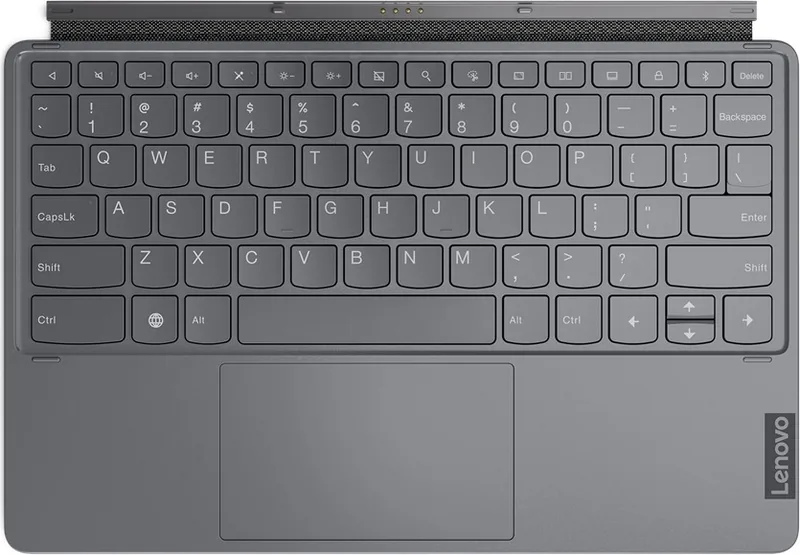
Yes. A compatible keyboard can be paired manually through Bluetooth. The tablet also supports a smart connector setup with compatible keyboard accessories.
Is this answer helpful?
Enable Eye Protection mode in display settings. It reduces blue light by applying a warmer screen tone. The tablet also offers distance reminders and Digital Wellbeing tools for healthier habits.
Is this answer helpful?
The Lenovo TB-Q706Z model supports selected 5G and LTE bands. Actual access depends on carrier compatibility, local network coverage, region, and an active SIM card with mobile data service.
Is this answer helpful?
Advantages and Disadvantages
Advantages

- Snapdragon 870 processor delivers capable performance for entertainment, browsing, and multitasking.
- Large 10,200 mAh battery supports extended daily use between charges.
- Wi-Fi 6 and Bluetooth 5.2 provide modern wireless connectivity.
- Multiple users, fingerprint access, split-screen, and keyboard support improve shared and productive use.
- TB-Q706Z adds selected 5G and LTE band support for mobile connectivity.
Disadvantages

- 5G and LTE availability depends on the TB-Q706Z model, regional bands, carrier support, and a valid SIM plan.
- Not every application supports split-screen mode.
- The integrated battery is not intended for user replacement.
- Battery protection mode stops charging at 60%, which may not suit users needing maximum runtime.
- Features and home-screen behavior may vary by region, language, provider, and model.
Product Specification
CPU
Qualcomm Snapdragon 870 (SM8250-AC), 1x 3.20 GHz (ARM Cortex-A77) + 3x 2.42 GHz (ARM Cortex-A77) + 4x 1.80 GHz (ARM Cortex-A55)
Graphics
Qualcomm Adreno 650 (iGPU)
Display
12.6 in, 2560x1600, 240 ppi, multi-touch, AMOLED, 120 Hz display, digitizer, 400 nits, 600 nits (HDR), 100% sRGB, glass (Corning Gorilla Glass 5), Dolby Vision
Ports
1x USB-C 3.1 with DisplayPort 1.4 (10 Gbps, power connector)
Wireless
Wi-Fi 6 (WLAN 802.11a/b/g/n/ac/ax, 2x2), Bluetooth 5.2, NFC
Card Reader
microSDXC (up to 1 TB)
Webcam
8 megapixel IR camera (ToF) (front), 13 megapixel, AF (rear), 5 megapixel, flash (rear)
Operating System
Android 11 (via update)
Battery
Li-polymer, 10,000 mAh, 15 hr runtime
Dimensions
11.24 x 7.27 x 0.22 in
Weight
1.25 lb (tablet)
Color
gray/black (Storm Grey)
Features
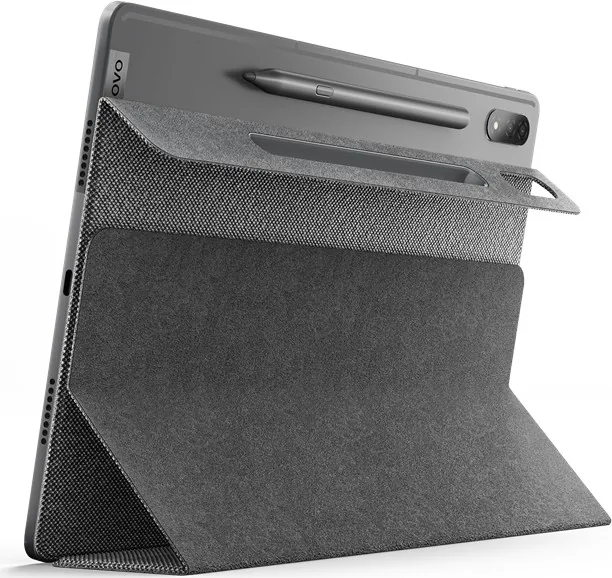
Docking connector, Hall sensor, accelerometer, light sensor, proximity sensor, orientation sensor, fingerprint reader (power button), stylus (Lenovo Precision Pen 3)
Note
Different country versions possible.
Product Description
Lenovo Tab P12 Pro TB-Q706 - Read, Download & Print Free
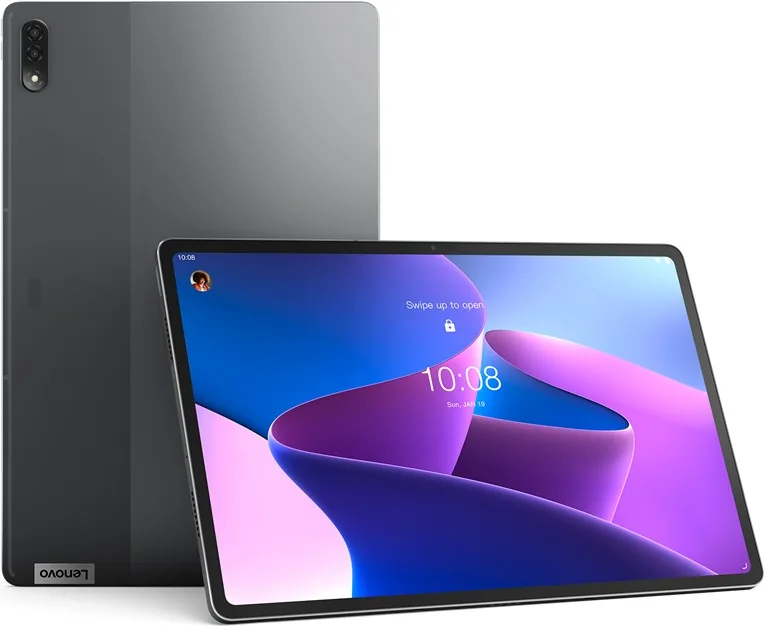
The Lenovo Tab P12 Pro TB-Q706 is a versatile Android tablet designed for entertainment, productivity, communication, and everyday organization. Powered by the Qualcomm Snapdragon 870 processor and a 10,200 mAh battery, it offers the performance and endurance needed for browsing, streaming, video calls, multitasking, and more. The range includes the Lenovo TB-Q706F Wi-Fi model and the Lenovo TB-Q706Z Wi-Fi + 5G model.
Built for Connected Everyday Use
With Wi-Fi 802.11 a/b/g/n/ac/ax and Bluetooth 5.2, the tablet supports fast wireless connections to home networks, headphones, keyboards, and other compatible accessories. The TB-Q706Z version also supports mobile connectivity through selected 5G and LTE bands, helping users stay online when Wi-Fi is unavailable. Network availability depends on the local carrier and region.
The Android interface provides a customizable home screen, widgets, app search, recent-app controls, notifications, and quick settings. Split-screen mode makes it easier to work with two compatible apps at once, such as checking email while browsing, taking notes during a video, or comparing information across apps.
Productivity, Sharing, and Personalization
The Lenovo Tab P12 Pro TB-Q706 supports multiple user accounts, including owner, guest, and standard user profiles. This is useful for households or shared settings where each person needs separate apps, preferences, and access. Individual users can also register fingerprints for secure unlocking and faster access to their own profile.
For a more laptop-like workflow, a compatible keyboard can be paired through Bluetooth or connected through the smart connector. USB connectivity enables transfers between the tablet and a computer, with options for file transfer, photo transfer, MIDI, or charging only. The device also supports VPN connections, mobile hotspot sharing on applicable models, and standard web browsing through Chrome.
Comfort and Safety Features
Lenovo includes practical tools for healthier screen habits. Eye protection mode reduces blue light with a warmer display tone, while Digital Wellbeing features can track screen time, manage notifications, set app timers, and enable focus or bedtime modes. The AI Experience Center adds options such as attention awareness, proximity screen wake, and distance reminders.
The battery protection mode can limit charging to 60% when enabled, helping reduce prolonged exposure to high charge levels. For safe use, keep the tablet away from liquids, extreme heat, and physical impact, and use Lenovo-approved charging accessories.
Notes
- Features can vary by model, software version, region, language, and carrier.
- Some apps may not support split-screen operation.
- Back up important content before performing a factory reset.
Search for 67,706 Manuals online


Type-in Brand or Model