
Lenovo Tab M10 5G TB360ZU Manual
PDF manual · 39 Pages
English


Quick check
Incorrect answer, please try again.
Chat with your Lenovo Tab M10 5G TB360ZU manual using AI
Get instant AI answers from your Lenovo Tab M10 5G TB360ZU manual
Ask anything about the Lenovo Tab M10 5G TB360ZU. Answers come from this manual, with the pages they are based on.
Ask a Question
Do you recommend Tab M10 5G TB360ZU?
Yes NoFrequently Asked Questions
Press and hold power until logo appears, choose language, connect to network, and sign in to Google account.
Is this answer helpful?
Yes, it supports split screen, file sharing, and Lenovo Freestyle to project to a computer.
Is this answer helpful?
Battery optimizer and charge protection modes extend life and prevent overheating during charging.
Is this answer helpful?
Security includes passwords, patterns, and facial recognition with biometrics for protection.
Is this answer helpful?
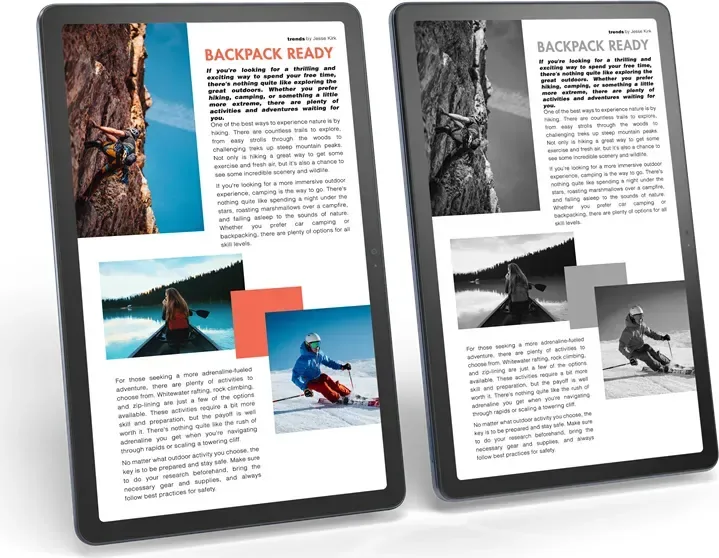
Reading mode and Night Light reduce blue light, certified by TÜV Rheinland for safety.
Is this answer helpful?
Go to Settings and Select General settings then Reset options to erase all data for a factory reset.
Is this answer helpful?
Go to Settings and Select About tablet then System Update to check for and install updates.
Is this answer helpful?
Advantages and Disadvantages
Advantages

- Supports 5G mobile network for faster connectivity and internet access anywhere.
- Flexible gesture navigation allows intuitive control without physical buttons.
- Split screen mode enables multitasking with multiple apps open simultaneously.
- Battery optimization features extend usage time and prevent fast aging.
- Compatible with optional Lenovo Tab Pen Plus for creative tasks.
Disadvantages

- Face recognition requires a pattern or PIN to be set first.
- Not all applications support split screen mode functionality.
- Internal battery cannot be replaced by the end user safely.
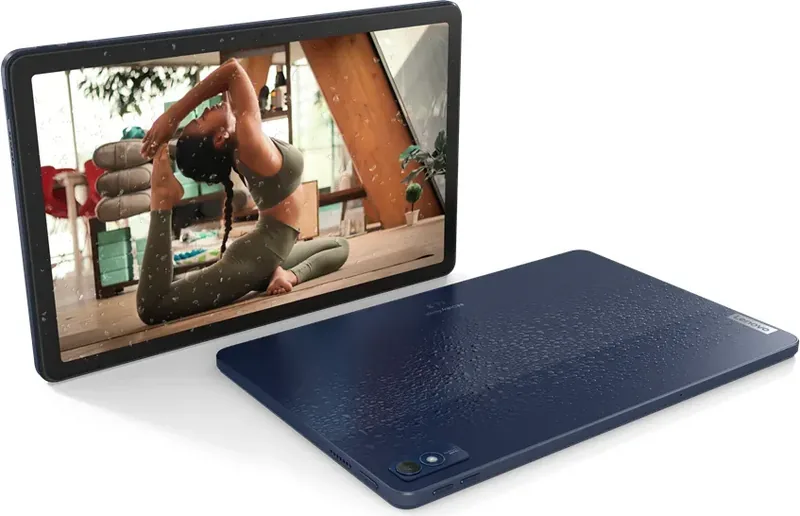
- Device is susceptible to water damage if exposed to liquid.
- Some advanced features require external Lenovo Freestyle app installation.
Product Specification
CPU
Qualcomm Snapdragon 695 5G (SM6375), 2x 2.20GHz (ARM Cortex-A78) + 6x 1.70GHz (ARM Cortex-A55)
Storage
128GB Flash (UFS 2.2)
Graphics
Qualcomm Adreno 619 (iGPU)
Display
10.6", 2000x1200, 220ppi, Multi-Touch, IPS, Digitizer, 400 cd/m2
Connections
1x USB-C 2.0 (480Mb/s, Power), 1x 3.5mm Jack
Wireless
Wi-Fi 5 (Wi-Fi 802.11a/b/g/n/ac, 2x2, Qualcomm FastConnect 6200 [WCN3998]), Bluetooth 5.2
Navigation
GPS, A-GPS, GLONASS, Beidou, Galileo
SIM
1x Nano-SIM
Mobile Network
5G, LTE, UMTS (42/5.76)
Networks
5G, 4G, 3G
Card Reader
microSDXC (up to 1TB)
Camera
8 Megapixel (Front), 13 Megapixel, AF (Rear)
Operating System
Android 13
Battery
Li-Polymer, 7700mAh, 12h Battery Life
Dimensions
9.95"x6.31"x0.33"
Weight
1.08 lbs (Tablet)
Color
blue/black (Abyss Blue)
Features
Proximity Sensor, Accelerometer, Orientation Sensor, Light Sensor, Hall Sensor
Note
Different country versions possible.
Product Description
Overview
Exploring the capabilities of the Lenovo Tab M10 5G TB360ZU reveals a versatile device designed for both productivity and entertainment. Understanding the Lenovo Tab M10 5G TB360ZU Manual ensures users maximize their potential with this powerful tablet. The initial setup process is streamlined, allowing quick connection to Wi-Fi networks or activation of mobile network services with a SIM card. Users can transfer data effortlessly from previous devices, ensuring a smooth transition to new apps and personalization options. Signing in to a Google account is required to unlock the full ecosystem of services available on the device.
Navigation Features
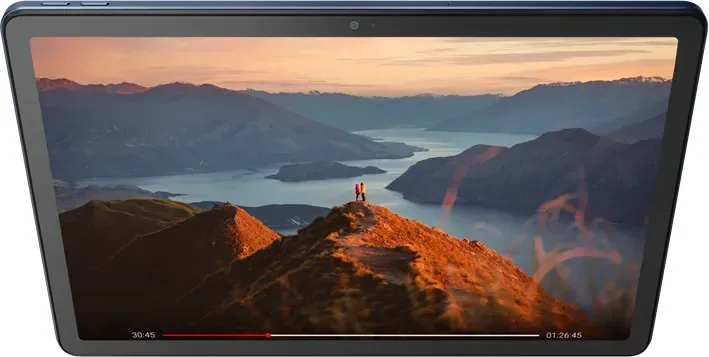
Navigation becomes intuitive with support for gesture controls and virtual keys. Basic gestures include tapping, swiping down for notifications, and swiping up to access all applications. Advanced gestures allow switching between open apps and returning to the home screen without physical buttons. The home screen can be customized with widgets, wallpaper, and the Entertainment Space for quick access to media content. Reading mode and Night Light settings help reduce eye strain during extended use sessions. Security features like biometrics, facial recognition, and passwords keep data safe from unauthorized access.
Battery and Safety
Battery management tools help extend life with charge optimization and power saving modes. Smart detection identifies drain issues while charging protection prevents aging from high voltage. Advanced features such as Lenovo Freestyle enable projection between tablet and computer, transforming it into a second screen for work. Users can also pair the optional Tab Pen Plus for writing and drawing directly on the glass. File sharing allows quick transfers to nearby devices. Multiple user accounts support collaborative family or business environments with distinct permissions. Safety instructions emphasize avoiding water exposure and maintaining proper temperatures to prevent damage.
System Management
System updates keep software current and secure from vulnerabilities. Factory resets wipe internal storage for a clean slate setup. Bluetooth pairing connects headphones and peripherals seamlessly. Digital wellbeing features track screen time and help manage focus on the device. Camera settings offer AI assistance and various modes for photos and video recording. Whether for work or play, this tablet offers robust functionality and reliability for daily tasks and leisure activities alike. File management tools allow browsing internal storage to manage images, videos, and audio files. Cleaning junk files helps maintain optimal storage space. Sharing files via nearby share ensures quick transfers. For safety, the device should not be subjected to high voltage environments or water. Disposal follows environmental regulations to minimize impact on human health. The TÜV Rheinland Low Blue Light certification ensures visual comfort. Connectivity options include WLAN, VPN, and mobile networks for versatile internet access. App permissions allow granular control over location and privacy data access. System updates prompt when new versions are available for download and installation.
Search for 67,706 Manuals online


Type-in Brand or Model