

Lenovo Tab Extreme TB570FU Manual
PDF manual · 44 Pages
English


Quick check
Incorrect answer, please try again.
Chat with your Lenovo Tab Extreme TB570FU manual using AI
Get instant AI answers from your Lenovo Tab Extreme TB570FU manual
Ask anything about the Lenovo Tab Extreme TB570FU. Answers come from this manual, with the pages they are based on.
Ask a Question
Do you recommend Tab Extreme TB570FU?
Yes NoFrequently Asked Questions
The tablet supports Wi‑Fi, Bluetooth, USB‑C (for charging, data and wired projection), and models with SIM slots support mobile network data. It also integrates with Lenovo Freestyle for tablet-computer projection and file sharing over a shared network.
Is this answer helpful?
The Precision Pen 3 enables handwriting-to-text conversion, drawing, and remote-control features. It supports firmware updates, customizable pen functions, and remote media controls in supported apps, improving note-taking, sketching, and presentation workflows.
Is this answer helpful?
Yes—One Vision supports multitasking with split screen (two to four apps), floating windows, and quick app switching. Not all apps support split screen; you can convert split screens to floating windows and adjust window sizes for flexible workflows.
Is this answer helpful?
Battery features include Battery Saver, Charging Protection, Adaptive Charging Protection, and Battery Maintenance mode. These limit background activity, avoid prolonged full charging, and maintain optimal charge levels to extend battery lifespan.
Is this answer helpful?
Security options include pattern, PIN, or password, fingerprint sensors (integrated in the power button on some models), and face recognition (used alongside a PIN/pattern/password). You can manage these under Settings > Biometrics and Passwords.
Is this answer helpful?
You can use Lenovo Freestyle for wireless projection to a computer on the same network, USB‑C wired projection to monitors (USB‑C 3.2 Gen 1 for monitor projection), or USB‑C wired computer-to-tablet projection. Some monitors or apps may have compatibility limitations.
Is this answer helpful?
Digital Wellbeing provides screen-time dashboards, app timers, Focus and Bedtime modes. Parental controls integrate with Google Family Link to manage content, mature content restrictions, location, and usage limits for child accounts.
Is this answer helpful?
Advantages and Disadvantages
Advantages

- Adaptive, TÜV-certified display for comfortable extended viewing and reading.
- Lenovo Precision Pen 3 support with handwriting-to-text and remote-control features.
- Strong multitasking: split screen (up to four apps), floating windows, and keyboard shortcuts.
- Flexible projection options (wireless and wired) and Lenovo Freestyle PC/tablet integration.
- Comprehensive battery management including adaptive charging and Battery Saver.
Disadvantages

- Some advanced features (projection, video portrait) require compatible external devices or apps.
- Not all apps support split screen or video portrait features, limiting multitasking consistency.
- Using third-party chargers may cause charging issues; Lenovo recommends approved adapters.
- Factory reset erases all internal data; users must back up before resetting.
- Certain system apps cannot be uninstalled, restricting customization for some users.
Product Specification
CPU
MediaTek Dimensity 9000, 1x 3.05GHz (ARM Cortex-X2) + 3x 2.85GHz (ARM Cortex-A710) + 4x 1.80GHz (ARM Cortex-A510)
RAM
12GB LPDDR5X
Storage
256GB Flash (UFS 3.1)
Graphics
ARM Mali-G710 MC10 (iGPU)
Display
14.5", 3000x1876, 244ppi, Multi-Touch, OLED, 120Hz Display, Digitizer, 400cd/m^2, 500cd/m^2 (HDR), 100% DCI-P3, Glass (Corning Gorilla Glass 5), Dolby Vision
Ports
1x USB-C 3.0 with DisplayPort (5Gb/s, Power connection, PD), 1x USB-C 2.0 (480Mb/s, PD)
Wireless
Wi-Fi 6E (WLAN 802.11a/b/g/n/ac/ax, 2x2), Bluetooth 5.3
Navigation
GPS, GLONASS, Galileo
SIM
N/A
Mobile
N/A
Networks
N/A
Card reader
microSDXC (up to 1TB)
Webcam
13 Megapixel (front), 13 Megapixel, AF, IR Camera (ToF) (rear, Camera 1), 5 Megapixel (rear, Camera 2)
Operating System
Android 13
Battery
Li-Polymer, 12300mAh, 12h runtime
Dimensions
12.91x8.30x0.28in
Weight
1.63 lb (Tablet), not specified (Dock)
Color
grey/black (Storm Grey)
Note
Different country versions possible.
Product Description
Lenovo Tab Extreme TB570FU — Powerful, Versatile Tablet Experience
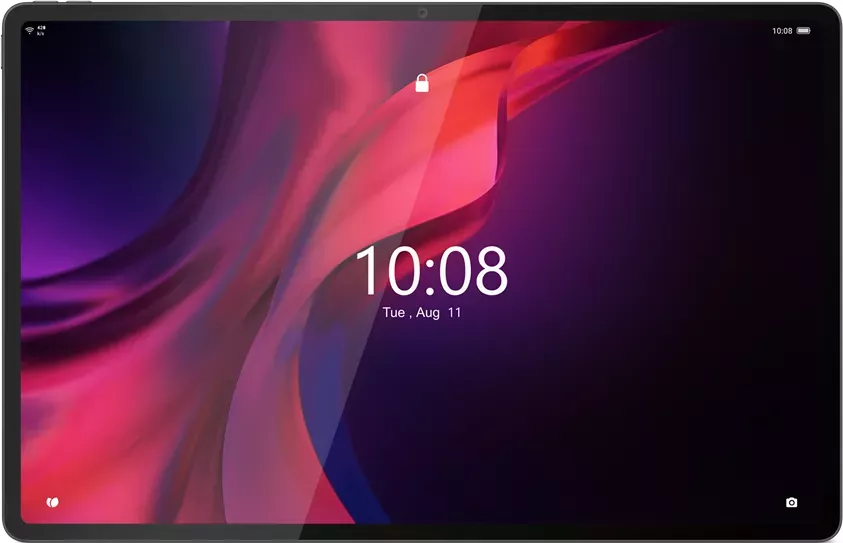
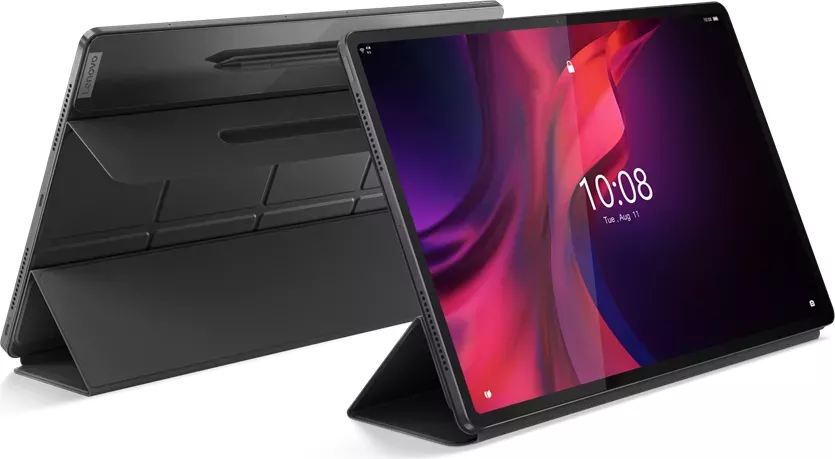
The Lenovo Tab Extreme TB570FU stands out as a premium Android tablet designed for productivity, creativity, and entertainment. With a focus on polished hardware features and software conveniences, this model targets users who want a balanced mix of performance, battery life, and multimedia capabilities. The tablet supports advanced input options like the Lenovo Precision Pen 3 and offers strong connectivity choices including Wi‑Fi, Bluetooth, USB‑C projection, and optional mobile network support on models with SIM slots.
What makes it compelling
Equipped with a bright, adaptive display and TÜV Rheinland Low Blue Light certification, the Tab Extreme delivers comfortable extended viewing for reading, streaming, and content creation. The tablet’s One Vision UI features multitasking tools such as split screen (up to four apps), floating windows, and key mapping for external peripherals—making it easy to switch between work and leisure. Lenovo Freestyle integration enables projection and file sharing between tablet and PC, while wired and wireless projection options expand the tablet’s use as a second screen or mirrored display for monitors and computers.
The Precision Pen 3 adds handwriting-to-text, drawing, and remote-control features, broadening creative and productivity workflows. Physical keyboard support, touchpad gestures, and an extensive set of keyboard shortcuts further enhance productivity for users who pair the tablet with accessories.
Practical everyday features
Battery management includes Battery Saver, charging protection, and adaptive charging modes to prolong battery health. Digital Wellbeing and parental controls help manage screen time and content access for families. The Camera app includes AI scan, portrait modes, and video features such as central portrait tracking and beauty adjustments for video calls. Robust system features like fingerprint and face recognition, VPN support, and permission management help secure user data.
Lenovo also includes thorough safety, recycling, and regulatory guidance plus ENERGY STAR compliance for the TB570FU, supporting responsible use and disposal. Firmware and system updates are available through system update settings, and factory reset and force shutdown procedures are clearly handled in settings.
Notes
- Supports multiple users (Owner, Guest, standard users) and easy account switching.
- Entertainment Space offers a curated media hub accessible from the home screen.
- Adaptive Capture optimizes audio for calls by reducing ambient noise.
Overall, the Lenovo Tab Extreme TB570FU is a well-rounded tablet built for mixed workflows—creative tasks, media consumption, and productivity—backed by Lenovo’s ecosystem of accessories and cross-device features.
Search for 67,706 Manuals online


Type-in Brand or Model