

Lenovo Smart Tab M8 TB-8505FS Manual
PDF manual · 25 Pages
English


Quick check
Incorrect answer, please try again.
Chat with your Lenovo Smart Tab M8 TB-8505FS manual using AI
Get instant AI answers from your Lenovo Smart Tab M8 TB-8505FS manual
Ask anything about the Lenovo Smart Tab M8 TB-8505FS. Answers come from this manual, with the pages they are based on.
Ask a Question
Do you recommend Smart Tab M8 TB-8505FS?
Yes NoFrequently Asked Questions
Hold the Home button, tap login, and follow on-screen instructions. Say OK Google to train voice detection.
Is this answer helpful?
No, the TB-8505FS is a WLAN model. The TB-8505XS supports LTE with specific bands.
Is this answer helpful?
The device contains a 5000 mAh battery designed for extended usage without frequent charging.
Is this answer helpful?
Yes, but you must first set a screen pattern, PIN, or password for security protection.
Is this answer helpful?
Hold the Power button for ten seconds to restart the system if it becomes unresponsive.
Is this answer helpful?
Yes, use USB Tethering or Hotspot features depending on whether you have the LTE model.
Is this answer helpful?
Advantages and Disadvantages
Advantages

- Google Assistant integration with Ambient Mode
- 5000 mAh battery for long usage
- Multiple user accounts including child profiles
- Face recognition for quick unlocking
- Support for USB file transfer modes
Disadvantages

- 2GB RAM limits multitasking performance
- No Wi-Fi hotspot on WLAN only versions
- System apps cannot be deleted by user
- LTE bands vary by region and country
- Screen is fragile glass and breaks easily
Product Specification
CPU
MediaTek Helio A22 (MT6761), 4x 2.00GHz (ARM Cortex-A53)
RAM
2GB LPDDR3
Storage
32GB Flash (eMMC)
Graphics
PowerVR GE8320 (iGPU)
Display
8", 1280x800, 189ppi, Multi-Touch, IPS, 350 nits
Ports
1x USB 2.0 Micro-B (480Mb/s)
Wireless
Wi-Fi 5 (WLAN 802.11a/b/g/n/ac, 1x1), Bluetooth 5.0
Navigation
GLONASS, Beidou
SIM
N/A
Cellular
N/A
Networks
N/A
Card Reader
microSDXC (up to 128GB)
Webcam
2 Megapixel (front), 5 Megapixel, AF (rear)
Operating System
Android 10 (via Update)
Battery
Li-Polymer, 5000mAh, 12h runtime
Dimensions
7.83 x 4.80 x 0.32 in
Weight
10.76 oz (Tablet)
Color
gray (Iron Grey)
Features
Orientation Sensor, Accelerometer, FM Radio, Smart Dock
Warranty
two years
Note
Different country versions possible.
Product Description
Exploring the Lenovo Smart Tab M8
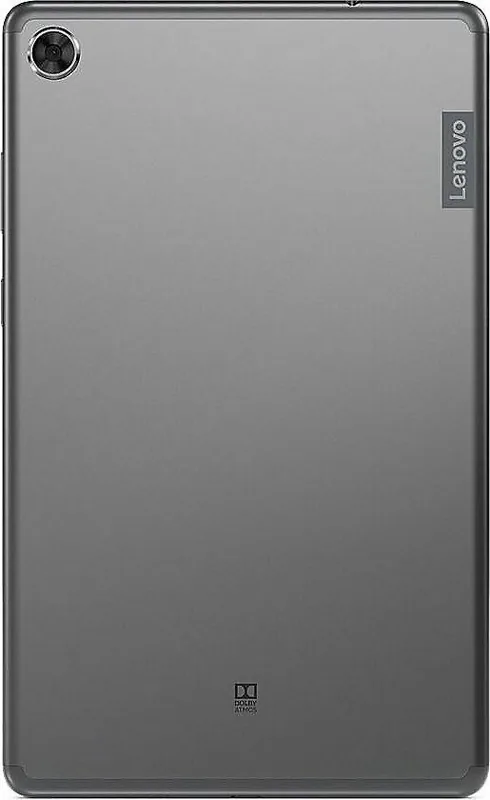
The Lenovo Smart Tab M8 represents a solid choice for users seeking a compact Android tablet for media consumption and basic productivity tasks. This specific model, known as the Lenovo Smart Tab M8 with Google Assistant TB-8505FS Iron Grey 32GB, 2GB RAM Manual, integrates key Google services directly into the operating system. The Iron Grey finish offers a professional look while the build quality focuses on durability for home environments.
Core Performance
Running on the MediaTek Helio A22 Tab processor, the device manages daily operations smoothly. With 2GB of RAM and 32GB of internal storage, it handles applications efficiently. You can store photos, videos, and documents locally. Transfer files to a computer via USB connection in File Transfer or PTP modes. The large 5000 mAh battery supports extended usage. This reduces the need for constant charging during daily routines.
Smart Integration
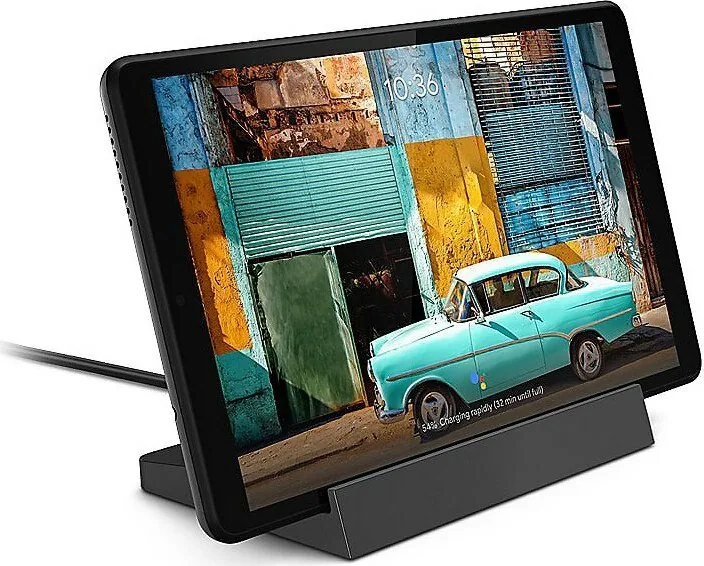
Google Assistant functionality allows voice control over various features. You can enable Ambient Mode to view photos or control smart home devices when docked. Simply hold the Home button and sign in to your Google account. Setup requires voice training for OK Google commands. This integration makes the tablet more interactive than standard Android screens.
Customization and Access
The home screen supports widgets and customizable backgrounds. You can add or remove apps by pressing and dragging. Installing apps is done through Google Play. Multiple users are supported with distinct profiles for owners, guests, or children. Child profiles offer restricted access to safer apps like music and videos. Face recognition speeds up unlocking but requires an initial security pattern.
Connectivity and Network
Wi-Fi 802.11 a/b/g/n/ac ensures fast internet connections. The LTE model supports various bands but verify carrier compatibility. Hotspots are available on LTE versions. For security, configure a VPN if accessing corporate networks. Chrome remains the default browser for surfing the web. Screenshot capture is possible using the Power and Volume down keys simultaneously.
Safety Guidelines
Protect the glass display from falls and shocks. Do not expose the unit to liquids or extreme heat. Temperatures between 0 and 40 Celsius are recommended for operation. Use only approved Lenovo chargers. Avoid submersion in water. Resetting to factory settings deletes all data so back up important files first. The Lenovo Help app assists with warranty checks and system tests. QR codes are available for app downloads.
Final Thoughts
This device balances cost and features effectively. Proper care ensures longevity. Review the provided guidelines for optimal performance.
Notes: Check warranty details online. Ensure software is updated for security patches. Review environmental compliance for recycling.
Search for 67,706 Manuals online


Type-in Brand or Model