
Lenovo Legion T5 26IAB7 Manual
PDF manual · 82 Pages
English


Quick check
Incorrect answer, please try again.
Chat with your Lenovo Legion T5 26IAB7 manual using AI
Get instant AI answers from your Lenovo Legion T5 26IAB7 manual
Ask anything about the Lenovo Legion T5 26IAB7. Answers come from this manual, with the pages they are based on.
Ask a Question
Do you recommend Legion T5 26IAB7?
Yes NoFrequently Asked Questions
The system supports user-upgradeable memory modules (DDR), M.2 NVMe SSDs, 3.5" HDDs, PCIe expansion cards (GPU, network, etc.), Wi‑Fi cards, and replaceable front I/O modules. Some major parts like the system board and PSU are classified as FRUs and may require trained service personnel.
Is this answer helpful?
Check BIOS boot order to ensure the correct startup drive is selected, verify drive connections, attempt data backup, and run low-level format or diagnostics. If the boot sector is corrupted, reformatting or reinstalling the OS may be required; replace the drive if diagnostics indicate hardware failure.
Is this answer helpful?
Power off and unplug the system, wait for components to cool, follow ESD precautions (grounded wrist strap, grounded mat), remove power cords and external devices, and consult the safety section for handling batteries and high-voltage areas.
Is this answer helpful?
Always update UEFI/BIOS and drivers after replacing major FRUs—especially the system board—to ensure compatibility and stability. Download the latest firmware and drivers from Lenovo Support or use Lenovo Vantage before completing service actions.
Is this answer helpful?
Lenovo provides POST error code listings and beep-code troubleshooting in the service documentation. Use those tables to interpret symptoms, follow the service checkout procedure, and consult Lenovo technical support if codes persist.
Is this answer helpful?
Back up all important data before replacing drives. Run low-level format or diagnostics only after confirming backups. Be mindful of drive ordering and boot sequence to avoid overwriting the wrong drive during installation or formatting.
Is this answer helpful?
Use Lenovo Vantage for automated diagnostics and updates, visit support.lenovo.com for drivers and parts lookup, check community forums and documentation, or contact Lenovo Customer Support (phone numbers listed on Lenovo’s support site) for assisted troubleshooting and warranty service.
Is this answer helpful?
Advantages and Disadvantages
Advantages

- Tool-accessible chassis and modular FRU/CRU design simplify upgrades and repairs.
- Wide connectivity: front USB-C plus multiple rear USB ports, Ethernet and audio.
- Supports M.2 NVMe SSDs and 3.5" HDDs for flexible storage configurations.
- Robust cooling layout with front/rear fans and dedicated CPU heatsink options.
- Comprehensive service documentation and Lenovo support resources for troubleshooting.
Disadvantages

- Some internal components (system board, PSU) are intended for trained technicians.
- Physical size may limit placement for users with constrained desk space.
- Replacing certain FRUs requires careful ESD and grounding procedures.
- OEM-specific parts and firmware updates may be necessary after major repairs.
- Heavier lifts and component handling require safe practices; not ideal for casual users.
Product Specification
Flash
N/A
Rear Ports
1x USB-C 3.1 (10Gb/s), 2x USB-A 3.0 (5Gb/s), 4x USB-A 2.0 (480Mb/s), 3x 3.5mm jack, 1x RJ-45 1Gb LAN (Realtek RTL8111H), 1x AC-In C13 (power connection)
Front/Side Ports
2x USB-A 3.0 (5Gb/s), 2x 3.5mm jack
Wireless
Wi-Fi 6 (WLAN 802.11a/b/g/n/ac/ax, 2x2), Bluetooth 5.2
Optical Drive
N/A
Camera
N/A
Dimensions
8.07x16.54x15.59 in (WxHxD)
Weight
30.86 lb
Volume
9.01 gal (calculated)
Color
black
Warranty
two years (Bring-In)
USB Notation
Link
Product Description
Lenovo Legion T5 26IAB7 — Powerful Desktop with Practical Guidance
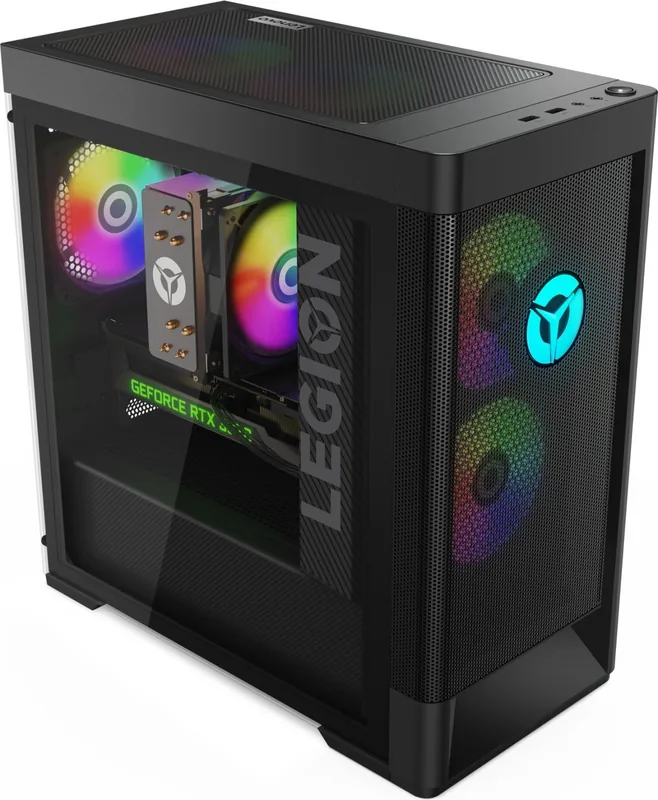
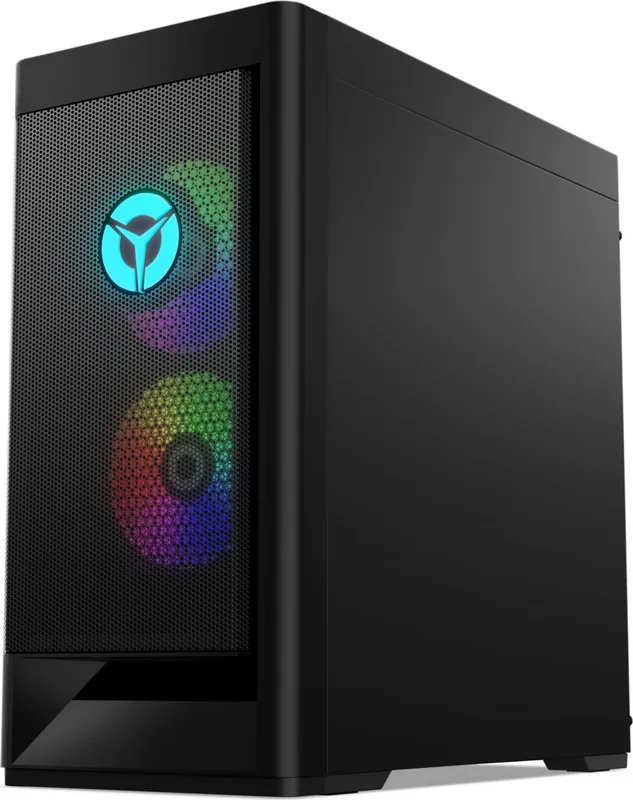
The Lenovo Legion T5 26IAB7 is a mid-tower gaming and productivity desktop that balances strong performance, serviceability, and thoughtful thermal design. Built to house modern Intel or AMD processors, discrete graphics, multiple storage options (3.5" HDD, M.2 SSD), and upgradable DDR memory, it targets gamers and creators who want a capable system that’s easy to maintain and expand.
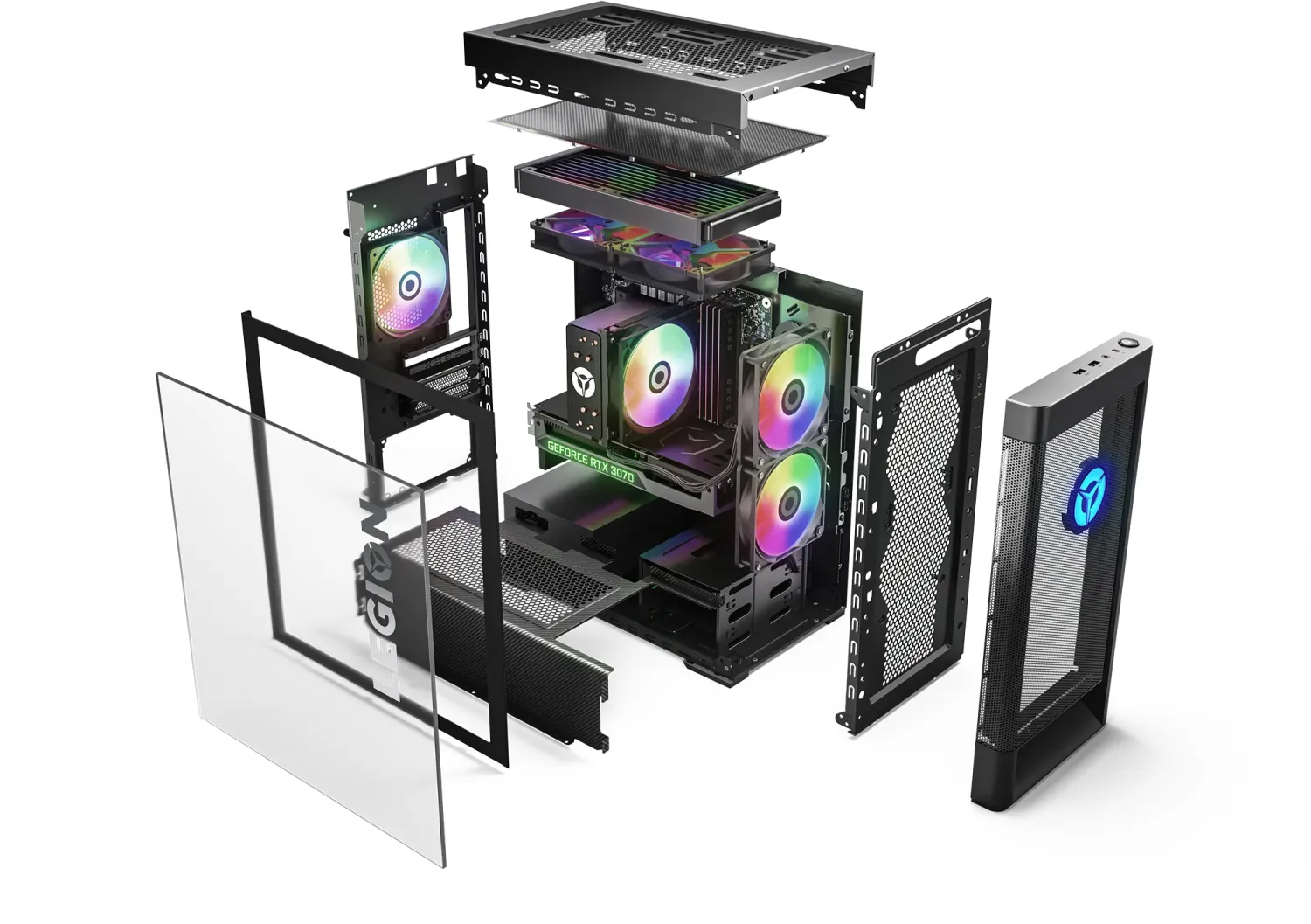
This tower offers a clean front I/O arrangement—USB-A, USB-C, audio jacks, and a responsive power button—plus ample rear connectivity including multiple USB ports, Ethernet, audio jacks and PCIe expansion slots for GPUs or other add-in cards. Internal cooling relies on front and rear fans and dedicated CPU heatsink/fan assemblies, while tool-accessible side panels and drive trays simplify upgrades.
Beyond raw specs, the Legion T5 emphasizes service and safety. The design anticipates component replacement: modular power supply and FRU/CRU classification for accessible parts, clear cable routing, and documented removal procedures for storage drives, memory modules, M.2 SSDs, Wi‑Fi cards, and PCIe cards. This reduces downtime and makes troubleshooting straightforward for technicians or informed owners.
The machine includes thermal and electrical safety best practices (safe lifting, ESD handling, battery cautions, and laser product warnings for optical drives). Lenovo provides diagnostic guidance—POST and beep code tables, symptom-to-FRU indexing, and service checkout steps—helpful for isolating faults like drive boot errors, power issues, memory faults, or fan failures. Firmware and driver updates are recommended after major repairs, especially when replacing a system board.
For users focused on upkeep, Lenovo’s support resources and tools (Lenovo Vantage, support.lenovo.com, downloadable BIOS/drivers, and phone support) are integrated into the maintenance experience. The Legion T5 26IAB7 thus blends user-friendly expandability with comprehensive service documentation, making it a solid choice for enthusiasts who plan to upgrade or maintain their PC over time.
Notes
- Ideal for gamers and content creators who value upgradability and serviceability.
- Keep backups before drive operations; observe ESD and electrical safety.
- After major FRU replacement, update UEFI/BIOS and drivers via Lenovo support.
Search for 67,706 Manuals online


Type-in Brand or Model