
Lenovo Legion Slim 5 14APH8 Manual
PDF manual · 36 Pages
English


Quick check
Incorrect answer, please try again.
Chat with your Lenovo Legion Slim 5 14APH8 manual using AI
Get instant AI answers from your Lenovo Legion Slim 5 14APH8 manual
Ask anything about the Lenovo Legion Slim 5 14APH8. Answers come from this manual, with the pages they are based on.
Ask a Question
Do you recommend Legion Slim 5 14APH8?
Yes NoFrequently Asked Questions
The device features dual USB Type-C ports where one supports USB Power Delivery up to 140W. This allows rapid charging sessions capable of reaching 80 percent battery capacity in under an hour using a compatible power delivery compliant charger. It is recommended to use the included ac adapter whenever possible for optimal operation.
Is this answer helpful?
Security includes a fingerprint reader in the power button, Software Trusted Platform Module, and UEFI BIOS passwords for administrator and user access. Users can set passwords for secondary storage devices as well to prevent unauthorized data access.
Is this answer helpful?
Yes, you can switch between Performance, Balance, and Quiet modes. These are accessible via the Legion Zone app or by pressing Fn plus Q to adapt the system to specific tasks or environments requiring high performance or quiet operation and battery savings.
Is this answer helpful?
Press and hold the power button until the computer turns off completely. Afterward, restart the computer. If issues persist, check for hardware problems using Lenovo Vantage or refer to support resources for system diagnostics and troubleshooting steps.
Is this answer helpful?
Turn on or restart the computer and press the F2 key repeatedly. In the welcome screen, select More Settings. You can also use the Novo button menu to open the BIOS utility or access boot device selection options.
Is this answer helpful?
Advantages and Disadvantages
Advantages

- Fast charging capability with USB Type-C Power Delivery up to 140W
- Dual USB Type-C connectors offering high-speed data and display output
- Sleek 14-inch design with high resolution 2880x1800 pixel screen
- Integrated software for battery conservation and mode switching
- Physical camera switch enhances user privacy protection
Disadvantages

- LPDDR5X memory is soldered limiting upgrade options later
- Bottom chassis can become warm causing discomfort on skin
- USB Type-C port is not fully rated for primary power input at max load
- Combo audio jack does not support standalone external microphones
- Firmware updates require specific safety precautions and restarts
Product Specification
Type
Laptop
Display
14.5\", 2880x1800, 16:10, 234ppi, 120Hz, Glossy, OLED, 400 cd/m2, Blue Light Filter, DisplayHDR True Black 500 (Manufacturer), Dolby Vision, AMD FreeSync, 100,000:1, 100% DCI-P3
CPU
AMD Ryzen 7 7840HS, 8C/16T, 3.80-5.10GHz, 16MB+8MB Cache, 35W TDP, 54W cTDP, Codename "Phoenix" (Zen 4, TSMC 4nm)
HDD
N/A
Flash Storage
N/A
Operating System
Windows 11 Home
Input
Keyboard with German Layout (White Backlit, Numeric Keypad, Rubber Dome), Touchpad (4.72x2.95 in)
Ports
1x USB-C 3.1 with DisplayPort 1.4 (10Gb/s, PD 140W), 1x USB-C 3.1 with DisplayPort 1.4 (10Gb/s), 1x USB-A 3.1 (10Gb/s, BC), 1x USB-A 3.1 (10Gb/s), 1x HDMI 2.1, 1x 3.5mm Jack, 1x SD Card, 1x DC-In Lenovo Slim Tip (AC Input)
Wireless
Wi-Fi 6E (Wi-Fi 802.11a/b/g/n/ac/ax, 2x2), Bluetooth 5.1
Authentication
Fingerprint Reader (Power Button), TPM 2.0
Camera
2 MP, Webcam Cover
Optical Drive
N/A
Battery
Fixed, 73.6Wh, 8h Runtime (MobileMark 2018)
Power Adapter
1x Lenovo Slim Tip (170W, 3-Pin)
Weight
3.86 lbs
Dimensions
12.89x9.87x0.84 in (WxDxH)
Color
Gray, Manufacturer Name: Storm Grey
SSD/HDD Slots
2x M.2 PCIe 4.0 x4 (2280)
Warranty
Two years (Mail-In, three months thereof On-Site, Premium Care)
USB Style
Link
Product Description
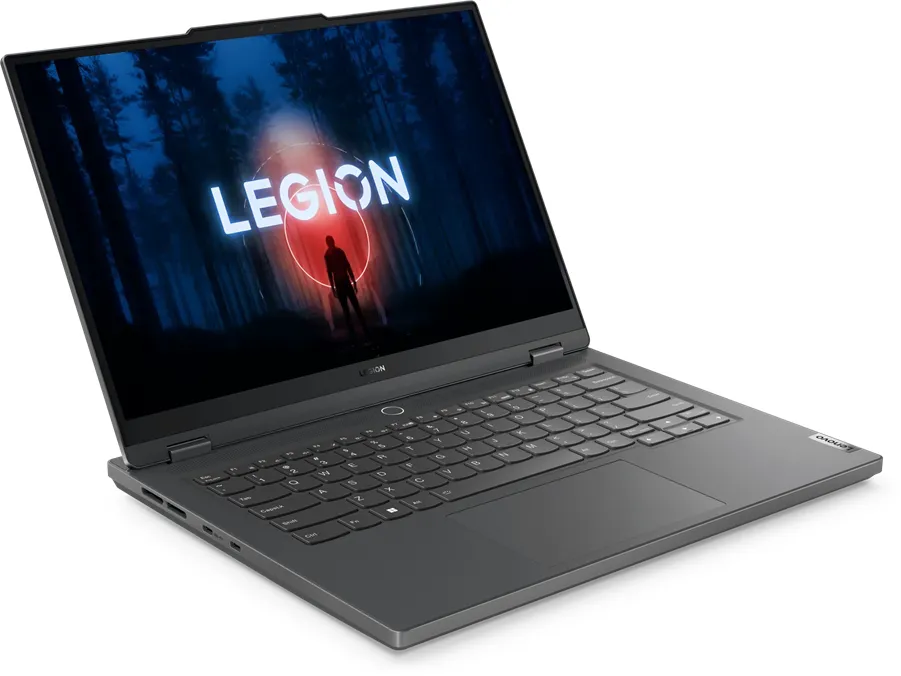
The Lenovo Legion Slim 5 14APH8 represents the pinnacle of portable gaming technology found today. Weighing under four pounds, it fits easily into a backpack while delivering desktop-level power for demanding tasks. The centerpiece is a stunning high-resolution 14.5-inch screen capable of 2880x1800 pixel output. Gamers will appreciate the dual refresh rate option for smoother visuals without excessive power drain. To configure hardware settings correctly, users often consult the Lenovo Legion Slim 5 14APH8 Manual for specific instruction steps. Power delivery is handled efficiently through dual USB Type-C ports supporting up to 140 watts. This enables rapid charging sessions where the battery reaches 80 percent in under an hour.
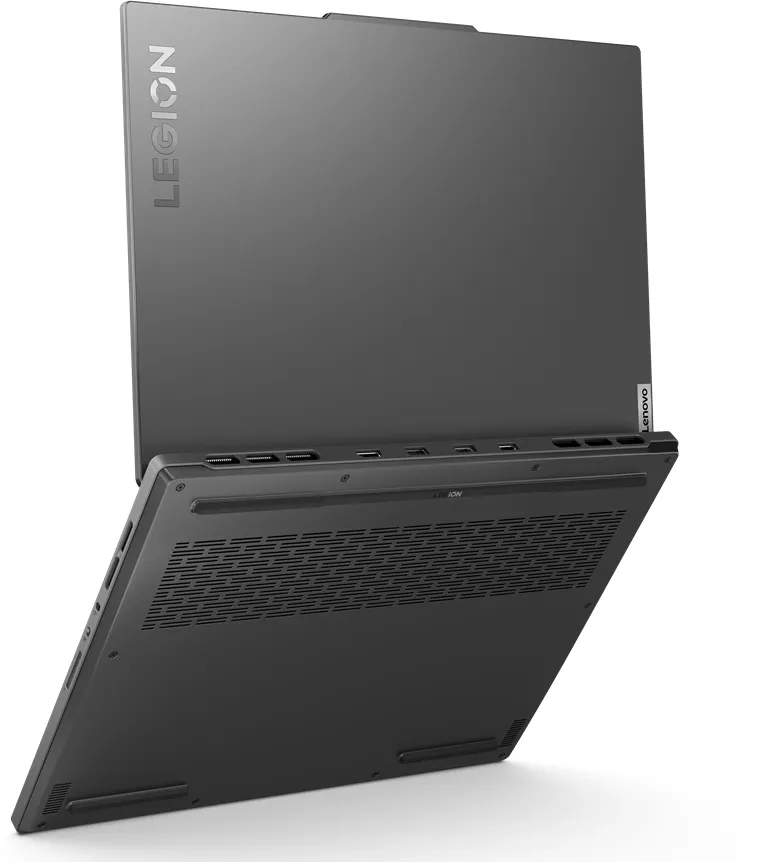
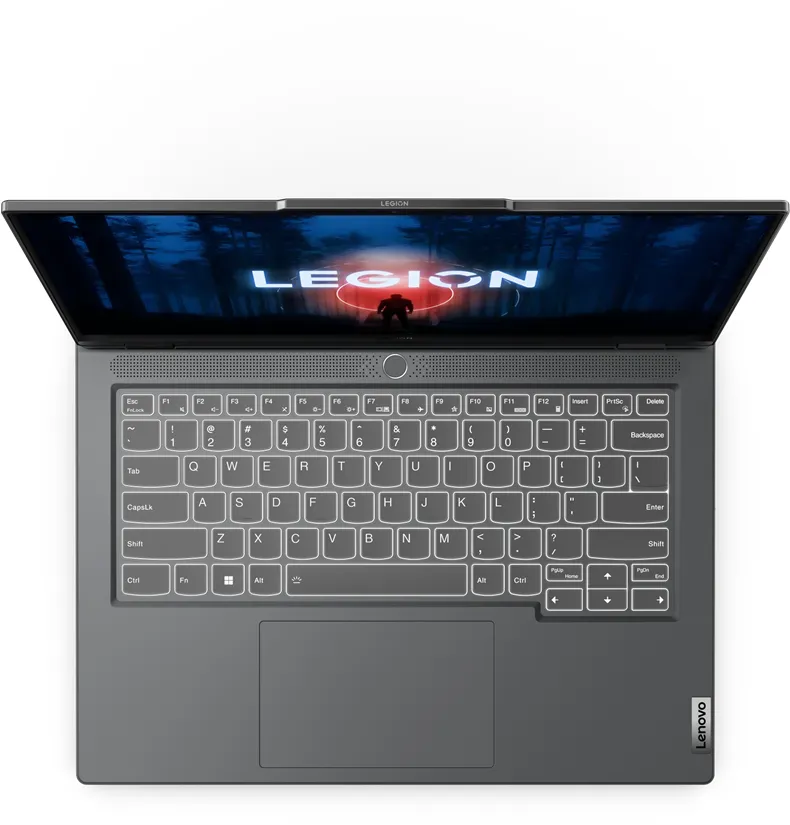
Connectivity is expansive with two USB 3.2 Gen 2 Type-A ports and HDMI 2.1 for external monitors. Privacy is prioritized with a physical camera switch on the side and built-in microphone mute keys. The keyboard layout supports extensive customization via Legion Zone software applications. You can adjust operation modes instantly to suit gaming or office work environments using the Fn plus Q shortcut. Safety warnings emphasize keeping ventilation slots clear to prevent overheating during extended gaming sessions. The system utilizes LPDDR5X memory which is soldered to the motherboard for maximum speed. Storage expansion is available with two M.2 slots supporting high-speed SSD drives.
Security features include a dedicated fingerprint reader integrated into the power button and TPM support for robust data encryption. The Novo button allows access to the startup menu for system recovery or BIOS entry. Battery management includes conservation mode to extend lifespan when plugged in constantly at home. Overnight charging adapts to your schedule ensuring a full battery by morning. Users should follow the Lenovo Legion Slim 5 14APH8 Manual regarding safe liquid contact procedures since keyboards have drainage holes. Wireless options include the latest Wi-Fi 6 and Bluetooth combo adapter for connectivity. Windows updates integrate seamlessly for driver maintenance automatically.
FnLock switches allow toggling function row behavior. Fingerprint login offers secure access without passwords. The device supports USB Power Delivery for charging via alternative cables. Always-on USB ports charge devices even when powered off. Dimensions measure roughly 12.9 inches wide and 0.8 inches thick. The bottom surface can become warm so placing it on hard surfaces is advised. Power plans allow fine-tuning of idle timeouts for battery longevity. UEFI settings enable advanced boot options and password protection for data security. Support resources are accessible through Lenovo Vantage for diagnostics and warranty checks. This machine excels in balancing heat output with raw performance capabilities. The charger specifications require 20 V and up to 7 A for optimal function. Restarting is recommended if the system stops responding. The chassis is durable enough to handle travel.
Search for 67,706 Manuals online


Type-in Brand or Model