
Lenovo IdeaPad Gaming 3 15IHU6 Manual
PDF manual · 42 Pages
English


Quick check
Incorrect answer, please try again.
Chat with your Lenovo IdeaPad Gaming 3 15IHU6 manual using AI
Get instant AI answers from your Lenovo IdeaPad Gaming 3 15IHU6 manual
Ask anything about the Lenovo IdeaPad Gaming 3 15IHU6. Answers come from this manual, with the pages they are based on.
Ask a Question
Do you recommend IdeaPad Gaming 3 15IHU6?
Yes NoFrequently Asked Questions
Turn off the computer, open the LCD screen, and press the Novo button located on the side of the device. This opens a menu to access BIOS, boot options, or startup recovery.
Is this answer helpful?
Yes, you can enable or disable hotkey mode in the UEFI/BIOS setup utility under Configuration. Disabling it requires holding the Fn key to use function keys.
Is this answer helpful?
If you forget the hard disk password, authorized service personnel cannot reset it. You must take the computer to a Lenovo service center to replace the hard disk drive.
Is this answer helpful?
No, the USB-C connector on this model does not support DisplayPort Alt Mode, so it cannot directly output video signals to external displays without an adapter.
Is this answer helpful?
Use the Windows search box to find Create a recovery drive. Select Back up system files, plug in a USB drive, and follow the on-screen instructions to create the drive.
Is this answer helpful?
Advantages and Disadvantages
Advantages

- Dedicated numeric keypad for fast data entry
- Multiple security password options including hard disk locks
- Versatile connectivity with USB-C and HDMI 2.0
- Easy system recovery via Novo Button menu
- Customizable RGB keyboard backlighting on selected models
Disadvantages

- USB-C port does not support DisplayPort Alt Mode
- Battery charging time varies based on usage and environment
- Combo audio jack does not support standalone external microphones
- Some hotkeys require Fn key depending on BIOS settings
- Hard disk password loss requires professional replacement of drive
Product Specification
Type
Notebook
HDD
N/A
Flash
N/A
Ports
1x USB-C 3.0 (5Gb/s), 2x USB-A 3.0 (5Gb/s), 1x HDMI 2.0, 1x 3.5mm jack, 1x RJ-45 1Gb LAN, 1x DC-In Lenovo Slim Tip (power)
Wireless
Wi-Fi 6 (WLAN 802.11a/b/g/n/ac/ax, 2x2), Bluetooth 5.0
Authentication
TPM 2.0
Camera
1 Megapixel, webcam cover
Optical Drive
N/A
Battery
integrated, Li-Polymer, 45Wh, 8h runtime
Weight
4.96 lbs
Dimensions
14.16x9.92x0.95 in (WxDxH)
Color
black, manufacturer name: Shadow Black
Warranty
two years (mail-in)
USB spelling
Link
Product Description
Discover the Lenovo IdeaPad Gaming 3 15IHU6
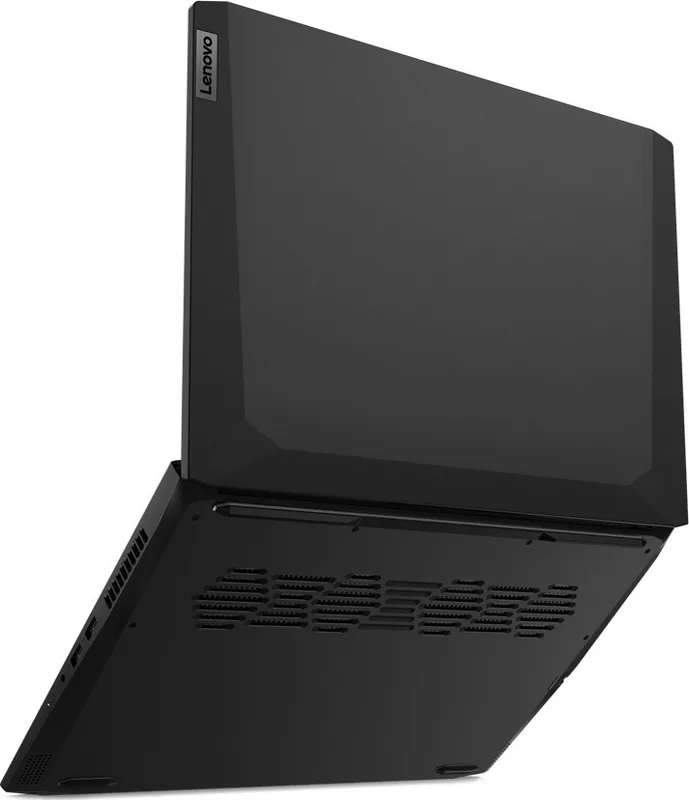
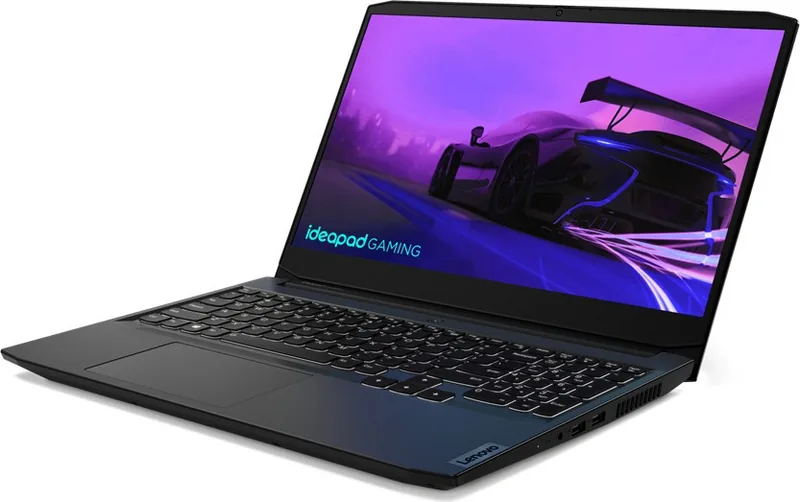
The Lenovo IdeaPad Gaming 3 15IHU6 is a powerful laptop designed for gamers and content creators who demand performance without breaking the bank. This machine combines sleek aesthetics with robust hardware to deliver an immersive computing experience. Whether you are battling in competitive games, editing high-resolution videos, or managing complex spreadsheets, this device handles it all with ease.
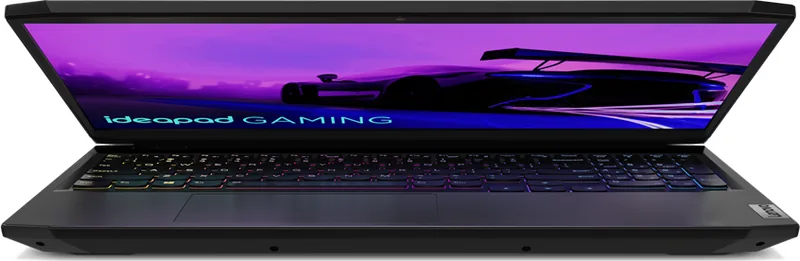
Equipped with a 15.6-inch Full HD display, the laptop offers vibrant colors and sharp details that bring your digital world to life. The keyboard features a numeric keypad and customizable backlighting, including RGB options on select models, ensuring comfortable typing even in low-light environments. Security is a top priority, with multiple password protection levels available through the UEFI/BIOS setup utility, safeguarding your personal data from unauthorized access.
Connectivity is seamless thanks to a variety of ports including USB-C, HDMI 2.0, and Ethernet, allowing you to connect external monitors, storage devices, and wired networks effortlessly. The inclusion of the Novo Button provides quick access to system recovery tools, BIOS settings, and boot menus, making troubleshooting straightforward. Power management is optimized with intelligent battery charging logic that extends battery life by waiting until the charge drops below 94% before recharging.
Lenovo Vantage and Lenovo PC Manager pre-installed software allow users to monitor system health, update drivers, and adjust performance modes instantly. For accessibility, the device supports Windows Ease of Access features like Magnifier, Narrator, and Speech Recognition, ensuring inclusivity for all users. Ergonomic guidelines are also provided to help maintain comfort during long gaming sessions or workdays.
With its durable build, efficient cooling system, and versatile connectivity, the Lenovo IdeaPad Gaming 3 15IHU6 stands out as a reliable companion for both play and productivity. It represents a perfect balance between affordability and high-end gaming capabilities.
Important Notes
- Ensure ventilation slots remain unblocked to prevent overheating.
- Battery charging requires temperatures between 10°C and 35°C.
- Hard disk passwords cannot be reset by service personnel if forgotten.
Search for 67,706 Manuals online


Type-in Brand or Model