
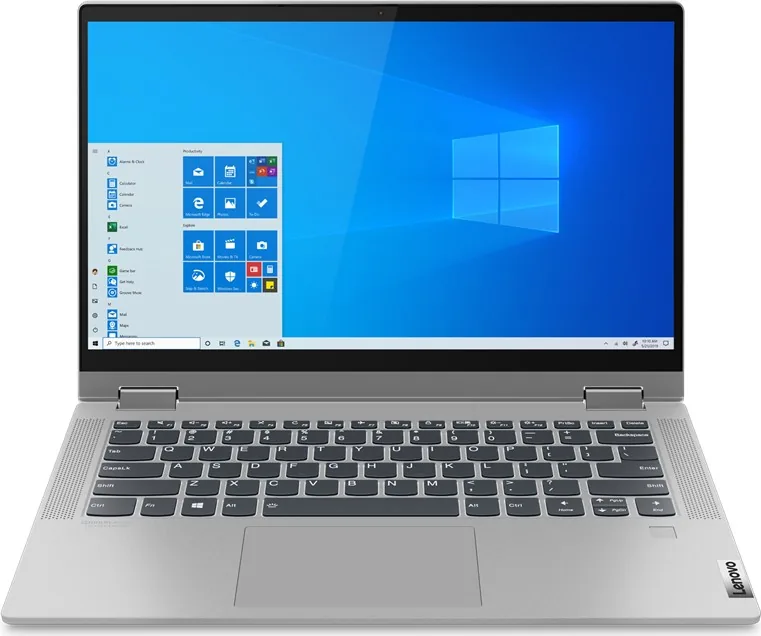
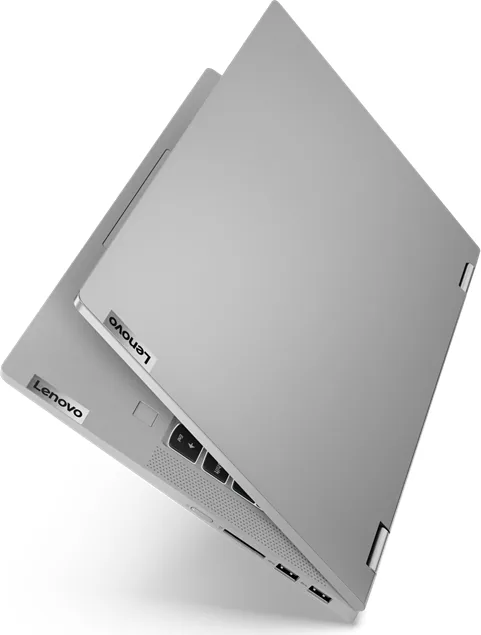
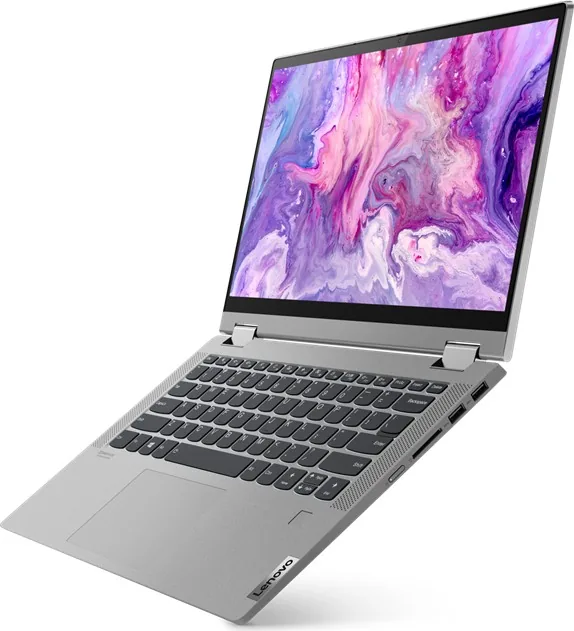
Lenovo IdeaPad Flex 5 14IIL05 Manual
PDF manual · 70 Pages
English


Quick check
Incorrect answer, please try again.
Chat with your Lenovo IdeaPad Flex 5 14IIL05 manual using AI
Get instant AI answers from your Lenovo IdeaPad Flex 5 14IIL05 manual
Ask anything about the Lenovo IdeaPad Flex 5 14IIL05. Answers come from this manual, with the pages they are based on.
Ask a Question
Do you recommend IdeaPad Flex 5 14IIL05?
Yes NoVideo Manual
Lenovo IdeaPad Flex 5 Series Laptop Function Key's Not Working Problem#macnitesh#keyboardtricks#2025
Frequently Asked Questions
The Flex 5 line offers 14-inch (14.0") and 15.6-inch models. Display resolutions include Full HD (1920×1080) and select UHD (3840×2160) panels; some models add multi-touch and pen support (Wacom AES).
Is this answer helpful?
Use the included 65 W adapter (round DC or USB-C depending on the configuration). The system supports USB Power Delivery on the USB-C port. Charge times vary but full charge typically takes two to four hours depending on usage and battery condition.
Is this answer helpful?
Storage uses an M.2 PCIe SSD (2242/2280) and may be user-replaceable. Memory is typically onboard DDR4 with zero slots on many SKUs, limiting RAM upgrades—check your exact machine type before attempting upgrades.
Is this answer helpful?
Power on or restart and press F2 repeatedly (or Fn+F2 if hotkey mode is enabled) to enter UEFI/BIOS. Use F12 (or Fn+F12) at boot to open the temporary boot menu. The Novo button also opens recovery and BIOS options when pressed with the system off.
Is this answer helpful?
Use System Restore if available, Reset this PC (keep files or remove everything), or restore from a USB recovery drive you create via Windows’ Create a recovery drive utility. The Novo menu can also help access recovery options at boot.
Is this answer helpful?
Selected models include a fingerprint reader. To enroll, open Settings → Accounts → Sign-in options → Windows Hello Fingerprint → Set up, then follow on-screen prompts. A PIN is required as a fallback.
Is this answer helpful?
Typical ports include two USB-A (one always-on), one USB-C with PD and USB 3.1 Gen1, HDMI 1.4b, a 4-in-1 SD card reader, and a 3.5mm combo audio jack. Wireless connectivity includes Wi‑Fi and Bluetooth; Ethernet requires an external adapter.
Is this answer helpful?
Advantages and Disadvantages
Advantages

- Convertible 360° hinge with multi-mode use: notebook, tent, stand, tablet for versatile workflows.
- High-quality touch display with multi-touch and pen support (Wacom AES) on supported SKUs.
- Solid portability: thin profile, 14-inch FHD options, and USB-C charging with 65 W adapter.
- Good connectivity: USB-A (including always-on), USB-C with Power Delivery, HDMI 1.4b, and microSD reader.
- Lenovo Vantage/PC Manager for updates, diagnostics, power and battery information.
Disadvantages

- Onboard (non-upgradable) memory on many configurations limits future RAM upgrades.
- Some advanced features (discrete GPU, backlit keyboard, fingerprint reader) are SKU-specific and not universal.
- No built-in RJ-45 Ethernet port — requires a USB-A or USB-C adapter for wired networks.
- Always-on USB and some functions must be enabled/disabled in UEFI/BIOS, adding complexity for some users.
- Battery charging and thermal behavior depend on environment; high temps can limit charging or performance.
Product Specification
Type
Notebook, Convertible
HDD
N/A
Flash
N/A
Ports
1x USB-C 3.0 (5Gb/s), 2x USB-A 3.0 (5Gb/s), 1x HDMI 1.4b, 1x 3.5mm jack, 1x SD Card
Camera
0.9 Megapixel, Webcam cover
Optical drive
N/A
Battery
fixed, Li-ion, 52.5Wh, 10h runtime
Special features
Accelerometer
Weight
3.31lb
Dimensions
12.68x8.58x0.82in (WxDxH)
Warranty
two years (send-in)
USB notation
Link
Product Description
Lenovo IdeaPad Flex 5 14IIL05 Manual — Overview and Features
The Lenovo IdeaPad Flex 5 14IIL05 is a versatile 2-in-1 laptop that blends everyday productivity with flexible, touch-enabled interaction. With a 14-inch Full HD display (some models offer UHD), 360° hinge, and multi-touch/pen support (Wacom AES), it adapts between notebook, tent, stand, and tablet modes to suit typing, presentations, media, and touch-first tasks. The compact chassis balances portability and performance, offering a thin profile, backlit keyboard on selected models, and a responsive touchpad with multi-touch gestures.
Under the hood, the Flex 5 family supports onboard DDR4 memory, PCIe M.2 SSD storage, integrated (and on some SKUs discrete) graphics, and a 52.5 Wh battery with USB-C charging and a 65 W adapter. Ports include USB-A (one always-on), USB-C with Power Delivery, HDMI 1.4b, a 4-in-1 card reader, and a combo audio jack. Wireless options include Bluetooth and Wi‑Fi; selected models add a fingerprint reader and Novo button for easy access to BIOS and recovery options.
The laptop ships with Windows 10 guidance for account setup (local or Microsoft account), touch keyboard and tablet mode behavior, Windows Hello fingerprint enrollment (when available), and built-in Lenovo utilities such as Lenovo Vantage / PC Manager for updates, diagnostics, and power settings. BIOS/UEFI access supports hotkey mode, boot order, password configuration (admin, user, and hard-disk), Always-On USB toggling, and system recovery workflows.
Battery management tools and charging guidance emphasize safety and optimal lifespan, while Windows recovery options (System Restore, Reset this PC, and creating a USB recovery drive) help recover from software issues. The manual details CRUs (customer-replaceable units), support contacts and service processes, and self-help resources including driver downloads and documentation on Lenovo Support.
Safety, compliance, and ergonomic guidance are included: ventilation and heat precautions, power adapter and battery handling, static electricity prevention, and accessibility features (Ease of Access Center, Narrator, Magnifier, speech recognition). Regulatory, recycling, RoHS and regional compliance statements round out the product guidance.
Notes
- Models vary by region and configuration; some features (fingerprint reader, keyboard backlight, discrete GPU) are SKU-dependent.
- Use Lenovo Vantage/PC Manager for firmware and driver updates and battery/thermal monitoring.
- Always follow safety and battery handling guidelines included by Lenovo.
Search for 67,706 Manuals online


Type-in Brand or Model