
Lenovo IdeaPad Duet 5 12IRU8 Manual
PDF manual · 44 Pages
English


Quick check
Incorrect answer, please try again.
Chat with your Lenovo IdeaPad Duet 5 12IRU8 manual using AI
Get instant AI answers from your Lenovo IdeaPad Duet 5 12IRU8 manual
Ask anything about the Lenovo IdeaPad Duet 5 12IRU8. Answers come from this manual, with the pages they are based on.
Ask a Question
Do you recommend IdeaPad Duet 5 12IRU8?
Yes NoFrequently Asked Questions
The device features a 12.4 inch display with a resolution of 2560 by 1600 pixels.
Is this answer helpful?
Press and hold the power button until the computer turns off, then restart it to recover functionality.
Is this answer helpful?
Yes, one of the USB Type-C connectors supports an always-on function that can charge devices even when the computer is off.
Is this answer helpful?
Go to Windows Sign-in options in settings to set up Windows Hello for facial authentication using the infrared camera.
Is this answer helpful?
Updates are available through Lenovo Vantage software, the Lenovo Support website, or by checking Windows Update directly.
Is this answer helpful?
The system uses onboard memory and an M.2 solid-state drive, with no additional slots for expansion.
Is this answer helpful?
You can change this setting by accessing the Windows Control Panel under Power Options to select the desired action.
Is this answer helpful?
Advantages and Disadvantages
Advantages

- High resolution 2560 by 1600 pixel display with eye care features
- Long-lasting 50 Wh battery with rapid charging support
- Versatile kickstand allows multiple viewing angles
- Dual USB Type-C ports with always-on charging function
- Support for active pen and Bluetooth folio keyboard
Disadvantages

- No dedicated storage expansion slots available
- Always-on USB function requires BIOS configuration
- Pen accessories are not waterproof
- Keyboard battery status indicators can be confusing
- Limited to specific operating system instructions in manual
Product Specification
Storage
512GB SSD (M.2 PCIe 4.0 x4, NVMe, M.2 2242)
Display
12.4", 2560x1600, 243ppi, Multi-Touch, IPS/LTPS, 500cd/m2, 95% DCI-P3, Dolby Vision, Blue Light Filter, Glass (Panda King Glass)
Ports
1x USB-C 3.0 with DisplayPort 1.2 (5Gb/s, Power, PD, BC), 1x USB-C 3.0 with DisplayPort 1.2 (5Gb/s, PD), 1x 3.5mm Jack (Realtek ALC3287)
Wireless
Wi-Fi 6E (WLAN 802.11a/b/g/n/ac/ax, 2x2), Bluetooth 5.2
Navigation
N/A
SIM
N/A
Cellular
N/A
Networks
N/A
Card Reader
N/A
Webcam
5 Megapixel, IR Camera, IR Camera (ToF) (front), 5 Megapixel, AF (back)
Operating System
Windows 11 Home S
Battery
Li-Polymer, 50Wh, 9.5h Run Time (MobileMark 2018)
Dimensions
11.35 x 7.49 x 0.37 in
Weight
1.54 lbs (Tablet), 0.99 lbs (Dock)
Color
gray/black (Storm Grey)
Features
Hall Sensor, Light Sensor, Tilt Sensor, TPM 2.0, Fan
Warranty
two years (Mail-in)
Note
Different country versions possible.
Product Description
Discover the Lenovo IdeaPad Duet 5 12IRU8
The Lenovo IdeaPad Duet 5 12IRU8 offers versatility that adapts to your daily needs. Designed for users requiring seamless transitions between productivity and entertainment, this device features a slim profile and robust build quality. The design prioritizes user comfort and long term usability throughout the device lifespan.
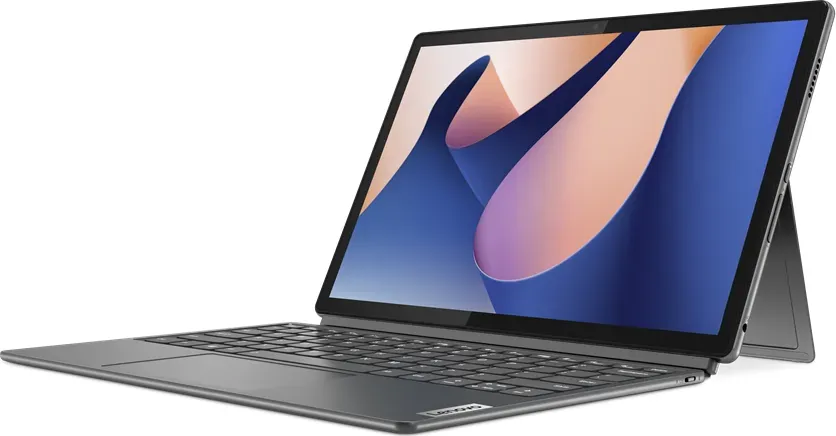
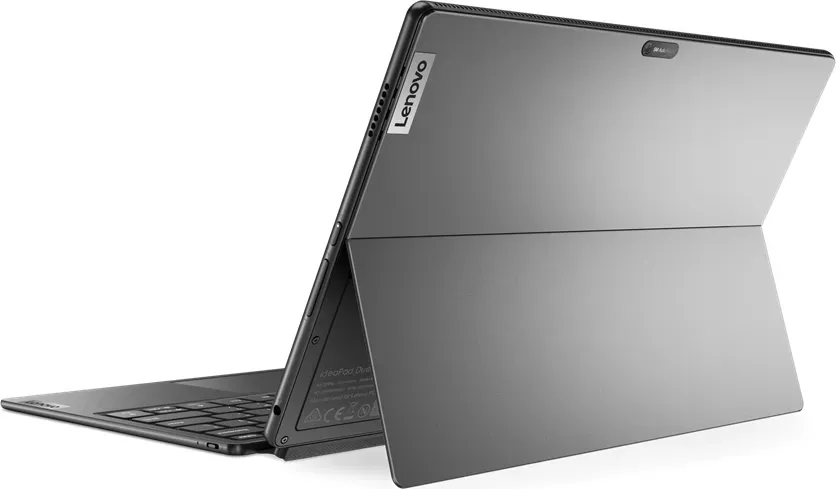
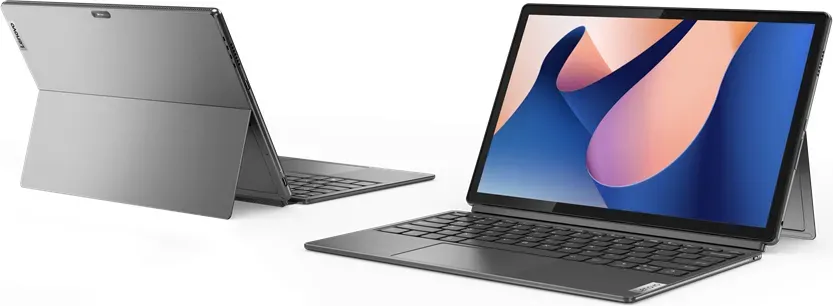
One standout feature is the intelligent use of space. The built-in kickstand allows various viewing angles, from a traditional laptop setup to a tablet mode for media consumption. When paired with the optional Bluetooth folio keyboard, the device transforms into a full productivity machine. Connection via pogo pins ensures stability, while Bluetooth offers freedom of movement. This flexibility is crucial for professionals and students who often work on the go and need reliable tools.
The display is a standout highlight. With a resolution of 2560 by 1600 pixels, images are crisp on the 12.4 inch screen. The ambient light sensor adjusts brightness automatically, ensuring optimal viewing regardless of lighting conditions. Eye Care Mode reduces blue light emission during extended use sessions. For creative work, active pen support allows precise drawing and detailed note-taking capabilities using digital tools.
Performance-wise, the 12IRU8 utilizes efficient processing power and a long-lasting battery. The 50 Wh rechargeable battery pack delivers mobility, allowing work for hours without searching for a power outlet. Charging is flexible, with rapid charge modes available to get back to full power quickly when time is tight. Managing power settings is intuitive through the UEFI/BIOS setup utility or pre-installed Lenovo software like Vantage for best performance.
Connectivity options are diverse for modern workflows. Dual USB Type-C connectors provide versatile input-output capabilities, supporting power delivery and high-speed USB data transfer up to 5 Gbps. One port features an always-on function, allowing for charging other devices even when the main unit is asleep. This makes it easier to charge a phone or listen to music while working efficiently.
Security is never overlooked. With UEFI/BIOS passwords, hard disk encryption, and Windows Hello face authentication, your personal data remains protected against unauthorized access. The presence detection feature adds convenience by waking the device when you arrive and locking it when you leave the room. Smart noise cancelling ensures your voice is clear during calls, filtering out background distractions effectively for better communication quality.
For understanding potential, the Lenovo IdeaPad Duet 5 12IRU8 Manual provides comprehensive instructions. It covers setup to advanced configuration changes like boot device selection and password management. By utilizing this comprehensive guide, owners can optimize their system for specific workflows and maximize efficiency consistently. The manual serves as an essential companion for mastering this versatile device and ensuring smooth operation.
Search for 67,706 Manuals online


Type-in Brand or Model