
Lenovo IdeaPad Duet 5 12IAU7 Manual
PDF manual · 44 Pages
English


Quick check
Incorrect answer, please try again.
Chat with your Lenovo IdeaPad Duet 5 12IAU7 manual using AI
Get instant AI answers from your Lenovo IdeaPad Duet 5 12IAU7 manual
Ask anything about the Lenovo IdeaPad Duet 5 12IAU7. Answers come from this manual, with the pages they are based on.
Ask a Question
Do you recommend IdeaPad Duet 5 12IAU7?
Yes NoFrequently Asked Questions
The Duet 5 features a 12.3-inch (313.69 mm diagonal) display with a 2560 × 1600 resolution, multi-touch support on selected models, and rounded corners that slightly reduce the viewable area.
Is this answer helpful?
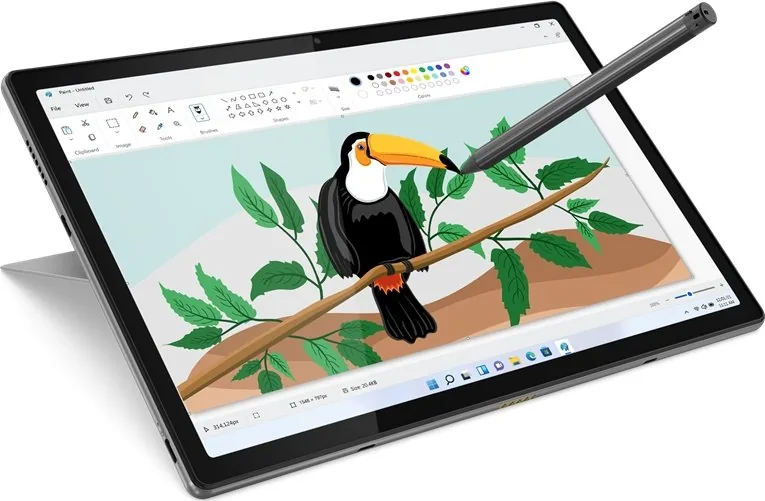
Selected models support pen input and are compatible with the Lenovo Active Pen 3, which provides pressure-sensitive drawing, top and bottom barrel buttons for right-click and erase, and a removable cap for battery replacement.
Is this answer helpful?
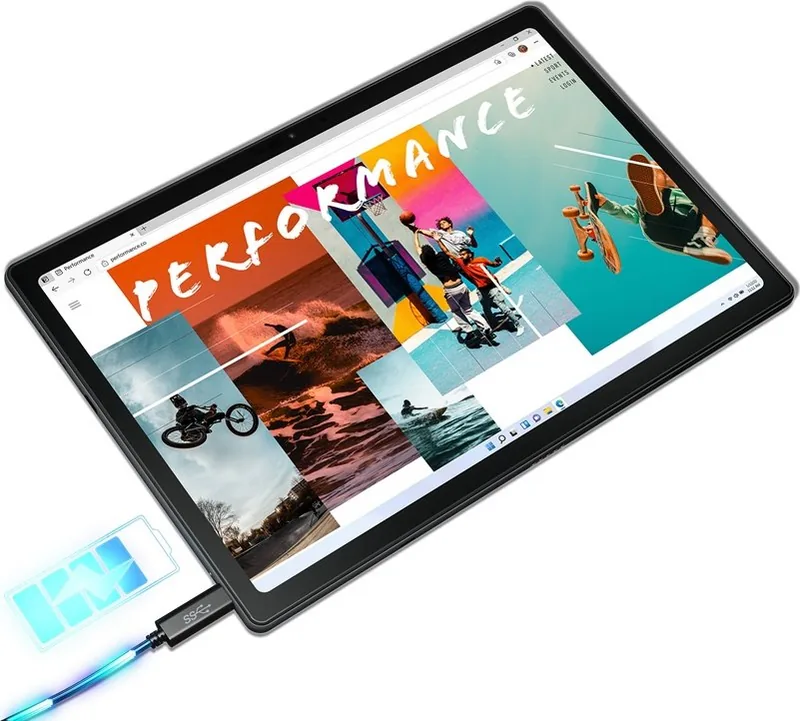
The device uses a 50 Wh battery and charges via USB-C with the included 65 W adapter. Typical full charge time is around two to four hours depending on usage and environment; charging is recommended between 10°C and 35°C for best performance.
Is this answer helpful?
Yes. USB-C ports support DisplayPort 1.2 (up to 3840 × 2160 at 60Hz when the external display or adapter supports DP Alt Mode). USB-C also supports data transfer up to USB 3.2 Gen 1 (5 Gbps) and power delivery; actual rates depend on cables and peripherals.
Is this answer helpful?
Always-on USB can be enabled or disabled in the UEFI/BIOS setup utility under Configuration ➙ Always On USB, or via Lenovo Vantage on models where the software is supported and preinstalled.
Is this answer helpful?
The Duet 5 offers UEFI/BIOS password options (administrator, user, master/user hard-disk passwords), firmware TPM 2.0 for cryptographic security, and Windows Hello face authentication via the infrared camera for secure, fast sign-in.
Is this answer helpful?
Drivers, firmware updates, and documentation are available from Lenovo Support (https://support.lenovo.com) and via Lenovo Vantage or Lenovo PC Manager, which can also perform system updates and diagnostics.
Is this answer helpful?
Advantages and Disadvantages
Advantages

- High-resolution 2560 × 1600 multi-touch display for sharp visuals and comfortable productivity.
- Detachable design with magnetic pogo-pin folio keyboard and multi-position kickstand for flexible modes.
- Compact, lightweight chassis with 50 Wh battery and USB-C 65 W charging for good portability and runtime.
- Pen support (Lenovo Active Pen 3) with pressure sensitivity for natural note-taking and drawing (selected models).
- UEFI/BIOS security options and fTPM 2.0 for enhanced device and data protection.
Disadvantages

- Some advanced features (keyboard backlight, pen, Bluetooth folio) are model-dependent and not universal.
- Always-on USB and other options may require manual enabling in UEFI or Lenovo software.
- Limited physical ports (primarily USB-C) may require adapters for legacy peripherals or external displays.
- On-screen pen settings like Lenovo Pen Setting may not be supported on all configurations.
- Charging performance and USB-C output depend on connected adapters, cables, and external device compatibility.
Product Specification
Display
12.4", 2560x1600, 243ppi, Multi-Touch, Digitizer, IPS/LTPS, 500cd/m^2, 96% DCI-P3, oleophobic coating, Dolby Vision
Ports
2x USB-C 3.0 with DisplayPort 1.2 (5Gb/s, power connection, PD), 1x 3.5mm jack
Wireless
Wi-Fi 6 (WLAN 802.11a/b/g/n/ac/ax, 2x2), Bluetooth 5.1
Navigation
N/A
SIM
N/A
Cellular
N/A
Networks
N/A
Card reader
N/A
Webcam
5 Megapixel, IR camera (front), 5 Megapixel, AF, IR camera (ToF) (rear)
Battery
Li-Polymer, 4 cells, 50Wh, 9h runtime
Dimensions
11.35x7.49x0.37in
Weight
1.85 lb (Tablet)
Color
grey/black (Storm Grey)
Warranty
two years
Product Description
Lenovo IdeaPad Duet 5 12IAU7 — Portable Power and Flexibility
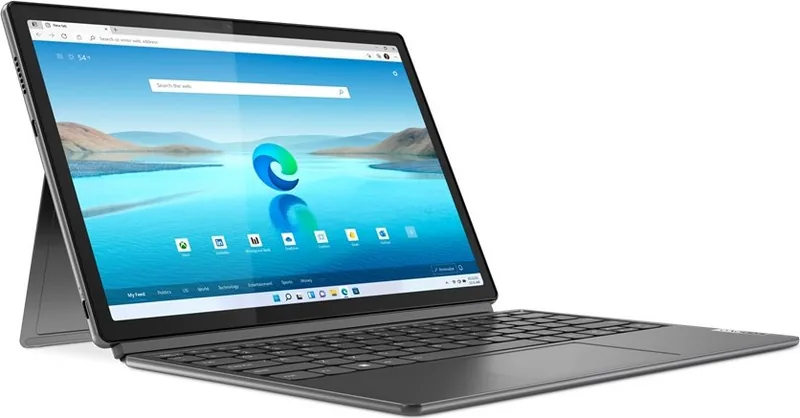
The Lenovo IdeaPad Duet 5 12IAU7 is a slim, versatile 12-inch detachable that blends tablet mobility with laptop productivity. Designed around a high-resolution 2560 × 1600 display, the Duet 5 delivers crisp visuals and multi-touch support, while a lightweight chassis and magnetic pogo-pin folio keyboard make it easy to switch between tablet, stand, and typing modes. Its built-in kickstand offers multi-positional angles for comfortable viewing and drawing, and the optional Bluetooth folio keyboard provides backlit keys and a touchpad for full laptop-style interaction.
Under the hood, the IdeaPad Duet 5 12IAU7 uses energy-efficient LPDDR4X memory and PCIe M.2 SSD storage, enabling responsive everyday performance and fast app launches. The device supports DisplayPort over USB-C, allowing external display connections up to 3840 × 2160 at 60Hz when using compatible adapters and monitors. Battery capacity and charging are optimized for on-the-go use: a 50 Wh battery recharges via a 65 W USB-C adapter, and an always-on USB-C port can charge accessories even when the tablet is off (configurable in firmware or Lenovo Vantage).
Connectivity includes Wi‑Fi and Bluetooth combo modules, dual USB-C ports, a combo audio jack, and integrated speakers and microphones for video calls. The front ToF sensor and infrared camera support Windows Hello face authentication and intelligent features such as zero touch and eye-care modes. For pen-enabled models, Lenovo Active Pen 3 offers pressure-sensitive input and shortcut buttons for note-taking and sketching.
Firmware-level features and security are robust: UEFI/BIOS settings let you configure boot order, enable/disable always-on USB, and set administrator, user, or hard-disk passwords. Firmware Trusted Platform Module (fTPM 2.0) adds cryptographic security. Lenovo Vantage and Lenovo PC Manager provide convenient software tools for updates, diagnostics, performance modes, and device personalization.
Whether you’re a student, mobile professional, or creative user, the Duet 5 balances portability and functionality. It emphasizes a convertible workflow—tablet comfort, pen input, and a detachable keyboard—while offering the connectivity and settings needed for secure, reliable use.
Notes
- Display measured diagonally as a standard rectangle; viewable area slightly less due to rounded corners.
- Always-on USB charging and other features may require enabling in UEFI/BIOS or Lenovo Vantage.
- Some features (keyboard backlight, pen, Bluetooth folio) vary by model.
Search for 67,706 Manuals online


Type-in Brand or Model