
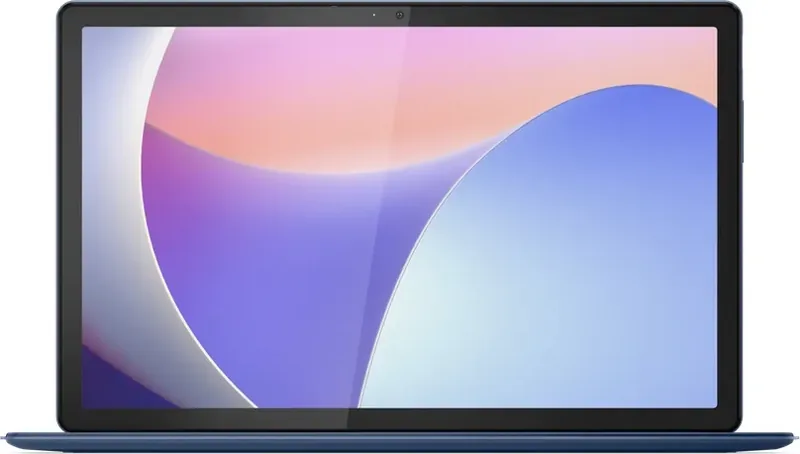
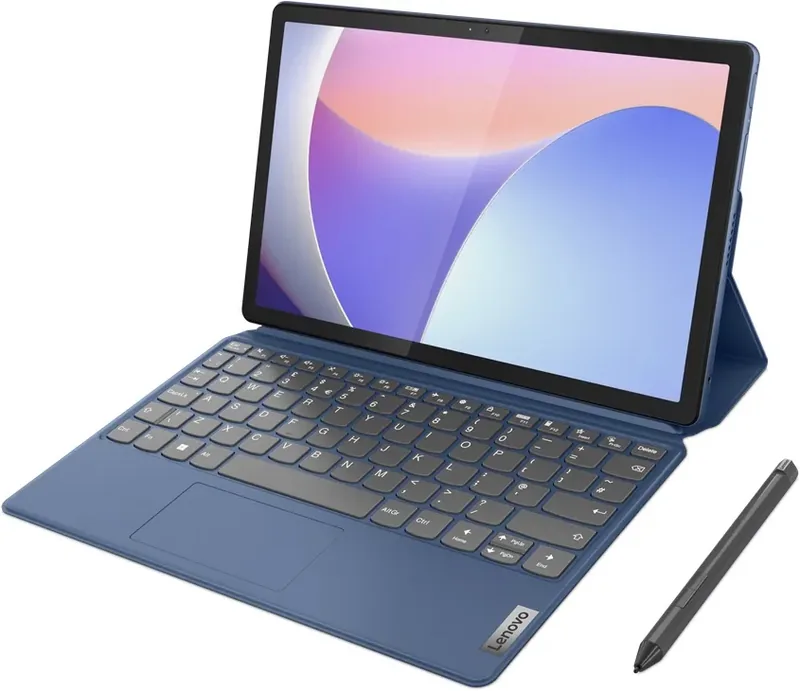
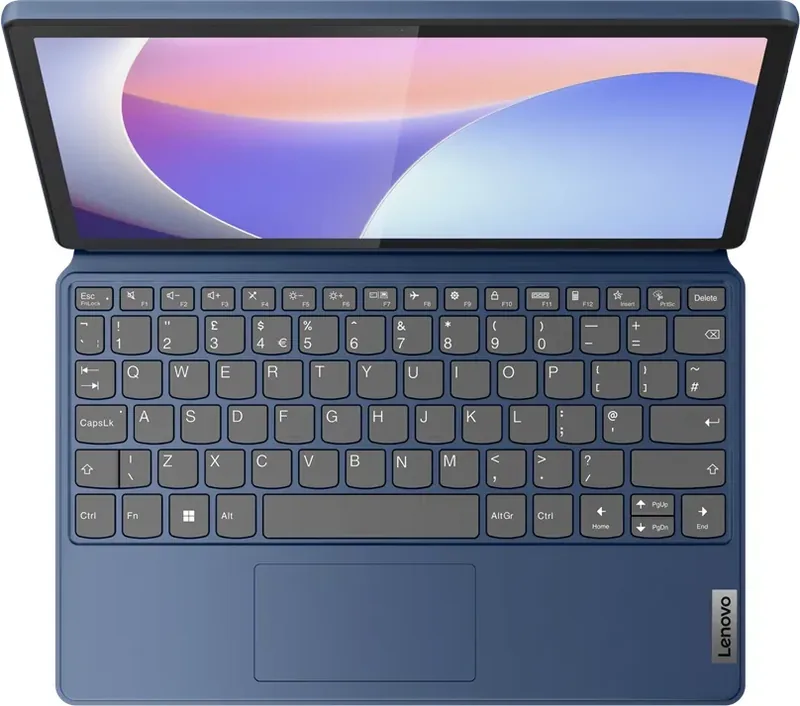
Lenovo IdeaPad Duet 3 11IAN8 Manual
PDF manual · 36 Pages
English


Quick check
Incorrect answer, please try again.
Chat with your Lenovo IdeaPad Duet 3 11IAN8 manual using AI
Get instant AI answers from your Lenovo IdeaPad Duet 3 11IAN8 manual
Ask anything about the Lenovo IdeaPad Duet 3 11IAN8. Answers come from this manual, with the pages they are based on.
IdeaPad Duet 3 11IAN8 Maintenance Schedule
Handle the fabric-covered keyboard carefully to ensure long-term use. Place the computer in a dry, well-ventilated area without direct sunlight.
If the computer is always plugged in, discharge the battery below 20% and then recharge it to 100% to restore full capacity.
Free maintenance reminders
Timed to your purchase date. Always free, unsubscribe anytime.
Ask a Question
Do you recommend IdeaPad Duet 3 11IAN8?
Yes NoFrequently Asked Questions
It is a compact Windows 2-in-1 device that can be used as a touchscreen tablet or, on selected models, with the Lenovo Duet 3 Folio keyboard for a laptop-style setup.
Is this answer helpful?
The device has a 2000 x 1200 pixel multitouch display. The stated screen size is 292.1 mm measured diagonally as a standard rectangle, while the visible area may be slightly smaller because of rounded corners.
Is this answer helpful?
Yes. The USB Type-C port without a symbol supports compatible display connections through DisplayPort 1.2. Supported direct connections can reach up to 3860 x 2160 at 60 Hz, although adapters and cables may reduce the actual result.
Is this answer helpful?
Align the keyboard's Pogo pins with the pins on the tablet and allow the magnetic connection to secure it. The folio cover can then be folded into a stand for laptop or studio-style use.
Is this answer helpful?
Selected models support the Lenovo Digital Pen 3. It can be used for writing and drawing on the touchscreen, and its buttons may perform functions such as right-clicking or erasing in supported applications.
Is this answer helpful?
Lenovo software may offer conservation mode, which keeps the battery around 75% to 80% when the device stays plugged in. Optimized overnight charging and normal or rapid charging modes are also available on supported configurations.
Is this answer helpful?
Advantages and Disadvantages
Advantages

- Portable 2-in-1 format combines a multitouch tablet with optional folio keyboard and stand.
- 2000 x 1200 display offers a sharp workspace for reading, browsing, video, and note-taking.
- Two USB Type-C ports support charging, data transfer, and compatible external displays.
- Fingerprint reader, fTPM, and UEFI/BIOS password options add useful security layers.
- Multiple charging and performance modes support different mobility and battery-care needs.
Disadvantages

- Folio keyboard and Lenovo Digital Pen 3 are available only on selected models.
- Integrated memory and battery limit user upgrade and replacement options.
- External display capability can be reduced when adapters or converters are used.
- The audio jack supports compatible headsets but not standalone external microphones.
- USB transfer performance varies with cables, peripherals, files, and system conditions.
Product Specification
RAM
4 GB LPDDR5-4800 (4 GB soldered, not expandable)
Storage
128 GB Flash
Graphics
Intel UHD Graphics (iGPU), 24 EUs/192 SPs, 0.75 GHz, "Gen 12.2" architecture (Alder Lake GT1)
Display
11.5 in, 2000x1200, 203 ppi, multi-touch, IPS, 400 cd/m2, 97.5% DCI-P3
Ports
1x USB-C 3.0 with DisplayPort 1.2 (5 Gb/s, PD), 1x USB-C 3.0 (5 Gb/s), 1x 3.5 mm headphone jack
Wireless
Wi-Fi 6 (WLAN 802.11a/b/g/n/ac/ax, 2x2), Bluetooth 5.1
Navigation
N/A
SIM
N/A
Cellular
N/A
Networks
N/A
Card Reader
N/A
Webcam
5 megapixels (front), 8 megapixels (rear)
Battery
Li-polymer, 35.6 Wh, 7-hour runtime (MobileMark 2018)
Dimensions
10.68x6.77x0.35 in
Weight
1.54 lb (tablet), 0.99 lb (dock)
Color
blue (Abyss Blue)
Special Features
Accelerometer, orientation sensor, light sensor, dock (QWERTZ keyboard, touchpad), stylus (Lenovo Digital Pen 3), TPM 2.0, fingerprint reader
Warranty
two years (return-to-depot)
Note
Different country versions possible.
Product Description
Lenovo IdeaPad Duet 3 11IAN8 Manual: A Flexible Windows Companion
The Lenovo IdeaPad Duet 3 11IAN8 is a compact 2-in-1 Windows device designed for people who want tablet convenience without giving up practical laptop features. Its detachable design makes it suitable for browsing, note-taking, video calls, streaming, and light productivity throughout the day. The Lenovo IdeaPad Duet 3 11IAN8 Manual highlights the key controls, connections, settings, and care tips that help owners get the most from this versatile system.
Compact design with a touch-first experience
The tablet measures 271.3 mm wide, 172 mm deep, and 8.95 mm thick, making it easy to carry in a small bag. Its 11-inch-class multitouch display has a 2000 x 1200 resolution, providing a detailed workspace for documents, web pages, photos, and entertainment. Front and rear cameras support everyday photography, video recording, and online meetings, while built-in microphones and stereo speakers complete the mobile communication setup.
Selected configurations can be used with the Lenovo Duet 3 Folio. This accessory adds a keyboard, touchpad, protective cover, adjustable stand, and a convenient pen slot. Magnetic Pogo pins make attachment straightforward, allowing the device to shift between a laptop-style layout and a studio-style writing angle. With an optional Lenovo Digital Pen 3, users can write, sketch, annotate, and navigate more naturally on the touchscreen.
Connectivity and daily productivity
Two multifunction USB Type-C ports give the IdeaPad Duet 3 useful flexibility. They support charging, data transfer, and compatible display connections. One port supports DisplayPort 1.2 output for compatible external displays, with a listed maximum output of up to 3860 x 2160 at 60 Hz under supported connection conditions. A combined 3.5 mm audio jack is also available for compatible headsets.
Wireless networking and Bluetooth help keep accessories and services within reach. Bluetooth can connect headphones, keyboards, mice, and other supported devices, including through fast pairing when available. Windows settings provide quick access to Wi-Fi, airplane mode, night light, updates, and common personalization options.
Battery, security, and smart settings
The integrated 35.6 Wh battery supports mobile work, and Lenovo software offers charging modes suited to different routines. Normal charging, rapid charging, conservation mode, and optimized overnight charging can help balance convenience with long-term battery care. Performance modes can also prioritize speed, balanced operation, or quieter energy-saving use.
Security features include a fingerprint reader integrated with the power button, firmware TPM support, and configurable UEFI/BIOS passwords. Lenovo Vantage, Lenovo PC Manager, or Lenovo Smart Engine can provide access to hardware settings, diagnostics, driver updates, and system information.
Note: Actual features, included accessories, transfer speeds, and external-display results can vary by configuration, connected equipment, cables, software updates, and operating conditions.
Search for 67,706 Manuals online


Type-in Brand or Model