
Lenovo IdeaPad Duet 3 10IGL5 Manual
PDF manual · 60 Pages
English


Quick check
Incorrect answer, please try again.
Chat with your Lenovo IdeaPad Duet 3 10IGL5 manual using AI
Get instant AI answers from your Lenovo IdeaPad Duet 3 10IGL5 manual
Ask anything about the Lenovo IdeaPad Duet 3 10IGL5. Answers come from this manual, with the pages they are based on.
IdeaPad Duet 3 10IGL5 Maintenance Schedule
Inspect the exterior of the computer regularly for dust buildup. Remove dust from ventilation slots and openings in the front panel.
If used in areas with high traffic or dust generation, clean the computer more frequently to prevent overheating.
Free maintenance reminders
Timed to your purchase date. Always free, unsubscribe anytime.
Ask a Question
Do you recommend IdeaPad Duet 3 10IGL5?
Yes NoFrequently Asked Questions
Align the connector of the keyboard with the computer and attach it magnetically using the pogo pins. For the first use, ensure you pair the Bluetooth folio keyboard with the computer. The keyboard supports swift pairing to establish a seamless connection quickly.
Is this answer helpful?
The battery is fully charged in about two to four hours depending on capacity and environment. Charging temperature must be no lower than 10 degrees Celsius to ensure safe charging cycles for the device.
Is this answer helpful?
No, the memory is onboard with zero slots available for expansion. You will need to rely on the pre-installed memory configuration for your specific model requirements.
Is this answer helpful?
Yes, selected models include a nano SIM card slot to establish wireless WAN connections. This allows you to use mobile broadband networks for internet connectivity while traveling away from Wi-Fi zones.
Is this answer helpful?
Press and hold the power button until the computer turns off then restart it. You can also check Lenovo Vantage for hardware diagnostics to identify underlying system errors if the issue persists frequently.
Is this answer helpful?
You can access the latest updates through Lenovo Vantage software or the Lenovo Support website. Select your model manually to download the appropriate drivers and firmware for safety and stability.
Is this answer helpful?
Avoid prolonged contact with the base or palm rest when the system is charging or active. Ensure ventilation slots remain unblocked to prevent overheating and potential damage to internal components during operation.
Is this answer helpful?
Advantages and Disadvantages
Advantages

- Kickstand allows versatile viewing angles for stand and tablet modes efficiently.
- Multi-touch screen supports intuitive gestures for navigation and media consumption.
- USB-C ports enable flexible connectivity for displays and storage devices easily.
- Optional LTE model provides internet access without needing Wi-Fi networks.
- Lenovo Vantage software simplifies driver updates and hardware diagnostics easily.
Disadvantages

- Non-expandable memory limits long-term multitasking performance significantly.
- eMMC storage may feel slower compared to traditional SSD drives for large files.
- Battery charging time requires two to four hours which may feel lengthy.
- No HDMI port restricts direct connection to certain monitors without adapters.
- Digital pen battery must be installed separately for full functionality availability.
Product Specification
Display
10.3 inches, 1920x1200, 220ppi, Multi-Touch, Digitizer, 340 cd/m2
Ports
2x USB-C 3.0 with DisplayPort 1.2 (5Gb/s, Power), 1x 3.5mm Jack
Wireless
Wi-Fi 5 (802.11a/b/g/n/ac, 2x2), Bluetooth 5.0
Navigation
N/A
SIM
N/A
Cellular
N/A
Networks
N/A
Card Reader
microSDXC (up to 128GB)
Webcam
2 Megapixel (front), 5 Megapixel, AF (back)
Battery
Li-Polymer, 30Wh, 10.7h runtime
Dimensions
9.96x6.54x0.39 inches (with Dock: 9.96x6.54x0.63 inches)
Weight
21.06 oz (Tablet), 9.49 oz (Dock)
Color
gray/gray
Warranty
2 years
Note
Different regional versions possible.
Product Description
Discover the Versatility of the Lenovo IdeaPad Duet 3 10IGL5
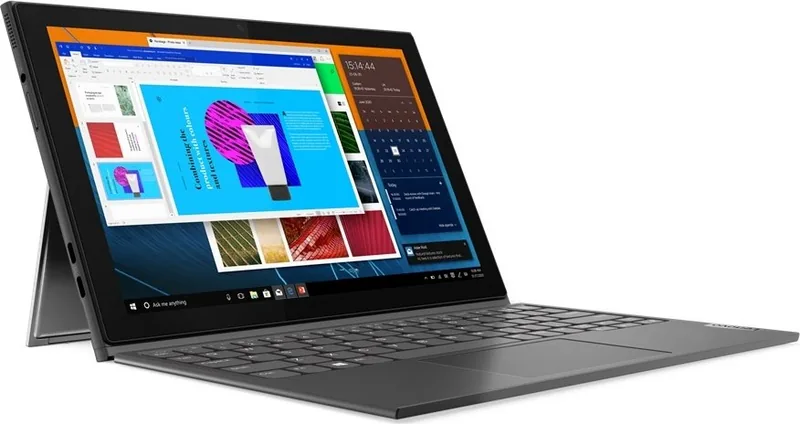
The Lenovo IdeaPad Duet 3 10IGL5 represents a significant step in portable computing technology. This 10-inch device offers a perfect balance of performance and portability for users. When exploring capabilities, referring to the Lenovo IdeaPad Duet 3 10IGL5 Manual is essential for proper setup guidelines. This ensures users maximize experience while maintaining device integrity during daily operations without issues.
Performance and Display Capabilities
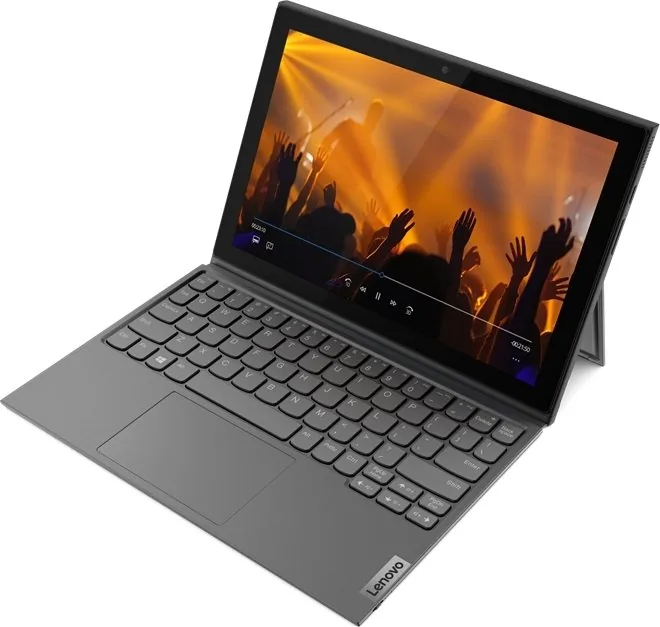
The screen features a 1920 by 1200 pixel resolution on a 10.3-inch panel. It supports multi-touch interactions for easy navigation and gestures. Whether streaming media or editing documents, the display provides crisp visuals. The system relies on an eMMC storage device handling basic tasks efficiently, though it lacks upgradeable RAM slots. The integrated graphics manage productivity tasks smoothly without lag while maintaining a thin profile.
Connectivity and Expansion Options
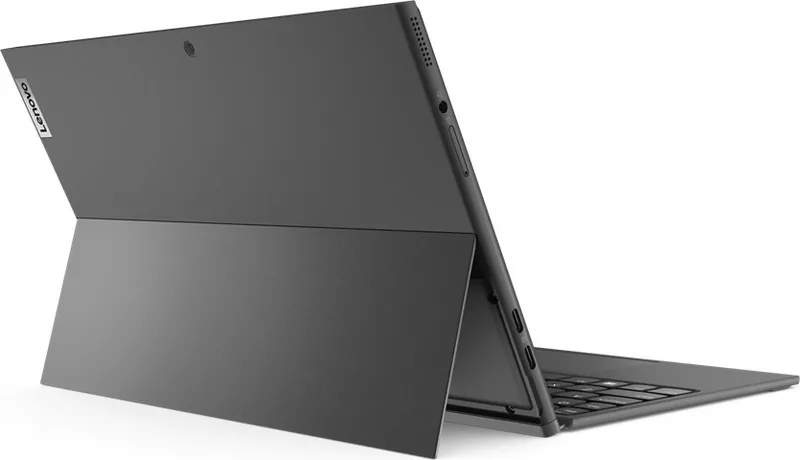
Users appreciate the two USB-C ports allowing connection for external displays and storage drives. Select models include a slot for a nano SIM card to utilize wireless WAN connectivity. This LTE capability ensures internet access without Wi-Fi networks. The Bluetooth folio keyboard docks magnetically using pogo pins, providing a stable typing experience. A kickstand allows various angles for different viewing preferences between standing and tablet modes comfortably.
Digital Pen and Power Management
For creative users, the optional Lenovo Digital Pen enables natural writing on the touch screen. The device features a 30 Wh battery pack that typically recharges within two to four hours. It is important to monitor battery temperature during charging to ensure longevity and safety. Users can manage power settings directly through Windows or via Lenovo Vantage software to optimize usage between performance and efficiency modes effectively.
Important Notes
- Always keep ventilation slots clear to prevent overheating during intense use periods.
- Handle with care as the glass display can break under impact pressure or drops.
- Update drivers regularly using Lenovo Vantage application for best system stability.
- Protect the device from static electricity when handling internal components carefully.
By following recommended practices found in official resources, you ensure your device remains reliable for years. This summary highlights core strengths within the comprehensive information provided by Lenovo. Understanding these features helps you get the most out of your investment while maintaining safety awareness throughout your usage journey today.
Search for 67,706 Manuals online


Type-in Brand or Model