
Lenovo IdeaCentre AIO 5 27IOB6 Manual
PDF manual · 60 Pages
English


Quick check
Incorrect answer, please try again.
Chat with your Lenovo IdeaCentre AIO 5 27IOB6 manual using AI
Get instant AI answers from your Lenovo IdeaCentre AIO 5 27IOB6 manual
Ask anything about the Lenovo IdeaCentre AIO 5 27IOB6. Answers come from this manual, with the pages they are based on.
Ask a Question
Do you recommend IdeaCentre AIO 5 27IOB6?
Yes NoFrequently Asked Questions
You can reset your computer through the Windows Settings menu under Update & Security. Select Recovery and click Get started. You can choose to keep your files or remove them entirely. Alternatively, create a recovery USB drive beforehand to restore the system if Windows fails to start.
Is this answer helpful?
Yes, the IdeaCentre AIO 5 supports internal storage upgrades. You can add or replace M.2 solid-state drives or 2.5-inch hard disk drives. The storage drive door is accessible from the bottom of the unit, allowing for relatively easy installation of new components.
Is this answer helpful?
The color sensor measures and adjusts the display's color accuracy to ensure images appear as intended. It generates a calibration profile that works with Microsoft Image Color Management, helping match colors across different devices like printers or scanners.
Is this answer helpful?
You can connect an external monitor using the HDMI out connector on the rear panel. For higher resolutions, use the USB-C or Thunderbolt ports with appropriate adapters. You can also enable PC/Monitor mode to use the AIO as a secondary screen for another laptop.
Is this answer helpful?
Selected models of the IdeaCentre AIO 5 come with a built-in wireless charging pad on the front bezel. An indicator light shows charging status, blinking white when charging and solid white when fully charged. This feature is not available on all configurations.
Is this answer helpful?
Ensure the ventilation areas are not blocked and clean any dust from the fans. Check that the power supply matches your local voltage requirements. If issues persist, run the diagnostic tools in Lenovo Vantage to check hardware health and update drivers.
Is this answer helpful?
Advantages and Disadvantages
Advantages

- All-in-one design saves desk space while delivering powerful performance
- Comprehensive connectivity options including Thunderbolt and multiple USB ports
- Lenovo Vantage simplifies system maintenance and driver updates
- Color sensor on select models ensures accurate display calibration for creatives
- Night Light feature helps reduce eye strain during extended use
Disadvantages

- Some features like wireless charging and optical drives are not available on all models
- Internal storage upgrades require opening the bottom panel which may void warranty if done incorrectly
- Limited RAM upgrade options compared to traditional desktop towers
- Touch screen gestures may not work correctly with certain third-party applications
- Recovery process requires careful backup of data to prevent permanent loss
Product Specification
Form Factor
All-in-One
Display
27", 2560x1440 (QHD), 16:9, 109ppi, 60Hz, non-glare (matt), IPS, 350cd/sq m
HDD
N/A
Flash
N/A
Wireless
Wi-Fi 6 (WLAN 802.11a/b/g/n/ac/ax, 2x2), Bluetooth 5.0
Camera
5 Megapixel
Dimensions
24.2x18.8x1.0 in (WxDxH)
Volume
0.3 cu ft (calculated)
Features
Speakers (2x 3W), Microphone, mouse (wireless) included, keyboard (wireless) included
Color
gray (Stormy Grey)
Warranty
two years (Bring-In)
USB Writing
Link
Product Description
Lenovo IdeaCentre AIO 5 27IOB6 - Read, Download & Print Free
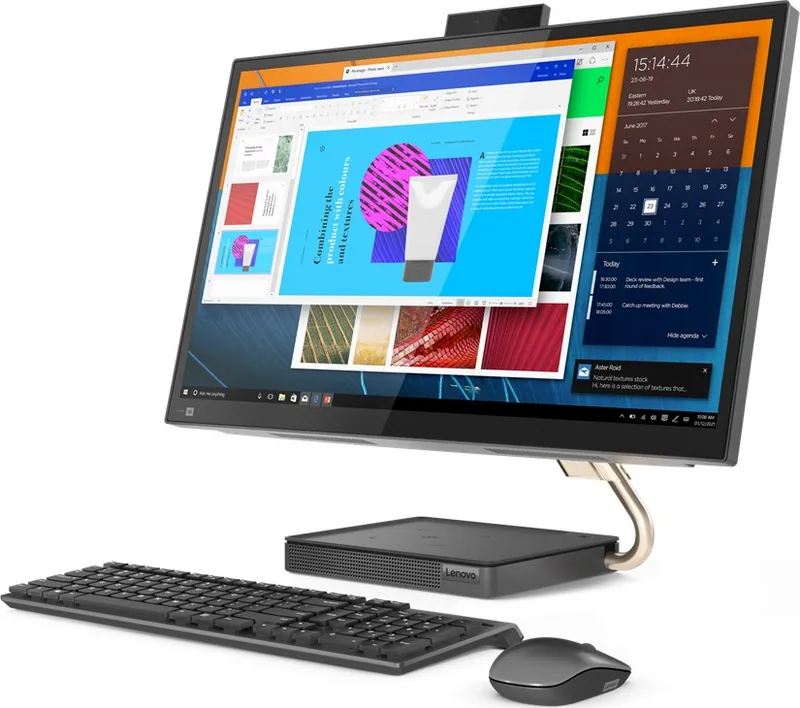
The Lenovo IdeaCentre AIO 5 27IOB6 represents a seamless blend of modern design and powerful performance, designed to transform your workspace into a versatile hub for work, entertainment, and creativity. This all-in-one desktop features a stunning large display that serves as the centerpiece of your digital life, offering vibrant visuals and intuitive touch capabilities for selected models. Whether you are editing photos, streaming movies, or managing complex spreadsheets, this machine delivers the reliability and speed you need without the clutter of traditional tower setups.
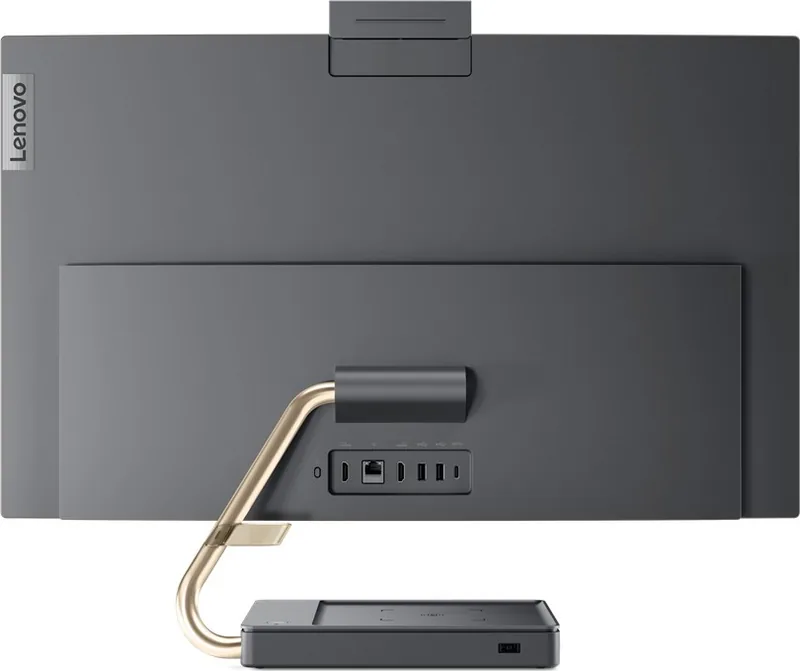
At the heart of the IdeaCentre AIO 5 lies robust hardware capable of handling demanding tasks with ease. The system supports high-speed DDR4 memory and offers flexible storage options including M.2 solid-state drives and 2.5-inch hard disk drives, ensuring quick boot times and ample space for your files. Connectivity is extensive, featuring multiple USB ports, Thunderbolt support for rapid data transfer, and HDMI inputs and outputs that allow you to connect external monitors or use the device as a secondary screen in PC/Monitor mode. The rear panel also includes an Ethernet port for stable wired internet connections and a dedicated power button for convenient access.
User experience is further enhanced by pre-installed software like Lenovo Vantage, which acts as a central command center for maintaining your computer. This tool allows you to monitor system health, apply critical BIOS and driver updates, and manage security settings effortlessly. For creative professionals, select models include a color sensor that ensures accurate color reproduction, making it ideal for graphic design and photo editing tasks. Additionally, the Night Light feature reduces blue light emission during evening hours, helping to minimize eye strain and improve sleep quality.
Maintenance and troubleshooting are straightforward with this model. The chassis is designed to accommodate Customer Replaceable Units (CRUs), allowing users to easily upgrade storage components or replace the power adapter without professional assistance. Comprehensive guides cover everything from basic startup procedures to advanced recovery options using Windows tools or custom recovery USB drives. Safety and compliance information ensure the device meets rigorous international standards for electromagnetic interference and energy efficiency.
Key Highlights
- Versatile Display: Large screen with optional touch and infrared camera features for secure login.
- Robust Connectivity: Includes Thunderbolt 3/4, USB-C, HDMI, and Ethernet ports.
- Smart Maintenance: Lenovo Vantage app for automated updates and diagnostics.
- Eye Care: Built-in Night Light to reduce blue light exposure.
- Easy Upgrades: Accessible storage drive door for simple hardware expansion.
Notes
- Features like wireless charging pads and optical drives may vary by specific configuration.
- Always back up data before performing system resets or recovery operations.
Search for 67,706 Manuals online


Type-in Brand or Model