

Lenovo IdeaCentre 3 07ACH7 Manual
PDF manual · 42 Pages
English


Quick check
Incorrect answer, please try again.
Chat with your Lenovo IdeaCentre 3 07ACH7 manual using AI
Get instant AI answers from your Lenovo IdeaCentre 3 07ACH7 manual
Ask anything about the Lenovo IdeaCentre 3 07ACH7. Answers come from this manual, with the pages they are based on.
Ask a Question
Do you recommend IdeaCentre 3 07ACH7?
Yes NoFrequently Asked Questions
Refer to the solution HT503851 at support.lenovo.com for detailed partitioning instructions.
Is this answer helpful?
Press and hold the power button until the computer turns off completely. Then restart the computer to resume normal operations safely.
Is this answer helpful?
Click the action center icon in the Windows notification area and enable Bluetooth. Then add a bluetooth device and follow on-screen instructions.
Is this answer helpful?
Use the preinstalled Lenovo Vantage application or download updates from the Lenovo Support Web site using your machine serial number.
Is this answer helpful?
Unplug the power adapter and turn off the computer immediately. Wait until all liquid is dry before turning it on to prevent short circuits.
Is this answer helpful?
Visit the Lenovo support site or forums. You can also call the Lenovo Customer Support Center for trained assistance with warranty repairs.
Is this answer helpful?
Advantages and Disadvantages
Advantages

- Supports Customer Replaceable Units for memory and storage upgrades
- Includes USB-C connectors and USB 3.2 ports for high speed
- Features Lenovo Vantage for easy system health and driver updates
- Offers HDMI and VGA outputs for versatile display connections
- Compatible with ENERGY STAR power saving plans for efficiency
Disadvantages

- Power supply options limited to 180-watt or 260-watt models
- Optical drives and wireless modules available for selected models only
- Requires cool down time before opening the computer cover for safety
- Storage drive capacity reported by system is less than nominal capacity
- Heat sink and PCI cards can become very hot during operation
Product Specification
HDD
N/A
Flash
N/A
SSD/HDD Slots
1x M.2 PCIe 4.0 x4, 1x 3.5" SATA
Rear Ports
2x USB-A 3.0 (5 Gb/s), 2x USB-A 2.0 (480 Mb/s), 1x VGA, 1x HDMI 2.1, 1x 3.5mm Audio, 1x RJ-45 1 Gb LAN, 1x AC-In C13 (Power)
Front/Side Ports
2x USB-A 3.0 (5 Gb/s), 2x 3.5mm Audio, 1x SD Card, 1x Memory Stick PRO, 1x MMC
Wireless
Wi-Fi 6 (WLAN 802.11a/b/g/n/ac/ax, 2x2), Bluetooth 5.1
Optical Drive
N/A
Camera
N/A
Power Supply
Internal 180W, 80 PLUS Silver
Dimensions
3.94x10.82x11.95 in (WxHxD)
Weight
8.16 lbs
Volume
506.5 cubic inches (calculated)
Features
Incl. mouse, Incl. keyboard
Color
gray (Mineral Grey)
Warranty
two years (Bring-In)
USB Notation
Link
Product Description
Discover the Power of the Lenovo IdeaCentre 3 07ACH7
When searching for a reliable home office computer or a versatile family machine, the Lenovo IdeaCentre 3 07ACH7 stands out in the compact desktop market. This solution blends performance with simplicity, making it ideal for everyday computing tasks. Whether you are streaming videos, managing finances, or tackling light creative projects, this system delivers consistent performance without demanding a massive footprint. It serves as a dependable hub for connecting your digital lifestyle.
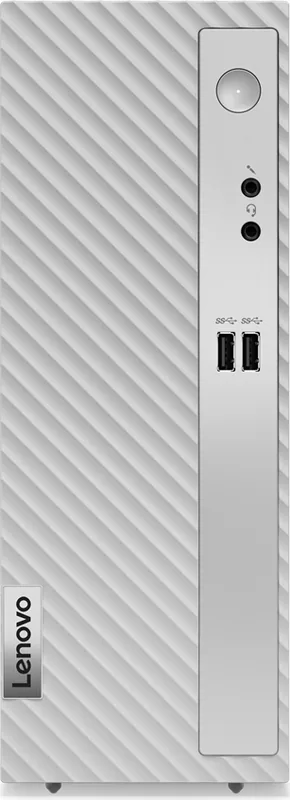
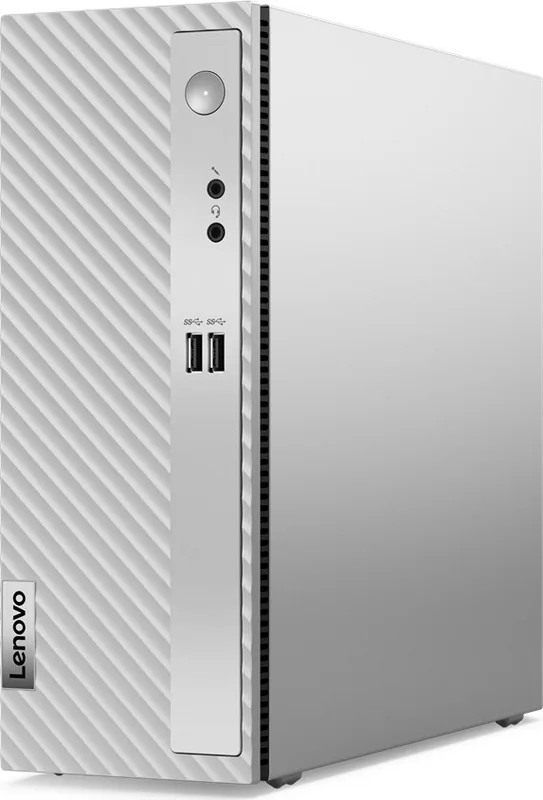
Built with practicality in mind, the chassis offers connectivity options for modern peripherals. On the front panel, users find access to USB ports including a USB-C connector and a card reader slot for quick photo transfers. The rear side provides robust ports including HDMI and VGA, ensuring compatibility with external monitors for expanded workflow capabilities. The inclusion of Lenovo Vantage software enhances the experience by allowing easy system maintenance.
One of the standout features is its upgrade potential through modular design. The system supports Customer Replaceable Units, meaning users can customize hardware like memory modules and storage drives without needing immediate professional assistance. This flexibility extends the lifespan of the computer, allowing for faster storage or additional RAM as needs evolve over time. The design prioritizes accessibility while maintaining internal safety standards.
Power management is streamlined for efficiency. With an automatic voltage-sensing power supply, the unit adapts to different electrical environments ranging from residential outlets to variable commercial sources. Users can set power plans to maximize energy savings when the machine is idle, aligning with environmental standards. Security features include a padlock loop and support for cable locks, providing physical protection for the device in shared spaces.
For those concerned with longevity and support, Lenovo provides comprehensive resources. From troubleshooting guides to warranty services, the ecosystem ensures users can resolve issues efficiently. The operating environment settings guarantee stability across various temperatures, making it sturdy for daily household use. Technical documentation remains accessible through official support portals. Users may refer to the Lenovo IdeaCentre 3 07ACH7 Manual for specific model numbers and configuration details to ensure compatibility with accessories.
Final Thoughts
The 07ACH7 model represents a balance of accessibility and functionality. It is perfect for users who value a straightforward setup with room for personalization. While it may not be built for heavy gaming rigs, its reliability and upgradability make it a smart investment for general productivity.
Search for 67,706 Manuals online


Type-in Brand or Model