
Leitz impressBIND 140 Manual
PDF manual · 100 Pages
English



Quick check
Incorrect answer, please try again.
Chat with your Leitz impressBIND 140 manual using AI
Get instant AI answers from your Leitz impressBIND 140 manual
Ask anything about the Leitz impressBIND 140. Answers come from this manual, with the pages they are based on.
Ask a Question
Do you recommend impressBIND 140?
Yes NoFrequently Asked Questions
It can bind up to 140 sheets of standard 80g/m2 paper with ease.
Is this answer helpful?
Yes, a three-year guarantee covers defects in material and workmanship from the purchase date.
Is this answer helpful?
Wipe it with a damp cloth and keep it dry. Do not use harsh chemicals.
Is this answer helpful?
No, it is fully manual with no electrical connections needed for operation.
Is this answer helpful?
Yes, using the optional de-binder accessory up to three times allows reopening.
Is this answer helpful?
Store it upright on its feet in a dry place to prevent tipping.
Is this answer helpful?
Watch out for crushing fingers near the binding lever during use.
Is this answer helpful?
Advantages and Disadvantages
Advantages

- Handles up to 140 pages of 80g/m2 paper effortlessly for bulk binding projects.
- Includes a three-year guarantee covering manufacturing defects and material issues.
- Manual operation ensures silent work environment without electrical noise or cords.
- Durable silverblue finish resists scratches and supports busy office daily use.
- Integrated measuring device simplifies spine width selection for perfect cover fit.
Disadvantages

- Heavy weight of 14.3 kg makes moving the machine difficult across offices.
- Manual lever action requires physical effort and time compared to electric models.
- Risk of crushing fingers if safety precautions are ignored during binding process.
- Limited compatibility requires using specific Leitz brand covers for optimal binding.
Product Specification
Binding Type
Comb Binding
Operation
Manual
Max Paper Size
A4
Max. Binding Capacity
140 Sheets
Max. Spine Thickness
0.55 in
Features
Spine and Document Measurement
Dimensions (WxHxD)
12.68x4.76x20.28 in
Weight
33.40 lbs
Product Description
Leitz impressBIND 140 SilverBlue Binding Experience
Professional Manual Binding Solution
The impressBIND 140 represents a pinnacle of office efficiency for serious binding tasks. Designed for heavy-duty usage in corporate settings, this machine handles up to one hundred forty sheets of standard eighty gram paper with significant ease. Its sturdy construction ensures exceptional longevity in busy work environments where constant operation is common. The distinctive silverblue color scheme adds a touch of modern professionalism to any desk setup while resisting scratches. Users highly appreciate the manual operation which eliminates the need for electrical connections entirely. This specific feature allows for completely silent operation and superior portability without restricting power cords nearby.
Understanding the Binding Process
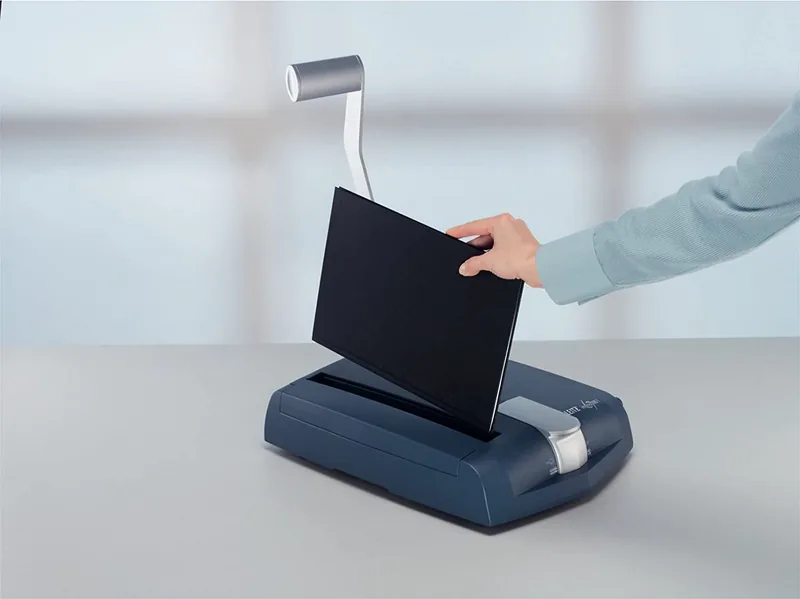
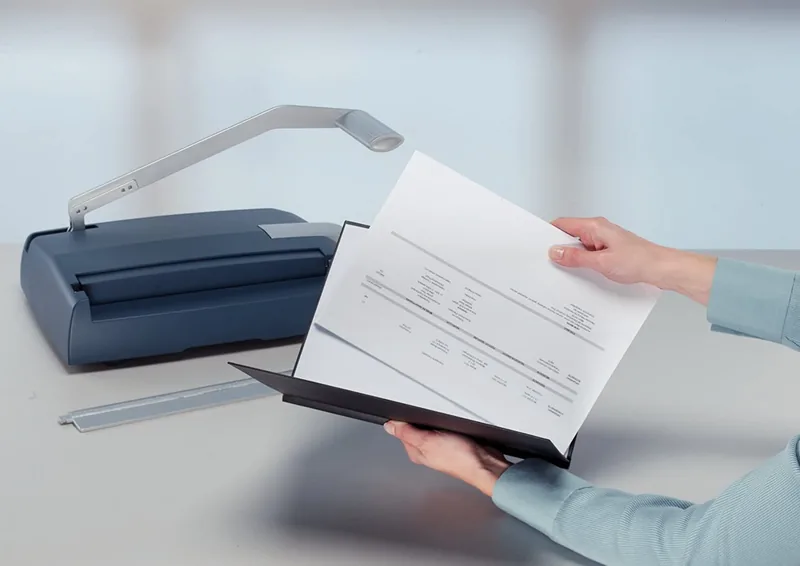
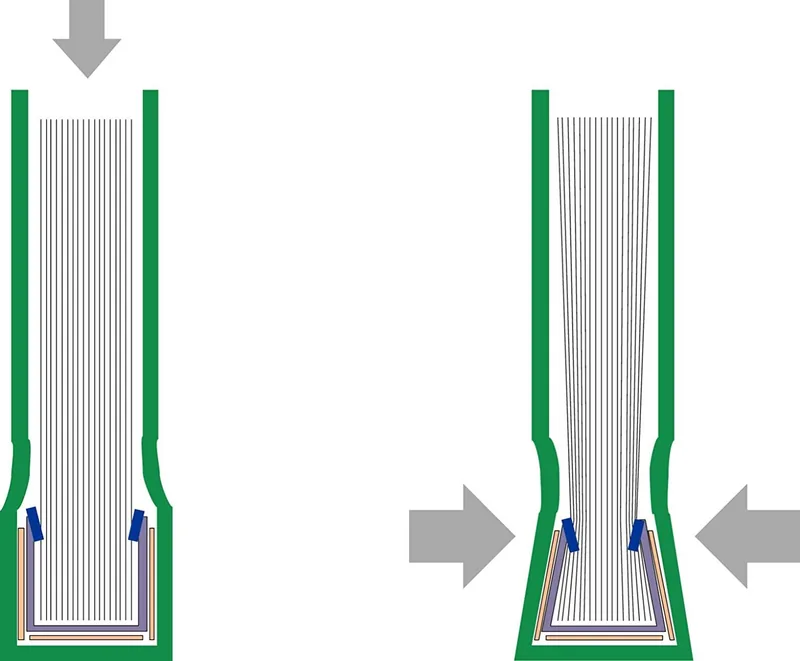
Setting up the machine requires placing it firmly on a stable surface such as a solid table. The precise measuring device helps determine the correct spine width based on the total page count inside. Users must align the paper edges perfectly before inserting them into the binding cover carefully. Pressing the main lever four times secures the cover tightly around the stack. This repetitive action closes the spine mechanism effectively using manual force. Safety warnings emphasize keeping fingers clear during the pressing action to avoid crushing injuries. The device includes a clear measuring scale for quick calculations regarding cover thickness availability. Different spine widths correspond to specific page ranges for optimal fit results.
Specifications and Reliability
Each unit weighs approximately fourteen point three kilograms indicating robust build quality suitable for daily use. The physical dimensions accommodate standard A4 paper formats efficiently without taking excessive space. A comprehensive three-year guarantee covers defects in material and workmanship from the purchase date. This long protection period reflects the manufacturers confidence in overall product durability and performance. Regular maintenance simply involves wiping the exterior gently with a clean damp cloth regularly. Avoid harsh chemicals that might damage the plastic finish or metal components inside. Storage should keep the unit upright on its designated feet to prevent accidental tipping.
Essential Notes and Warranty
Always keep the original instruction manual with the machine for future reference needs. An optional de-binder accessory allows reopening bindings up to three times freely. This utility supports editing pages without needing to replace covers entirely every time. Transporting requires folding the binding lever down securely to avoid snagging. Never store the unit outside or in damp environments which could cause corrosion. Ensure all safety precautions are followed strictly during operation to maintain warranty validity. This guarantees years of reliable service for all users who purchase the product.
Search for 67,706 Manuals online


Type-in Brand or Model