
Legrand BTicino MyHOME F429 Manual
PDF manual · 14 Pages
English



Quick check
Incorrect answer, please try again.
Chat with your Legrand BTicino MyHOME F429 manual using AI
Get instant AI answers from your Legrand BTicino MyHOME F429 manual
Ask anything about the Legrand BTicino MyHOME F429. Answers come from this manual, with the pages they are based on.
Ask a Question
Do you recommend BTicino MyHOME F429?
Yes NoFrequently Asked Questions
It acts as a gateway connecting DALI lighting systems to the MyHOME_Up home automation bus, allowing control of up to eight lighting channels.
Is this answer helpful?
Yes, once connected to the MyHOMEServer1 and internet, you can control lights via the MyHOME_Up app from anywhere.
Is this answer helpful?
Yes, when integrated with the system, it works with Amazon Alexa and Google Home for voice-controlled lighting.
Is this answer helpful?
It supports LED, fluorescent, halogen, and incandescent lamps with dimming capabilities.
Is this answer helpful?
While DIY is possible for some setups, professional installation is recommended to ensure correct BUS wiring and configuration.
Is this answer helpful?
One F429 gateway manages up to eight DALI channels, each capable of controlling multiple individual lamps.
Is this answer helpful?
Advantages and Disadvantages
Advantages

- Supports up to eight independent DALI channels for granular lighting control
- Seamlessly integrates with MyHOME_Up ecosystem for unified management
- Enables advanced dimming and scene creation for enhanced ambiance
- Facilitates energy savings through automated scheduling and sensor integration
- Compatible with third-party devices via API and driver manager
Disadvantages

- Requires specific BUS cabling and compatible actuators for installation
- Initial setup may require technical knowledge of DALI protocols
- Dependent on MyHOME_Server1 gateway for remote access functionality
- Limited to eight channels per unit requiring multiple units for large spaces
- May need additional power supply for high-load configurations
Product Specification
Type
Hardware Control Unit
Function
Gateway
Product Description
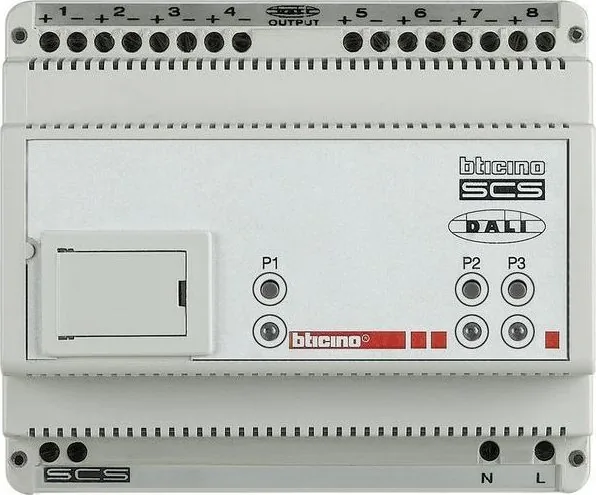
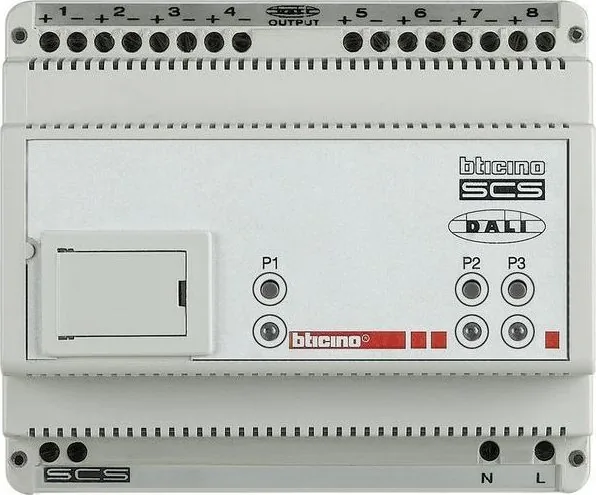
Legrand Bticino F429 DALI Gateway 8-fach: The Heart of Smart Lighting
The Legrand Bticino F429 DALI Gateway 8-fach serves as a critical bridge in modern home automation, specifically designed to integrate digital addressable lighting interface (DALI) systems with the broader MyHOME_Up ecosystem. This device allows users to manage up to eight independent lighting channels, offering precise control over dimming levels and switching states for various lamp types including LEDs, fluorescents, and halogens. By connecting seamlessly to the BUS system, it transforms standard lighting fixtures into intelligent components that respond to voice commands, smartphone apps, or automated scenarios.
Installing this gateway brings a new level of comfort and energy efficiency to residential and commercial spaces. It supports advanced features like preset light scenes and gradual dimming transitions, ensuring a pleasant atmosphere at any time of day. The integration process is streamlined through the MyHOME_Up application, which automatically detects connected devices and simplifies the configuration of complex lighting layouts. Whether controlling a single room or an entire building, the F429 ensures reliable performance and scalability.
Beyond basic on-off functions, this gateway enables sophisticated energy management strategies. Users can monitor power consumption per channel and set schedules to reduce waste during unoccupied hours. The system also integrates with presence sensors to automatically adjust lighting based on occupancy and natural light availability, further enhancing sustainability. With support for third-party integrations via the MyHOMEServer1, the F429 becomes part of a unified smart home network where lighting interacts with security alarms, temperature controls, and audio systems.
Key Benefits
The versatility of the F429 makes it suitable for both new installations and retrofit projects. Its compact design fits easily into distribution boards without taking up excessive space. The device maintains compatibility with existing infrastructure while providing future-proof capabilities for evolving smart home technologies.
Important Notes
- Ensure proper wiring using twisted pair cables to minimize interference.
- Configure priority levels for load management to prevent circuit overloads.
- Regularly update firmware via the MyHOME_Suite software for optimal performance.
Search for 67,732 Manuals online


Type-in Brand or Model