
LC-Power LC-M34-UWQHD-165-C Manual
PDF manual · 53 Pages
English



Quick check
Incorrect answer, please try again.
Chat with your LC-Power LC-M34-UWQHD-165-C manual using AI
Get instant AI answers from your LC-Power LC-M34-UWQHD-165-C manual
Ask anything about the LC-Power LC-M34-UWQHD-165-C. Answers come from this manual, with the pages they are based on.
Ask a Question
Do you recommend LC-M34-UWQHD-165-C?
Yes NoFrequently Asked Questions
This monitor supports a resolution of 3440 by 1440 pixels for a wide aspect ratio.
Is this answer helpful?
Yes, it supports FreeSync Premium technology to sync refresh rates with graphics cards.
Is this answer helpful?
The refresh rate is capped at 100 Hz when using HDMI 2.0 connections.
Is this answer helpful?
There are two DisplayPort 1.4 ports located on the connection panel.
Is this answer helpful?
Yes, it features a Low Blue Light mode to reduce eye strain during use.
Is this answer helpful?
The OSD orientation can be adjusted within the settings to match panel placement.
Is this answer helpful?
It operates on 100 to 240 volts AC at 50 to 60 Hz frequency.
Is this answer helpful?
Advantages and Disadvantages
Advantages

- 34 inch UWQHD resolution offers extensive workspace for multitasking and gaming.
- 165 Hz refresh rate via DisplayPort ensures smooth gameplay and motion clarity.
- FreeSync Premium support eliminates screen tearing and stuttering during action sequences.
- Multiple connection ports including DisplayPort and HDMI provide versatile device compatibility.
- Comprehensive gaming mode presets tailor settings for shooters or strategy games.
Disadvantages

- HDMI input restricts maximum refresh rate to 100 Hz limiting high end performance.
- LED status indicators only show power or no signal without detailed error codes.
- Manual navigation requires pressing buttons on the chassis rather than using a joystick.
- Stand height adjustment is not explicitly mentioned in the provided documentation text.
- Response time setting options may not be sufficient for extreme competitive scenarios.
Product Specification
Function
Monitor (Stationary)
Diagonal
34" (34.02 inches)
Resolution
3440x1440 (UWQHD), 21:9, 110ppi
Panel
VA
Backlight
LED, Blue Light Filter, flicker-free
Brightness
350cd/m2 (Typical)
Contrast
3,000:1 (Static), 1,000,000:1 (Dynamic)
HDR
DisplayHDR 400
Response Time
4ms (GtG), 1ms (MPRT)
Refresh Rate
165Hz (3440x1440)
Ports
2x HDMI 2.0, 2x DisplayPort 1.4, 1x 3.5mm Jack (Line-Out), 1x AC-In C13 (AC In)
Shape
Curved, 1500R (1.5m)
Viewing Angle
178 deg / 178 deg
Coating
Non-glare (Matte)
Color Depth
8bit (16.7 million colors)
FRC
Unknown
sRGB
99%
Adobe RGB
85%
DCI-P3
85%
Control
Mechanical Buttons
Ergonomics
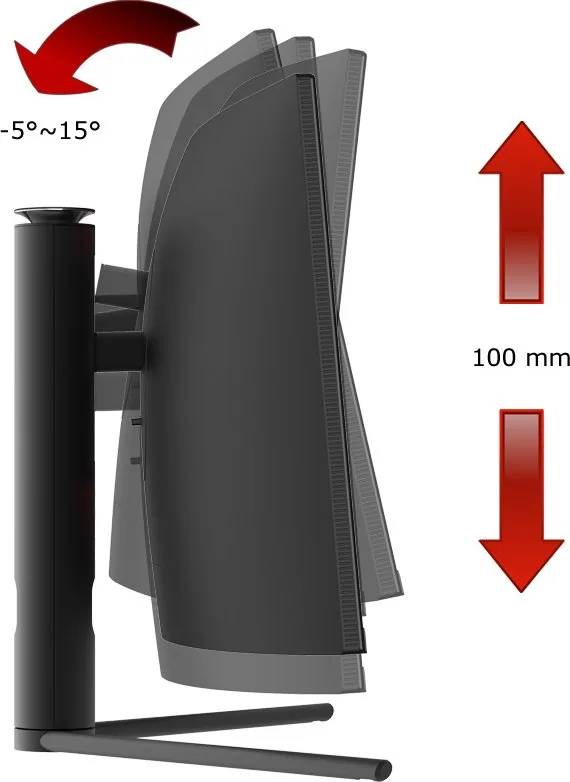
With Base, Height Adjustable (100mm), Pivot N/A, Rotatable N/A, Tilt (+15 deg / -5 deg)
VESA Mount
75x75 (Supported)
Power Consumption
0.5W (Standby)
Energy Efficiency SDR (A to G)
32kWh/1000h (G)
Energy Efficiency HDR (A to G)
52kWh/1000h (G)
Features
Picture-in-Picture, Slim Bezel
Screen-to-Body Ratio
90.43% (Calculated)
Dimensions
31.83x20.11x10.08 inches (WxHxD) with folded base, 31.83x14.30x4.85 inches (WxHxD) without base
Color
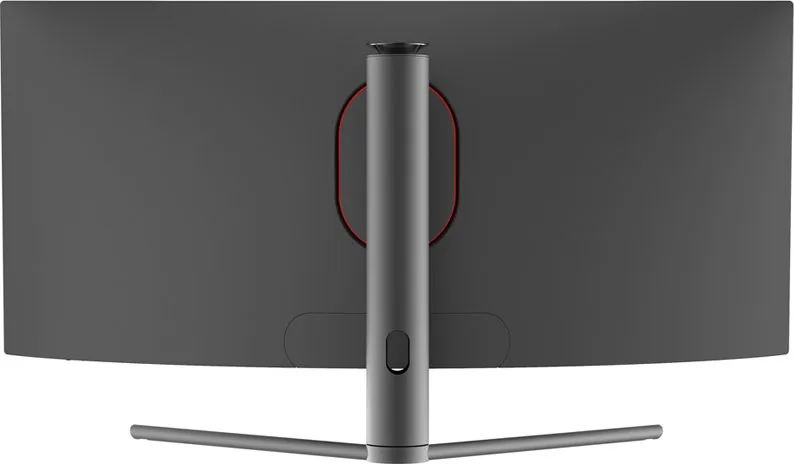
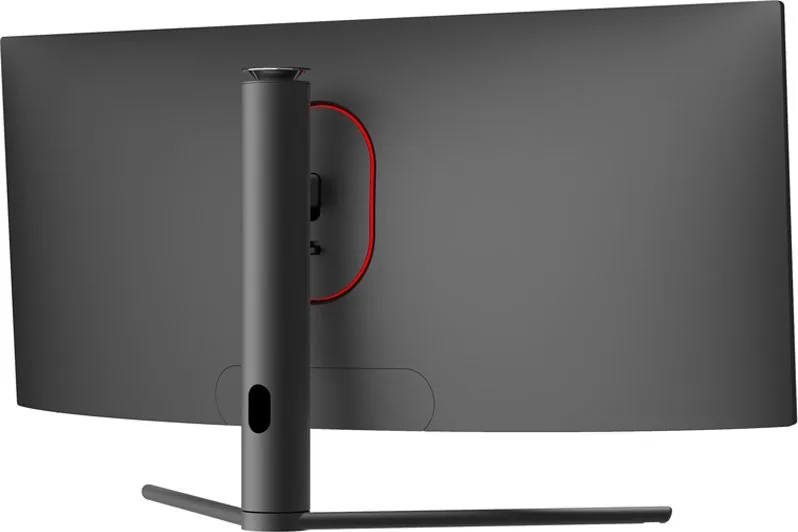
Black (Display Frame) / Black (Lower Bezel) / Black (Base) / Black (Back)
Weight
22.18 lbs (with base), 17.33 lbs (without base)
Power Supply
Internal
Warranty
Three Years
USB Style
Link
Product Description
Overview of the LC-Power LC-M34-UWQHD-165-C
This detailed overview covers the LC-Power LC-M34-UWQHD-165-C 34 inch Monitor Manual functionality effectively. It helps users understand the device operation thoroughly without confusion. The ultrawide display offers a massive canvas for productivity and gaming tasks. Users appreciate the high refresh rate capabilities reaching up to 165 Hz through the DisplayPort connection effectively. This ensures smooth motion handling during fast-paced games without tearing artifacts. The native resolution spans 3440 by 1440 pixels, providing ample screen real estate for multitasking. HDMI connections allow flexibility for various devices but limit refresh rate to 100 Hz. The panel technology supports deep blacks and vibrant colors suitable for media consumption. The monitor is built for durability.
Key Features and Connectivity Setup
The monitor supports FreeSync Premium technology to reduce screen tearing effectively. Multiple input sources include two DisplayPort 1.4 ports and two HDMI 2.0 ports for extensive connectivity options. There is also an audio output jack for external speakers or headphones. Power requirements are standard 100 to 240 volts AC across global regions. The physical dimensions are relatively compact considering the large screen size available locally. The OSD menu allows extensive customization of picture settings and specific game modes like FPS or Strategy. Configuration options include shadow balance adjustment to see enemies in dark corners easily. Color settings are fully adjustable for accurate work.
User Experience and Advanced Instructions
Manual navigation uses specific buttons for menu browsing and settings adjustment. Blue light indicates power is active while red light indicates signal loss. Instructions are available in multiple languages for global user accessibility. Gamers can adjust crosshires and shadow balance directly from the internal menu screen. Dynamic Brightness adjusts based on content to save energy and improve viewing comfort. Settings can be reset to factory defaults if configuration errors occur. The response time settings offer flexibility between normal and fast modes for competitive play. The OSD menu language can be switched to your local preference easily.
Maintenance and Care
Regular cleaning with a soft cloth ensures longevity and protection. Avoid harsh chemicals that might damage the sensitive screen coating surfaces. Keep the monitor dust-free to maintain optimal airflow for internal components. This ensures consistent performance over many years of daily use in any environment. Proper ventilation is key to preventing overheating. Wipe with a dry microfiber cloth.
Notes
Ensure cables are firmly seated during connection. Update drivers for best performance outcomes. Refer to the included documentation for specific LED indicator meanings. Check power supply compatibility before installation. Keep away from liquids.
Search for 67,706 Manuals online


Type-in Brand or Model
wilmer95
7 months ago
I am concerned about the stand stability. If I type or move my mouse, does the screen vibrate noticeably?
Manual.ly
6 months ago
We appreciate your concern regarding monitor stability. The stand is generally stable, but individual sensitivity to micro-movements can occur. We recommend ensuring the desk surface is flat and solid. Some users find additional grip mats help dampen vibrations. If you experience persistent motion or issues, please contact our support team for further troubleshooting steps.