
LC-Power LC-M27-QHD-240-C-K Manual
PDF manual · 77 Pages
English



Quick check
Incorrect answer, please try again.
Chat with your LC-Power LC-M27-QHD-240-C-K manual using AI
Get instant AI answers from your LC-Power LC-M27-QHD-240-C-K manual
Ask anything about the LC-Power LC-M27-QHD-240-C-K. Answers come from this manual, with the pages they are based on.
Ask a Question
Do you recommend LC-M27-QHD-240-C-K?
Yes No
Annabell Kuhic
4 months ago
Is there visible black border between frame and display?
Frequently Asked Questions
The monitor features a native QHD resolution of 2560x1440 pixels, offering a significant step up from Full HD for sharper text and more detailed game environments.
Is this answer helpful?
Yes, it supports AMD FreeSync Premium, which helps synchronize the refresh rate with your GPU to prevent screen tearing and minimize stuttering during gameplay.
Is this answer helpful?
Yes, the USB-C port supports video transmission and power delivery, allowing you to connect a compatible laptop and charge it simultaneously using a single cable.
Is this answer helpful?
Absolutely. The included stand allows for height adjustment, tilt, swivel, and pivot functions, enabling you to customize the screen position for optimal comfort.
Is this answer helpful?
Yes, it includes built-in stereo speakers. However, for high-fidelity audio, connecting external speakers or headphones via the audio output jack is recommended.
Is this answer helpful?
The monitor supports a maximum refresh rate of 240Hz when connected via DisplayPort 1.4, ensuring incredibly smooth motion for competitive gaming.
Is this answer helpful?
Advantages and Disadvantages
Advantages

- High refresh rate of 240Hz for ultra-smooth gameplay
- QHD resolution provides sharp and detailed images
- AMD FreeSync Premium eliminates screen tearing
- Versatile connectivity with HDMI, DP, and USB-C
- Ergonomic stand with full adjustability
Disadvantages

- Built-in speakers may lack depth for audiophiles
- RGB lighting customization requires menu navigation
- Cable management could be improved on the rear panel
- No built-in KVM switch for multi-device users
- Price point may be higher than standard 144Hz models
Product Specification
Function
Monitor (stationary)
Diagonal
27" (68.58cm)
Resolution
2560x1440 (QHD), 16:9, 109ppi
Panel
VA
Backlight
LED, Local Dimming, Blue Light Filter, flicker-free
Brightness
650cd/m^2 (typical), 1000cd/m^2 (HDR)
Contrast
2500:1 (static)
HDR
DisplayHDR 1000
Response Time
1ms (GtG)
Refresh Rate
240Hz (2560x1440)
Variable Synchronization
Adaptive Sync, AMD FreeSync Premium certified (48-240Hz via DisplayPort, 48-144Hz via HDMI, with LFC support, with HDR)
Connections
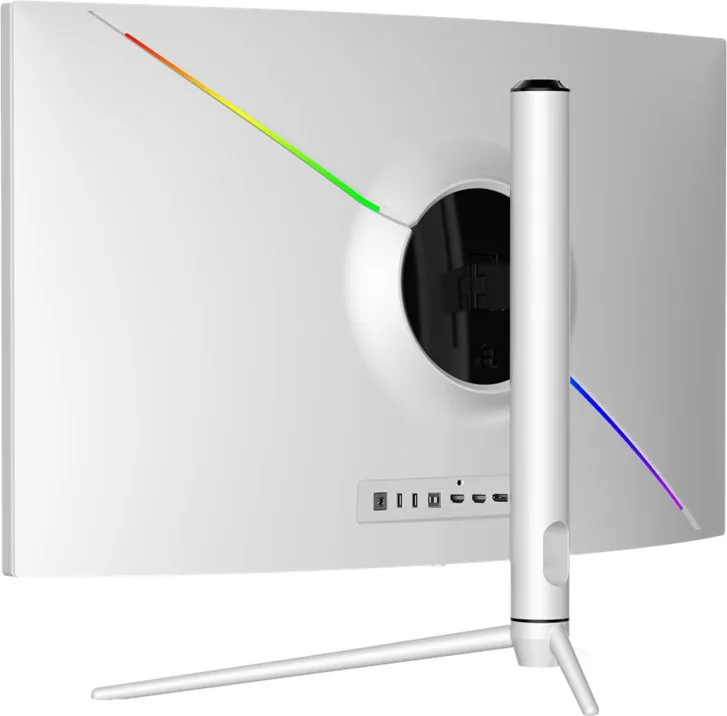
1x USB-C with DisplayPort (Upstream, PD 65W, 240Hz@2560x1440), 2x HDMI 2.0 (144Hz@2560x1440), 1x DisplayPort 1.4 (240Hz@2560x1440), 2x USB-A 3.0 (Downstream, 5Gb/s), 1x 3.5mm Jack (Line-Out), 1x DC-In Hollow Socket (Power Connection)
Shape
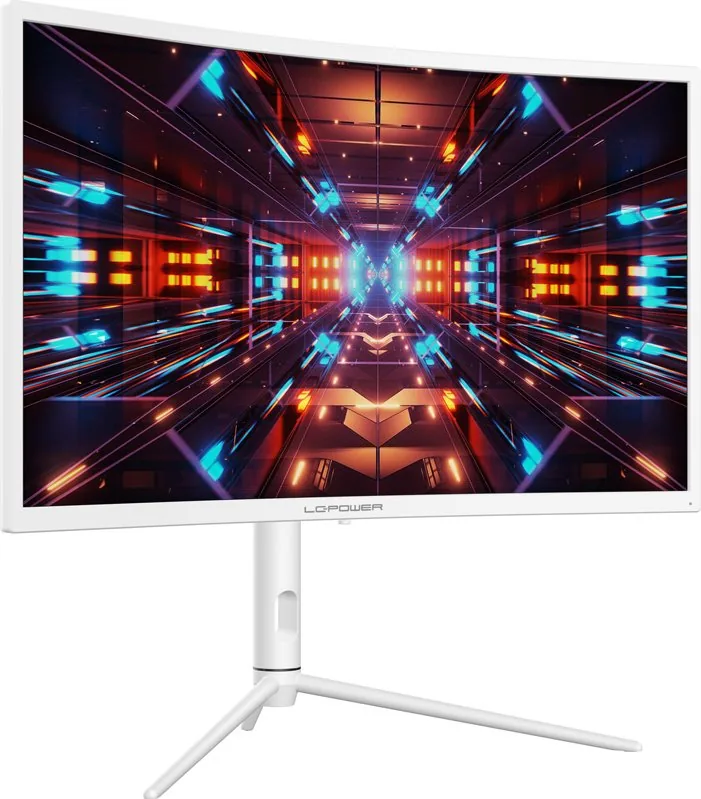
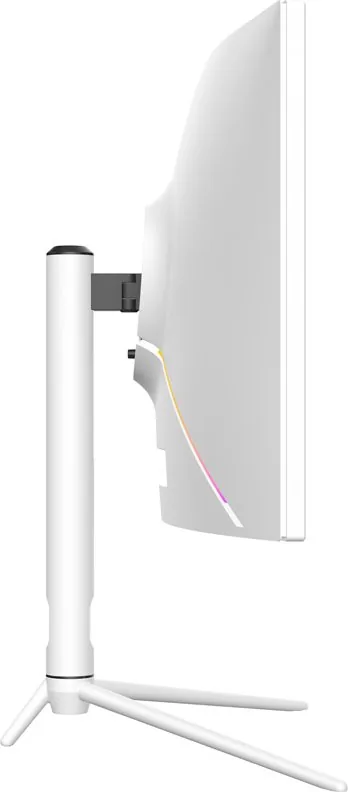
curved, 1000R/1.00m
Viewing Angle
178°/178°
Coating
non-glare (matte)
Color Depth
8bit (16.7M colors)
FRC
unknown
sRGB
99%
Adobe RGB
90%
DCI-P3
94%
Operation
Control Cross
Ergonomics
with stand, height adjustable (115mm), Pivot N/A, rotatable (+/-25°), tiltable (+20°/-5°)
VESA
100x100 (occupied)
Power Consumption
0.5W (Standby)
Energy Efficiency SDR (A to G)
25kWh/1000h (F)
Energy Efficiency HDR (A to G)
52kWh/1000h (G)
Features
Rear lighting (RGB), Light Sensor
Screen-to-Body Ratio
87.75% (calculated)
Dimensions
24.24x22.03x10.59in (WxHxD) with stand compressed, 24.24x14.64x4.82in (WxHxD) without stand
Color
white (display frame) / white (lower bezel) / white (stand) / white (back)
Weight
11.42lbs (with stand)
Power Supply
external
Warranty
three years
USB Spelling
Link
Product Description
Experience Next-Level Gaming with the LC-Power LC-M27-QHD-240-C-K
The LC-Power LC-M27-QHD-240-C-K is a high-performance gaming monitor designed for enthusiasts who demand speed, clarity, and immersion. This 27-inch display boasts a stunning QHD resolution of 2560x1440 pixels, delivering crisp visuals that bring your favorite games to life with exceptional detail. At the heart of its performance is an impressive refresh rate of up to 240Hz, ensuring buttery-smooth motion that gives competitive gamers a distinct advantage in fast-paced titles.
Designed with the modern gamer in mind, this monitor supports AMD FreeSync Premium technology. This feature synchronizes the refresh rate of the display with the graphics card, effectively eliminating screen tearing and stuttering for a seamless visual experience. The panel also features a rapid response time, minimizing input lag so that every click and movement translates instantly on screen. Whether you are navigating complex strategy maps or engaging in intense first-person shooter battles, the LC-M27 delivers precision and fluidity.
Connectivity is never an issue with the LC-M27-QHD-240-C-K. It comes equipped with a versatile array of ports including HDMI 2.0, DisplayPort 1.4, and a convenient USB-C connection that can handle both video and power delivery. Additional USB hubs allow for easy peripheral management, keeping your desk tidy while maintaining full functionality. The ergonomic stand offers height adjustment, tilt, swivel, and pivot capabilities, allowing you to find the perfect viewing angle to reduce strain during long gaming sessions.
Aesthetically, the monitor features a sleek black design with customizable RGB lighting effects. Users can control the color and intensity of the ambient backlighting through the OSD menu, creating a personalized atmosphere that matches their setup. The built-in light sensor automatically adjusts brightness based on room conditions, protecting your eyes from fatigue. With its robust build quality and advanced features, the LC-Power LC-M27-QHD-240-C-K stands as a top-tier choice for anyone looking to upgrade their gaming rig.
Key Notes
- Supports VESA wall mounting for flexible installation options.
- Includes eco-friendly modes to reduce energy consumption without sacrificing quality.
- Features a comprehensive OSD menu for detailed image calibration.
Search for 67,706 Manuals online


Type-in Brand or Model
Lewis Weissnat
5 months ago
Does the monitor flicker when using Adaptive Sync, and how can I fix it?
Manual.ly
5 months ago
Yes, some users report brightness flickering with Adaptive Sync on this VA panel, especially if the refresh rate does not match the game's FPS closely. To resolve this, set your monitor to a fixed 240Hz or adjust the refresh rate to align as closely as possible with the frames per second in your games. Additionally, while the screen is very bright, note that it has a slight red tint by default which can be corrected in settings, though viewing angles remain limited.