
LC-Power Gaming 805BW Holo-1_X Manual
PDF manual · 4 Pages
English



Quick check
Incorrect answer, please try again.
Chat with your LC-Power Gaming 805BW Holo-1_X manual using AI
Get instant AI answers from your LC-Power Gaming 805BW Holo-1_X manual
Ask anything about the LC-Power Gaming 805BW Holo-1_X. Answers come from this manual, with the pages they are based on.
Ask a Question
Do you recommend Gaming 805BW Holo-1_X?
Yes NoFrequently Asked Questions
The front supports three 120mm or three 140mm fans. This allows for flexible airflow customization depending on your specific cooling needs and radiator setup.
Is this answer helpful?
Yes, the front handles 240, 280, or 360mm radiators. The top and motherboard tray also support 240mm options for comprehensive cooling loop integration.
Is this answer helpful?
Remove the tray, install the drive in the plastic holder, insert it into the case, and secure with a thumbscrew for stable mounting.
Is this answer helpful?
The product has a two-year warranty from the date of purchase. Service issues must be handled by your authorized dealer according to terms.
Is this answer helpful?
Damage due to improper operation causes the warranty period to expire immediately upon realization. Improper handling during transport or installation risks coverage.
Is this answer helpful?
Keep it in dry places, far away from corrosive materials, fire, and direct heat sources to prevent degradation and corrosion.
Is this answer helpful?
It is managed by Silent Power Electronics GmbH, located in Willich, Germany. Visit their website for specific support details and contact information.
Is this answer helpful?
Advantages and Disadvantages
Advantages

- Support for multiple fan sizes including 120mm and 140mm configurations for flexible airflow.
- Flexible water cooling radiator mounting options up to 360mm length on front and top.
- Removable drive trays simplify installation and tool-free access for storage.
- Includes two year warranty period from date of purchase for peace of mind.
- Dedicated tray for both HDD and SSD storage expansion inside the chassis.
Disadvantages

- Requires manual installation without pre-installed cooling solutions included.
- Warranty voids immediately if damage occurs from improper operation or handling.
- No pre-installed fans included in the standard package for initial setup.
- Specific thumbscrews required for securing storage trays securely in place.
- Must contact dealer for service issues rather than handling directly online.
Product Specification
External
N/A
Internal
2x 2.5"/3.5" (horizontal, drive cage), 2x 2.5"
Connectors
1x USB-C 3.0 (5Gb/s), 2x USB-A 3.0 (5Gb/s), 1x 3.5mm Jack (Line-Out), 1x 3.5mm Jack (Line-In)
PCI Slots
7
Fan (Front)
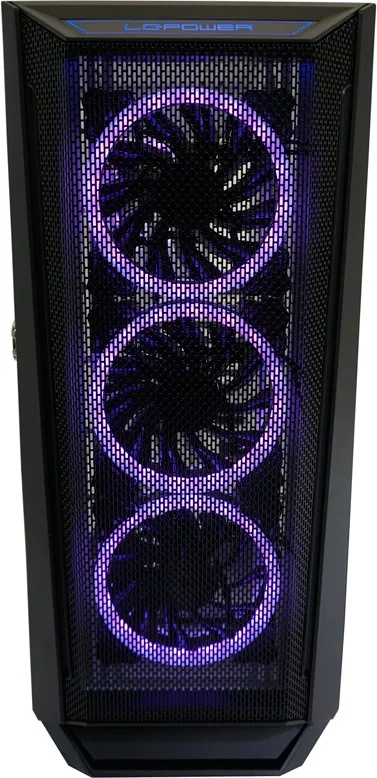
3x 4.72" (RGB illuminated) or 3x 5.51" (optional)
Fan (Rear)
1x 4.72" (RGB illuminated)
Fan (Left)
N/A
Fan (Right)
2x 4.72" (optional)
Fan (Top)
3x 4.72" (optional) or 2x 5.51" (optional)
Fan (Bottom)
N/A
Fan (Other)
2x 4.72" (optional)
Radiator Sizes
4.72"/5.51"/9.45"/11.02"/14.17" front, 4.72"/5.51"/9.45"/11.02"/14.17" top
Motherboard
up to ATX (E-ATX with unknown dimensions possible)
Supported Motherboards
Mini-ITX (6.7"x6.7")/Micro-ATX (9.6"x9.6")/ATX (12"x9.6")/E-ATX (unknown dimensions)
Power Supply
ATX (max. 14.96" deep without HDD cage, 7.87" with HDD cage)
Power Supply Position
bottom
CPU Cooler
max. 6.50" height
Graphics Cards
max. 15.35"
Color
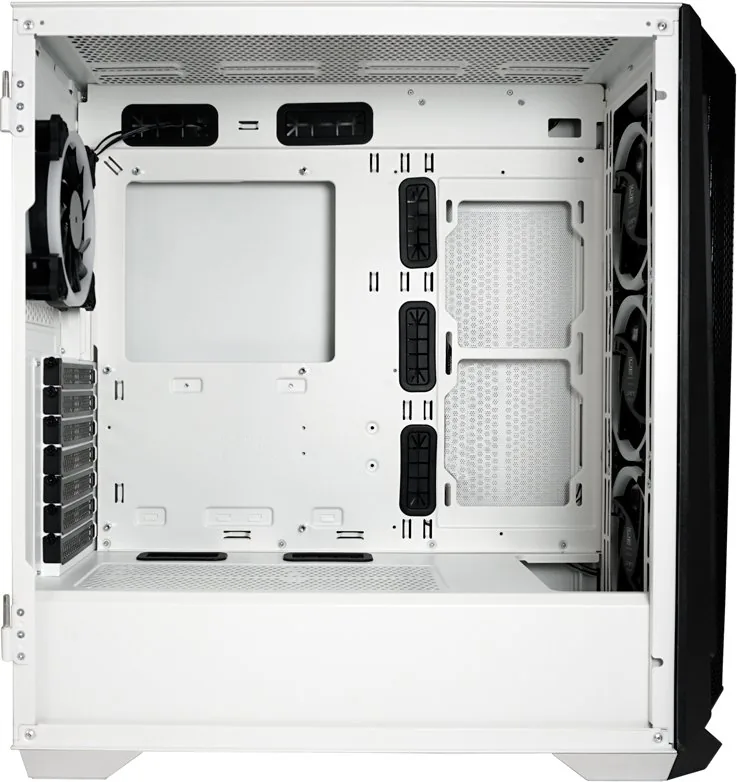
white/black, inside white
Lighting
RGB Header 3-Pin ARGB (+5V/DATA/GND), integrated LED controller, illuminated fans
Dimensions (WxHxD)
8.46x19.49x18.70"
Volume
3084.75 cu in
Weight
16.07 lbs
Chassis Type
Mid-Tower
Front
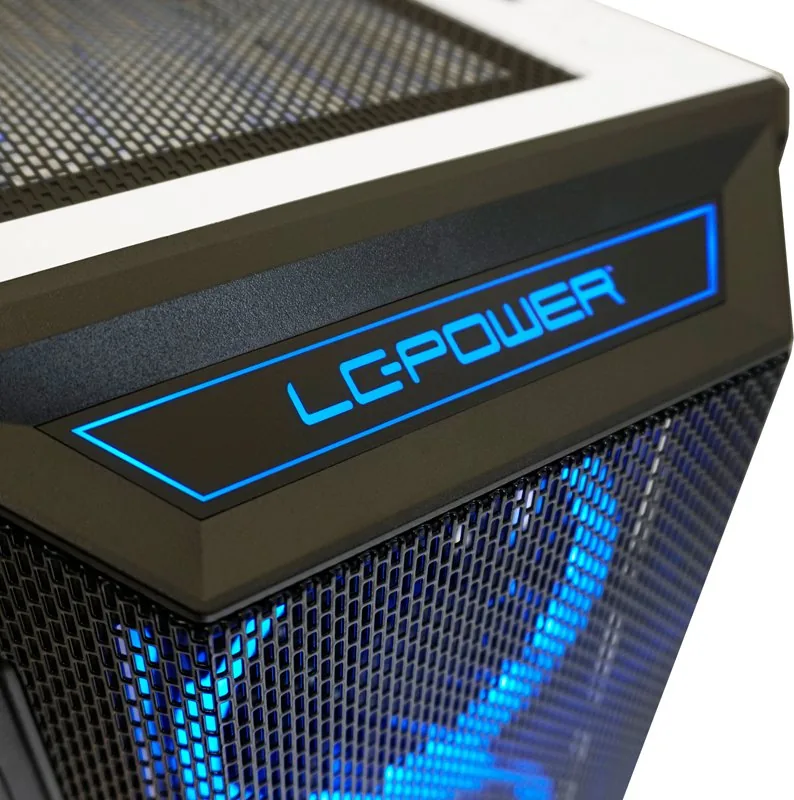
Mesh
Top
partially enclosed, mostly fan grille, dust filter outside
Bottom
partially enclosed, fan grille rear, dust filter outside
Left
enclosed, glass
Right
partially enclosed, fan grille front, dust filter inside
Rear
partially enclosed, fan grille top right, PCI Slots (7x horizontal)
Front I/O Position
Case side: top, Height: middle, Position: right
Motherboard Orientation
Motherboard Orientation: to the left
Features
cable management, dust filters, glass viewing window
E-ATX Note
Motherboard and case manufacturers designate different dimensions as E-ATX. This manufacturer makes no specifications for supported E-ATX dimensions. Motherboards with E-ATX/SSI EEB dimensions of 12.01"x12.99" or 12"x13" may not be supported.
USB Layout
Left
Product Description
LC-Power Gaming Case Review
Building a powerful gaming rig starts with a reliable case. The LC-Power Gaming 805BW Holo-1_X Glass Window provides an excellent foundation for enthusiasts seeking superior airflow and robust storage options. Proper installation is key to maximizing performance and longevity. Reviewing the LC-Power Gaming 805BW Holo-1_X Glass Window Manual before assembly helps prevent unnecessary errors during the build process. These points cover essential details regarding fan placement and storage mounting strategies.
Cooling capabilities are extensive, supporting various configurations. You can mount three 120mm or three 140mm fans at the front. The top section accepts three 120mm units or two larger 140mm fans for versatile exhaust options. Internal space allows for four extra 120mm fans to optimize internal pressure. Rear mounting is available for a single 120mm exhaust unit. Liquid cooling enthusiasts will find support for 240, 280, or 360mm radiators on the front. A 240mm option fits the motherboard tray area, and the top panel supports similar radiator sizes. This flexibility ensures your hardware stays cool under heavy loads.
Storage solutions are designed for convenience and organization. Hard drive installation involves removing the tray to place a second drive in the provided plastic holder. You then insert the assembly into the case and secure it with a thumbscrew. This simplifies cable management significantly. Solid state drives use a lateral tray system. You mount the 2.5 inch drive on the tray with screws, then fix the tray to the case side. Another thumbscrew secures the assembly firmly. These features keep your build clean and accessible.
Maintenance requires specific care to protect the warranty. Avoid direct sunlight and keep the case away from fire sources. High temperature environments should be avoided to prevent material degradation. Store in dry places to prevent corrosion from harmful materials. The product includes a two-year warranty from the date of purchase. Service issues must be handled by your authorized dealer. Improper operation voids the warranty immediately. Contact support at [email protected] or visit the official website. The manufacturer is based in Willich, Germany. Ensure you follow all safety guidelines to maintain your device effectively throughout its lifespan.
Important Notes
Handle with care to prevent damage. Keep away from children. Dispose of packaging properly.
Search for 67,706 Manuals online


Type-in Brand or Model
Michael Berg
8 months ago
The USB port was broken during delivery, but the case is in good condition. Can I get a replacement?
Manual.ly
8 months ago
We apologize for this issue. Our warranty covers manufacturing defects. Please send us your order number so we can arrange a replacement for you immediately.