
LC-Power 2016MB Manual
PDF manual · 2 Pages
English



Quick check
Incorrect answer, please try again.
Chat with your LC-Power 2016MB manual using AI
Get instant AI answers from your LC-Power 2016MB manual
Ask anything about the LC-Power 2016MB. Answers come from this manual, with the pages they are based on.
Ask a Question
Do you recommend 2016MB?
Yes NoFrequently Asked Questions
The LC-Power 2016MB supports micro-ATX motherboards, providing mounting points and clearance appropriate for standard mATX form factor boards used in compact desktop systems.
Is this answer helpful?
The case supports multiple drive configurations including 2.5" SSDs and 3.5" HDDs. There are dedicated mounting options for both sizes, allowing combinations of SSDs for fast storage and HDDs for high capacity.
Is this answer helpful?
Yes. The design includes a rear fan mount and a top cover fan position to improve airflow. It supports standard case fans in those locations; however, it’s optimized for standard air cooling rather than extensive radiator setups.
Is this answer helpful?
The front I/O provides USB 3.0 connectivity and HD audio jacks, enabling fast peripheral connections and headset or speaker support without needing rear I/O ports.
Is this answer helpful?
LC-Power offers a two-year warranty from purchase. Service issues are handled by your dealer. For direct inquiries or assistance, you can contact [email protected] or visit www.lc-power.com for regional support information.
Is this answer helpful?
The case can accommodate modest gaming builds with standard-length GPUs and a conventional PSU. It’s best suited to budget or compact gaming systems; high-end, large GPU or advanced cooling setups may be constrained by internal space.
Is this answer helpful?
Avoid exposing the case to direct sunlight, extreme heat, moisture, and corrosive substances. Improper operation or physical damage can void the warranty, so handle and install components following standard precautions and manufacturer guidance.
Is this answer helpful?
Advantages and Disadvantages
Advantages

- Compact micro-ATX form factor ideal for smaller desks and builds.
- Multiple drive mounting options for both 2.5" SSDs and 3.5" HDDs.
- Front I/O with USB 3.0 and HD audio for modern peripheral support.
- Simple internal layout eases mainboard, PSU, and GPU installation.
- Rear and top fan mounts enable effective airflow configurations.
Disadvantages

- Basic aesthetic and feature set may not satisfy high-end builders.
- Limited space compared to mid- or full-tower cases for large GPUs.
- Cooling options are functional but lack extensive fan or radiator support.
- Two-year warranty is standard but may be brief for long-term enthusiasts.
- No advanced cable management channels or premium sound-dampening materials.
Product Specification
External
N/A
Internal
2x 3.5" (transverse, HDD cage), 3x 2.5"
Connectors
2x USB-A 3.0 (5Gb/s), 2x USB-A 2.0 (480Mb/s), 1x 3.5mm jack (Line-Out), 1x 3.5mm jack (Line-In)
PCI Slots
4
Fans (front)
2x 5.51" (optional)
Fans (rear)
1x 4.72" (optional)
Fans (left)
N/A
Fans (right)
N/A
Fans (top)
2x 4.72" (optional)
Fans (bottom)
N/A
Fans (other)
N/A
Radiator Sizes
4.72/9.45 in front, 4.72/9.45 in top
Motherboard
up to µATX
Supported Motherboards
Mini-ITX (6.7"x6.7")/µATX (9.6"x9.6")
Power Supply
ATX
Power Supply Position
bottom
CPU Cooler
max. 6.10" height
Graphics Cards
max. 13.39 in
Color
black, interior black
Lighting
without lighting
Dimensions (WxHxD)
8.07x15.00x15.16"
Volume
7.94 gal
Weight
7.06 lb
Case Type
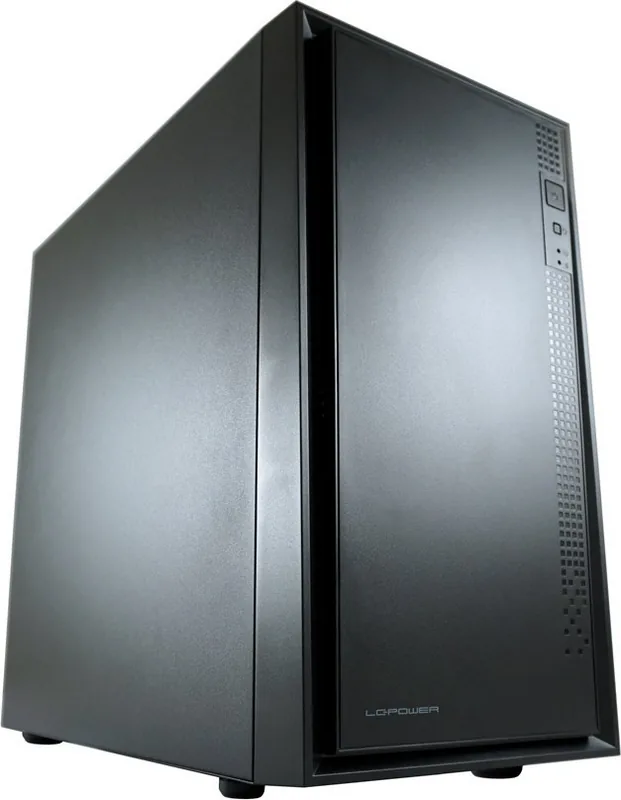
Mini-Tower
Front
closed
Top
partially closed, mostly fan grille, dust filter outside
Bottom
partially closed, fan grille rear, dust filter outside
Left
closed
Right
closed
Rear
partially closed, fan grille top right, PCI slots (4x horizontal)
Front I/O Position
Case side: top, Height: Front, Position: center
Special Features
Cable management, Dust filter
USB Specification
Link
Product Description
LC-Power 2016MB, schwarz Manual
The LC-Power 2016MB in schwarz is a compact, functional micro-ATX PC case designed for users seeking a balance of simplicity and practicality. Finished in matte black, it offers a clean aesthetic that fits both minimalist workstations and modest gaming builds. The chassis emphasizes cooling flexibility and straightforward drive and component installation, making it suitable for first-time builders and those upgrading an existing system.
Design and Build
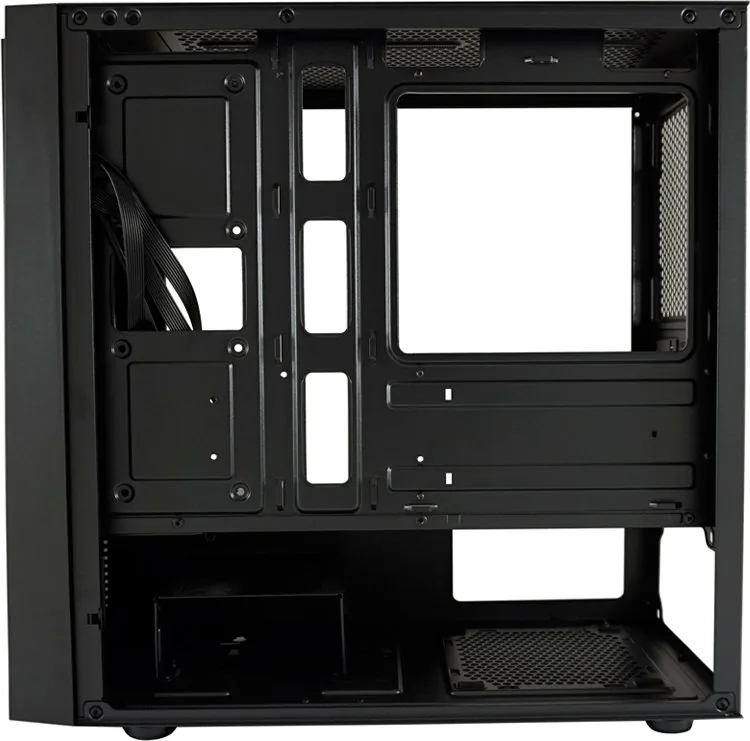
The case features a straightforward layout with dedicated mounting points for a rear fan and top-cover fan, ensuring effective airflow when configured. Internal space supports a standard power supply and multiple storage options including both 2.5" and 3.5" drives. The internal design places emphasis on ease of access for mainboard installation and PCIe card fitting, so configuring components is quick and intuitive.
Cooling and Installation
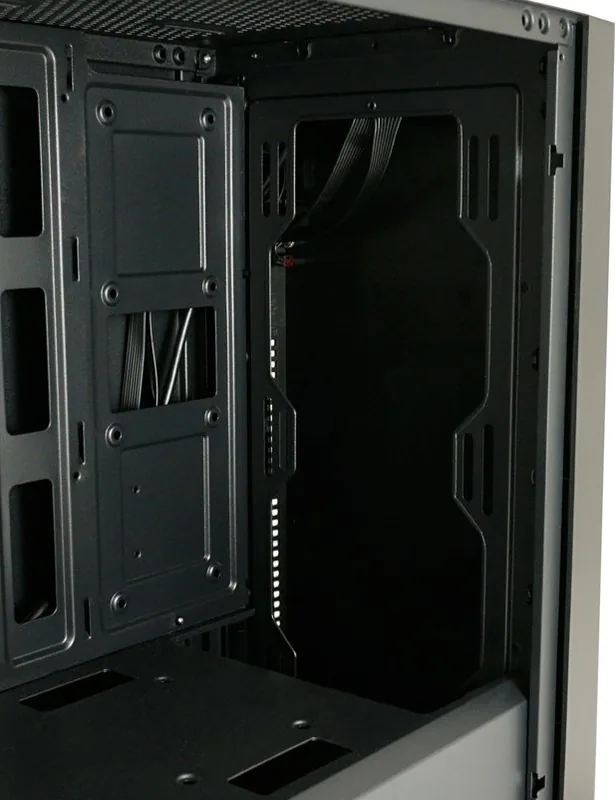
Cooling options are practical: a rear fan mount and top-cover fan position give targeted ventilation paths to move heat away from the CPU and GPU area. The case supports standard CPU cooler profiles for micro-ATX systems and allows for conventional GPU installations. Cable routing is simplified by accessible I/O panel and internal mounting points, which helps maintain a tidy interior and better airflow.
Connectivity and Drive Options
Front I/O includes USB 3.0 and HD audio headers for modern peripherals and headsets. Drive flexibility is a highlight: multiple bays and mounting options accommodate 2.5" SSDs and 3.5" HDDs, enabling combinations of fast boot/storage drives and larger capacity media drives. This makes the case versatile for office systems, home theater PCs, and budget gaming rigs.
Warranty and Care Notes
LC-Power provides a two-year warranty from the date of purchase, with service handled through dealers. Users are advised to avoid exposure to direct sunlight, high temperatures, moisture, and corrosive materials to preserve the case finish and internal components. For support, contact [email protected] or visit www.lc-power.com.
Notes
- Matte black finish suits minimalist or professional setups.
- Supports common micro-ATX hardware and standard PSUs.
- Recommended for budget-conscious builders needing reliable basic features.
Search for 67,706 Manuals online


Type-in Brand or Model
Lukas Gruber
9 months ago
Does this mATX case include front dust filtering and are all standoffs pre-installed? I heard the front has no dust filter and some standoffs might be missing.
Manual.ly
9 months ago
The case includes dust filtration for the PSU area and on the top, but the front panel does not come with a built-in dust filter. It does support installing 2x 120/140 mm front fans as specified. Regarding standoffs: depending on the mATX layout, not every position is pre-installed; some positions are designed to be fitted by the user. Please use the motherboard form-factor section in the manual to confirm the correct standoff positions. If any standoffs or hardware are missing from the package, contact our support so we can help with the appropriate replacement parts. Fans and sound damping are not included, matching the typical kit contents for this price range.