
LaCie 2big RAID STHJ Manual
PDF manual · 24 Pages
English



Quick check
Incorrect answer, please try again.
Chat with your LaCie 2big RAID STHJ manual using AI
Get instant AI answers from your LaCie 2big RAID STHJ manual
Ask anything about the LaCie 2big RAID STHJ. Answers come from this manual, with the pages they are based on.
Ask a Question
Do you recommend 2big RAID STHJ?
Yes NoFrequently Asked Questions
It is best for users who need high-capacity desktop storage for backups, media files, project archives, and cross-platform file access. Its RAID 0 setup favors space and speed over redundancy.
Is this answer helpful?
Connect the power cable first, then use the USB cable with a USB-C 3.1 Gen 2 or Thunderbolt 3 port. The drive also works with USB 3.0 and USB 2.0, but faster ports are recommended for top speed.
Is this answer helpful?
Yes. It is formatted in exFAT by default, which supports compatibility with macOS and Windows right away. This makes it convenient for users who move files between different operating systems.
Is this answer helpful?
RAID 0 combines the drives for full capacity and improved performance. The trade-off is that it does not provide data redundancy, so a single disk issue can affect the stored data.
Is this answer helpful?
Toolkit helps configure the drive for performance or protection, sync files between your computer and the drive, and archive earlier versions of files. It adds useful management features beyond simple storage.
Is this answer helpful?
Yes, but on Mac the drive must be formatted as HFS+ for Time Machine use. The default exFAT format is meant for cross-platform compatibility, not Time Machine backups.
Is this answer helpful?
It is compatible with USB 3.0 and USB 2.0, so older computers can use it. However, the fastest performance is reserved for USB-C 3.1 Gen 2 or Thunderbolt 3 connections.
Is this answer helpful?
Advantages and Disadvantages
Advantages

- RAID 0 mode provides maximum usable storage capacity for large projects and media libraries.
- exFAT formatting supports both macOS and Windows without immediate reformatting.
- USB-C 3.1 Gen 2 and Thunderbolt 3 support can deliver strong performance on modern systems.
- Toolkit software adds syncing, archival, and drive configuration features for better workflow control.
Disadvantages

- RAID 0 prioritizes capacity and speed, but it does not protect against disk failure.
- Time Machine use on Mac requires HFS+ reformatting, which adds setup steps.
- Best performance depends on newer USB-C or Thunderbolt ports; older ports may be slower.
- Default configuration is focused on storage volume, so users seeking maximum protection must adjust settings.
Product Specification
Form factor
3.5"
Internal connector
2x SATA 6Gb/s
External connector
1x USB-C 3.0
RAID level
0/1/JBOB
Fan
1x
Dimensions
8.54x4.65x3.66 in
Weight
6.17 lbs
Color
black
Special features
Aluminum housing, integrated card reader (SD/SDHC/SDXC/CF), 1x USB-A 3.0 Hub, formatted for Mac, 5 years data recovery service
Manufacturer's warranty
five years
USB notation
Link
Product Description
LaCie 2big RAID STHJ: A Fast, Flexible Desktop Storage Choice
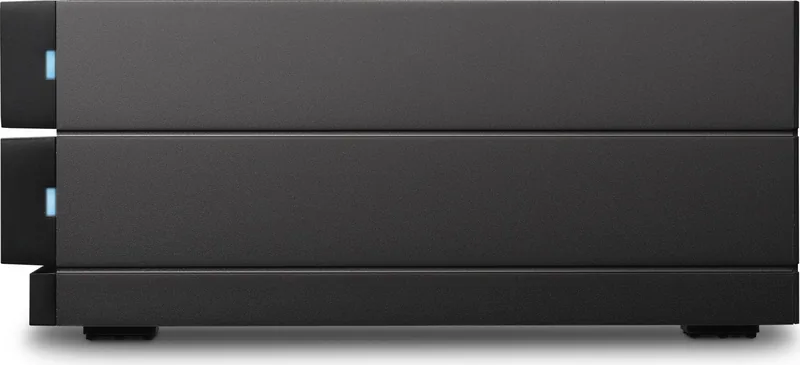
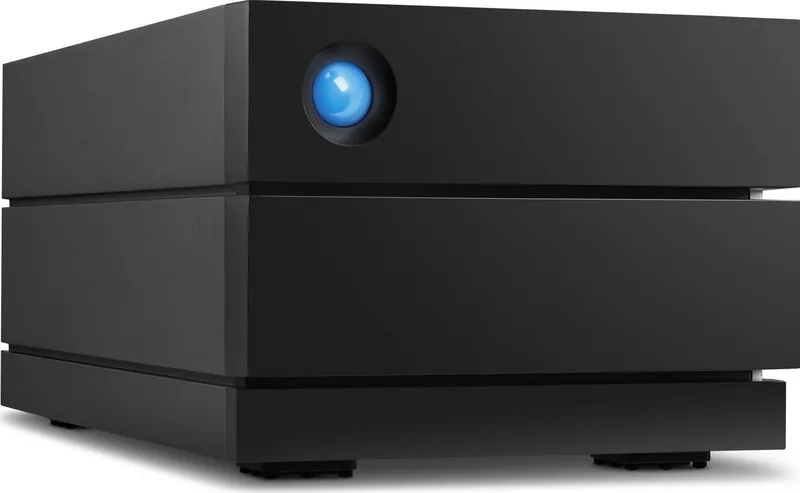
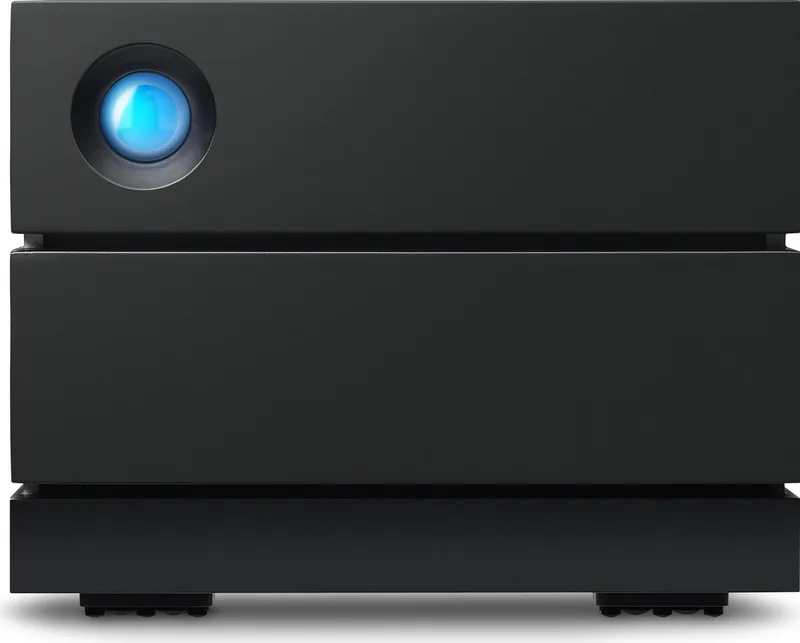
The LaCie 2big RAID STHJ external HDD is built for users who want generous storage, simple setup, and a professional desktop look. Designed by Neil Poulton, it pairs a clean industrial style with practical performance, making it a strong fit for creative workstations, small offices, and anyone managing large media libraries or backups.
What stands out
At its core, this drive is configured in RAID 0, which means it uses both disks together to deliver the full available capacity. That setup is ideal when storage space matters most and you want streamlined access to large files. It is also formatted as exFAT, so it works smoothly across macOS and Windows right away. For many users, that cross-platform convenience is one of the biggest advantages.
Connection is straightforward: plug in the power cable, then connect the USB cable. For the best performance, the drive should be attached to a USB-C 3.1 Gen 2 or Thunderbolt 3 port, though it remains compatible with USB 3.0 and USB 2.0 systems. This makes it practical for both newer machines and older setups.
The included Toolkit software adds more value by helping users configure the drive for performance or protection, sync files between a computer and the RAID unit, and archive earlier versions of important files. That kind of software support turns the drive into more than just storage; it becomes a workflow tool for backup-minded users and content creators alike.
Notes
- Best speed comes from modern USB-C or Thunderbolt connections.
- RAID 0 offers capacity and speed, but not redundancy.
- Time Machine users on Mac may need to reformat the drive as HFS+.
- Warranty and support are available through LaCie’s official channels.
Overall, the LaCie 2big RAID STHJ external HDD balances capacity, compatibility, and ease of use in a premium desktop package. If you need a reliable large-volume drive for editing, archiving, or everyday file management, it is a compelling option with a strong focus on productivity.
Search for 67,732 Manuals online


Type-in Brand or Model