
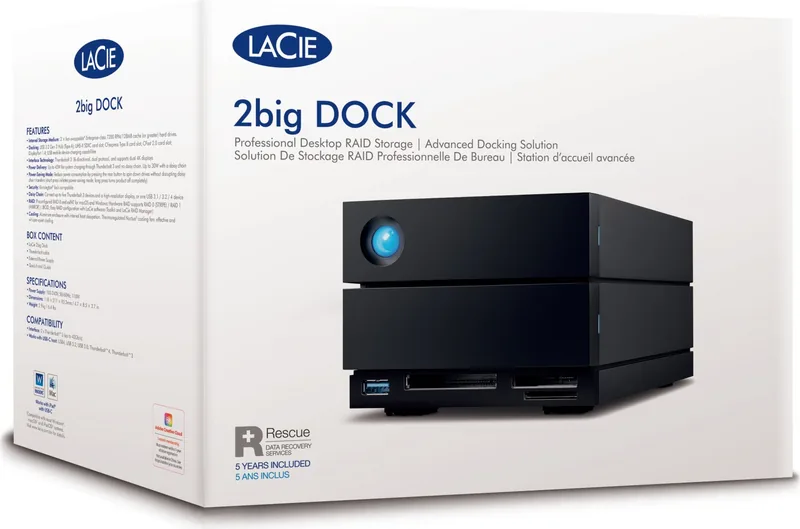
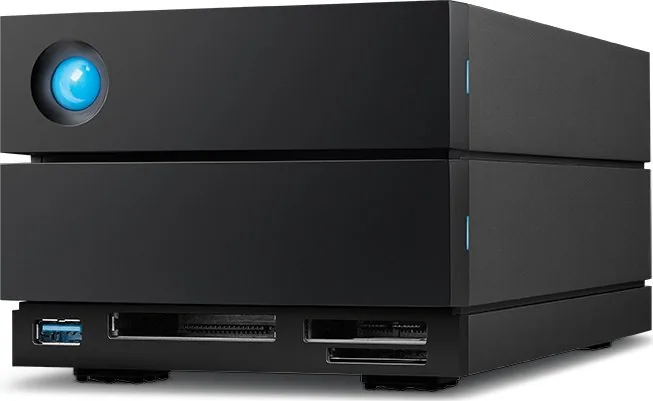
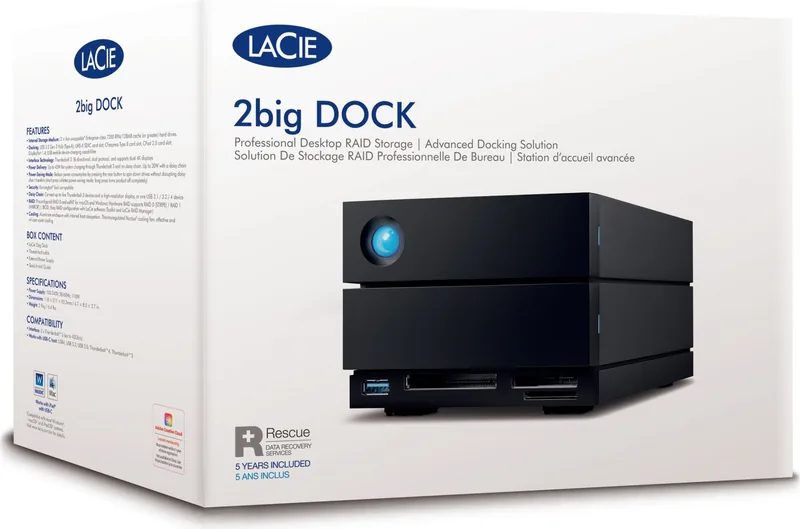
LaCie 2big Dock STGL Manual
PDF manual · 48 Pages
English



Quick check
Incorrect answer, please try again.
Chat with your LaCie 2big Dock STGL manual using AI
Get instant AI answers from your LaCie 2big Dock STGL manual
Ask anything about the LaCie 2big Dock STGL. Answers come from this manual, with the pages they are based on.
Ask a Question
Do you recommend 2big Dock STGL?
Yes NoFrequently Asked Questions
The device supports RAID 0 for speed, RAID 1 for data protection, and JBOD mode which treats drives as separate entities.
Is this answer helpful?
It supports SD, SDHC, SDXC, CFast 2.0, and CFexpress B formats for versatile workflow integration.
Is this answer helpful?
Yes, the peripheral Thunderbolt 3 port allows connecting multiple Thunderbolt devices in a single chain sequence.
Is this answer helpful?
Eject the volumes from your operating system safely before physically disconnecting the interface cable to prevent corruption.
Is this answer helpful?
It is compatible with both Windows and macOS, preformatted with exFAT for cross-platform file access.
Is this answer helpful?
Connect via Thunderbolt 3 or USB-C ports supporting Thunderbolt for maximum throughput performance rates.
Is this answer helpful?
Yes, security features allow for password protection and encryption to safeguard sensitive data from unauthorized access.
Is this answer helpful?
Advantages and Disadvantages
Advantages

- Fast Thunderbolt 3 connectivity for rapid data transfer.
- Multiple card readers for various memory formats.
- RAID support enhances data protection or speed.
- Hot-swappable drives allow maintenance without shutdown.
- Daisy chain support expands connectivity easily.
Disadvantages

- Requires external power supply for full functionality.
- Non-serviceable internal components void warranty.
- USB devices in chain limit overall speeds.
Product Specification
Form Factor
3.5"
Internal Connection
2x SATA 6Gb/s
External Connection
1x USB-C 3.0, 2x Thunderbolt 3, 1x DisplayPort
RAID Level
0/1/JBOB
Fan
1x
Dimensions
8.54x4.65x3.67in
Color
Black
Features
Aluminum case, integrated Card reader (SD/SDHC/SDXC/CF), 1x USB-A 3.0 Hub, 5-Year Data Recovery Service
Manufacturer Warranty
5 years
USB Label
Link
Product Description
Elevate Your Storage Workflow
The LaCie 2big Dock STGL External HDD Manual provides essential guidance for users seeking high-performance storage. This dock is designed for creatives, photographers, and videographers who demand speed and reliability. It features Thunderbolt 3 interfaces that ensure fast data transfer rates. Whether working on video editing projects or backing up large datasets, this device streamlines the process. It acts as a central hub for all your digital content management needs.
Key Features
The unit includes dual hard drive bays for RAID configurations. Users can choose between speed options or data protection levels. The front panel houses multiple card readers supporting SD, CFast 2.0, and CFexpress B formats. This versatility reduces the need for separate card readers. A USB 3.2 Gen 2 hub allows for charging devices like mobile phones while transferring files. Connectivity extends beyond USB with DisplayPort 1.4 support for connecting high-resolution monitors directly.
Installation and Setup
Before starting, consult the LaCie 2big Dock STGL External HDD Manual. Proper connection involves a Thunderbolt 3 cable to a host computer. Power is supplied via an external adapter. The on-board LEDs indicate status, helping users monitor activity or potential issues. The LaCie Toolkit software manages RAID arrays and automated file imports efficiently. Setup is simplified to register the device and optimize performance for Windows or Mac systems.
Maintenance and Care
Heat management is crucial for longevity. The device uses a Noctua cooling fan to regulate temperature. Users should ensure airflow is not obstructed. Hard drives are hot-swappable for easy replacement without powering down. Always safely eject volumes before disconnecting cables to prevent data corruption. Following these steps ensures consistent performance over time.
Connectivity Options
Daisy chaining allows multiple Thunderbolt devices to connect in a single chain. The peripheral port facilitates this expansion. Power delivery capabilities help charge compatible laptops directly. This reduces cable clutter on your desk. Proper usage of the manual ensures all features function as intended.
RAID 0 offers maximum speed but no protection. RAID 1 mirrors data for safety. JBOD treats drives as separate entities. The software interface allows for intuitive management. Automated imports save time when transferring from cards. LED controls let users customize brightness. This flexibility supports diverse workflows efficiently.
The power saving mode allows the hard drives to spin down when not in use. This extends the life of the storage components and reduces energy consumption. Users can wake the device via the sleep button or by accessing a volume. It supports different modes such as daisy chain or USB managed power states.
Notes: Ensure regular backups are maintained regardless of RAID setup. Firmware updates via Toolkit are recommended for best operation.
Search for 67,732 Manuals online


Type-in Brand or Model