Manual.ly Logo

Ksix TrueBuds 3 Manual

0.0 · 0 Ratings

PDF manual · 19 Pages

English

M: QW-35-FL
page

/ 19

Loading...
b1cd6628ba4a539ec125a90dae691a06387d page 1
TRUE BUDS 3
Earphones
User manual
Technical information
Bluetooth version: 5.0
Bluetooth profile: A2DP / AVRCP / HFP
Transmission range: ≈ 10 m
Sensitivity: 104 ± 3 dB
Frequency range: 20 ~ 20 000Hz
Impedance: 32 Ω
Weight: 36 g
Single earbud weight: 3.9 g
Play time: ≈ 3 hours
Standby time: ≈ 300 hours
Charging time for the charging case: ≈ 2 hours
Earbud charging time: ≈ 2 hours
Charging case battery capacity: 320mAh
Earbud battery capacity: 40mAh
Input: 5V – 1A
In the box
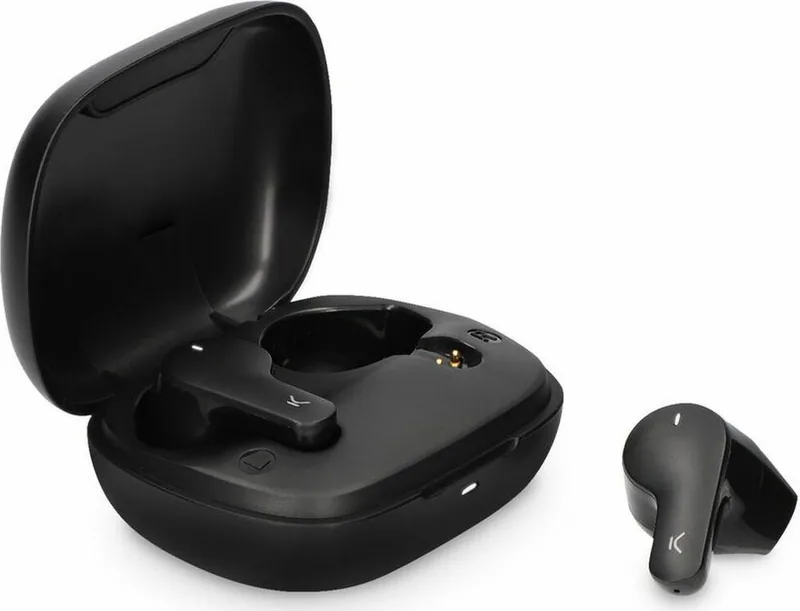
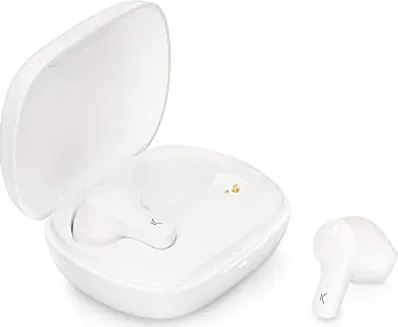
1 x charging case
2 x earphones
1 x type C charging cable
How to connect the earphones
Turning on
The earphones are automatically turned on when the charging case is opened.
If they are out of the charging case, long press the touch surface of both earphones for 3
seconds to turn them on. The red and white indicator lights will flash for 1 second and the
word “Connected” will be heard.
Pairing (first use)
Open the charging case. The indicator light of both earphones will alternately flash red and
white. After 10 seconds, the earphones will pair automatically, and the indicator light will
start flashing red and light slowly. This means they are ready to be paired with the device.
Enable the Bluetooth function on your device, search for a device named TRUEBUDS3 and
select “connect”. Once the connection has been successful, the word “Connected” will be
heard.
If the device Bluetooth version is lower than 3.0, enter the default security code 0000
when the password window pops up
Turning o
Introduce the earphones in the charging case and close the cover to turn them o.
They can also be turned o by holding pressed the touch surface of both earphones for 5
seconds. The red and white indicator lights will flash for 1 second and the word “Powered
o”.
The earphones are turned o automatically after 3 minutes of disconnection from the
device.
How to use
Use the touch surface to change from one song to another and to manage incoming calls.
• Play/Pause: Short press the touch surface of any of the earphones.
• Previous/Next song: Long press the touch surface of the left earphone for 2 seconds to
go back to the previous song. Long press the touch surface of the right earphone for 2
seconds to change to the next song.
• Answer/Hang up a call: When a call comes in, short press the touch surface of any of the
earphones to answer it. Once the call is in process, short press the touch surface of any of
the earphones to hang it up.
• Reject a call: When a call comes in, long press the touch surface of any of the earphones
for 2 seconds to reject it.
• Reset: When both earphones are o, long press the touch surface of both earphones for 8
seconds to reset the pairing information.
• Siri: Short press the touch surface of any of the earphones three times to open Siri.
How to charge
When the earphones have low battery, the indicator light will flash red slowly, and the
phrase “Battery low” will be heard.
Charging the earphones
Introduce both earphones in the charging case and close the cover. Please, check that both
earphones are correctly introduced in the case. The indicator light of the charging light will
turn on, and the indicator lights of both earphones will turn red.
Once the earphones are fully charged, the indicator light will fade. It takes about 2 hours to
charge the earphones completely. A fully charged charging case can be used to charge the
earphones more than 2 times.
Charging the charging case
Please, use a 5V-1A charger. During charging, the charging case indicator light will flash red.
When it is fully charged, the red light will turn into static mode. It takes about 2 hours to
charge the charging case completely.
Maintenance recommendations
• Regularly clean the product with a dry cloth. The product must be disconnected or
switched o when you clean it.
• Keep the connectors and/ or ports free from dust, lint, etc. to prevent improper
connections.
• Avoid breaking the device. Do not put objects over it or bend it too strong.
• If the product includes a cable do not bend it too strong and do not pull from it to unplug
the product.
• Do not wet the product. Keep it always in a dry place, away from humidity.
• When not using the product, store it in a place free from dust, dirt, lint, liquids, etc.
z• If water or other liquids enter the product interior, unplug it immediately from any
attached power source or device it is connected to.
• Avoid dropping or hitting the product. It might be damaged.
• Do not use the product for anything other than its intended use.
• Please recycle the product in accordance with local environmental laws and regulations.
Safety information
Please read the following instructions before using the device for the first time:
• When you use device keep it away from heat sources (fire) and from humidity sources
(water and other liquids).
• If the product is wet or damaged do not us it.
• Do not use the product with wet hands.
• Do not leave the product in contact with flammable materials.
• Do not expose the product to high temperatures (for example: inside a car during hot
weather)
• Do not throw the product into fire.
• Keep the product away from children.
• Disconnect or switch o the product if you are not going to use for a long period of time.
• Do not use the device if you perceive any visible defects.
• Do not attempt to open or puncture the product. You might damage it.
• Do not use the product with incompatible devices.
• Do not dismount or modify the product. These actions will invalidate the Warranty.
Legal Note
Hereby, Atlantis Internacional S.L. declares that this product is in compliance with the
essential requirements and other relevant provisions of Directive 2014/53/EC.
The features and functions described in this manual are based on tests made by Atlantis
Internacional S.L. It is the user’s responsibility to examine and verify the product after its
purchase. Atlantis Internacional S.L. is not responsible and will never be liable for any
personal loss or injury, economical loss, material loss or any damage due to misuse, abuse
or improper installation of the product.
For electronical devices with Bluetooth: Atlantis Internacional S.L. is not responsible and
will never be liable for any function, communication and connection failure between the
product and Bluetooth enabled devices.
Electronic and electrical devices disposal
This symbol indicates that electrical and electronic equipment is to be collected separately.
• This product is designated for separate collection at an appropriate collection point. Do
not dispose of as household waste.
• The final price of this product includes the cost necessary for the correct environmental
management of the generated waste.
• If the equipment uses batteries, they must be removed from the equipment and disposed
in an appropriate collection center. If the batteries cannot be removed, do not
attempt to do it yourself since it must be done by a qualified professional.
• Separate collection and recycling helps conserve natural resources and prevent negative
consequences for human health and the environment that might result from incorrect
disposal.
• For more information, contact the retailer or the local authorities in charge of waste
management.
CE Declaration of Conformity
We hereby declare that the product (s) listed below satisfies the provision for CE-marking
according to the following European directive(s):
EN 55032:2015/A11:2020
EN IEC 61000-3-2:2019
EN 61000-3-3:2013/A1:2019
EN 55035:2017/A11:2020
Article: BXTW03B3 / BXTW03N3
EAN: 8427542122144 / 8427542122151
Features:
dc 3.7V By battery or DC 5V by adapter
Manufacturer:
ATLANTIS INTERNACIONAL, S.L.
Address:
Carrer del Crom, 53, 08907 L'Hospitalet de Llobregat, Barcelona (Spain)
Place and date of the declaration:
L’Hospitalet de Llobregat, February 21, 2022
Nico Broder
General Manager

Chat with your Ksix TrueBuds 3 manual using AI

Get instant AI answers from your Ksix TrueBuds 3 manual

Ask anything about the Ksix TrueBuds 3. Answers come from this manual, with the pages they are based on.

TrueBuds 3 Maintenance Schedule

Regularly
Clean the product with a dry cloth

Ensure the product is disconnected or switched off before cleaning.

As needed
Keep connectors and ports free from dust

Remove dust, lint, and debris from connectors and ports to prevent improper connections.

M: qwen/qwen3.8-flash

Ask a Question

0/1000

Do you recommend TrueBuds 3?

Yes No

Frequently Asked Questions

A

Open the charging case to turn them on automatically. Enable Bluetooth on your device, search for TRUEBUDS3, and select connect. If prompted for a code on devices below Bluetooth 3.0, enter 0000.

Is this answer helpful?

A

The earphones offer approximately three hours of play time on a single charge. The charging case provides enough power to recharge them more than two times, extending total usage significantly.

Is this answer helpful?

A

Both the earphones and the charging case require about two hours for a complete charge cycle using a standard five volt one amp adapter. Indicator lights will stop flashing when fully powered.

Is this answer helpful?

A

Yes. When both earphones are turned off, long press the touch surface on both simultaneously for eight seconds. This will reset all pairing information for fresh reconnection attempts.

Is this answer helpful?

A

Yes. You can activate Siri by short pressing the touch surface on any of the earphones three times quickly. This works seamlessly with supported devices.

Is this answer helpful?

A

If liquid enters the interior, unplug immediately from any power source. Do not use if wet or damaged. Keep products in dry places to avoid humidity exposure.

Is this answer helpful?

A

The package includes one charging case, two earphones, and one Type C charging cable. Check all items upon purchase to ensure completeness.

Is this answer helpful?

M: QW-35-FL

Advantages and Disadvantages

Advantages

  • Bluetooth 5.0 connectivity ensures stable range up to 10 meters for uninterrupted streaming.
  • Automatic power on when opening case simplifies daily usage workflow effectively.
  • Voice prompts confirm connection status and battery levels audibly during operation.
VS

Disadvantages

  • Three hour play time requires frequent charging for heavy usage throughout the day.
  • Charging process takes two hours which delays availability for immediate reuse situations.
  • Product lacks specified waterproof rating so moisture damage risk remains higher.
M: QW-35-FL

Product Specification

Type

Earbuds

Form Factor

True Wireless, Hook-free

Microphone

Integrated

Wireless

Bluetooth 5.0

Controls

Touch Control

Battery Life

3 h, 10 h (with Charging Case)

Battery

USB-C Charging Port, Charging Case (320mAh), 2h Charge Time

Frequency Range

20Hz-20kHz

Impedance

32 Ohm

Sensitivity

104dB

Weight

0.14 oz (each), 1.27 oz (Case)

M: QW-35-FL

Product Description

Exploring Ksix TrueBuds 3 Features

Welcome to the world of seamless audio with the Ksix TrueBuds 3. These wireless earphones redefine convenience for users seeking high performance without complexity. Designed with cutting-edge technology, they feature Bluetooth version 5.0 for stable connections up to ten meters. Whether you are commuting or working out, the transmission range ensures your music stays uninterrupted. The user interface relies heavily on intuitive touch surfaces. You can manage playback, answer calls, and trigger voice assistants directly from the buds. This functionality is detailed thoroughly within the Ksix TrueBuds 3 Manual, ensuring every feature is utilized correctly. Short presses toggle play and pause functions seamlessly. Long presses navigate tracks forward or backward efficiently. Calls can be answered by tapping once or rejected by holding for duration.

Sound Quality and Design Specifications

Audio quality remains a priority for modern consumers. With a frequency range of twenty to twenty thousand hertz and sensitivity of one hundred four decibels, clarity is assured. The impedance sits at thirty-two ohms, providing balanced sound profiles suitable for various genres. Weight is also considered during design. Each single earbud weighs only three point nine grams, making them comfortable for extended wear sessions. The total weight including the case is thirty-six grams, fitting easily into pockets. Standby time reaches approximately three hundred hours when stored properly in the box.

Power Management and Charging Details

Battery management is critical for daily use. Play time lasts approximately three hours on a single charge. This might seem short for audiophiles, but the charging case extends utility significantly. It holds two full charges, allowing for more than six hours of listening before needing to plug in the case itself. Charging takes about two hours for both the buds and the case using a five volt one amp adapter. Voice prompts like Connected or Powered Off provide confirmation of status changes automatically. Low battery warnings alert users via flashing lights and spoken phrases. Keeping connectors free from dust prevents improper connections over time.

Usage Instructions and Maintenance Tips

Connectivity setup involves opening the case where indicators flash red and white. Pairing searches for a device named TRUEBUDS3 on your phone. Security codes may be needed for older Bluetooth versions under three point zero. Maintenance requires keeping the product dry and clean with a dry cloth. Avoid exposure to heat sources or liquids to prevent damage. Always store away from humidity when not in use. The included Type C cable simplifies charging logistics. Safety guidelines advise against puncturing or modifying the unit to maintain warranty validity. Environmental disposal is also emphasized to reduce electronic waste impact. Finally, the manufacturer declares compliance with European directives regarding electromagnetic compatibility. Experience reliable audio with these well-equipped earphones today. Remember to check the guide regularly for optimal maintenance schedules and troubleshooting steps to ensure longevity of your hardware components.

M: QW-35-FL

© Copyright 2026 Manual.ly