

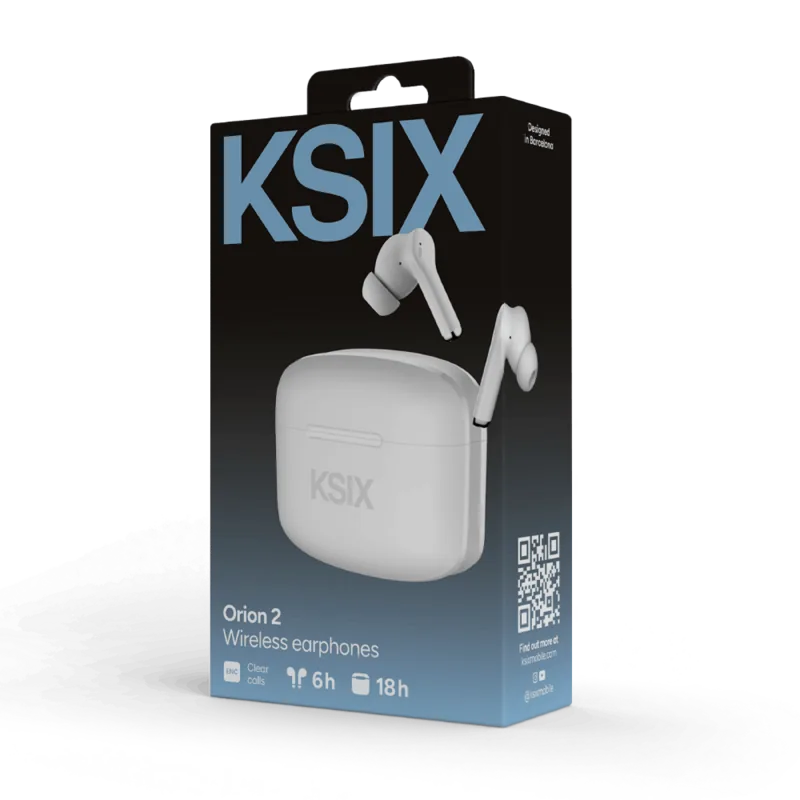

Ksix Orion Manual
PDF manual · 31 Pages
English



Quick check
Incorrect answer, please try again.
Chat with your Ksix Orion manual using AI
Get instant AI answers from your Ksix Orion manual
Ask anything about the Ksix Orion. Answers come from this manual, with the pages they are based on.
Orion Maintenance Schedule
Regularly clean the earphones and case with a dry cloth. Ensure the product is disconnected or switched off during cleaning.
Keep the charging ports and connectors free from dust, lint, and other debris to prevent improper connections.
Ask a Question
Do you recommend Orion?
Yes NoFrequently Asked Questions
Place the earphones back into the charging case and close the cover to turn them off automatically. Alternatively, you can tap both earphones simultaneously for five seconds to trigger the manual power off function which plays a voice confirmation.
Is this answer helpful?
A fast flashing blue light indicates pairing mode. No light shows when connected. Alternating blue and red flashes signify power on state. A fixed red light appears while charging. These visual cues help monitor connection and battery status easily.
Is this answer helpful?
Yes, the IPX4 rating provides splashproof protection making them suitable for sweaty workouts. Ensure you wipe them down afterward to maintain longevity and avoid direct water submersion as they are not waterproof.
Is this answer helpful?
The earphones offer approximately five hours of continuous playtime. The charging case extends this total to fifteen hours by providing additional charges. Full charge requires about one hour for the earphones and similar for the case.
Is this answer helpful?
Unpair the device from your smartphone Bluetooth settings. Place earphones in the case and remove them. If problems persist, tap the right earphone six times to synchronize them internally before reconnecting to the phone via standard Bluetooth search.
Is this answer helpful?
Yes, three pairs of earpads are included in the box covering small, medium, and large sizes. This ensures a secure fit for different ear shapes allowing for better sound isolation and comfort during extended listening sessions.
Is this answer helpful?
Advantages and Disadvantages
Advantages

- Impressive 15 hours total battery life with charging case providing multiple recharges for continuous use
- Bluetooth 5.3 ensures stable connectivity and reliable range up to ten meters distance
- IPX4 water resistance protects against splashes and sweat during workouts or light rain conditions
- Touch controls allow intuitive management of music calls and assistants without physical buttons
- Dual microphone noise cancellation improves call clarity by filtering out background environmental noise
Disadvantages

- Plastic ABS build material may feel less premium compared to metal alternatives in higher tiers
- Charging time takes approximately one hour for both units and case separately which adds wait time
- No active noise cancellation hardware only relies on environmental noise cancellation for calls
- Limited color options available based on current product listing information without customization
- Fixed specifications mean upgrades cannot be performed by software update after initial purchase period
Product Specification
Type
Earphones (In-Ear)
Design
True Wireless, stemless
Operating Principle
Closed-back
Microphone
Built-in
Wireless
Bluetooth 5.3
Controls
Touch Control
Battery Life
5h, 15h (with charging case)
Battery
USB-C Charging Port, Charging Case (200mAh), 1h Charge Time
Frequency Response
20Hz-20kHz
Impedance
32 Ohm
Sensitivity
115 dB
Device Features
Water Resistant (IPX4)
Software Features
Voice Assistant (Amazon Alexa, Apple Siri, Google Assistant)
Color
White
Weight
4 g (per earbud), 34 g (charging case)
Product Description
Unlocking Freedom with Ksix Orion
The demand for high-quality wireless audio has never been higher. The Ksix Orion answers these needs with precision engineering. When you put on these headphones, you immediately notice the lightness of the units weighing just eight grams combined. This minimal weight reduces fatigue over long listening periods compared to heavier competitors.
Advanced Features and Specifications
Connectivity is handled via Bluetooth 5.3, offering a range of up to ten meters. This ensures your phone can stay in your pocket without signal drops. The frequency response covers 20 Hz to 10 kHz, delivering balanced audio across various genres. For those who make frequent calls, the Environmental Noise Cancellation with dual microphones filters background chatter effectively.
Battery Management and Charging
Efficiency is crucial for any portable device. The charging case holds enough power to recharge the earbuds roughly two times fully. Each component takes approximately one hour to reach full capacity via the USB-C port. The LED indicators on both the case and earbuds keep track of power states visually. If a red light flashes, it signals low battery requiring immediate attention.
User Interface and Customization
Interaction happens through touch sensors rather than physical buttons. Double tapping allows you to pause music or handle calls. Triple taps switch between songs. Five taps toggle between game and music modes for lower latency during gaming sessions. A built-in voice assistant activates with a long press on the right unit.
Maintenance and Safety
Keeping the product in good condition extends its lifespan. Avoid exposing the device to extreme heat or moisture beyond its IPX4 rating. Cleaning should always be done with a dry cloth while the unit is off. Consult the Ksix Orion Manual if technical issues arise such as pairing failures. Resetting involves unpairing from settings and placing units back in the case to reboot the system.
Comprehensive Accessories
You receive three pairs of ear pads in small, medium, and large sizes to ensure a perfect seal. The included USB-A to USB-C cable is thirty centimeters long, sufficient for most desk setups. The instruction guide provides troubleshooting steps for common scenarios like single earphone failures. Following the provided instructions ensures warranty compliance and prevents accidental damage during modification attempts.
Troubleshooting and Reset
Connectivity issues may require a hard reset. First, remove the pairing from your smartphone list. Place the buds in the case and remove them again. Listen for the blue and red flashing lights indicating synchronization. If they still fail, tap the right earbud six times. This resets the internal handshake protocol. Referencing the Ksix Orion Manual is recommended for detailed visual cues during this procedure.
Notes
Always store the unit in a dry place. Keep away from children. Do not disassemble the product yourself as voids warranty. Recycle according to local laws. Contact retailer for support.
Search for 67,706 Manuals online


Type-in Brand or Model