
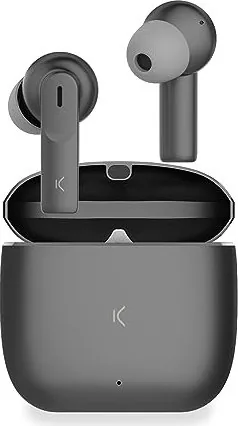
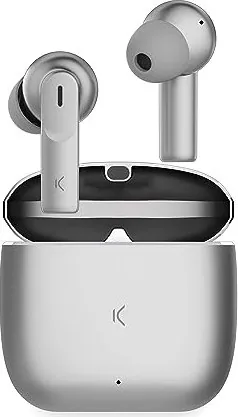
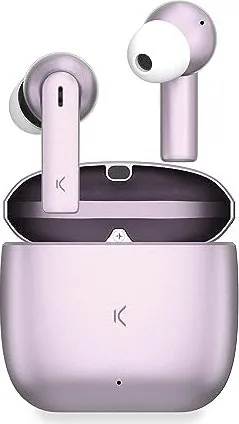
Ksix Meteor Manual
PDF manual · 30 Pages
English



Quick check
Incorrect answer, please try again.
Chat with your Ksix Meteor manual using AI
Get instant AI answers from your Ksix Meteor manual
Ask anything about the Ksix Meteor. Answers come from this manual, with the pages they are based on.
Meteor Maintenance Schedule
Clean regularly with a dry cloth while disconnected or powered off.
Keep connectors and ports free from dust and lint to prevent connection issues.
Ask a Question
Do you recommend Meteor?
Yes NoFrequently Asked Questions
Remove the earbuds from the charging case to enter pairing mode. Enable Bluetooth on your device, select "KSIX METEOR" from the available devices list, and wait for the confirmation tone "Connected". Subsequent uses auto-pair when removed from the case.
Is this answer helpful?
Each earbud offers about 4 hours of playback. The charging case provides roughly 28 hours total and can recharge earbuds about seven times when fully charged. Earbuds charge in ~1.5 hours; the case charges via USB-C in ~2.5 hours.
Is this answer helpful?
Unpair or forget "KSIX METEOR" from your device’s Bluetooth settings, place the earbuds back in the charging case, remove them to trigger pairing again. If issues persist, fully charge both earbuds and the case before repeating the reset/pair process.
Is this answer helpful?
The Ksix Meteor has an IPX4 rating, meaning it is splashproof and suitable for light sweat or rain, but it is not designed for submersion or heavy moisture exposure. Follow care recommendations to avoid water damage.
Is this answer helpful?
Single tap on either earbud to play/pause or answer calls. Double tap the right/left to increase/decrease volume. Triple tap right/left to skip forward/back. Long press (about 2 seconds) to reject calls or activate voice assistant.
Is this answer helpful?
Right earbud alternates white/red rapidly during pairing. A blue light blinks every 5 seconds when connected. A steady red light indicates charging. The case LED shows charging status and flashes when battery is low.
Is this answer helpful?
Clean with a dry cloth, keep ports free of dust, avoid moisture and high temperatures, do not bend or stress cables, store in a dry place when not in use, and recycle according to local regulations.
Is this answer helpful?
Advantages and Disadvantages
Advantages

- Compact, lightweight earbuds with a metal-accented charging case for easy portability.
- Bluetooth 5.3 and TWS offer stable wireless connectivity and automatic pairing.
- Auto on/off via charging case and intuitive touch controls for playback and calls.
- ENC dual-mic setup improves call clarity; IPX4 splash resistance for light activity.
- Long total runtime: ~4 hours earbud playtime and ~28 hours with the case (7 full recharges).
Disadvantages

- No manual power button — earbuds only turn on/off automatically via the case.
- Single-earbud connection issues may require resets and re-pairing.
- Earbud playtime (~4 hours) is modest compared with some competitors.
- IPX4 protects only against splashes, not full water immersion.
- Touch controls can be triggered accidentally depending on fit and handling.
Product Specification
Type
Earphones (In-Ear)
Form Factor
True Wireless, without earhook
Principle
closed
Microphone
integrated
Wireless
Bluetooth 5.3
Control
Touch Control
Operating Time
4h, 32h (with charging case)
Battery
USB-C charging port, Charging case (300mAh)
Frequency Range
20Hz-20kHz
Impedance
32Ω
Sensitivity
85dB
Device Features
water-resistant (IPX4)
Software Features
Voice assistant (Amazon Alexa, Apple Siri, Google Assistant)
Weight
0.13 oz (per earbud), 1.73 oz (charging case)
Product Description
Ksix Meteor: Compact True Wireless Earbuds with Smart Touch Controls
The Ksix Meteor blends compact design, reliable Bluetooth 5.3 connectivity and practical features into an affordable True Wireless Stereo (TWS) package. Lightweight earbuds (6.3 g total) and a metal-accented charging case make the Meteor easy to carry, while an IPX4 splashproof rating protects against light moisture during commutes or workouts. Each earbud houses a 30 mAh cell delivering around 4 hours of continuous playback; the 300 mAh case extends total runtime to roughly 28 hours, offering about seven full earbud charges when the case itself is fully charged.
Touch controls on each earbud handle playback, track skipping, volume adjustment, calls and voice assistant activation—single, double and triple taps plus long presses map to common functions. Dual microphones with ENC (environmental noise cancellation) enhance call clarity, and the earbuds support automatic on/off and pairing: removing them from the case powers them on and initiates Bluetooth pairing (KSIX METEOR), while placing them back starts charging and switches them off. LED indicators on both earbuds and the case report pairing, connection and charging status.
Charging is convenient via the case’s USB-C port. Earbuds reach full charge in approximately 1.5 hours, while the case needs about 2.5 hours. If pairing or single-earbud issues arise, the manual recommends unpairing from your device and repeating the pairing process after resetting the earbuds in the case. Basic maintenance tips—keep ports clean, avoid moisture, don’t bend cables, and store the product dry—help preserve performance and longevity.
Designed with everyday portability and straightforward operation in mind, the Meteor targets users who want a no-fuss wireless audio companion: quick pairing, intuitive touch controls, decent battery life for day-to-day use, and splash resistance for light activity.
Notes
- Automatic on/off and auto-pairing streamline everyday use but mean there is no manual power button.
- LED behaviours: alternating white/red for pairing, blue blink for connected, steady red when charging.
- If one earbud fails to connect, reset by unpairing KSIX METEOR from your device and re-pairing after reinserting them in the case.
Search for 67,706 Manuals online


Type-in Brand or Model