
Ksix Astro Manual
PDF manual · 25 Pages
English



Quick check
Incorrect answer, please try again.
Chat with your Ksix Astro manual using AI
Get instant AI answers from your Ksix Astro manual
Ask anything about the Ksix Astro. Answers come from this manual, with the pages they are based on.
Ask a Question
Do you recommend Astro?
Yes NoVideo Manual
How to use the bone conduction headset adjustment cord
Frequently Asked Questions
Enable Bluetooth on your phone or device, search for "KSIX ASTRO" in available devices, select it and wait for the "Connected" voice prompt. After initial pairing the headphones will auto-reconnect when turned on.
Is this answer helpful?
The headphones offer approximately 7 hours of playback on a full charge and take about 1.5 hours to recharge using the included USB-A to USB-C cable. Use a 5V charger for reliable mains charging.
Is this answer helpful?
During pairing an intermittent blue/red flashes; when connected a blue flash occurs every 5 seconds; power on shows a blue/red once; power off shows a red for 2 seconds; charging shows a fixed red and a fixed blue indicates fully charged.
Is this answer helpful?
In your device’s Bluetooth settings, select KSIX ASTRO and choose Unpair or Forget. Turn the headphones off and on, then repeat the pairing procedure to restore connection.
Is this answer helpful?
Single tap: play/pause or answer/hang up. Two taps: decrease volume; press 2 seconds: increase volume. Three taps: next track or reject call. Four taps: previous track or press 4 seconds to activate voice assistant.
Is this answer helpful?
They carry an IP64 rating, meaning splash and sweat resistance suitable for workouts and light rain, but they are not fully waterproof and should not be submerged.
Is this answer helpful?
Clean regularly with a dry cloth, keep ports dust-free, avoid moisture and extreme temperatures, do not bend or drop the device, and store in a dry place when not in use. Recycle according to local regulations.
Is this answer helpful?
Advantages and Disadvantages
Advantages

- Open-ear bone conduction keeps ears free for ambient awareness during activities.
- Lightweight 26 g design and ABS construction for comfortable, portable wear.
- Around 7 hours playback with 1.5-hour USB-C charging for practical daily use.
- IP64 rating provides sweat and splash resistance suitable for workouts.
- Simple touch controls and an LED status indicator make operation intuitive.
Disadvantages

- Bone conduction audio may lack bass and feel different from traditional in-ear phones.
- 7-hour battery life is modest compared with some competing true wireless models.
- Touch controls rely on multi-tap gestures that can be confusing at first.
- LED feedback may be limited for diagnosing more complex issues.
- Not fully waterproof—avoid full submersion despite IP64 splash protection.
Product Specification
Design
Bone conduction headphones (Open-Ear)
Form factor
Ear hook, Neckband
Acoustic principle
open
Microphone
integrated, bone conduction sensor
Wireless
Bluetooth 5.3, Multipoint
Control
Touch Control
Battery life
7h
Battery
USB-C charging port, 1.5h charging time
Frequency range
20Hz-20kHz
Impedance
32 Ohm
Sensitivity
105dB
Features
water-resistant (IP64)
Software features
Voice assistant (Amazon Alexa, Apple Siri, Google Assistant)
Color
black
Weight
0.92 oz
Product Description
Ksix Astro Manual — Meet the Ksix Astro
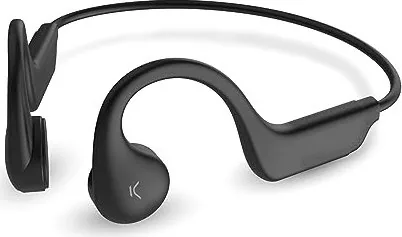
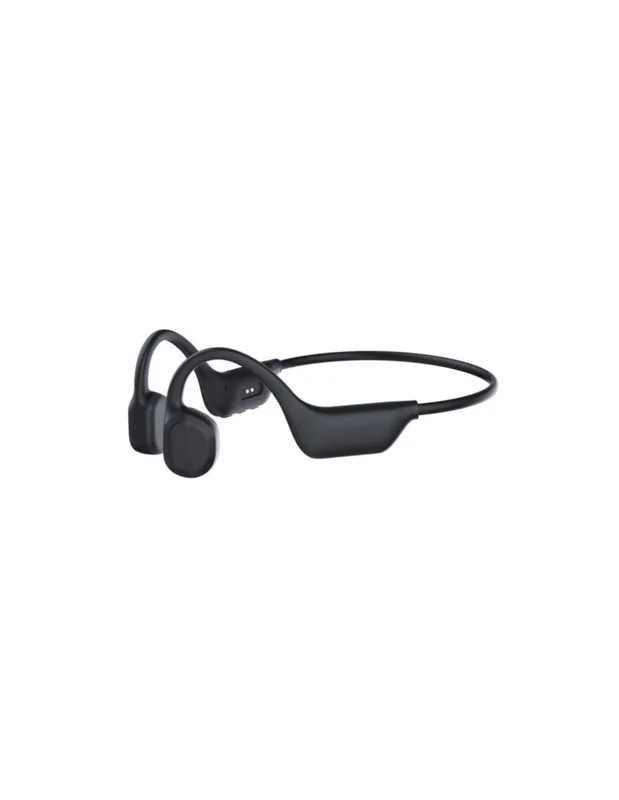
The Ksix Astro are lightweight bone-conduction wireless headphones designed for active users who want situational awareness without sacrificing audio. With a 150 mAh battery offering around 7 hours of playback, IP64 splash and sweat protection, and Bluetooth 5.1/5.3 connectivity, these buds prioritize comfort, endurance and simple touch-based controls. The ABS-bodied headset weighs just 26 g and charges via USB-C in approximately 1.5 hours, making it easy to top up between uses.
Practical features and daily use
The Astro employs bone conduction technology to deliver audio while keeping ears open to ambient sound—useful for runners, commuters and anyone needing to stay alert. Pairing is straightforward: enable Bluetooth on your device, select KSIX ASTRO and listen for the "Connected" prompt. Once paired, the headphones auto-reconnect when powered on. A multi-state LED signals pairing, connection, charging and power states so you always know device status at a glance.
Touch controls cover the full suite of playback and call functions: single taps for play/pause and answer/hang up, multi-tap gestures for track navigation, two-tap and press-and-hold gestures for volume, and longer presses to power on/off or activate voice assistants. If connectivity issues arise, a simple unpair and re-pair reset reliably restores normal operation.
Charging and maintenance
Charge via the included USB-A to USB-C cable; the LED shows a steady red while charging and a steady blue when complete. Use a 5V wall charger if charging from mains. Basic care—wiping with a dry cloth, keeping ports dust-free, avoiding moisture and extreme heat, and not bending or forcing components—prolongs life and preserves functionality. The product must be recycled or disposed of according to local electronic-waste regulations.
Safety and legal notes
Follow safety guidance: keep the device dry, avoid high temperatures or exposure to flames, do not open or modify the product, and keep it away from children. Atlantis Internacional S.L. declares compliance with Directive 2014/53/EC; users remain responsible for inspecting the product and ensuring correct use. The manufacturer disclaims liability for misuse or Bluetooth communication failures.
Notes
- Ideal for outdoor activities where ambient awareness matters.
- Bone conduction may sound different from in-ear headphones; expect a distinct listening experience.
- Keep a 5V charger handy for reliable charging.
Search for 67,706 Manuals online


Type-in Brand or Model