
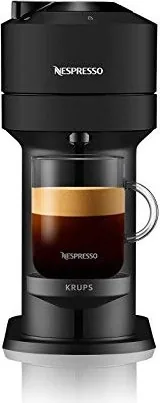
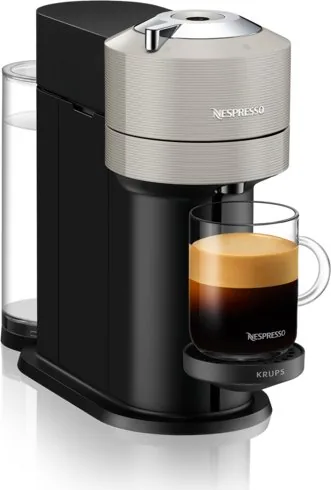
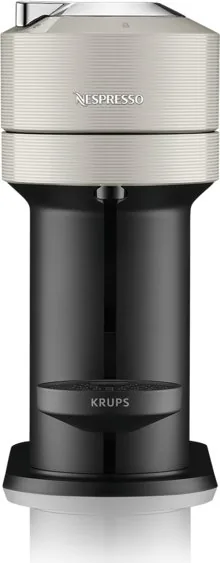
Krups XN 910 Vertuo Next Manual
PDF manual · 32 Pages
English



Quick check
Incorrect answer, please try again.
Chat with your Krups XN 910 Vertuo Next manual using AI
Get instant AI answers from your Krups XN 910 Vertuo Next manual
Ask anything about the Krups XN 910 Vertuo Next. Answers come from this manual, with the pages they are based on.
XN 910 Vertuo Next Maintenance Schedule
Use Nespresso descaling kit. Fill tank with solution and water. Enter descaling mode via button sequence.
Press button 3 times within 2 seconds to run automatic cleaning cycle. Do not insert capsule.
Daily for office use. Rinse cup support, empty and rinse capsule container and drip tray.
Free maintenance reminders
Timed to your purchase date. Always free, unsubscribe anytime.
Ask a Question
Do you recommend XN 910 Vertuo Next?
Yes NoFrequently Asked Questions
No. The Vertuo Next is designed exclusively for Nespresso Vertuo capsules. Original series capsules are incompatible and should not be used.
Is this answer helpful?
Insert the capsule, close and lock the head, then press and hold the button until the desired volume is reached. The machine stores the programmed volume for that specific capsule category (Alto, Mug, Gran Lungo, Double Espresso or Espresso).
Is this answer helpful?
Orange blink patterns indicate different states: rapid orange blinking can signal cleaning or descaling mode; two quick orange blinks then pause often indicate an error. Refer to the blink summary in the manual to identify the exact meaning and troubleshooting steps.
Is this answer helpful?
Eject any capsule, refill the tank with the Nespresso descaling solution plus 0.5 L water, then hold the button for at least 7 seconds to access descaling. The descaling procedure takes about 20 minutes; it cannot be interrupted and must be repeated if power is cut.
Is this answer helpful?
Empty the water tank, unplug the machine, place a container under the coffee outlet, run the emptying procedure (hold button while plugging in), and ensure capsule and drip trays are emptied and dry before storage.
Is this answer helpful?
Enable Bluetooth on your mobile device, open the Nespresso app, select the Machine icon, unplug the machine for 10 seconds, place the handle unlocked, press and hold the button while plugging the machine in; a white blink indicates Bluetooth/Wi‑Fi activation for pairing.
Is this answer helpful?
Perform daily office cleaning: rinse and refill the water tank, empty and rinse the capsule container and drip tray, run the machine’s cleaning cycle when needed, and descale per alerts or recommended intervals using the official descaling kit.
Is this answer helpful?
Advantages and Disadvantages
Advantages

- Automatic barcode‑driven extraction ensures consistent brew parameters for each capsule type.
- Single‑button operation with programmable cup volumes (20–500 ml) for user customization.
- Built‑in cleaning and descaling cycles with clear LED signals simplify maintenance.
- Bluetooth/Wi‑Fi connectivity and Nespresso app support for pairing and software updates.
- Compact footprint and recyclable materials make it suitable for homes and small offices.
Disadvantages

- Works only with Nespresso Vertuo capsules; Original line capsules are incompatible.
- Descaling requires official Nespresso descaling kit and cannot be interrupted once started.
- Small water tank (1.1 L) may require frequent refills in high‑use environments.
- Handle and head can become hot after multiple successive preparations.
- Some functions require following specific multi‑press button sequences that may confuse new users.
Product Specification
Coffee System
Nespresso Vertuo
Milk System
no
Cup Volume
automatic, adjustable
Display
no
Smart Home
App Control (Bluetooth)
Product Description
Krups XN 910 Vertuo Next Manual — Krups XN 910 Vertuo Next Manual
The Krups XN 910 Vertuo Next is a compact, Wi‑Fi/Bluetooth‑enabled pod coffee machine designed for consistently high‑quality extraction across multiple cup sizes. Leveraging Nespresso’s Centrifusion® technology, the Vertuo Next reads capsule barcodes and automatically adjusts brewing parameters to deliver espresso, double espresso, gran lungo, mug and alto volumes with a rich crema. Built for home and light commercial settings (offices, small hospitality), it combines a small footprint with recyclable packaging and straightforward daily maintenance.
Ease of use is central: insert a Vertuo capsule, lock the head, press the single button and the machine handles barcode reading, pre‑wetting and infusion timing. Cup sizes come preset (Espresso 40 ml, Double Espresso 80 ml, Gran Lungo 150 ml, Mug 230 ml, Alto 414 ml) and can be reprogrammed between 20–500 ml per capsule type. For connectivity, pair the machine with the Nespresso app (iOS/Android) to enable software updates, pairing and remote features; Bluetooth/Wi‑Fi can be toggled via a button sequence.
Practical maintenance features minimize downtime: the machine includes predefined cleaning and descaling cycles, clear LED blink patterns to indicate modes or alerts, and step‑by‑step procedures for emptying before long idle periods or frost protection. Descaling requires Nespresso descaling solution and takes roughly 20 minutes; cleaning cycles and emptying routines are user‑initiated via simple button sequences. Safety guidance covers grounding, handling of hot liquids, keeping magnets and ferromagnetic tools away, and child supervision recommendations.
Compact dimensions and a 1.1 L water tank make the Vertuo Next suitable for kitchens and small workspaces. The machine’s construction emphasizes recyclable materials and a two‑year limited Krups warranty. Troubleshooting guidance covers common LED signals, flow issues, temperature concerns, and steps to reset factory settings or reprogram cup volumes.
Overall, the Krups XN 910 Vertuo Next Manual emphasizes a user‑friendly single‑button experience, precision extraction via barcode‑driven Centrifusion®, and practical maintenance workflows for long‑term reliability.
Notes
- Supports capsule types exclusive to Nespresso Vertuo; Original capsules are incompatible.
- Bluetooth/Wi‑Fi default is ON after factory reset; app pairing is recommended for updates.
- Follow Nespresso descaling kit instructions; descaling mode cannot be interrupted.
Search for 67,706 Manuals online


Type-in Brand or Model