
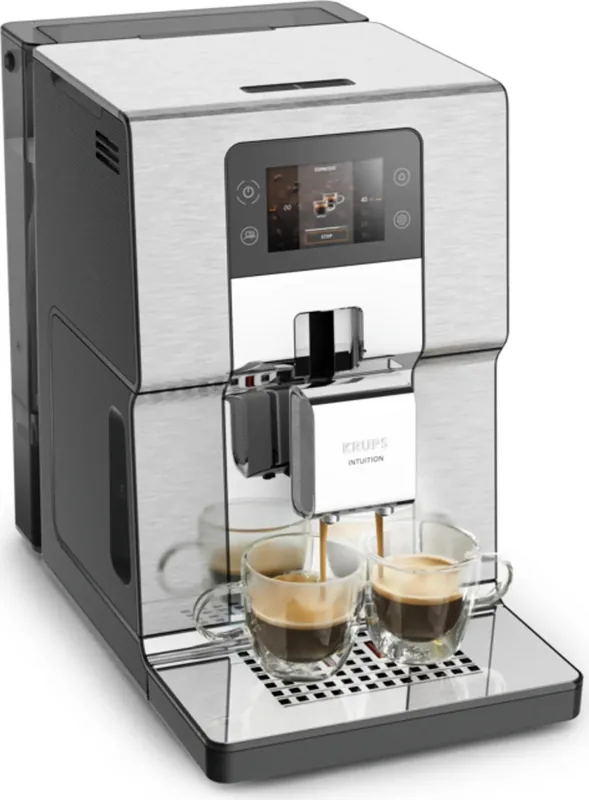
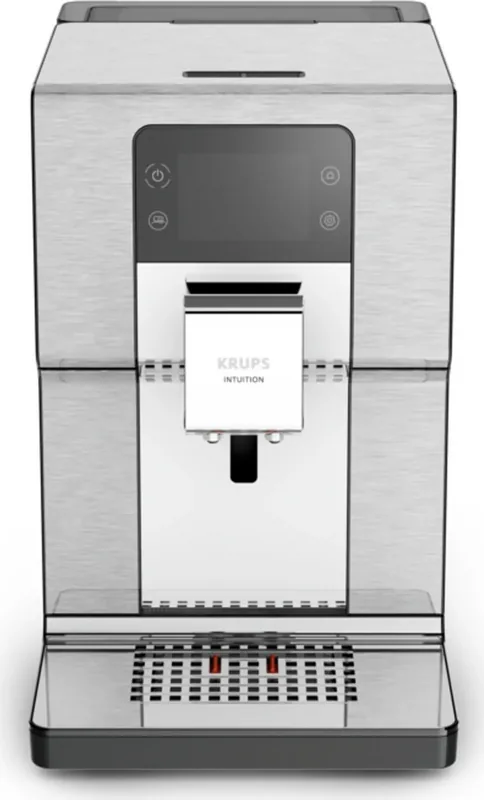
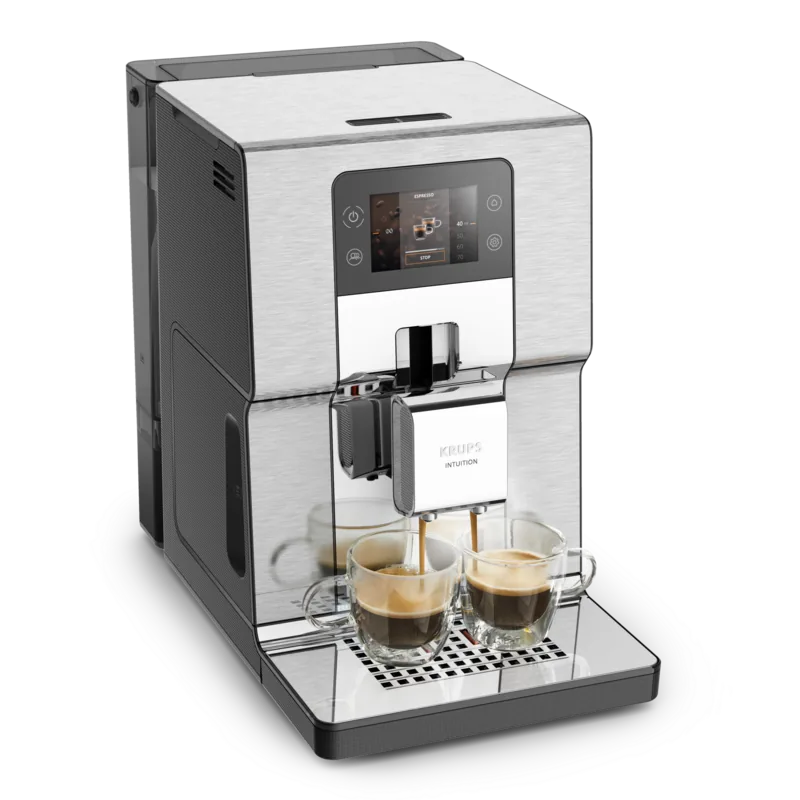
Krups EA877D Intuition Experience+ Manual
PDF manual · 157 Pages
English



Quick check
Incorrect answer, please try again.
Chat with your Krups EA877D Intuition Experience+ manual using AI
Get instant AI answers from your Krups EA877D Intuition Experience+ manual
Ask anything about the Krups EA877D Intuition Experience+. Answers come from this manual, with the pages they are based on.
EA877D Intuition Experience+ Maintenance Schedule
Dismantle and clean each element daily for hygiene. Let it air dry before replacing. Can be washed in dishwasher without metal grid.
Empty when prompted or more regularly while machine is on. Clean with hot soapy water daily and let air dry. Do not put in dishwasher.
Use fresh water. Clean the tank every day with hot water and a sponge, then let it air dry before placing it back on the machine.
Run a 45-second hot water flush through the coffee circuit if the machine has not been used for two days.
Change the water filter cartridge every 2 months after installation or when the machine prompts you to do so.
Perform a complete automatic cleaning cycle (13 min) using a KRUPS cleaning tablet to degrease the coffee circuit.
Perform a 30-second rinse of the milk circuit after each milk-based beverage to maintain foam quality.
Wash the milk pot with hot water and soap after each use. It can be placed in the dishwasher without its lid.
Manually clean the milk tube and metal nozzle carefully with hot water and soap after every use.
Wipe the inside walls with a dry, soft cloth each time you refill beans to remove oily residue. Do not use water.
Disassemble and clean the One Touch Cappuccino block using the cleaning needle. Recommended for optimal froth quality.
Run the descaling program (20 min) when the machine requests it or at any time to remove limescale deposits.
Free maintenance reminders
Timed to your purchase date. Always free, unsubscribe anytime.
Ask a Question
Do you recommend EA877D Intuition Experience+?
Yes No
Thomas Weber
6 months ago
Is the milk system difficult to clean after making lattes or cappuccinos?
Frequently Asked Questions
Fill a glass with water, dip the provided test stick for one minute, and count the colored squares. Enter this number (0-4) into the Water Hardness menu on the touch screen and press OK.
Is this answer helpful?
No, this machine is designed for whole beans. If you accidentally put ground coffee in the hopper, vacuum it out immediately to avoid damaging the grinder mechanism.
Is this answer helpful?
This is normal behavior. The grinder runs briefly to measure consumption and ensure proper operation, especially when there are few beans left in the container.
Is this answer helpful?
You should replace the Claris Aqua Filter System cartridge every two months or whenever the machine indicates that a change is necessary.
Is this answer helpful?
Clean the One Touch Cappuccino block manually using hot water and soap. Use the provided cleaning needle to clear the metal nozzle tip thoroughly.
Is this answer helpful?
Advantages and Disadvantages
Advantages

- Intuitive touch screen interface similar to a smartphone for easy navigation
- One Touch Cappuccino system delivers consistent milk foam quality
- Customizable user profiles with color-coded indicators for quick access
- Includes exclusive iced drink programs like Frappé and Nitro Coffee
- Automatic maintenance alerts simplify cleaning and descaling schedules
Disadvantages

- Milk pot requires manual disassembly and cleaning after each use
- Grind adjustment button can be stiff if turned while not operating
- Bean container must be wiped dry as water cannot be used for cleaning
- Requires specific Krups accessories to keep the warranty valid
- Initial setup and calibration may take some time for first-time users
Product Specification
Power
1550W
Color
stainless steel
Pump pressure
217.53 psi
Coffee system
coffee beans, ground coffee
Milk system
separate milk container
Grinder
adjustable conical grinder (5 settings)
Coffee amount
adjustable (4 settings)
Water amount
adjustable
Coffee temperature
adjustable (3 settings)
Water tank capacity
0.8 gallons
Bean hopper capacity
8.82 oz
Display
touchscreen
Features
Touch-Control operation, dual height-adjustable drink spout, 2-cup function (with milk), memory function (8 memory slots), timer (programmable start time), removable water tank, integrated water filter, cup lighting, adjustable water hardness, cup holder, automatic cleaning program, milk foam line cleaning program, rinse cycle
Dimensions
9.45x14.37x15.75 in (WxDxH)
Weight
19.62 lbs
Product Description
Experience the Art of Coffee with Krups EA 877D Intuition Experience+
Welcome to a new era of home brewing with the Krups EA 877D Intuition Experience+. This automatic espresso machine is designed for those who demand barista-quality beverages without the complexity. Featuring a large, intuitive touch screen similar to a smartphone, this appliance simplifies the coffee-making process while delivering exceptional flavor profiles from freshly ground beans.
The heart of the Krups EA 877D lies in its advanced One Touch Cappuccino system. Whether you crave a rich Espresso, a creamy Flat White, or an invigorating Latte Macchiato, the machine handles it all with precision. The Intuitive Light Indicator guides you through every step, alerting you when maintenance is needed or when containers require attention, ensuring your experience remains seamless. For users seeking variety, the machine supports custom profiles, allowing you to save up to seven favorite recipes per user and assign unique colors for instant identification.
Freshness is paramount. The built-in conical metal grinder allows you to adjust the grind fineness to suit different bean types, from oily dark roasts to delicate light roasts. You can customize the coffee strength and volume to match your exact preference. The machine also includes a dedicated program for iced drinks like Frappé and Nitro Coffee, exclusive to the Experience+ model, bringing café-style cold beverages directly to your kitchen counter.
Maintenance is straightforward thanks to automated cycles. The machine prompts you for milk rinsing after every use, manual deep cleaning of the milk circuit, and regular descaling. A Claris Aqua Filter System cartridge helps reduce limescale buildup and optimizes water quality for superior taste. With a 3-liter water tank and a 250-gram bean container, this robust machine is ready to serve your household for days at a time. Embrace the simplicity and sophistication of the Krups EA 877D Manual-controlled precision meets modern convenience.
Important Maintenance Notes
- Always rinse the milk circuit after preparing any milk-based drink to prevent clogging.
- Clean the drip tray and grounds container daily for optimal hygiene.
- Use only Krups accessories to maintain your warranty coverage.
Search for 67,706 Manuals online


Type-in Brand or Model
Sarah Mueller
4 months ago
Does the machine automatically finish brewing if I run out of water or beans mid-cycle?
Manual.ly
4 months ago
Yes, the Krups Intuition Experience+ features an innovative pause-and-resume function. If the water tank runs dry or the bean container becomes empty during a brewing cycle, the machine will stop safely. Once you refill the necessary components, it will automatically resume and complete the drink from where it left off, preventing waste and ensuring you get your full cup.