
Krups EA8150 Manual
PDF manual · 43 Pages
English



Quick check
Incorrect answer, please try again.
Chat with your Krups EA8150 manual using AI
Get instant AI answers from your Krups EA8150 manual
Ask anything about the Krups EA8150. Answers come from this manual, with the pages they are based on.
EA8150 Maintenance Schedule
Replace the Claris Aqua Filter System cartridge after a maximum of 2 months to optimize taste and machine lifespan.
Execute the automatic cleaning cycle with a KRUPS cleaning tablet when the cleaning symbol appears on the display.
Perform the automatic descaling cycle with a KRUPS descaler sachet when the machine requests it based on steam usage.
Free maintenance reminders
Timed to your purchase date. Always free, unsubscribe anytime.
Ask a Question
Do you recommend EA8150?
Yes NoFrequently Asked Questions
It can prepare ristretto, espresso, coffee, and milk-based drinks like cappuccino or café latte. The machine uses freshly ground beans and supports both single- and two-cup preparation.
Is this answer helpful?
Yes. You can change the strength, volume, and temperature. You can also adjust the grinder fineness, which has a big impact on how intense and creamy the coffee tastes.
Is this answer helpful?
Yes. The steam nozzle is used to froth milk and heat liquids. There is also an optional auto-cappuccino accessory that makes milk-based drinks easier to prepare.
Is this answer helpful?
The machine includes automatic rinse, cleaning, and descaling programs. The exact timing depends on use and water hardness, but regular upkeep is important for good performance.
Is this answer helpful?
Fresh coffee beans usually give the best results. The machine performs especially well with beans that match your taste, so trying different blends and roasts can help you find the ideal cup.
Is this answer helpful?
Water affects both flavor and machine care. Fresh, cold water with low chlorine content is recommended, and using the Claris filter can help improve taste and reduce scale buildup.
Is this answer helpful?
Advantages and Disadvantages
Advantages

- Fully automatic brewing for espresso, coffee, and ristretto.
- Adjustable strength, volume, and temperature for custom drinks.
- Built-in grinder with adjustable fineness improves flavor control.
- Steam nozzle supports cappuccinos and other milk drinks.
- Maintenance programs help simplify cleaning and descaling.
Disadvantages

- Requires regular cleaning and descaling to stay in top shape.
- Steam function stops with a delay, not instantly.
- Some accessories and filter parts are sold separately.
- Best results depend on fresh beans, milk, and water quality.
- Can take several tries to find the ideal grind and bean blend.
Product Specification
Power
1450W
Color
black
Pump pressure
217.56 psi
Coffee system
Coffee beans
Milk system
no
Grinder
adjustable conical burr grinder (3 levels)
Coffee quantity
adjustable (stepless)
Water quantity
adjustable (stepless)
Coffee temperature
adjustable (stepless)
Water tank capacity
0.48 gal
Bean container capacity
0.61 lb
Coffee grounds container capacity
9 portions
Display
yes
Special features
double height-adjustable beverage spout (2.36-4.13in), memory function (2 memory slots), automatic shut-off (adjustable), steam nozzle, frothing aid (Pannarello), variable brewing system (0.21-0.32 oz), integrated water filter, automatic cleaning program, automatic descaling program
Dimensions
14.37x12.99x9.65in (WxHxD)
Weight
15.65 lb
Product Description
Krups EA 8150: Compact Bean-to-Cup Convenience for Everyday Coffee Lovers
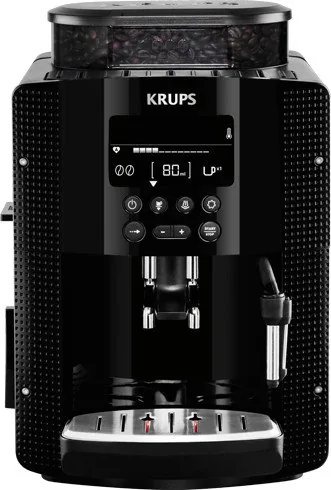
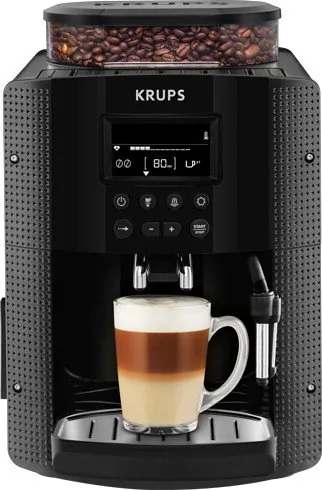
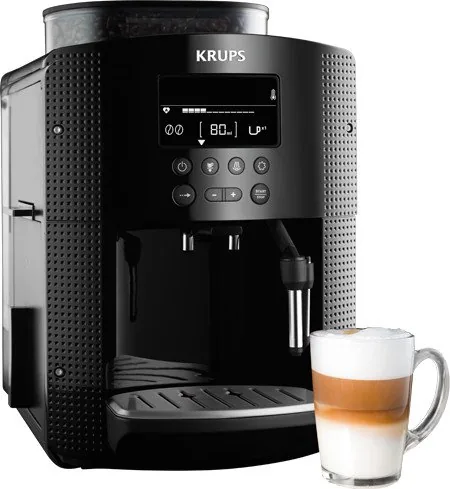
The Krups EA 8150 is designed for people who want café-style drinks at home without a complicated learning curve. With the Krups EA 8150 Manual in mind, the machine stands out for its fully automatic brewing workflow, clear LCD guidance, and the ability to prepare ristrettos, espressos, and regular coffees from freshly ground beans. It is a practical choice for anyone who values speed, consistency, and a rich aroma in every cup.
One of the strongest points of this model is its balance between automation and control. You can adjust the coffee strength, volume, and temperature, which makes it easier to tailor each drink to personal taste. The built-in metal grinder and adjustable grind setting help fine-tune extraction, while the 15-bar pump and thermoblock system support a hot, flavorful result with a smooth crema. It’s especially appealing for households that enjoy switching between lighter coffee and more intense shots throughout the day.
Milk-based drinks are also part of the experience. The steam nozzle opens the door to cappuccinos and café lattes, and the machine includes guidance for frothing milk properly. For users who want even more convenience, the optional auto-cappuccino accessory adds an easier path to creamy milk foam. This makes the EA 8150 more versatile than a basic espresso machine, while still remaining compact enough for a modern kitchen counter.
Maintenance is another area where the Krups EA 8150 shows its practical design. The machine offers automated rinsing, cleaning, descaling, and filter priming programs, helping protect performance over time. The removable drip tray, grounds collector, and steam nozzle also make daily upkeep more manageable. For best results, the machine works well with fresh beans, cold milk, and filtered water, especially when using the Claris Aqua Filter System.
Overall, the Krups EA 8150 is a smart pick for coffee drinkers who want a reliable bean-to-cup machine with user-friendly controls and enough flexibility to handle both black coffee and milk drinks.
Notes
- Preheating cups can improve crema and temperature.
- Fresh beans and clean water make a noticeable difference.
- Regular cleaning keeps the machine performing at its best.
Search for 67,706 Manuals online


Type-in Brand or Model
Saskia N.
8 months ago
How good is the milk frothing on this Krups fully automatic? Do users report the steam nozzle clogging or not producing proper foam?
Manual.ly
8 months ago
Many buyers say the machine makes tasty drinks easily, but the milk system is the most debated part. Several reviews report good cappuccino/foam, while others mention the milk frothing nozzle or steam part can clog or stop producing airy foam after only a few uses, especially if it is not cleaned promptly. Support recommends rinsing/cleaning the milk parts after each use (and running the milk cleaning routine if available) to prevent buildup. If you mainly drink black coffee, the machine is widely described as solid and low-maintenance. For milk-focused drinks, consider having spare accessories or using an external milk frothing attachment if your model includes it.